One of the most common questions among PC gamers is: “Can I play GTA 5 on my laptop?” The good news is that yes, you can play Grand Theft Auto V (GTA 5) on many modern laptops—but there are important factors to consider before you hit download. Rockstar’s popular open-world action game is graphically intensive and demands a certain level of hardware performance, especially if you’re aiming for smooth gameplay. I
Your laptop must have at least 4 GB of RAM and a 2.4 GHz processor to meet the minimum requirements. To get the best performance, we recommend 8 GB of RAM and an Intel Core i7-3770 3.5 GHz or AMD FX-8350 4.0 GHz processor.
In this article, we’ll break down minimum and recommended system requirements, how to optimize settings, and what types of laptops are best suited for playing GTA 5.
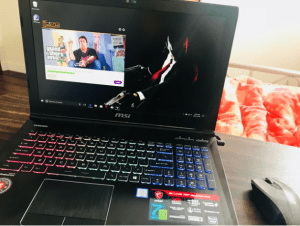
playing GTA 5 on my *8*years old laptop( i3,4GB) (Shocking ending)
Minimum System Requirements for GTA 5 on Laptop
To determine whether your laptop can handle GTA 5, you’ll need to compare its specifications to the minimum system requirements set by Rockstar Games:
- OS: Windows 7/8/10 (64-bit)
- Processor: Intel Core 2 Quad CPU Q6600 @ 2.40GHz or AMD Phenom 9850 @ 2.5GHz
- RAM: 4 GB
- Graphics Card: NVIDIA 9800 GT 1GB or AMD HD 4870 1GB (DX 10)
- Storage: 72 GB free space
- Sound Card: 100% DirectX 10 compatible
If your laptop barely meets these specs, GTA 5 may run at low settings and resolution, but it won’t provide the best gaming experience.
Recommended System Requirements for Smooth Performance
For smoother gameplay at higher settings and resolutions, your laptop should meet or exceed the recommended requirements:
- OS: Windows 10/11 (64-bit)
- Processor: Intel Core i5 3470 or AMD X8 FX-8350
- RAM: 8 GB or more
- Graphics Card: NVIDIA GTX 660 2GB / AMD HD 7870 2GB
- Storage: SSD preferred for faster loading times
Gaming laptops with dedicated GPUs (graphics processing units) like NVIDIA GTX/RTX or AMD Radeon series are ideal for running GTA 5 without lags or frame drops.
System Requirements for GTA 5
To run GTA 5, your laptop must meet the system requirements outlined by Rockstar Games, the game’s developer. The requirements below are for the enhanced version of GTA 5, updated in 2025, which includes advanced graphical features like ray tracing and support for modern technologies such as DLSS and FSR.
| Category | Minimum Requirements | Recommended Requirements |
|---|---|---|
| OS | Windows 10 (build 1909 or above) | Windows 11 |
| Processor | Intel Core i7-4770 / AMD FX-9590 | Intel Core i5-9600K / AMD Ryzen 5 3600 |
| Memory | 8GB RAM | 16GB RAM |
| Video Card | NVIDIA GeForce GTX 1630 (4GB VRAM) / AMD Radeon RX 6400 | NVIDIA GeForce RTX 3060 (8GB VRAM) / AMD Radeon RX 6600 XT |
| Storage | 105GB SSD Required | 105GB SSD Required |
| Sound Card & Audio | 100% DirectX 10 Compatible |
Credit: www.reddit.com
Can My Laptop Run GTA 5?
To determine if your laptop can run GTA 5, you need to compare its specifications to the requirements above. Here’s how to proceed:
Step 1: Check Your Laptop’s Specifications
- Windows Tools: On Windows, open “System Information” by typing msinfo32 in the search bar to view your processor, RAM, and OS details. For GPU information, check “Device Manager” under “Display Adapters.”
- Third-Party Tools: Software like Speccy or CPU-Z provides detailed hardware information, including your GPU model and VRAM.
- Online Checkers: Use tools like Can You Run It? from SystemRequirementsLab. This tool automatically detects your laptop’s specs or allows manual input to compare against GTA 5’s requirements.
Step 2: Evaluate Compatibility
- Dedicated vs. Integrated Graphics: Laptops with dedicated GPUs (e.g., NVIDIA GeForce or AMD Radeon) are far more likely to run GTA 5 smoothly. Integrated graphics, such as Intel UHD Graphics, often struggle, resulting in low frame rates or unplayable performance, especially for the enhanced version.
- Budget Laptops: According to PCGameBenchmark, budget laptops may struggle with the enhanced version’s demands, but mid-range laptops from the last five years should handle it well.
- Legacy Version Option: If your laptop can’t meet the enhanced version’s requirements, Rockstar offers a “Legacy” version of GTA 5, which has lower requirements and supports older hardware.
Step 3: Consider Performance Needs
If your laptop meets only the minimum requirements, you may need to lower in-game settings to achieve playable frame rates (30 FPS or higher). Laptops exceeding the recommended specs can run GTA 5 at high or ultra settings, delivering a visually stunning experience.
Recommended Laptops for GTA 5
If your current laptop doesn’t meet GTA 5’s requirements or you’re looking to upgrade, here are some laptops that can handle the game effectively, based on recommendations from LaptopMedia:
| Laptop Model | Processor | Video Card | RAM | Storage | Display | OS |
|---|---|---|---|---|---|---|
| Dell G5 5500 | Intel Core i5-10300H | NVIDIA GeForce GTX 1650 Ti | 8GB DDR4 | 256GB SSD | 15.6”, Full HD (1920 x 1080), IPS | Windows 10 Home |
| Acer Predator Triton 300 SE | Intel Core i7-12700H | NVIDIA GeForce RTX 3060 | 16GB LPDDR5 | 512GB SSD | 14.0″, WUXGA (1920 x 1200), 165 Hz, IPS | Windows 11 Home |
Why These Laptops?
- Dell G5 5500: This mid-range gaming laptop offers a solid balance of performance and affordability. Its GTX 1650 Ti GPU and Intel Core i5 processor can run GTA 5 at medium to high settings, making it a great choice for budget-conscious gamers.
- Acer Predator Triton 300 SE: A premium option, this laptop’s RTX 3060 GPU and 16GB RAM ensure GTA 5 runs at ultra settings with high frame rates, ideal for enthusiasts seeking the best visuals and performance.
Best Laptops to Play GTA 5 in 2025
If you’re considering buying a new laptop to play GTA 5 (and similar AAA titles), look for models with:
- Intel Core i5/i7 or AMD Ryzen 5/7 (Latest Gen)
- At least 8 GB RAM
- Dedicated GPU like NVIDIA GeForce GTX 1650 / RTX 3050 or better
- SSD storage for quick load times
- High refresh rate display (optional for smoother visuals)
Popular gaming laptop series include ASUS TUF Gaming, Acer Nitro, HP Victus, and Dell G15—all capable of running GTA 5 comfortably.
General Recommendation
Laptops with at least an Intel Core i5-10300H, NVIDIA GeForce GTX 1650, 12GB RAM, and a 512GB SSD provide a reliable foundation for GTA 5. Many other gaming laptops from brands like ASUS, MSI, and Lenovo also meet these specs, so check models like the ASUS TUF A15 or MSI GF65 Thin for additional options (Digit).
Tips for Running GTA 5 on a Laptop
Even if your laptop meets the minimum requirements, you may need to optimize settings to ensure smooth gameplay. Here are practical tips to enhance your experience:
- Adjust Graphics Settings: Lower settings like texture quality, shadow quality, and draw distance to boost frame rates. GTA 5’s in-game menu offers extensive customization, allowing you to balance visuals and performance.
- Prevent Overheating: Laptops can overheat during long gaming sessions, leading to performance drops. Use a cooling pad, ensure proper ventilation, and avoid playing on soft surfaces like beds or couches.
- Close Background Applications: Free up system resources by closing unnecessary programs, such as web browsers or media players, before launching GTA 5.
- Update Graphics Drivers: Regularly update your GPU drivers from NVIDIA or AMD’s official websites to improve performance and fix compatibility issues.
- Use an SSD: If your laptop uses an HDD, upgrading to an SSD will reduce loading times and minimize in-game stuttering (PCGameBenchmark SSD Guide).
- Monitor Frame Rates: GTA 5’s RAGE engine caps at 188 FPS, so a display with a 165Hz refresh rate is sufficient. Investing in a higher-resolution display (e.g., 1920×1080 or higher) is more beneficial than chasing ultra-high refresh rates (GameRant).
Tips to Optimize GTA 5 on Low-Spec Laptops
Even if your laptop doesn’t have a powerful GPU, you can still improve performance with the following tips:
- Lower in-game resolution (e.g., 720p instead of 1080p)
- Set graphics to “Normal” or “Low”
- Disable features like anti-aliasing, shadows, and V-Sync
- Close unnecessary background apps to free up RAM and CPU
- Update your graphics drivers regularly
Using external cooling pads and switching to performance mode (in Windows power settings) can also prevent thermal throttling during gameplay.
Conclusion
You can play GTA 5 on your laptop if it meets at least the minimum requirements and preferably includes a dedicated graphics card. While low-spec systems may struggle, optimizing settings and keeping your system updated can make gameplay smoother. For the best experience, use a gaming laptop or consider cloud gaming solutions. Whether you’re cruising through Los Santos or diving into high-speed chases, make sure your setup is ready to handle the heat!
Frequently Asked Questions
Can GTA 5 Run on My Laptop?
No definitive answer exists as to whether or not Grand Theft Auto 5 can run on a laptop. Theoretically, it should be possible to play the game on most laptops released within the past few years. However, there are many factors that can affect performance, such as the type of processor, amount of RAM and graphics card model. Additionally, the game’s system requirements have not been officially released yet. As such, it is difficult to say for certain whether or not a particular laptop will be able to run GTA 5 without experiencing any issues.
How Do I Install GTA 5 on My Laptop?
To install GTA 5 on your laptop, you will need to first ensure that you have enough storage space available. The game requires approximately 65GB of free space in order to be installed. Once you have checked for available storage, you can begin the installation process by inserting the GTA 5 disc into your computer’s DVD drive.
The installation process will take some time, so please be patient. Once the installation is complete, you should be able to launch and play GTA 5 without any issues!
Can a Laptop Handle GTA?
GTA is a resource intensive game and needs a powerful computer to run smoothly. Below are the minimum system requirements for GTA V, as listed on Rockstar’s support site. If your laptop doesn’t meet these requirements, it can still run the game, but you may experience lag or other performance issues.
Can You Play GTA 5 on Laptop Without Graphics Card?
Technically yes—but only with integrated graphics, the game will run at very low frame rates, poor visuals, and possible overheating. Intel’s newer Iris Xe graphics or AMD Vega series may handle GTA 5 on lowest settings, but it’s not recommended for enjoyable play.
Alternatively, you can use cloud gaming services like NVIDIA GeForce NOW or Boosteroid, which stream the game to your laptop, bypassing local hardware limitations.