
Buying crypto isn’t the hardest part. The real challenge is keeping it safe after you buy it.
Anyone can create an account, deposit money, and click “buy.” The part that trips people up — sometimes expensively — is everything that happens next: securing the account, moving funds to the right place, and storing them so they stay accessible to you and no one else. Crypto security involves more than choosing a reputable exchange or buying a hardware wallet. It’s a series of small, deliberate decisions made correctly, one after another.
This guide walks through the full journey — buy, secure, transfer, store, monitor — and explains how to reduce common risks at each stage. No method here is completely risk-free, and this article won’t pretend otherwise.
How to Buy, Transfer, and Store Cryptocurrency securely?
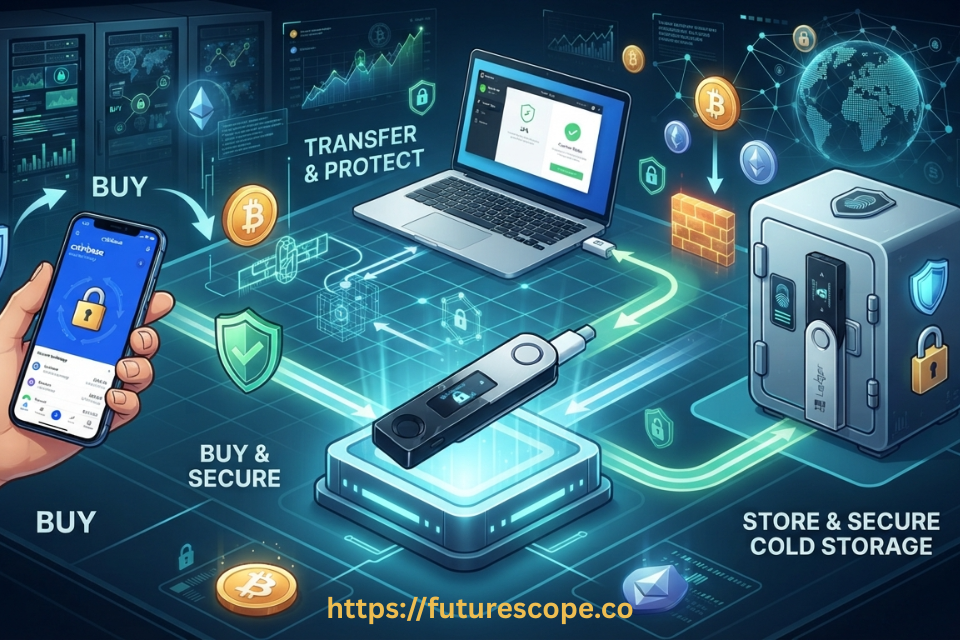
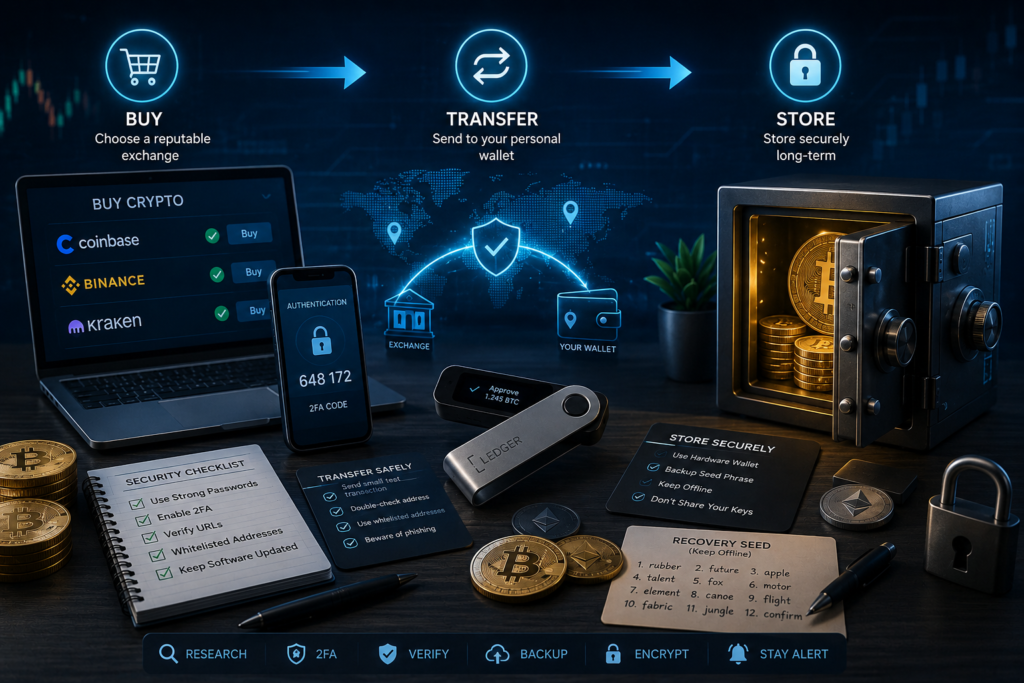
Before diving into details, here’s the overall path this guide follows:
- Choose a reputable exchange
- Secure your exchange account
- Buy cryptocurrency
- Set up a secure wallet
- Verify the receiving address
- Select the correct blockchain network
- Send a small test transaction
- Transfer the remaining funds
- Store recovery information securely
- Monitor your wallet and account
Let’s go through each stage in detail.
Part 1: Choose a Reputable Crypto Exchange
For most beginners, an exchange is the starting point — it’s where fiat currency turns into crypto for the first time. Choosing carefully here matters because your funds sit in the exchange’s custody, at least temporarily.
Factors worth researching before depositing funds:
- Security history — has the exchange experienced past breaches, and how did it respond?
- Account protection — what login and withdrawal safeguards are available?
- 2FA/passkeys — does the exchange support app-based 2FA, hardware keys, or passkeys, not just SMS?
- Withdrawal controls — can you whitelist addresses or set withdrawal delays?
- Proof of reserves — does the exchange publish any transparency reporting?
- Regulatory status — is the exchange licensed or regulated in relevant jurisdictions?
- Supported cryptocurrencies — does it list the assets you actually want?
- Withdrawal fees — are they clearly published and reasonable?
- Customer support — is there a responsive, verifiable support channel?
- Geographic availability — is the exchange fully available, and legally usable, in your country?
Major exchanges such as Coinbase, Kraken, Binance, OKX, Bybit, and KuCoin each take different approaches to these factors, and their offerings change over time. No exchange listed here — or anywhere — should be considered completely safe. Research current security practices and confirm availability in your country before depositing funds.
Part 2: Secure Your Exchange Account
Once you’ve chosen an exchange, lock the account down before depositing anything significant.
- Use a unique password you don’t reuse anywhere else.
- Enable 2FA — an authenticator app is stronger than SMS.
- Prefer passkeys or hardware security keys where the exchange supports them.
- Enable withdrawal address whitelisting if available.
- Turn on anti-phishing code features, which help you spot fake emails.
- Review active login sessions periodically and revoke anything unfamiliar.
- Never share one-time passcodes (OTP) with anyone, including people claiming to be support.
- Don’t trust unsolicited support messages — legitimate support won’t message you first asking for credentials.
- Avoid logging into exchanges through links in emails, texts, or ads; type the URL directly or use a bookmark.
Email security matters here too. Your exchange account is often tied to your email for password resets and login alerts, so the same care — unique password, 2FA, and skepticism toward unsolicited messages — should apply to your email account as well.
Part 3: Buy Cryptocurrency Safely
Buying itself is usually the simplest part of the process:
- Deposit funds using a supported payment method.
- Select the cryptocurrency you want to buy.
- Review the purchase price before confirming.
- Check the fees and spread involved.
- Confirm the transaction.
- Review your account balance to confirm the purchase went through as expected.
A few cost terms worth understanding:
- Trading fee — the fee charged for executing a buy or sell order.
- Spread — the difference between the buy and sell price, which can add a hidden cost beyond the stated fee.
- Deposit fee — a fee charged for funding your account, depending on the payment method.
- Withdrawal fee — a fee charged when moving crypto (or fiat) off the platform.
This guide won’t recommend buying any specific cryptocurrency. What matters for security purposes is that you understand what you’re paying and why before confirming a purchase.
Part 4: Choose Between Exchange Storage and Self-Custody
Once you own crypto, you have a choice: leave it on the exchange, or move it into a wallet you control.
Exchange Custody
Advantages:
- Easy access
- Simple trading
- Convenient buying and selling
- Account recovery options if you lose access
- No seed phrase management
Risks:
- Custodial risk — you depend on the exchange to safeguard funds
- Exchange account compromise
- Possible withdrawal restrictions
- Platform outages
- Exchange operational or insolvency risk
Self-Custody
Advantages:
- You control the private keys
- No reliance on an exchange for access
- Better suited to long-term holding strategies
Risks:
- Lost recovery phrase
- User mistakes during setup or transfers
- Phishing targeting wallet users
- Sending to the wrong address or network
- Device loss or damage
- Backup failure
Self-custody gives you more control, but it also gives you more responsibility.
Part 5: Hardware Wallets for Long-Term Storage
For users who choose self-custody, a hardware wallet is one of the more common tools for long-term storage. Examples include Ledger, Trezor, Cypherock, and SafePal, though features and supported cryptocurrencies vary by device and model.
Key concepts:
- Private keys — the secret codes that prove ownership and authorize transactions.
- Recovery phrase — a set of words that can restore your wallet if the device is lost or damaged.
- Offline signing — the device signs transactions internally, keeping your private key off internet-connected systems.
- PIN protection — a PIN that protects the device itself from unauthorized physical use.
- Transaction confirmation — reviewing and approving transaction details directly on the device screen.
- Backup and recovery — the process of restoring wallet access using your recovery phrase.
A hardware wallet is more like a secure keyring than a box that physically contains your cryptocurrency. Your crypto itself always remains recorded on the blockchain — the device simply holds the keys that let you prove ownership and authorize transactions involving it.
Ledger, Trezor & Cypherock
Ledger
Ledger devices use hardware-based private-key protection, requiring transactions to be reviewed and signed on the physical device before they’re broadcast.
Trezor
Trezor takes a similar hardware-based self-custody approach, with device-based wallet management and transaction signing.
Cypherock
Cypherock uses a distributed backup approach, splitting recovery information across multiple physical cards rather than relying on a single written seed phrase, aiming to reduce single-point-of-failure risk in backup storage.
Important: No single hardware wallet brand or model should be considered universally safer than another. Supported cryptocurrencies and security features vary by device — check official documentation from Ledger, Trezor, Cypherock, or SafePal before purchasing or relying on a specific feature.
Part 6: Set Up Your Hardware Wallet Safely
- Buy from an official source or an authorized, trusted reseller.
- Inspect the device packaging for signs of tampering before use.
- Install official wallet software only, downloaded from the manufacturer’s website.
- Initialize the wallet following the official setup instructions.
- Generate the recovery phrase on the device itself.
- Write the recovery phrase down offline, on paper or a durable backup material.
- Never photograph or digitally store the recovery phrase.
- Set a strong PIN for the device.
- Complete any device verification steps the manufacturer provides.
- Install the specific cryptocurrency accounts/apps you plan to use.
⚠ Warning: Never enter your recovery phrase into a website, exchange, email, chat, or unknown application. A legitimate hardware wallet will never ask you to type your recovery phrase anywhere except directly on the device during recovery.
Part 7: Generate a Receiving Address
- Open the official wallet software.
- Select the cryptocurrency you want to receive.
- Select the correct blockchain network for that asset.
- Choose “Receive.”
- Generate the receiving address.
- Verify the address on the hardware device screen where this feature is supported.
Asset, network, and address must all be correct — getting two out of three right isn’t enough.
Part 8: Transfer Crypto From Exchange to Wallet
- Open the exchange.
- Select Withdraw or Send.
- Choose the cryptocurrency.
- Copy the hardware-wallet receiving address.
- Paste the address into the exchange’s withdrawal field.
- Select the correct blockchain network.
- Check the withdrawal fee.
- Check the minimum withdrawal limit.
- Verify the destination address carefully before proceeding.
- Confirm the transaction.
- Complete 2FA or other security verification.
- Save the transaction hash for your records.
- Wait for the required blockchain confirmations.
- Verify the funds arrived in your wallet.
This process is broadly similar across exchanges such as Coinbase, Binance, Kraken, OKX, Bybit, and KuCoin, though the interface layout and specific supported networks may differ from one platform to another.
Part 9: Why Network Selection Matters
⚠ Warning: The same cryptocurrency can exist on multiple blockchain networks, and sending on the wrong one is one of the most common — and costly — mistakes in crypto.
For example, depending on the asset, you may see options such as:
- Bitcoin network
- Ethereum
- Tron
- BNB Smart Chain
- Solana
- Polygon
Only rely on specific wallet-network compatibility once you’ve verified it in official documentation — don’t assume support based on a similar asset or a past transaction.
Never choose a network simply because it has the lowest fee. The receiving wallet must support that exact network.
Using an unsupported network can result in funds becoming permanently inaccessible, even though the transaction itself may appear to complete.
Part 10: Always Send a Test Transaction First!
For any transfer that isn’t trivially small, a test transaction is one of the cheapest forms of insurance available:
- Send a small amount first.
- Wait for confirmation.
- Verify the receiving address matches what you expected.
- Confirm the updated balance in your wallet.
- Check the transaction on a blockchain explorer.
- Only then consider transferring the remaining amount.
Test transactions are especially useful when:
- Using a new wallet for the first time
- Using a new exchange
- Sending a cryptocurrency you haven’t sent before
- Using a blockchain network you haven’t used before
- Moving a large amount
Part 11: Protect Your Recovery Phrase
Your recovery phrase is the single most sensitive piece of information in self-custody. Anyone who obtains it may be able to control your wallet’s assets.
Never:
- Screenshot it
- Email it to yourself or anyone else
- Store it in Google Drive, iCloud, or similar cloud storage
- Send it through messaging apps
- Share it with anyone claiming to be support staff
- Enter it into any website
- Store it in a password manager unless you fully understand the security implications of doing so
Do:
- Write it down offline, on paper or a durable material
- Store backups securely, ideally in more than one physical location
- Consider appropriate physical backup methods for your situation
- Keep the written backup separate from the hardware device itself where practical
- Plan how trusted heirs could access assets if something happened to you
Part 12: Common Crypto Security Threats
Understanding common attack patterns makes them much easier to avoid:
Phishing
Fake emails, texts, or websites designed to trick you into entering login credentials or a recovery phrase.
Prevention tip: Always type exchange and wallet URLs manually or use a saved bookmark instead of clicking links.
Fake wallet apps
Malicious apps that mimic legitimate wallet software to steal funds or recovery phrases.
Prevention tip: Only download wallet apps from official websites or verified app-store listings.
Fake customer support
Scammers posing as exchange or wallet support staff, often reaching out first.
Prevention tip: Remember that legitimate support will never ask for your password, 2FA codes, or recovery phrase.
Clipboard malware
Malware that silently swaps a copied wallet address for an attacker’s address.
Prevention tip: Always verify the pasted address matches the intended recipient before confirming a transaction.
Address poisoning
Attackers send tiny transactions from lookalike addresses hoping you copy the wrong one from your history.
Prevention tip: Verify the full address character by character, not just the first and last few digits.
SIM-swap attacks
Attackers hijack your phone number to intercept SMS-based 2FA codes.
Prevention tip: Use an authenticator app or hardware security key instead of SMS-based 2FA where possible.
Malware
Malicious software that can log keystrokes, capture screenshots, or access stored files.
Prevention tip: Keep your operating system and antivirus software updated, and avoid installing software from unverified sources.
Fake hardware wallets
Tampered or counterfeit devices sold through unofficial channels.
Prevention tip: Buy hardware wallets only from the manufacturer or an authorized reseller.
Malicious browser extensions
Extensions that can read wallet data or manipulate transactions in the browser.
Prevention tip: Limit installed extensions and review permissions regularly.
Social engineering
Manipulative tactics that pressure or trick users into giving up sensitive information.
Prevention tip: Slow down and verify independently before acting on urgent or emotional requests involving your funds.
Exchange account takeover
Unauthorized access to your exchange account, often through credential theft.Prevention tip: Use a unique password, strong 2FA, and withdrawal address whitelisting.
Part 13: Exchange Wallet vs Hardware Wallet
Here’s how the two options compare directly:
| Feature | Exchange Wallet | Hardware Wallet |
| Private-key control | Exchange | User |
| Convenience | High | Moderate |
| Trading | Excellent | Limited |
| Self-custody | No | Yes |
| Recovery | Account-based | Recovery phrase |
| Main responsibility | Exchange + user account | User |
| Best use | Trading/access | Long-term self-custody |
Many users reasonably use both: an exchange for active trading and access to fiat on/off-ramps, and a hardware wallet for long-term self-custody of the portion they don’t plan to touch regularly.
Part 14: A Practical Security Strategy
Security needs differ depending on how you use crypto. Here’s a general framework, without prescribing specific allocations:
For Active Traders
Keep only the amount needed for active trading on an exchange, secured with strong account protections.
For Long-Term Holders
Consider self-custody using a hardware wallet for assets you don’t plan to trade in the near term.
For Beginners
Start small and learn the transfer process — including test transactions — before moving significant funds.
For Advanced Users
Consider stronger account protection, hardware security keys, multiple geographically separated backups, and carefully planned custody procedures, including how assets would be accessed by trusted people if needed.
Part 15: What to Do If Something Goes Wrong
Exchange Account Is Compromised
- Lock the account if the exchange offers this option.
- Contact official exchange support directly through verified channels.
- Change your password immediately.
- Revoke suspicious active sessions.
- Review your withdrawal history for unauthorized activity.
Hardware Wallet Is Lost
The device itself is not necessarily the only recovery mechanism — if your recovery phrase backup is safely available, you can typically restore access using a new compatible device.
Recovery Phrase Is Exposed
Treat the wallet as potentially compromised. This generally means moving funds to a new wallet with a freshly generated recovery phrase as soon as safely possible.
Wrong Address or Network Was Used
Blockchain transfers may be irreversible, and whether funds can be recovered depends heavily on the specific networks and circumstances involved. There is no guarantee of recovery in these situations.
Checklist: Ways to Buy, Transfer, and Store Cryptocurrency securely
- Use a reputable exchange
- Enable 2FA/passkeys
- Use a unique password
- Buy hardware wallets from trusted sources
- Protect the recovery phrase offline
- Verify wallet addresses
- Verify blockchain networks
- Send a test transaction
- Check transaction confirmations
- Never share private keys
- Ignore unsolicited crypto support messages
- Keep software and firmware updated
- Review account and wallet activity regularly
Frequently Asked Questions
What is the safest way to buy cryptocurrency?
Generally, using a reputable, well-secured exchange account with strong 2FA, then confirming purchases carefully. No method is completely risk-free, so research the exchange’s current security practices before depositing funds.
Should I keep crypto on an exchange or hardware wallet?
It depends on your use case. Active traders often keep working funds on an exchange, while long-term holders frequently move assets to a hardware wallet for self-custody.
Is a hardware wallet safer than an exchange?
Hardware wallets remove reliance on an exchange’s custody, which reduces certain risks, but they introduce personal responsibility for the device and recovery phrase. Neither option is risk-free.
How do I transfer crypto from an exchange to Ledger?
Generate a receiving address in Ledger’s official app for the correct asset and network, then use your exchange’s withdrawal feature to send funds to that address, verifying every detail first.
How do I transfer crypto to Trezor?
The process is similar: generate a receiving address in Trezor’s official wallet software for the correct asset and network, then withdraw from your exchange to that address.
Is Cypherock good for long-term crypto storage?
Cypherock offers a distributed backup approach that some users find appealing for long-term storage. Whether it’s the right fit depends on your needs — review its official documentation and compare it against other hardware wallets.
What happens if I lose my hardware wallet?
If your recovery phrase backup is safely stored, you can typically restore your wallet on a new compatible device. If both the device and the backup are lost, funds are generally not recoverable.
What happens if someone gets my recovery phrase?
They may be able to access and move your funds. If you believe your recovery phrase has been exposed, treat the wallet as compromised and move funds to a new wallet as soon as safely possible.
Should I send a test transaction first?
Yes, especially for new wallets, new exchanges, new assets, new networks, or large transfers. It’s a small step that can prevent a costly mistake.
Can crypto transactions be reversed?
Generally, no. Most blockchain transactions are irreversible once confirmed, which is why verifying addresses and networks beforehand is so important.
Conclusion
Good crypto security follows a simple framework: choose carefully, secure your account, buy, verify, test, transfer, protect your recovery phrase, and monitor. It’s less about finding a magical “safest” platform and more about stacking several reasonable layers of protection, one deliberate step at a time.
Ready to secure your crypto? Start by choosing a reputable exchange, lock down your account with strong security, and consider a hardware wallet such as Ledger, Trezor, or Cypherock for self-custody. Before moving a large amount, make a small test transfer and verify every detail. In crypto, taking an extra minute to check can be worth far more than saving a few dollars in fees.
Risk & Security Disclaimer
Cryptocurrency involves significant risks, and no storage method is completely risk-free. Exchange policies, wallet features, fees, and supported networks can change. Always verify transaction addresses, blockchain networks, and security information using official sources before transferring funds. This guide is for educational purposes and is not personalized financial advice.