

An honest look at NordVPN, AdGuard VPN, ExpressVPN, GOOSE VPN, and Surfshark for gamers who don’t want their VPN to be the reason they get outplayed.
You’re in the middle of a competitive match. Everything feels normal, then your character freezes for a beat, a shot that should have landed registers late, or your ping suddenly jumps from a comfortable number to something that makes the game borderline unplayable.
Lag isn’t always the game server’s fault. It can come from ISP routing, network congestion, Wi-Fi interference, packet loss, server distance, background downloads on your own network, or — yes — sometimes the VPN itself. That last one is worth being upfront about before we go any further: a VPN cannot guarantee lower ping or lag-free gaming. In some situations it can actually make latency worse, since your traffic now has an extra stop to make.
This guide compares five VPNs — NordVPN, AdGuard VPN, ExpressVPN, GOOSE VPN, and Surfshark — specifically for gaming: latency, stability, packet loss, server locations, and protocol behavior. For gaming, raw download speed matters a lot less than consistency, low jitter, and a sane route to the game server.
What Causes Gaming Lag?
A few terms worth defining clearly before comparing anything:
- Ping: the time it takes data to travel from your device to the destination and back, measured in milliseconds.
- Jitter: how much that latency fluctuates over time — a connection with low average ping but high jitter can still feel inconsistent.
- Packet loss: when some data packets fail to arrive at all, causing rubber-banding, delayed actions, or missed inputs.
- Bandwidth: how much data your connection can move — high bandwidth doesn’t automatically mean low latency.
Beyond those fundamentals, lag commonly comes from ISP congestion, poor Wi-Fi, distant or overloaded game servers, background downloads competing for bandwidth, poor network routing, hardware limitations, and — when one’s active — VPN server distance or congestion.
Can a VPN Reduce Gaming Lag?
Usually not — and it’s important to say that plainly. Adding a VPN typically means adding another routing step, which can increase ping rather than reduce it.
That said, there are specific situations where a VPN can help: if your ISP’s default routing to a particular game server is genuinely inefficient, a VPN’s route can occasionally be more direct. Results depend heavily on your ISP, country, the specific game server, the VPN server you choose, physical distance, network congestion, the protocol in use, and even the time of day. There’s no guarantee either way — the only way to know is to test it on your own connection.
What Makes a VPN Good for Gaming?
Low Latency
A gaming-friendly VPN minimizes unnecessary network distance rather than routing you through the other side of the world by default.
Server Locations
A broad, dense server network gives you more options for finding a connection that actually works well for your specific game server.
Stable Connections
Frequent disconnects are often more frustrating than a slightly higher but consistent ping — a mid-match drop can cost you the round outright.
Low Jitter
Consistency matters more than a single good ping reading, especially in competitive games where predictability counts.
-> -> Get Started With a VPN <- <-
Low Packet Loss
Packet loss shows up as rubber-banding, delayed actions, missed inputs, or outright disconnects — often more disruptive than moderately elevated ping.
VPN Protocols
Modern, efficient protocols generally add less processing overhead, which can matter for latency-sensitive traffic.
Server Congestion
An overloaded VPN server can increase latency and make performance inconsistent, even if it’s geographically close.
Router Support
Relevant for consoles and other devices that don’t support a native VPN app directly — router-level VPN coverage is the practical workaround.
How We Compare VPNs for Gaming?
This comparison is qualitative, based on protocol efficiency, server network characteristics, and how each provider is generally described in independent reviews — not fabricated ping tests, invented packet-loss statistics, or claimed personal testing. Criteria include latency potential, connection stability, server network and density, protocol options, gaming platform support, router compatibility, and overall value.
Best VPNs for Gaming Without Lag
1. NordVPN
-> -> Get Started With a Nord VPN <- <-
NordVPN’s NordLynx protocol (built on WireGuard) is lean and efficient, which tends to translate into lower added latency than older protocols when connecting to a nearby server. Its server network spans well over 100 countries, giving gamers plenty of options for finding a location that provides a reasonable route to their game server — though a nearby VPN server isn’t automatically the best choice if the game server itself is elsewhere.
Connection stability is generally solid, backed by a kill switch and auto-reconnect that reduce the odds of a mid-match drop turning into an exposed connection. For consoles, NordVPN doesn’t offer a native PlayStation or Xbox app, but router-based setup extends coverage to devices that can’t run the app directly. Hiding your real IP address behind NordVPN’s can add a layer of protection against certain targeted network attacks, though it’s not a dedicated DDoS protection product.
Advantages: Efficient protocol, large server network, and dependable connection stability.
Potential drawbacks: No native console app, and — like any VPN — it can increase ping rather than reduce it depending on your route.
Who should consider NordVPN: Gamers who want a large server network and strong overall security, and who are willing to test performance before committing to it for competitive play.
2. AdGuard VPN
-> ->Browse More Privately<- <-
AdGuard VPN relies on its own proprietary protocol rather than WireGuard, and independent reviews describe workable latency on nearby servers but a noticeably bigger jump on distant ones — a real concern for gaming, where consistency matters more than almost anywhere else. Its smaller server network, covering roughly 60 to 70 countries, means fewer nearby options to test if your first choice underperforms. It doesn’t offer dedicated router or console configurations to the extent the larger providers here do, which limits its usefulness for PlayStation or Xbox gaming specifically.
Advantages: Simple apps and workable performance for casual gaming on nearby servers.
Potential drawbacks: Bigger latency jump on distant servers, a smaller server network, and limited console-specific support.
Who should consider AdGuard VPN: Casual gamers who mostly play on nearby servers and don’t need console-specific setup.
3. ExpressVPN
-> ->Explore the Best VPN<- <-
ExpressVPN’s Lightway protocol was built for fast, efficient connections, and independent reviews consistently describe the service as both fast and consistent — a combination that matters more for gaming than peak speed ever would, since a stable connection beats an occasionally-faster-but-jittery one for competitive play. Its server network spans more than 100 countries, giving gamers a solid set of nearby options in most regions. For consoles, ExpressVPN doesn’t offer native PlayStation or Xbox apps, but its Aircove router provides a straightforward way to cover any device on the network, including consoles, without manual configuration. Network Lock, its kill switch, helps avoid a mid-match connection drop turning into exposed, unencrypted traffic.
Advantages: Strong reputation for consistency, wide server network, and a genuinely simple router option (Aircove) for console coverage.
Potential drawbacks: Priced higher than the other four, and no native console apps.
Who should consider ExpressVPN: Gamers who prioritize connection consistency and are willing to pay for it, especially those wanting simple router-based console coverage.
4. GOOSE VPN
GOOSE VPN lacks WireGuard support, relying on OpenVPN, IKEv2, L2TP/IPSec, and the outdated PPTP — a real disadvantage for gaming, where an efficient protocol matters more than usual. Independent reviews describe its performance as variable, which is a bigger problem for gaming than for casual browsing, since consistency is often more important than average speed. Its server network is the smallest here, around two dozen countries, limiting options for finding a well-routed connection to a specific game server, and it doesn’t offer console-specific setup guidance to the same degree as the larger providers.
Advantages: Lower price point, with workable performance for casual, non-competitive gaming.
Potential drawbacks: No WireGuard, a small server network, variable performance, and limited console support.
Who should consider GOOSE VPN: Budget-conscious, casual gamers without competitive or console-specific needs.
5. Surfshark
-> ->Protect Your Connection <- <-
Surfshark’s WireGuard support generally delivers its most consistent, lowest-latency performance, backed by a server network spanning around 100 countries and higher-capacity infrastructure designed to handle heavier traffic without adding unnecessary congestion. Like the others, Surfshark doesn’t offer native console apps, but router support extends coverage to PlayStation, Xbox, and other devices that can’t run the app directly. Its standout feature for gamers with several devices — PC, phone, and a console, say — is unlimited simultaneous connections, meaning nothing needs to disconnect just because something else wants online.
Advantages: Strong WireGuard performance, solid server network, and unlimited simultaneous connections.
Potential drawbacks: No native console apps, and its newer proprietary protocol is less proven than WireGuard.
Who should consider Surfshark: Gamers with multiple devices who want no per-device connection limit.
All features for €2.29/mo Get Surfshark
Gaming VPN Comparison Table
Ratings reflect protocol efficiency, server network characteristics, and how each provider is generally described in independent reviews — not invented ping numbers, packet-loss percentages, or benchmark scores.
| VPN | Gaming Performance | Latency | Connection Stability | Best For |
| NordVPN | Very Good | Low, on nearby servers | Very Good | Gamers wanting a large server network and strong security suite |
| AdGuard VPN | Average | Higher on distant servers | Good | Casual gamers on nearby servers with modest needs |
| ExpressVPN | Very Good | Low, consistent | Excellent | Gamers who prioritize connection consistency over price |
| GOOSE VPN | Average | Variable | Average | Casual, non-competitive gaming on a budget |
| Surfshark | Very Good | Low, on nearby servers | Very Good | Gamers with multiple devices wanting no per-device limit |
-> -> Find Your Ideal VPN <- <-
Best VPN for Different Types of Gamers
Best overall gaming VPN: ExpressVPN, thanks to its consistent reputation and strong protocol efficiency, though always worth testing against a direct connection first.
Best for competitive gaming: NordVPN and ExpressVPN, both offering efficient protocols and dependable stability, which matter more than raw speed in ranked play.
Best for stable connections: ExpressVPN and NordVPN, both built around reliable kill switch and auto-reconnect behavior that reduces mid-match drops.
Best for PC gaming: Any of the five work on PC, but NordVPN, ExpressVPN, and Surfshark offer the most protocol flexibility to test what performs best.
Best for console gaming: ExpressVPN’s Aircove router offers the simplest console coverage; NordVPN and Surfshark also support router-based setup.
Best for mobile gaming: Surfshark and NordVPN, both with efficient, well-reviewed mobile apps, though cellular signal usually matters more than the VPN.
Best for gamers with multiple devices: Surfshark, given its unlimited simultaneous connections across PC, mobile, and console setups.
Best for privacy-conscious gamers: NordVPN and ExpressVPN, both with strong encryption, dependable kill switches, and established audit histories.
VPN vs. Gaming Without a VPN
Use a VPN When:
- You want additional privacy while gaming.
- You’re connecting from an unfamiliar or public network.
- Your ISP’s routing seems to be causing problems worth troubleshooting.
- You want to test whether an alternative network route helps.
- You want to protect your traffic on public Wi-Fi.
Avoid or Disable the VPN When:
- It significantly increases your ping.
- It introduces noticeable packet loss.
- It creates an unstable connection.
- Your direct connection simply performs better.
- The VPN server is much farther from the game server than your direct route already is.
A VPN isn’t automatically better for gaming — it’s genuinely situational. The only reliable way to know is to compare your actual performance with and without it.
-> -> Secure Your Devices <- <-
How to Reduce VPN Lag While Gaming?
- Choose a VPN server geographically close to the game server, not necessarily close to you.
- Try a different nearby server if the first choice underperforms.
- Use a modern, efficient protocol where your app offers a choice.
- Avoid overloaded VPN servers, even if they’re the closest option.
- Use Ethernet instead of Wi-Fi when possible.
- Close background downloads competing for bandwidth.
- Pause cloud backups while gaming.
- Disconnect unused devices from the network.
- Restart the VPN connection if performance suddenly drops.
- Keep the VPN app updated.
- Test different servers before a competitive match, not during one.
- Compare ping with and without the VPN rather than assuming.
The closest VPN server to you isn’t always the best choice if it creates a poor route to the game server — sometimes a server in a different location produces a more direct path.
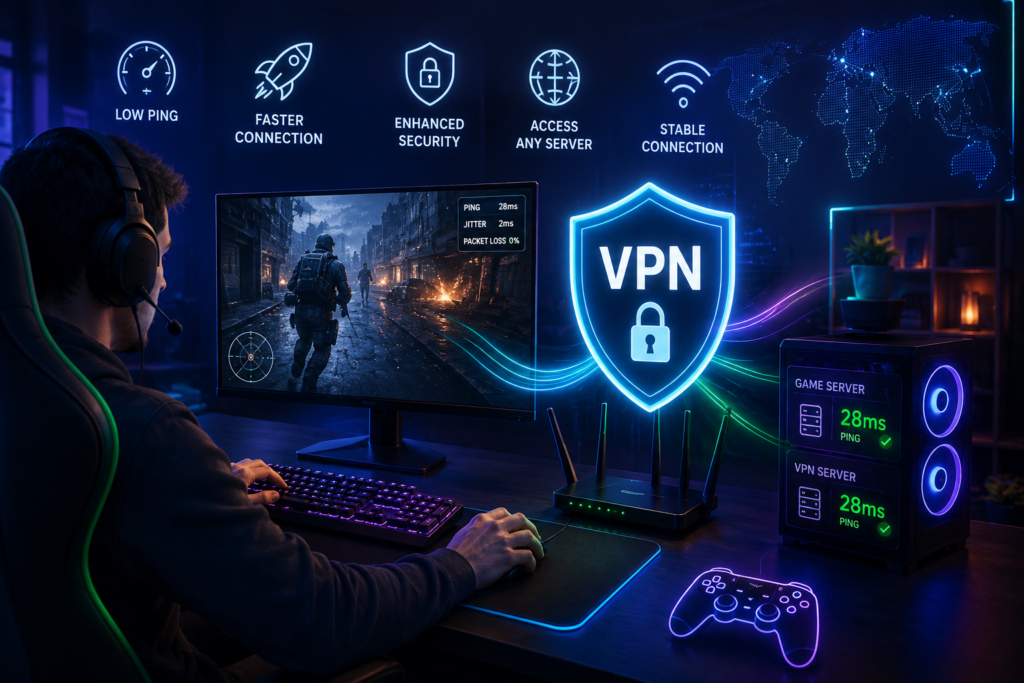
VPN Server Location vs. Game Server Location
Picture the route as: Gamer → VPN Server → Game Server. Ideally, that path avoids unnecessary geographic distance in either leg.
A VPN server that’s close to you but far from the game server may route your traffic in a roundabout way, adding latency rather than avoiding it. Gamers should factor in three locations, not just one: their own, the VPN server’s, and the game server’s — and test combinations rather than assuming the nearest VPN server automatically wins.
VPNs for PC, Console, and Mobile Gaming
PC Gaming
PC gaming benefits most directly from native VPN apps and protocol flexibility — being able to switch between WireGuard-based options and older protocols to see what performs best on your specific connection.
PlayStation and Xbox
Console VPN support generally differs from desktop support — none of the five providers here offer a native PlayStation or Xbox app. The practical options are a VPN-compatible router, which covers the console at the network level, or checking your specific console and network setup for supported configurations. Always stick to methods that don’t violate your console platform’s terms of service.
Mobile Gaming
On Wi-Fi, 4G, or 5G, VPN encryption affects performance similarly to other devices, but mobile network quality varies far more than VPN choice does — a weak cellular signal will hurt your ping more than any VPN protocol decision. VPN use also adds a bit of processing overhead, which can affect battery life during longer mobile sessions.
VPN and DDoS Protection for Gamers
Hiding your real IP address behind a VPN server’s IP can add a layer of privacy and may reduce direct exposure to certain targeted network attacks, since your actual IP isn’t visible to other players in most cases.
But it’s worth being precise about the limits here: a VPN is not a complete DDoS protection solution. Game platforms and servers often have their own protections in place. A compromised account or device can still create security risks regardless of VPN use. And VPN performance itself can be affected during an attempted attack, since the server is absorbing unusual traffic. Treat a VPN as one layer of privacy, not a dedicated security product.
How to Test a VPN for Gaming?
1. Record your ping without a VPN connected.
2. Check packet loss and jitter if your tools allow it.
3. Connect to a nearby VPN server.
4. Test the same game server again.
5. Record the new ping.
6. Try another VPN server.
7. Test a different protocol if your app offers a choice.
8. Compare stability during an actual gaming session, not just a quick test.
9. Test at a different time of day, since congestion varies.
10. Choose the setup with the best overall stability — not just the single lowest ping reading.
A quick speed test doesn’t capture real gaming performance. Jitter and packet loss during an actual session tell you far more than one ping number ever will.
-> -> Get Started With a VPN <- <-
What Ping Is Good for Gaming?
- Under 20 ms: excellent
- 20–50 ms: very good
- 50–80 ms: generally playable
- 80–120 ms: noticeable latency
- 120+ ms: can be problematic for competitive games
These are general guidelines, not universal rules — different games and genres have different tolerances. It’s also worth remembering that jitter and packet loss can make a connection feel bad even when the average ping number looks perfectly acceptable.
Can a VPN Improve Ping?
Generally, no guarantee either way. In some specific routing situations, a VPN might improve your path to a game server; in others, it adds latency on top of what you’d get with a direct connection.
The only reliable approach is testing: compare a direct connection, a nearby VPN server, an alternative VPN server, and a different protocol if available. Base your decision on what you actually observe on your own setup, not on what any provider claims in its marketing.
Frequently Asked Questions
What is the best VPN for gaming without lag?
ExpressVPN and NordVPN are generally the most praised for consistent, low-overhead performance, though results depend heavily on your own connection and game server.
Can a VPN actually reduce gaming ping?
Sometimes, in specific routing situations, but there’s no guarantee. Often a VPN adds a small amount of latency rather than reducing it.
Does a VPN make gaming slower?
It can, since your traffic takes an extra routing step. A nearby, uncongested server with an efficient protocol usually minimizes that impact.
Which VPN protocol is best for gaming?
WireGuard-based protocols (including NordLynx) and ExpressVPN’s Lightway are generally the most efficient, adding less overhead than older protocols.
What ping is considered good for gaming?
Under 20ms is excellent, 20-50ms is very good, and 50-80ms is generally playable. Above 120ms tends to be noticeable in competitive games.
Is a VPN useful for competitive gaming?
It can be for privacy, but test latency and stability first — a VPN that adds noticeable ping isn’t worth it for ranked or competitive play.
Can a VPN reduce packet loss?
Occasionally, if it avoids a genuinely problematic ISP route, but it can also introduce packet loss of its own. Testing is the only way to know.
What is the best VPN for PlayStation or Xbox?
None of the five compared here offer native console apps; a VPN-compatible router is generally the practical option for console-level coverage.
Can a VPN protect gamers from DDoS attacks?
It can reduce exposure by hiding your real IP address, but it’s not a complete DDoS protection solution, and performance can still suffer during an attack.
Should I use a VPN while gaming?
It depends on your priorities. If privacy matters more than shaving off a few milliseconds, yes — but always compare performance with and without it first.
Conclusion
The best VPN for gaming isn’t necessarily the one with the fastest advertised download speed. For gaming specifically, consistent ping, low jitter, minimal packet loss, and a sane route to the game server matter far more than peak bandwidth numbers.
ExpressVPN and NordVPN generally offer the most consistent performance and strongest overall feature sets for gamers. Surfshark stands out for anyone juggling multiple devices, thanks to its unlimited connections. AdGuard VPN and GOOSE VPN can work for casual, non-competitive gaming, provided expectations stay realistic about server networks and protocol limitations. No VPN can promise zero lag or guaranteed lower ping — that depends on your ISP, location, VPN server, game server, and network conditions on any given day. Compare NordVPN, AdGuard VPN, ExpressVPN, GOOSE VPN, and Surfshark against a direct connection on your own setup, and choose whichever combination actually delivers the best latency, stability, and privacy for how you play.