
Disclosure: This review is based on Cloudpen’s current AppSumo listing, public feature announcements, and publicly available information as of August 2026 — not hands-on testing. Where a claim comes directly from Cloudpen’s marketing or listing rather than independent verification, that’s noted explicitly.
Setting up a new development environment is one of those tasks that always takes longer than it should. Install the right Node version, configure Git, sort out environment variables, get the terminal behaving — and then you switch to a different laptop or a Chromebook and get to do it all again.
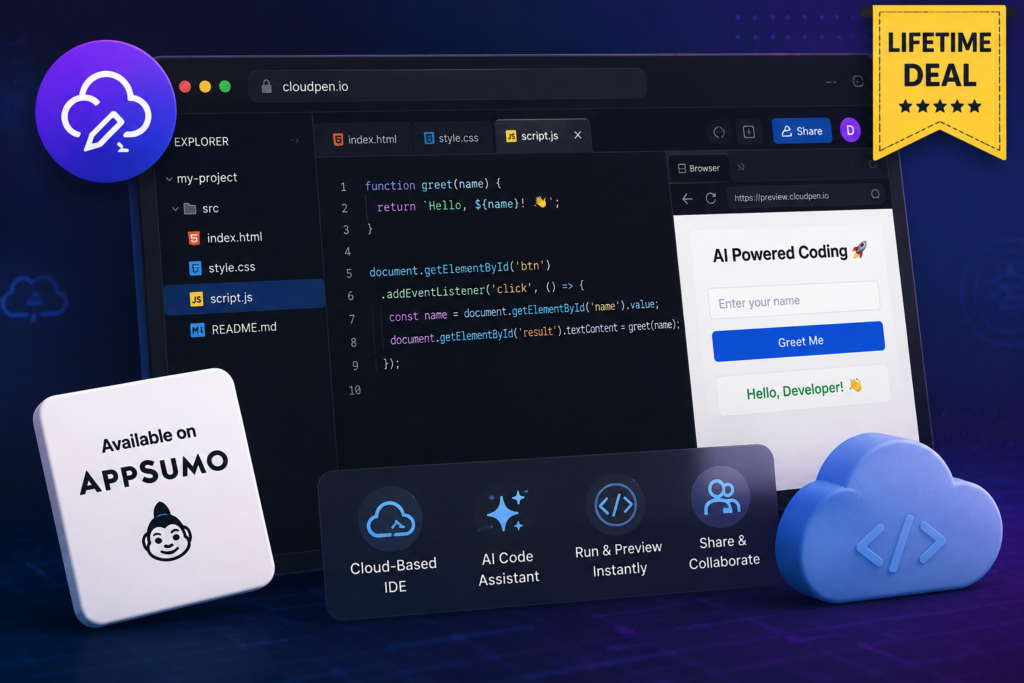
Cloudpen is trying to remove that friction entirely. It’s a browser-based cloud IDE that lets you code, run, and deploy frontend applications without a traditional local setup — complete with a real Linux terminal, GitHub sync, one-click deployment, and a built-in AI coding assistant called Quill.
It’s currently listed on AppSumo as a Radar deal — meaning it’s an early-stage product, not a mature, widely-vetted platform — with a lifetime-access pricing structure split across three tiers. This review walks through what it actually offers, who it realistically fits, and what to weigh before buying in.
What Is Cloudpen?
According to its current AppSumo listing, Cloudpen is a browser-based cloud IDE that lets you code, run, and deploy frontend applications directly from a browser tab — no local installation required. It bundles a full Linux terminal, one-click deployment, GitHub synchronization, a templates marketplace, and Quill, an integrated AI coding assistant, into one workspace.
AppSumo positions it as an alternative to CodePen, GitLab, and Replit. That’s a useful shorthand, though each of those tools covers somewhat different ground — CodePen is closer to a front-end snippet playground, GitLab is a full DevOps platform, and Replit is a broader cloud coding environment. Cloudpen sits closest to Replit’s category: a complete browser-based dev environment, positioned specifically around frontend project workflows.
The company behind it is small and new — per the AppSumo listing, it was founded May 4, 2026, is based in Enugu, Nigeria, has 1–10 employees, and is bootstrapped. That’s worth keeping in mind throughout this review: this is an early product from a small team, not an established platform with years of track record.
Cloudpen at a Glance
| Detail | Current Info |
| Product name | Cloudpen |
| Category | Browser-based cloud IDE / developer tools (listed as “Micro-SaaS” on AppSumo) |
| Best for | Developers, freelancers, YouTubers (per AppSumo listing) |
| Browser-based IDE | Yes — full coding environment runs in the browser |
| AI coding assistant | Yes — Quill, built into the editor |
| GitHub integration | Yes — GitHub sync plus a full Git panel (stage, commit, push, pull, branches) |
| Deployment | One-click deploy to a live URL, plus SFTP deploy to cPanel/DirectAdmin shared hosting |
| Templates | Yes — templates marketplace, with new templates added weekly per recent founder updates |
| Terminal | Yes — full PTY terminal with a real Linux environment |
| API tools | Yes — built-in API Client for REST testing, plus API key management |
| Custom domains | Included on all license tiers, per the current listing |
| Offline mode | Included on all license tiers, per the current listing |
| Current AppSumo deal | Three lifetime license tiers: $79 / $149 / $249 |
| Refund period | 60-day refund window; license must be activated within 60 days of purchase |
Because this is an active AppSumo Radar listing, pricing, limits, and included features can and likely will change — the founder has already posted that prices are expected to rise soon. Treat these figures as a snapshot checked in August 2026, and confirm the live listing before buying.
Cloudpen Key Features
Browser-Based Development Environment
The core pitch: open a browser tab, and you have a working coding environment — no Node installation, no package manager setup, no local dependency conflicts to untangle. Per the listing, it works on laptops, tablets, and Chromebooks, which matters if you’re working across multiple devices or on hardware that isn’t really built for traditional local development.
Linux Terminal
Cloudpen includes what the listing describes as a “full PTY terminal with real Linux environment.” In practice, that means you’re not working with a limited, sandboxed command simulator — you get an actual terminal for running build commands, package installs, and scripts, the same way you would locally.
One-Click Deployment
Projects can go from code to a live, SSL-enabled URL with a single click, per the listing. For frontend projects especially, this removes a genuine chunk of DevOps overhead — no separate hosting account to configure, no manual SSL setup.
GitHub Sync
Connect a GitHub account once, and Cloudpen can import any repository. According to the listing, pushes to GitHub sync automatically into Cloudpen, so a project worked on elsewhere doesn’t fall out of date inside the platform.
Git Panel
Beyond basic sync, Cloudpen includes a dedicated Git panel for staging, committing, pushing, pulling, and switching branches directly inside the editor. Per a founder update, this is described as “real git under the hood, not an imitation” — worth noting as a claim from the founder rather than independent verification, though it’s a reasonable expectation for a tool built around genuine developer workflows.
Quill AI Coding Assistant
Quill is Cloudpen’s built-in AI assistant, positioned in the listing as “not a separate Copilot subscription” — meaning its usage is bundled into your plan rather than billed as an add-on, up to your tier’s daily request limit. It can write, edit, explain, and debug code, with context drawn from your actual project files rather than answering in a vacuum. Cloudpen also supports BYOK (bring your own key) for OpenAI and Google Gemini, which lets you use your own API key for effectively unlimited AI usage beyond the plan’s included daily requests.
Templates Marketplace
Instead of starting from a blank file, Cloudpen offers prebuilt templates across React, Next.js, Laravel, Vue, Angular, Tailwind, Bootstrap, and plain HTML/CSS/JS, per the listing and recent founder updates. You can also fork projects shared by other Cloudpen users. According to a founder update posted in late July 2026, new templates are now being added weekly.
API Client
A built-in REST testing tool, described by the founder as working “like Postman in Cloudpen.” This lets you test API endpoints without leaving the editor or opening a separate application — useful during active development when you’re iterating on both frontend code and the API calls it depends on.
Environment Variables Manager
A dedicated interface for managing environment variables per project, rather than manually editing .env files by hand. Each tier includes a specific cap on the number of environment variables per project (covered in the pricing section below).
SFTP Hosting Deployment
This is one of Cloudpen’s more distinctive features. Per a founder update from late July 2026, Cloudpen can connect to cPanel or DirectAdmin shared hosting over SFTP and push or pull project files with one click. A few details worth knowing: the connection only uses SFTP, never plain FTP, so hosting credentials aren’t sent unencrypted; sensitive files like .env, .git, and node_modules are excluded from every push; and Laravel projects specifically push only the public/ folder, matching how a real Laravel deployment should work. According to the founder, this feature is available on every plan, with no tier restrictions.
Offline Mode
Cloudpen includes offline functionality across all license tiers, per the current listing, with changes syncing once you reconnect. The listing doesn’t go into detail about exactly what remains fully functional while offline versus what requires a connection, so it’s worth confirming the specifics directly if offline reliability is important to your workflow.
MCP Support (Recently Added)
Worth calling out separately, since it’s genuinely new: as of early August 2026, Cloudpen added support for the Model Context Protocol (MCP) in both directions, per founder updates. As an MCP client, Quill can query a connected live backend — Supabase, Postgres, Neon, PlanetScale, or a custom MCP endpoint — before writing backend-related code, rather than guessing at your database structure. As an MCP server, Cloudpen can now be connected to by external MCP-compatible tools like Claude Desktop, Claude Code, or Cursor, letting them read a project’s files, git history, and deployment status directly.
Per the founder’s update, this is intentionally scoped for safety: read access is on by default, write access is a separate opt-in requiring confirmation, tokens are scoped to a single project, write-scoped tokens automatically expire within 90 days, and creating a write-scoped token requires a fresh email confirmation regardless of how you signed up. MCP server access is available on AppSumo Tiers 2 and 3 — Tier 1 users see an upgrade prompt.
What Can You Build With Cloudpen?
Based on the current listing and recent template additions, Cloudpen is built around frontend and static project types, including:
- Static websites
- Landing pages
- Frontend applications generally
- React projects
- Vue projects
- Angular projects
- Tailwind and Bootstrap projects
- Plain HTML/CSS/JavaScript projects
- Dashboards
- Portfolios
- E-commerce frontends
It’s important to be precise about what’s not clearly part of the current offering: the listing’s messaging, feature set, and “alternative to CodePen, GitLab, Replit” framing all center on frontend workflows, not full backend or server-side application hosting. The SFTP deploy feature’s handling of Laravel projects — pushing only the public/ folder — further points toward a frontend-and-static-asset deployment model rather than full server-side app hosting. If backend/server-side deployment matters to your use case, verify Cloudpen’s current capability directly before relying on it, since this is an area where an early-stage product’s roadmap can shift quickly.
Cloudpen AI: How Does Quill Work?
Quill is positioned as an assistant that works within your actual project rather than a generic chat window bolted onto the side. Based on the listing:
- Writing code — Quill can generate new code based on a prompt or context from your project
- Editing code — modify existing code in place rather than requiring manual copy-paste
- Debugging — help identify and fix issues in code that isn’t working as expected
- Explaining code — right-click any file to get a plain-language explanation, per the listing’s feature callouts
- Context-aware assistance — suggestions are based on your actual project files, not generic, unrelated examples
On usage limits: included Quill requests are capped per day depending on your license tier (covered in detail below), and notably, Tier 1 includes zero included Quill AI requests per day. For AI usage beyond your plan’s daily limit — or if you’re on Tier 1 — Cloudpen supports BYOK for OpenAI and Google Gemini, letting you use your own API key and pay those providers directly instead of being capped by Cloudpen’s included allowance.
One important caveat that applies to any AI coding assistant, not just Quill: AI-generated code should be reviewed, not assumed correct or production-ready. Treat Quill’s output as a fast first draft or a debugging aid, not a substitute for testing and code review.
Cloudpen AppSumo Lifetime Deal– Pricing & Plans
No Monthly Bills. Pay Once. Use Forever-Lifetime Access
Cloudpen’s AppSumo listing offers lifetime access split across three license tiers. Here’s the detailed breakdown, verified against the current listing:
| Feature | Tier 1 ($79) | Tier 2 ($149) | Tier 3 ($249) |
| List price (before discount) | $288 | $576 | $1,116 |
| Storage | 100 MB | 1 GB | 10 GB |
| Git pushes/day | 10 | 100 | Unlimited |
| Git pulls/day | 20 | 200 | Unlimited |
| SFTP deploy pushes/day | 5 | 50 | Unlimited |
| SFTP deploy pulls/day | 10 | 100 | Unlimited |
| Private projects | 3 | Unlimited | Unlimited |
| Quill AI requests/day | 0 | 100 | 200 |
| Deployments | 3 (7-day expiry) | Unlimited, permanent | Unlimited, permanent |
| API keys | 1 | 10 | Unlimited |
| Collaborators/project | 0 | 0 | 5 |
| API Client requests/day | 20 | 300 | Unlimited |
| Environment variables/project | 10 | 100 | Unlimited |
| MCP server access | Not included (upgrade prompt shown) | Included | Included |
A few things every tier includes, per the listing: custom domains, BYOK for unlimited AI usage via your own key, priority support, private share links, CLI access (push, pull, and deploy from your terminal), GitHub sync, offline mode, advanced editor features, and access to the templates marketplace. The differences between tiers are almost entirely about usage limits and AI/collaboration capacity, not which core features you get access to.
On the deal terms specifically: the listing currently states lifetime access with a 60-day refund period. You must activate your license within 60 days of purchase, and you can upgrade or downgrade between the three tiers. There’s no code-stacking — you choose one tier. It’s also worth noting explicitly: this deal is not covered by AppSumo’s “We Got Your Back” guarantee, because Radar listings aren’t vetted the way AppSumo’s standard deals are — more on what that means below.
One more detail worth flagging: as of a founder update dated August 8, 2026, Cloudpen’s prices are stated to be going up soon. If that matters to your buying decision, it’s worth checking the live listing for the current price before you commit.
Which Cloudpen Plan Should You Buy?
Tier 1 ($79)
Tier 1 is the cheapest entry point, but its limitations are real and worth weighing carefully. Zero included Quill AI requests per day is the biggest one — you’d need to bring your own OpenAI or Gemini key just to use the AI assistant at all. Add to that just 100 MB of storage, 3 private projects, and deployments that expire after 7 days rather than staying live permanently, and Tier 1 starts to look more like a way to test the platform than a plan built for ongoing project work.
Tier 2 ($149)
For a lot of developers, this looks like the practical sweet spot. It includes 100 Quill AI requests per day without needing your own API key, unlimited private projects, permanent (rather than expiring) deployments, and meaningfully higher Git and SFTP limits than Tier 1. It also unlocks MCP server access. The main things it still caps are storage (1 GB) and collaborators (0 per project) — fine for solo work, more limiting if you need to work with others directly inside a project.
Tier 3 ($249)
Tier 3 makes sense specifically for people who’ll actually use its higher ceilings: 10 GB of storage, unlimited API keys and API Client requests, unlimited Git and SFTP activity, and — notably — up to 5 collaborators per project, which is the only tier that supports real in-project collaboration. If you’re managing larger projects, need to loop in teammates or clients directly, or expect to lean heavily on the API Client and environment variables across many projects, Tier 3’s headroom is the point. If you’re working solo on smaller projects, you’re likely paying for capacity you won’t use.
The honest recommendation: don’t default to the most expensive tier just because it has the biggest numbers. Match the tier to your actual expected storage, AI usage, deployment, and collaboration needs.
Cloudpen vs Replit vs CodePen vs GitHub Codespaces
| Cloudpen | Replit | CodePen | GitHub Codespaces | |
| Browser-based development | Yes | Yes | Yes, but focused on small snippets/demos | Yes |
| AI assistance | Yes — Quill, included in plan | Yes — Replit’s AI features, plan-dependent | Limited/not a core focus | Yes, via GitHub Copilot integration (separate subscription) |
| Terminal | Yes — full Linux PTY terminal | Yes | No — not built for full projects | Yes — full VS Code-based environment |
| GitHub integration | Yes — sync plus full Git panel | Yes | Limited | Yes — native, since it’s a GitHub product |
| Deployment | One-click deploy plus SFTP to shared hosting | Yes, via Replit’s own hosting | Limited — mainly for sharing demos, not full deploys | Deploys via connected services, not built-in hosting |
| Templates | Yes — growing marketplace | Yes — large template/community library | Yes, for snippets and demos | Limited — dev container templates, not app templates |
| Shared hosting/SFTP | Yes — a genuine differentiator | Not a core feature | No | No |
| Backend support | Not a current core focus — frontend positioned | Yes — broader language and backend support | No | Yes — full dev environment, any stack |
| Ease of use | Simple, modern interface (per listing) | Well-established, widely used | Very simple, but narrow in scope | Familiar to VS Code users, more setup-oriented |
| Pricing model | AppSumo lifetime deal (early-stage) | Subscription-based | Free tier plus paid plans | Usage-based, tied to GitHub plans |
None of these tools is a strict upgrade over the others — they fit different situations. Someone doing full-stack development across many languages will likely find Replit or GitHub Codespaces more capable today. Someone who mainly needs to share quick frontend demos might prefer CodePen’s simplicity. Cloudpen’s specific differentiator is the combination of an included AI assistant, GitHub workflow, and — unusually — direct SFTP deployment to ordinary shared hosting (cPanel/DirectAdmin), which the others don’t offer in the same way.
Cloudpen Lifetime Deal: Pros and Cons
Pros
- Genuine browser-based workflow — no traditional local setup required
- Real Linux terminal, not a limited simulation
- Built-in AI coding assistant (Quill) included in the plan, with BYOK support for unlimited usage
- GitHub sync plus a full Git panel for real version control workflows
- One-click deployment to a live URL
- Templates marketplace, with new templates added weekly per recent updates
- SFTP deployment to shared hosting (cPanel/DirectAdmin) — a genuinely distinctive feature most competitors don’t offer
- Offline mode included on every tier
- Lifetime deal pricing available through AppSumo, rather than an ongoing subscription
Cons
- Early-stage product — founded May 2026, with a very small team and a thin public track record
- Currently positioned around frontend deployment; backend/server-side application hosting isn’t a clearly established current capability
- Usage limits vary significantly by tier, and Tier 1 in particular is quite restrictive
- Tier 1 includes zero included Quill AI requests per day — you’d need your own API key to use the AI assistant at all
- Collaboration is limited on lower tiers — zero collaborators per project on both Tier 1 and Tier 2
- Smaller ecosystem and community compared to established platforms like Replit or GitHub Codespaces
Is Cloudpen Safe and Reliable?
This deserves a careful, honest answer rather than a reassuring one. Cloudpen is currently listed under AppSumo’s “Radar” program, which AppSumo explicitly defines as early-stage, discovery-phase listings. Per AppSumo’s own description of Radar: they’ve “verified the basics and reviewed the listing for safety,” but explicitly state that “success isn’t guaranteed” and that they “haven’t fully vetted every claim, feature, or result.” AppSumo also states it does not review the underlying software code for Radar products — the partner company owns security and what ships. Radar deals are also not covered by AppSumo’s standard “We Got Your Back” guarantee.
That’s a meaningfully different level of vetting than AppSumo’s main marketplace listings, and it’s worth taking seriously rather than glossing over.
A few practical things worth weighing before storing anything sensitive in Cloudpen:
- The company is very new (founded May 2026) and small (1–10 people), which means less institutional track record than an established platform
- Public reviews are extremely limited at the time of writing — the listing shows just a single review
- As with any early-stage cloud platform, it’s worth being cautious about storing production credentials, sensitive API keys, or business-critical proprietary code until the platform has a longer track record
- The MCP-related security details the founder has published (scoped tokens, opt-in write access, automatic token expiry, email confirmation for write access) are a genuinely good sign of thoughtful design, but they’re self-reported claims from the founder, not independently audited results
None of this means Cloudpen is unsafe — there’s no evidence of that either. It means the honest position is: this is a new, unvetted-by-AppSumo product, and buyers should treat it the way they’d treat any early-stage tool — start with lower-stakes projects, keep backups elsewhere (GitHub sync helps with this directly), and avoid treating it as the sole home for anything mission-critical until it’s earned more of a track record.
Who Should Use Cloudpen?
- Freelance developers — the combination of GitHub sync, one-click deploy, and included AI assistance covers a lot of common freelance workflow needs in one subscription
- Frontend developers — this is squarely where Cloudpen’s current feature set is strongest
- Indie hackers — fast iteration, templates to start from, and cheap lifetime pricing fit the indie-hacker budget and speed mindset
- Students — a free-to-start (via AppSumo’s low entry tier), no-local-setup environment lowers the barrier to just start coding
- Bootcamp learners — similarly, not needing to fight with local environment setup means more time actually learning to code
- YouTubers creating coding content — AppSumo’s own listing specifically calls out YouTubers as a target audience, likely because a clean browser-based environment is easier to demo on screen
- Developers working across multiple devices — laptop, tablet, or Chromebook support means your environment follows you rather than living on one machine
- Developers using shared hosting — the SFTP deploy-to-cPanel/DirectAdmin feature is a genuine, distinctive fit for anyone whose hosting is a standard shared-hosting plan rather than a modern cloud host
- Small agencies — particularly ones managing several client sites on shared hosting, where the SFTP workflow and templates could meaningfully speed up delivery
Who Should Avoid Cloudpen
- Developers requiring mature backend hosting — Cloudpen’s current strengths are frontend-focused; if you need robust server-side application hosting today, this isn’t clearly built for that yet
- Teams needing extensive collaboration — with zero collaborators per project on the two cheaper tiers, and a cap of 5 even on the top tier, larger teams will likely find this limiting
- Enterprises requiring mature infrastructure — a company founded in May 2026 with a very small team isn’t likely to meet typical enterprise vendor-vetting requirements yet
- Users who need a highly established ecosystem — if community size, plugin ecosystem, and years of Stack Overflow answers matter to your workflow, established platforms will serve you better right now
- Developers who primarily work locally and don’t need a browser IDE — if your current local setup works fine and device-switching isn’t a real pain point, there’s no obvious reason to add a new tool to solve a problem you don’t have
Cloudpen Review: Is It Worth It?
Judged on features alone, Cloudpen packs a lot into one subscription: a real browser-based IDE, an included AI assistant, solid GitHub workflow support, one-click deployment, and a genuinely distinctive SFTP deploy option for shared hosting. For frontend-focused work, that’s a legitimately useful combination, and the pace of recent updates (Git panel, SFTP deploy, API client, MCP support, all shipped within a few weeks of each other per founder updates) suggests active, ongoing development rather than a stagnant listing.
Judged on maturity, it’s clearly early: a very new company, a tiny team, essentially no public review history yet, and a feature set still actively filling in gaps like backend deployment. The AppSumo Radar framing itself is an honest signal here — even AppSumo isn’t vouching for this one the way it does its fully vetted deals.
Whether the lifetime deal makes sense really comes down to fit: if you’re a frontend-focused developer, freelancer, student, or content creator who wants a browser-based setup with built-in AI help and doesn’t need mission-critical backend hosting or large-team collaboration right now, Cloudpen’s current feature set and lifetime pricing are a reasonable bet — with the appropriate caution that comes with any early-stage tool. If your work depends on mature backend infrastructure, extensive team collaboration, or a large existing ecosystem, it’s worth waiting to see how Cloudpen develops, or choosing a more established alternative today.
This isn’t an automatic “must buy” — it’s a genuinely interesting, actively developing tool that fits a specific set of use cases well, and it’s worth deciding based on whether your actual workflow is one of them.
Frequently Asked Questions
What is Cloudpen?
Cloudpen is a browser-based cloud IDE that lets you code, run, and deploy frontend applications directly from a browser, including a Linux terminal, GitHub sync, one-click deployment, templates, and a built-in AI coding assistant called Quill.
Is Cloudpen an IDE?
Yes — it’s described in its own listing as “a complete cloud IDE,” letting you go from writing your first line of code to a live deployed URL without leaving the browser.
Is Cloudpen free?
Not based on the current AppSumo listing — it’s offered as a paid, one-time lifetime license across three tiers ($79, $149, $249). There’s no indication of a permanent free tier in the current listing.
Is Cloudpen a lifetime deal?
Yes, per the current AppSumo listing — all three tiers offer lifetime access, with a 60-day refund window and a requirement to activate your license within 60 days of purchase.
How much does Cloudpen cost on AppSumo?
As of this writing, three tiers are available: Tier 1 at $79, Tier 2 at $149, and Tier 3 at $249, each granting lifetime access with different usage limits. The founder has indicated prices are expected to rise, so confirm current pricing on the live listing.
Which Cloudpen tier is best?
It depends on your needs. Tier 2 is a reasonable middle ground for most individual developers, offering included AI usage, unlimited private projects, and permanent deployments. Tier 3 makes sense if you need higher storage, unlimited API access, or project collaborators. Tier 1 is best suited to testing the platform rather than ongoing project work.
Does Cloudpen have an AI coding assistant?
Yes — Quill, built into the editor, can write, edit, debug, and explain code using context from your actual project. Included daily usage varies by tier (zero on Tier 1), with BYOK support for OpenAI or Gemini keys for usage beyond your plan’s limit.
Can Cloudpen deploy websites?
Yes — via one-click deployment to a live, SSL-enabled URL, and via SFTP deployment directly to cPanel or DirectAdmin shared hosting.
Can Cloudpen deploy backend applications?
Based on the current listing, Cloudpen’s deployment and feature set are positioned around frontend applications. There’s no clear indication in the current listing that full backend or server-side application hosting is an established current capability, so verify directly with Cloudpen if that’s a requirement for your project.
Does Cloudpen support GitHub?
Yes — GitHub sync lets you import repositories and automatically keep them updated, alongside a full Git panel for staging, committing, pushing, pulling, and branch management.
Can I use Cloudpen on a Chromebook?
Yes, per the current listing, which specifically states Cloudpen works on laptop, tablet, or Chromebook, since the entire environment runs in the browser.
Does Cloudpen work offline?
Yes, offline mode is included on all license tiers per the current listing, with changes syncing once you reconnect. Exact offline functionality details aren’t fully spelled out in the listing, so it’s worth confirming specifics if this is important to your workflow.
Can Cloudpen deploy to cPanel hosting?
Yes — this is one of Cloudpen’s more distinctive features. It connects to cPanel or DirectAdmin shared hosting over SFTP and can push or pull project files with one click, available on every tier per a recent founder update.
Does Cloudpen support OpenAI and Gemini?
Yes — Cloudpen supports BYOK (bring your own key) for both OpenAI and Google Gemini, letting you use your own API key for AI usage beyond your plan’s included Quill request limit.
Is Cloudpen better than Replit?
Not universally — they suit different needs. Replit is a more established platform with broader language and backend support. Cloudpen’s distinctive advantages are its included AI assistant and its SFTP deploy option for ordinary shared hosting, which Replit doesn’t offer in the same way. The better fit depends on whether your work is frontend-focused and whether shared-hosting deployment matters to you.
Is Cloudpen worth buying?
It depends on your use case and risk tolerance. For frontend-focused developers, freelancers, students, or content creators comfortable with an early-stage, actively developing product, the current feature set and lifetime pricing are reasonably compelling. For anyone needing mature backend hosting, large-team collaboration, or an established platform track record, it’s worth waiting or choosing an alternative for now.
Check the Current Deal Before You Decide
Cloudpen is genuinely interesting for a specific kind of developer: someone who wants a browser-based coding environment with integrated AI help, a real GitHub workflow, and deployment options — including the unusual ability to push straight to ordinary shared hosting — without setting up a traditional local environment.
Before buying, it’s worth pulling up the current AppSumo listing directly, since pricing (which the founder has said is rising soon), tier limits, and included features can all shift. Compare the three license tiers against your actual expected storage, AI usage, deployment frequency, API needs, and whether you need project collaborators — not just against which tier looks like the best deal on paper.
Related posts:
 Secure Your Digital Life Forever with the FileJump 2TB Cloud Storage Lifetime Deal
 SiteGuru Lifetime Deal Review – Simplify Your SEO & Website Audits Forever
 Zipchat AI Review AppSumo 2026: Lifetime Deal, Pricing, Features & Is It Worth It?
 SnowSEO Lifetime Deal Review: Is the AppSumo Lifetime Deal Worth It?