
Content creators have a research problem long before they have a writing problem. A YouTube video worth quoting. A competitor’s post worth dissecting. A voice memo recorded on a walk. A PDF full of stats. By the time all of that is open in different tabs, half the energy for actually writing is gone.
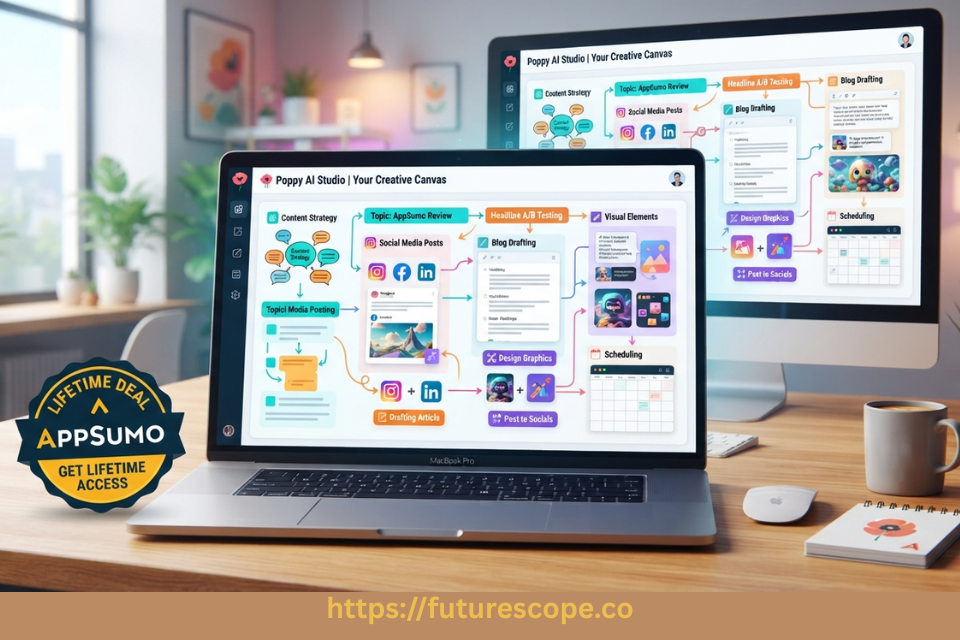
That’s the gap Poppy AI is built to close. Rather than another chat window that expects you to type everything from scratch, Poppy AI is a visual AI workspace — you drag your sources (videos, PDFs, links, voice notes, images) onto an infinite canvas, and the AI reads, summarizes, and writes from what’s actually there. It’s positioned on AppSumo as an alternative to Jasper and Miro, which tells you something: it’s trying to be both a writing tool and a thinking canvas at once.
This Poppy AI Lifetime Deal review walks through what the tool actually does, what each AppSumo tier includes, who it genuinely fits, and whether the lifetime price is worth paying versus a subscription alternative. Everything below is drawn from Poppy AI’s official AppSumo listing and public product updates — no invented features, no guessed pricing.
Quick Verdict: Is Poppy AI Worth It?
| Is Poppy AI worth buying? Yes, for visual, source-heavy content workflows Biggest advantage: Drag-and-drop multi-source canvas (YouTube, PDFs, voice notes) with AI writing built directly in Biggest drawback: Entry price ($279) is steep for an AppSumo LTD, and monthly credits still cap heavy usage Best users: Content creators, YouTubers, social media marketers, small agencies | OVERALL RATING 7.9 / 10 Strong for its specific niche — visual, multi-source content creation — but the AppSumo price tiers are notably higher than most AppSumo AI deals, so fit matters more than usual. |
What Is Poppy AI?
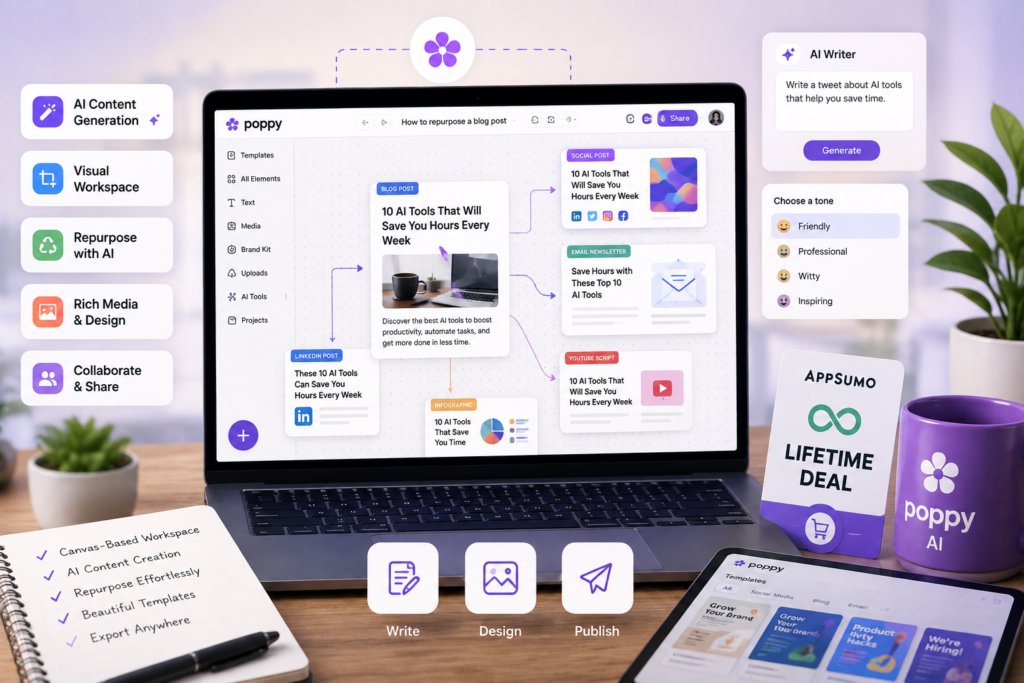
Poppy AI is a visual, canvas-based workspace for content creation. Instead of a single linear chat thread, you work on a persistent board where you can drop in YouTube videos, TikToks, Instagram Reels, PDFs, images, voice notes, and links — and the AI treats all of it as source material it can reference, summarize, and write from.
The core difference from ChatGPT or Claude’s native interfaces is persistence and structure. A chat conversation disappears into scroll; a Poppy board stays visual and organized, holding your sources, notes, mind maps, and AI-generated drafts together in one place you can return to and rearrange. You can chat with ChatGPT and Claude models directly inside that same canvas, so you’re not copy-pasting context between tools.
The difference from traditional AI writing tools (Jasper, Copy.ai) is the source-first workflow. Those tools generally start from a prompt and your own memory of what you want to say. Poppy starts from the actual material — a competitor’s video, your own past content, a client’s brand documents — and writes from it, which is also how it claims to preserve a creator’s specific voice rather than producing generic AI-sounding output.
Claim Poppy AI on AppSumo
Ready to create content faster? Get Poppy AI on AppSumo and turn videos, documents, images, and ideas into engaging content from one visual workspace.
Poppy AI Features
Visual Canvas / Infinite Board
The board is the foundation of the product. You can create unlimited boards, and each one holds sources, notes, AI chat threads, and outputs together in a spatial layout rather than a linear list. For visual thinkers or anyone managing multiple content pieces at once, this beats scrolling through a single chat history to find something you generated three prompts ago.
Multi-Source Import
You can drag in YouTube videos, TikToks, Instagram Reels, PDFs, images, and voice notes directly onto the board, along with pasted links and documents. Officially confirmed platform integrations include Instagram, Slack, TikTok, YouTube, and Zapier, with import support extending to LinkedIn and Twitter/X content per the AppSumo feature list. This is the feature that separates Poppy from a standard chatbot — the AI is working from your actual research, not your recollection of it.
Multi-Model AI Chat (ChatGPT + Claude)
Poppy AI confirms support for chatting with both ChatGPT and Claude models inside the same workspace. The official listing does not explicitly confirm Gemini or Grok support as of this writing, so treat any claim of additional model support as unverified until Poppy AI publishes it directly. Multi-model access matters because different models have different strengths for research summarization versus creative writing, and switching without leaving your board saves real time.
AI Writing (Scripts, Posts, Emails)
From the sources and notes on a board, Poppy generates scripts, social posts, and emails aimed at sounding like the creator’s actual voice rather than generic AI copy. The AppSumo listing specifically references writing “viral scripts,” “viral ads,” and even “viral images” as core plan features — useful framing for social-first content teams, though “viral” outcomes obviously depend on the underlying idea and distribution, not the tool alone.
Content Discovery and Competitor Analysis
Poppy can summarize long-form video or podcast content on request, and analyze competitor content, websites, and documents to extract angles, hooks, and insights. For creators researching what’s working in their niche, this shortcuts hours of manual video-watching into a targeted Q&A against the source.
Mind Mapping and Outline Structuring
Before writing, you can build mind maps directly on the canvas to brainstorm narrative structure or campaign ideas, then convert connected nodes into outlines, scripts, or tasks without switching tools. This bridges the planning and writing phases that are usually split across separate apps (Miro for mapping, a doc for writing).
Ready to Build Content Faster with Poppy AI
If you’re a content creator, marketer, or agency owner, Poppy AI can help streamline your entire content workflow. Check out the lifetime deal on AppSumo.
Brands (Brand Memory)
Launched in Poppy AI’s July 2026 update, Brands let Poppy remember a specific voice, style, and context so every output stays on-brand automatically without re-explaining it each time. Availability scales by tier: 3 brands on Tiers 1-3, 5 on Tier 4, 10 on Tier 5, and unlimited on Tier 6. This is particularly relevant for agencies managing several client voices at once.
MCP Integrations
Also introduced in the July 2026 update, MCP (Model Context Protocol) support connects Poppy to external tools including Higgsfield, Notion, Slack, Gmail, and Google Calendar, available on all tiers. This lets Poppy’s canvas talk directly to the other apps in a creator’s workflow rather than operating in isolation.
White-Labeled Chatbots (Tier 6)
Tier 6 unlocks the ability to build and deploy a custom AI chatbot under your own brand — positioned for agencies or coaches who want to offer clients an AI experience that looks like their own product rather than Poppy’s. This is a genuinely higher-tier, agency-specific feature, not something included by default.
BYOK (Bring Your Own Key)
Live as of June 2026 for Tiers 4, 5, and 6, BYOK lets users plug in their own OpenAI or Anthropic API key so requests run through that key instead of consuming monthly Poppy credits — useful for power users who already pay for API access directly and don’t want to pay twice.
Collaboration
Poppy AI markets live collaboration on shared boards as a core capability, letting teammates and AI work on the same canvas without tab-switching or losing context — relevant for agencies and marketing teams working on campaigns together rather than solo creators working alone.
Real-World Use Cases
- YouTubers: Drop in competitor videos and your own past transcripts to draft a new script that studies what worked without starting from a blank page.
- Bloggers: Pull in several source articles and PDFs on a topic, then generate an outline and first draft that synthesizes them instead of researching and writing as two separate sessions.
- Marketing agencies: Use Brands to keep each client’s voice consistent across boards, and collaborate live with teammates on campaign canvases instead of passing docs back and forth.
- Social media managers: Import a batch of competitor Reels and TikToks to extract hooks and angles, then write on-brand posts from the patterns found.
- Freelancers: Manage multiple client boards with separate brand memory, reducing the ramp-up time needed to “remember” each client’s tone every session.
- Researchers and students: Drop in PDFs, lecture recordings, or reference videos and ask direct questions instead of reading or watching everything end-to-end.
- Consultants: Use mind maps to structure a client deliverable’s narrative before drafting the actual document or presentation.
Poppy AI on AppSumo Lifetime Deal: Pricing and Plans
No Monthly Bills. Pay Once. Use Forever-Lifetime Access
Poppy AI sells six AppSumo license tiers, all lifetime access with a 60-day money-back guarantee under AppSumo’s We Got Your Back policy. As of this writing, the listing shows 150 AppSumo reviews averaging 4.8 out of 5 — figures reflecting AppSumo customer feedback specifically, not independent third-party review data.
| Tier | Price | Monthly Credits | Bonus Credits | Brands | Seats | BYOK | White-Label Bot |
| Tier 1 | $279 | 500 | 500 (one-time) | 3 | 1 | No | No |
| Tier 2 | $539 | 1,000 | 1,000 (one-time) | 3 | 1 | No | No |
| Tier 3 | $989 | 2,000 | 1,500 (one-time) | 3 | 1 | No | No |
| Tier 4 | $1,379 | 3,000 | 1,500 (one-time) | 5 | 2 | Yes | No |
| Tier 5 | $2,259 | Higher (custom) | N/A | 10 | Multi | Yes | No |
| Tier 6 | $4,459 | Highest (custom) | N/A | Unlimited | Multi | Yes | Yes |
| Note on Tiers 5 and 6: AppSumo’s published comparison table details Tiers 1 through 4 explicitly (credits, brands, seats, BYOK). Tier 5 and Tier 6 credit allocations were not listed in exact numbers on the comparison table itself, though brand limits (10 and unlimited, respectively) and the Tier 6 white-labeled chatbot feature are confirmed via Poppy AI’s official product update posts. Confirm exact Tier 5/6 credit numbers directly with AppSumo or Poppy AI before purchasing at that level. |
Lifetime access means the one-time payment covers permanent use of the platform at your tier’s feature level — it does not mean unlimited AI usage. Monthly credits still reset and cap how much AI generation, source importing, and chat activity you can run each month; heavier users will want to size their tier (or plan to purchase credit top-ups, if offered) accordingly.
Claim Your Lifetime Deal Now!
Poppy AI isn’t just another AI writing tool—it combines research, brainstorming, source analysis, and content creation in a visual workspace. If that sounds useful for your workflow, check out the current AppSumo lifetime deal before it changes.
Which Poppy AI License Tier Should You Buy?
- Solo creators and bloggers: Tier 1 ($279) is a reasonable starting point if your output volume is light — a few pieces of content per week. Its 500 monthly credits plus 500 bonus credits give room to test the workflow properly.
- Freelancers with multiple clients: Tier 2 or 3 ($539-$989) makes more sense once you’re juggling several ongoing projects and need more monthly credit headroom, while still capped at 3 brands and 1 seat.
- Small marketing agencies: Tier 4 ($1,379) is the first tier with 5 brands and 2 seats, plus BYOK — the natural entry point once you’re managing more than a couple of client accounts and want a second team member with access.
- Larger teams and agencies: Tier 5 or 6 make sense only if you specifically need 10+ brands, more seats, or (at Tier 6) the white-labeled chatbot feature for client-facing AI products. These are meaningful investments ($2,259-$4,459) and should be justified by genuine multi-client, multi-seat need, not bought by default.
For most individual creators and small teams evaluating this deal, Tier 1 or Tier 4 are the two tiers worth serious consideration — Tier 1 to test the workflow at low risk, Tier 4 if you already know you need brand memory, a second seat, and BYOK from day one.
Poppy AI Pros and Cons
| Pros | Cons |
| • Genuinely different workflow — visual, source-first canvas rather than a blank chat prompt | • Entry price ($279 for Tier 1) is significantly higher than most AppSumo AI tool deals, which often start under $100 |
| • Multi-model AI chat (ChatGPT and Claude) inside one workspace | • Monthly credit limits still apply even after the one-time purchase — heavy users will hit ceilings |
| • Strong source import range: YouTube, TikTok, Instagram, PDFs, voice notes, images, links | • Visual canvas workflow has a learning curve for anyone used to a simple linear chat interface |
| • MCP integrations connect Poppy to Notion, Slack, Gmail, Calendar, and more | • Multi-model support currently confirmed for ChatGPT and Claude only — no verified Gemini or Grok access |
| • Active, frequent product development — multiple feature launches through mid-2026 (Brands, MCPs, BYOK) | • White-labeled chatbots and highest brand/seat counts are reserved for the most expensive tier ($4,459) |
| • Lifetime access removes recurring subscription cost long-term | • Tier 5 and 6 credit specifics are not clearly published, requiring direct confirmation before a large purchase |
Who Should Buy Poppy AI?
Poppy AI fits best for content creators, YouTubers, social media marketers, small marketing agencies, and consultants whose work regularly starts from external source material — competitor content, interviews, research documents — rather than a blank page. Bloggers and researchers who synthesize multiple sources into a single piece will also find the canvas genuinely useful rather than novel-for-novelty’s-sake.
Who Should Skip Poppy AI?
Skip it if you mainly need a simple chatbot for occasional writing help — a $20/month ChatGPT Plus subscription covers that more cheaply. Users already deeply invested in another visual AI workspace, teams needing enterprise-grade governance and audit controls, or anyone whose content workflow rarely involves external source material (working purely from personal expertise) will get limited extra value from Poppy’s core canvas-and-import strength.
Poppy AI Alternatives
- ChatGPT / Claude (direct): Cheaper for pure chat-based writing help, but neither offers Poppy’s persistent visual canvas or native multi-source drag-and-drop import.
- Jasper: AppSumo lists Jasper as a direct alternative to Poppy. Jasper is stronger for structured brand-voice enterprise content workflows and has a more established market position, but lacks Poppy’s visual canvas and source-import model.
- Miro: The other AppSumo-listed alternative. Miro is a mature visual whiteboard tool for brainstorming and diagramming, but it isn’t built around AI content generation from imported media the way Poppy is.
- Notion AI: Better suited to structured knowledge management and documentation inside an existing Notion workspace; weaker for multi-media source ingestion and script/post generation from video content.
Is the Poppy AI Lifetime Deal Worth It?
The math depends heavily on your actual output volume and how much you value the visual workflow specifically. At $279 one-time, Tier 1 pays for itself against a comparable $29-39/month AI content subscription within about 8-10 months, then becomes pure savings for as long as you use it. At the higher tiers ($1,379-$4,459), the value case rests more on agency-specific features — multiple brands, multiple seats, BYOK, white-labeling — than on cost avoidance alone.
The genuine risk is credit ceilings: a one-time purchase doesn’t mean unlimited AI generation, and prolific creators publishing daily across multiple platforms may find even Tier 3 or 4’s monthly allowance tight. AppSumo’s 60-day refund window is the practical way to test this against your real usage pattern before committing to a tier you can’t easily downgrade from later (downgrades are only permitted within that same 60-day window).
Conclusion | Poppy AI Review
Poppy AI is worth buying if your content process already starts with source material — videos, PDFs, competitor research — rather than a blank page and your own memory. The visual canvas genuinely changes that workflow rather than just repackaging a chatbot with a nicer interface, and features like Brands and MCP integrations show a product still actively expanding, not standing still after launch.
The lifetime deal is a good investment for solo creators and small agencies specifically, less clearly so for anyone who only needs occasional AI writing help. Tier 1 is the sensible entry point to validate fit at the lowest risk; Tier 4 is the best value jump for anyone who already knows they need brand memory, a second seat, and BYOK. Tiers 5 and 6 should be reserved for agencies with a confirmed need for their specific higher-tier features, given the price jump and less-detailed public specs at those levels.
Final recommendation: buy Tier 1 to test the workflow against your actual content volume within AppSumo’s 60-day window, then decide whether to hold, upgrade, or refund based on how the credit allowance actually performs against your real output.
Frequently Asked Questions
What is Poppy AI?
Poppy AI is a visual AI workspace where you drag in sources — YouTube videos, PDFs, voice notes, images, and links — onto an infinite canvas, and AI (ChatGPT and Claude) generates scripts, posts, and emails from that material, aiming to preserve your specific voice rather than producing generic output.
Is Poppy AI available on AppSumo?
Yes. Poppy AI is sold on AppSumo as a lifetime deal across six license tiers, ranging from $279 (Tier 1) to $4,459 (Tier 6), each covered by AppSumo’s 60-day money-back guarantee.
Is the Poppy AI Lifetime Deal worth it?
For content creators, YouTubers, and small agencies whose work involves synthesizing multiple sources regularly, yes — the one-time cost can undercut an equivalent monthly subscription within under a year. For light or occasional AI writing needs, a standard ChatGPT subscription is likely more cost-effective.
What is included in the Poppy AI Lifetime Deal?
Every tier includes lifetime access to the visual canvas, unlimited boards, multi-source import, AI chat with ChatGPT and Claude, and MCP integrations. Higher tiers add more monthly credits, additional brands and seats, BYOK (Tier 4+), and white-labeled chatbots (Tier 6 only).
Does Poppy AI support multiple AI models?
Yes — Poppy AI officially confirms support for chatting with both ChatGPT and Claude inside the same workspace. Support for additional models such as Gemini or Grok is not confirmed in official sources as of this review.
Can Poppy AI analyze YouTube videos and PDFs?
Yes. You can drag YouTube videos, TikToks, Instagram Reels, PDFs, images, and voice notes directly onto a board, and Poppy AI can summarize and answer questions about that content without you watching, reading, or listening to the whole thing first.
Which Poppy AI license tier should I buy?
Tier 1 ($279) is the sensible starting point for solo creators testing fit. Tier 4 ($1,379) is the best value jump for small agencies needing multiple brands, a second seat, and BYOK. Tiers 5 and 6 are for larger teams with a confirmed need for higher brand/seat counts or white-labeled chatbots.
Is Poppy AI better than ChatGPT?
They serve different purposes rather than being direct competitors. ChatGPT is a general-purpose chat interface; Poppy AI is a specialized visual workspace built around importing and writing from multiple content sources, with ChatGPT itself available as one of the models inside Poppy’s canvas.
Can Poppy AI replace other AI writing tools?
For source-driven content workflows — scripts, social posts, and emails built from research material — Poppy AI can replace tools like Jasper for many creators. It is less suited to teams needing deep brand-style-guide enforcement across large enterprise content operations, where Jasper’s more established workflow tools may still have an edge.
| Blank-Page Panic Is Optional. Your Sources Already Have the Content. If your content workflow already starts with research — videos, PDFs, competitor posts — Poppy AI turns that pile into a canvas instead of forty open tabs. Test it inside AppSumo’s 60-day refund window before deciding it’s a permanent part of your stack. SEE CURRENT PRICING: APPSUMO.COM/PRODUCTS/POPPY-AI Pricing, credits, and features may change. Verify current details on AppSumo before purchasing. |
Sources: Poppy AI official AppSumo listing (appsumo.com/products/poppy-ai), Poppy AI product update posts (July-August 2026), getpoppy.ai. AppSumo ratings (4.8/5, 150 reviews) reflect AppSumo customer feedback. Pricing, credits, tiers, and features may change — verify current details on AppSumo before purchasing.
Related posts:
 Secure Your Digital Life Forever with the FileJump 2TB Cloud Storage Lifetime Deal
 SiteGuru Lifetime Deal Review – Simplify Your SEO & Website Audits Forever
 Zipchat AI Review AppSumo 2026: Lifetime Deal, Pricing, Features & Is It Worth It?
 SnowSEO Lifetime Deal Review: Is the AppSumo Lifetime Deal Worth It?