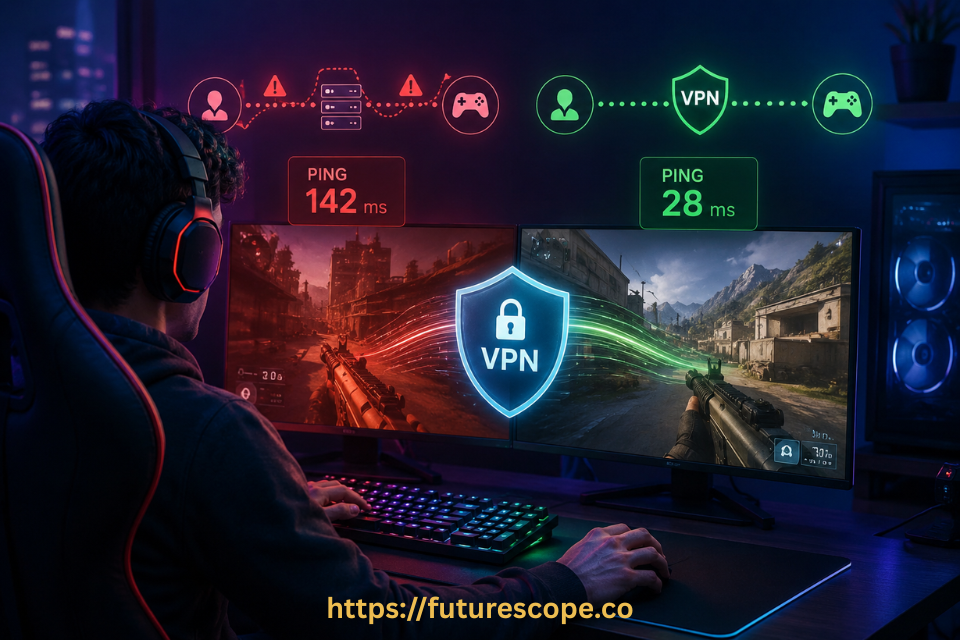

A VPN provider promising lower ping is one of the biggest red flags in the industry. Here's why — and the rare exceptions where it might actually help.
Scroll through gaming VPN ads long enough and you’ll see the same bold promise repeated over and over: lower ping, less lag, guaranteed competitive edge. It’s a tempting pitch, especially if you’ve ever lost a match to someone with noticeably better reaction time than you.
But here’s the question worth asking before you buy: do VPNs actually improve ping while gaming, or is this another case of marketing outrunning the underlying technology?
The honest, evidence-based answer is mostly no — with a few narrow, specific exceptions that are nowhere near as common as VPN marketing suggests. In this guide, I’ll break down exactly how VPNs affect your ping, the rare situations where they can genuinely help, and what to do instead if lag is ruining your games.
Do VPNs Lower Ping? Here’s the Technical Reality
Let’s address this directly: in most cases, a VPN will not improve your ping, whether you’re gaming or doing anything else online. There are some narrow exceptions, which we’ll cover, but under normal circumstances, there’s no mechanism by which a VPN makes your ping lower. If a provider claims otherwise as a blanket promise, that’s a legitimate warning sign about their credibility.
Here’s why, in plain terms. Ping — more formally known as latency — measures how long it takes for data to travel between two points and come back. When you connect through a VPN, you’re rerouting your connection through an additional server before it reaches its actual destination. That’s an extra stop on the journey, not a shortcut. Adding a stop to a trip makes the trip longer, not shorter.
On top of that detour, a VPN also encrypts your connection. Encryption is genuinely valuable for privacy and security, but it does add a small amount of processing time, since your device has to encrypt outgoing data and decrypt incoming data with every single exchange. That additional step, however minor, adds to your overall latency rather than reducing it.
To put real numbers on this: testing has shown a baseline ping of around 4 milliseconds to a local connection increasing to roughly 20 milliseconds once a VPN is introduced — even when connecting to a nearby VPN server. Connect to a VPN server overseas instead, and that number can climb to 200 milliseconds or considerably more, with some international connections pushing ping as high as 800 milliseconds. The farther away your chosen VPN server is, the worse this effect becomes.
Ping Benchmarks for Context: A ping time under 50ms is generally considered fast and ideal for competitive gaming. Between 50ms and 150ms is considered average and usually playable. Anything higher than that starts to introduce noticeable lag, where your in-game actions feel delayed compared to players with better connections.
Why High Ping Is Especially Brutal for Gamers?
Latency issues are annoying in everyday browsing — a slightly delayed page load, a pause before a video starts. But in gaming, particularly fast-paced shooters, real-time strategy titles, and competitive multiplayer games, high ping translates directly into a measurable disadvantage.
Every command you give in-game — a shot fired, a dodge, a spell cast — has to travel to the game server and back before it registers. If your ping is high, there’s a real, noticeable delay between your input and the result on screen. Meanwhile, if other players in your match have lower ping than you, their actions register faster, giving them a genuine edge in any split-second confrontation. High ping is the multiplayer gaming equivalent of stepping back in time to the dial-up era — everything just feels a beat behind where it should be.
What Actually Causes High Ping in the First Place!
Before looking at whether a VPN can help, it’s worth understanding what typically causes high ping to begin with:
- A poor or inconsistent ISP connection: You need both fast upload and download speeds to avoid latency, and just as importantly, a consistent connection — random ping spikes can be more frustrating than a steadily mediocre connection.
- ISP or network throttling: Internet providers, schools, and workplaces sometimes deliberately throttle or block peer-to-peer traffic to manage file-sharing or simply discourage gaming on their networks, which directly drives up your ping.
- Geographic distance to the game server: Connecting from one continent to a game server on another will always introduce a high ping time, regardless of how good your local connection is — this is basic physics, not a fixable bug.
- Overloaded or oversubscribed game servers: If the specific server you’re connecting to is experiencing unusually high traffic, that congestion alone can drive ping up, independent of your own connection quality.
- Temporary network outages or routing issues: Sometimes a specific regional outage or a bottleneck somewhere between your device and the game server causes a temporary spike that has nothing to do with your everyday connection quality.
The Narrow Cases Where VPNs Help With Ping
Now for the nuance VPN marketing tends to oversell, but which does have a kernel of truth to it. In a few very specific circumstances, a VPN genuinely can improve your ping — just not for the reasons most ads imply, and not by very much.
Bypassing ISP Throttling
If your high ping is caused by your ISP, school, or workplace specifically throttling gaming or peer-to-peer traffic, a VPN can help. Since a VPN encrypts your connection, your network provider can no longer easily identify that you’re gaming, which makes it much harder for them to selectively slow that traffic down. If throttling is genuinely your bottleneck, removing it can meaningfully reduce your ping.
Routing Around a Network Bottleneck or Outage
Occasionally, the issue isn’t your connection or the game server — it’s something in between, like a regional internet outage or a routing problem at an intermediate network hop. In this specific scenario, a VPN can let you connect through an alternate route, effectively detouring around the problem the same way you might take a different highway to avoid reported traffic. If there’s a known outage affecting your usual path, connecting through a VPN server in a different region can sometimes route you around it entirely.
Accessing a Less Congested Game Server
Some games let you connect to servers in different geographic regions. If your default or nearest game server is oversubscribed and struggling under heavy player load, a VPN can let you connect through a different regional server that isn’t experiencing the same congestion — potentially giving you better performance than sticking with an overloaded “local” option.
⚠️ Keep Your Expectations Realistic: Even in these specific scenarios, the improvement is typically modest — often just a few milliseconds in the throttling-bypass case. These circumstances are also relatively rare compared to how often VPN marketing implies ping improvements are common or guaranteed. Treat any provider’s blanket promise of lower gaming ping with real skepticism.
When a VPN Definitely Won’t Help Your Ping?
Just as important as knowing when a VPN might help is understanding when it categorically won’t, so you don’t waste time or money chasing a fix that doesn’t exist for your situation:
- If you’re separated from the game server by genuine geographic distance — say, connecting from Australia to a server in the United States — no VPN can shorten that physical distance. The latency caused by sheer geography simply can’t be engineered away.
- If your underlying internet connection is slow to begin with, a VPN won’t magically fix that. A VPN can only work within the limits of the connection you already have, and typically adds a small amount of overhead on top of it rather than removing any.
- If your ISP throttles all VPN traffic outright, rather than throttling specific traffic types, using a VPN won’t restore your speed or ping, since the throttling isn’t selectively targeting gaming traffic in the first place.
- If the high ping is being caused by the game server itself struggling under genuinely heavy global demand rather than regional congestion you can route around, switching servers via VPN won’t necessarily find you a meaningfully better option.
What to Actually Do If Lag Is Ruining Your Games?
If high ping is genuinely hurting your gaming experience, here’s where your time and effort are much better spent than chasing a VPN’s marketing promises:
- Use a wired Ethernet connection instead of Wi-Fi: Wired connections are consistently more stable and lower-latency than wireless ones, which eliminates a very common and easily fixable source of lag.
- Test your baseline connection without a VPN: Run a ping test to your game server with no VPN active first, so you understand your actual starting point before assuming any tool will improve it.
- Close bandwidth-hungry background applications: Cloud backups, large downloads, and streaming on other devices sharing your network can all compete for bandwidth and indirectly worsen your ping during gameplay.
- Restart your router periodically: A simple reboot can clear minor network issues that accumulate over time and contribute to inconsistent ping.
- Check whether your specific situation matches a genuine VPN use case: If you suspect ISP throttling or a known regional outage is your specific problem, a VPN trial is worth testing — just go in with realistic, modest expectations rather than assuming a dramatic fix.
- Contact your ISP about consistent high ping or throttling: If your connection is consistently underperforming compared to what you’re paying for, that’s worth raising directly with your provider rather than working around it indefinitely.
Frequently Asked Questions
1. Should I be suspicious of a VPN that advertises lower gaming ping as a main feature?
Generally, yes, at least with healthy skepticism. Since a VPN adds an extra server hop and encryption overhead to your connection, it typically increases ping rather than decreasing it, and any genuine ping improvement only happens in narrow, specific circumstances like bypassing ISP throttling. A provider making a broad, unqualified promise that their VPN will lower your gaming ping is making a claim that doesn’t hold up under normal technical conditions, which is worth treating as a red flag about that provider’s overall trustworthiness.
2. Why does my ping go up even when I connect to a nearby VPN server?
Even a nearby VPN server adds some latency because your data still has to make an additional stop — traveling to the VPN server, getting decrypted, and then continuing on to its actual destination — rather than going directly there. On top of that extra hop, the encryption and decryption process itself takes a small amount of processing time on each end. Testing has shown pings as low as a few milliseconds locally rising to around 20 milliseconds with a nearby VPN server, which illustrates that even the best-case VPN scenario still adds some measurable latency rather than removing it.
3. If a VPN usually increases ping, why do some gamers still use one while playing?
Gamers use VPNs while playing for reasons other than lowering ping. Common motivations include masking your real IP address to reduce exposure to targeted DDoS attacks during competitive play, accessing game servers or content restricted to other regions, or getting around ISP throttling specifically targeting gaming traffic. In most of these cases, players are accepting a small ping increase as a worthwhile tradeoff for the security or access benefit, rather than using the VPN because it improves their ping.
4. Can a free VPN improve my gaming ping better than a paid one?
It’s very unlikely, and free VPNs are generally a worse choice for gaming specifically. Free VPN services typically operate smaller, more crowded server networks, which means more server congestion and a higher chance of inconsistent, spiky ping during your gaming sessions. If you’re testing whether a VPN helps with a specific throttling or outage situation, a reputable paid provider with a larger, better-maintained server network will give you a far more reliable and representative test of whether a VPN genuinely helps your particular case.
5. How can I tell whether my high ping is caused by throttling or something else?
A practical way to investigate is running a ping test to your game server with your VPN off, noting the result, then running the same test with a VPN connected through a nearby server and comparing the two. If your ping drops noticeably with the VPN on, that’s a reasonable sign your ISP may be throttling gaming-related traffic specifically. If your ping stays the same or gets worse with the VPN on, the cause is more likely your base connection quality, distance to the server, or congestion at the game server itself — none of which a VPN can meaningfully fix.
Fix Your Real Lag, Not a Marketing Promise
Now you know the truth: a VPN improving your gaming ping is the exception, not the rule, and most of the marketing built around that promise doesn’t reflect how the technology actually works.
That doesn’t mean lag is something you have to live with. It means your energy is better spent diagnosing your actual bottleneck rather than hoping a VPN subscription solves a problem it usually can’t.
Here’s your action plan, starting tonight:
- Run a baseline ping test to your game server with no VPN active, and note the result.
- Switch to a wired Ethernet connection if you’re currently gaming over Wi-Fi.
- If you suspect ISP throttling, test a reputable VPN’s nearby server and compare your ping directly.
- Close background apps and devices competing for bandwidth during your gaming sessions.
- If your ping is consistently high regardless of these steps, raise it directly with your ISP.
- Stay skeptical of any provider promising guaranteed lower ping — ask what specific mechanism they claim achieves it.
Lower ping comes from fixing your actual bottleneck — not from a marketing claim that skips the physics. Diagnose first, then act.