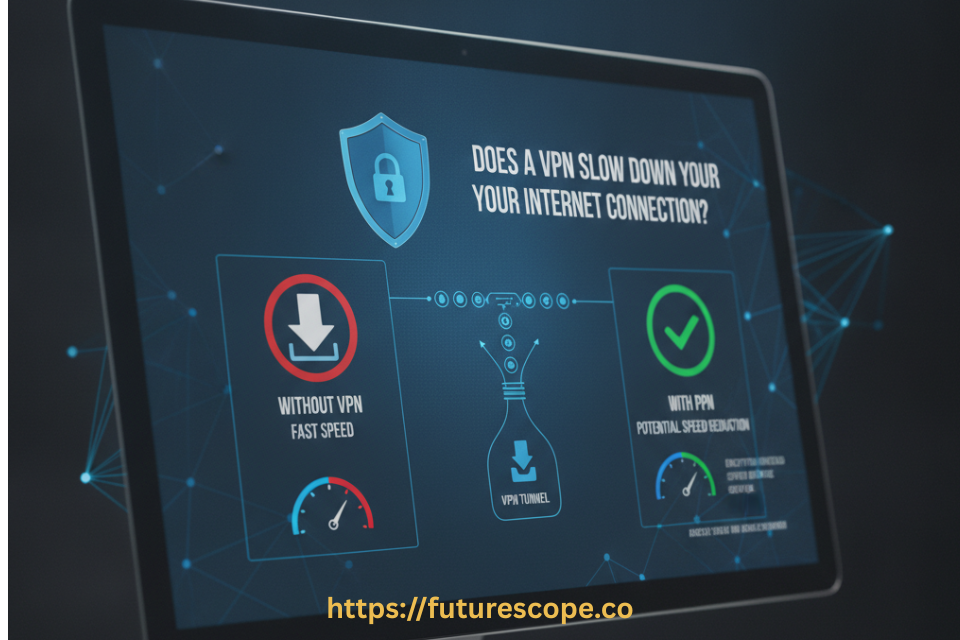

You turn on your VPN, run a speed test, and watch your numbers drop. It’s a frustrating, almost universal experience — and it leaves a lot of people wondering whether something’s wrong with their setup, or whether VPNs are simply a privacy-for-speed trade most of us have to accept.
Here’s the short, honest answer: yes, a VPN can slow down your internet connection, but the impact is usually smaller than people expect, and a lot of that slowdown is within your control. Once you understand exactly why it happens, you can fix most of it in a few minutes.
In this guide, I’ll break down precisely how VPNs affect your internet speed, what’s actually happening on a technical level when you connect, and the specific steps you can take to stop a VPN from dragging your connection down more than it needs to.
How VPNs Affect Your Internet Speed?
When you connect to a VPN, your internet traffic doesn’t go straight to its destination anymore. It first travels to a VPN server, gets decrypted there, and only then gets forwarded to the website or service you’re actually trying to reach. That extra hop is where the slowdown comes from — and a handful of specific factors determine how noticeable it actually is.
Server Distance
Distance is usually the single biggest factor affecting VPN speed. The farther your data has to travel to reach the VPN server, the longer the round trip takes. If you’re located in the United States and connect to a VPN server in Singapore, your traffic has to travel all the way there before it even gets forwarded to its actual destination — even if that destination is hosted just a few miles from where you started. Network engineers sometimes call this the “trombone effect”: your data extends out to a distant server and then bounces back, adding a meaningful amount of unnecessary travel time.
Server Load
Even a nearby server can slow you down if too many people are connected to it at once. When a VPN server gets overloaded beyond its capacity, it starts queueing or dropping requests, which drags down speed for everyone connected to it. This problem shows up far more often with free or budget VPN services that operate smaller, more crowded server networks. Premium providers with large, well-distributed server fleets are considerably less likely to run into this kind of congestion.
VPN Protocol and Encryption Overhead
Every VPN encrypts your traffic to keep it private, and that encryption does take some processing time. However, modern encryption standards like AES-256 are highly efficient, so the overhead from encryption itself tends to be fairly small in most real-world cases. What matters more is the VPN protocol — the specific set of rules determining how your device and the VPN server communicate. Newer, leaner protocols built around WireGuard tend to be noticeably faster than older, more complex protocols like OpenVPN, which is often why two people using the same VPN service can experience meaningfully different speeds depending on which protocol they’ve selected.
Your Underlying Internet Speed
A VPN can only work within the limits of the connection you already have. If your baseline internet speed is already slow, the VPN isn’t the primary bottleneck — it’s just adding a smaller additional reduction on top of a connection that was never fast to begin with. This is why testing your speed without the VPN first is such a useful diagnostic step before assuming the VPN itself is the problem.
By the Numbers: Industry testing shows that VPN encryption overhead alone often reduces speeds by roughly 5% to 25%, depending on the provider, protocol, server distance, and even whether you're on Wi-Fi or a wired connection. Independent lab testing has also found that long-distance international server routes can see a natural 10% to 15% additional speed reduction compared to regional connections — reinforcing that nearby servers consistently perform better than distant ones.
Wait — Can a VPN Ever Make Your Internet Faster?
Surprisingly, yes, in one specific situation. If your internet service provider throttles — meaning deliberately slows down — certain types of traffic like streaming or gaming, a VPN can actually help. Because a VPN encrypts your traffic, your ISP can no longer easily tell what kind of activity you’re doing online, which makes it much harder for them to selectively throttle that specific traffic.
In that scenario, turning on a VPN can restore speeds that were being artificially limited, occasionally resulting in faster performance than you’d get without one. That said, this only applies to throttling based on traffic type. If your ISP throttles all VPN traffic outright, or limits your bandwidth based on total data usage rather than what you’re doing, a VPN won’t provide that same speed benefit.
Ready for a faster and more secure online experience?
Get ExpressVPN now and see why millions of users trust it for privacy, streaming, and everyday browsing. ExpressVPN helps keep your connection fast and protected. Click below to get started today.
How to Stop a VPN From Slowing Down Your Internet?
Here’s the genuinely good news: most VPN-related slowdowns are fixable with a few practical adjustments. Work through these in order, and you’ll likely notice a real improvement.
- Switch to a faster protocol: Protocol choice can make a dramatic difference. If your VPN app offers a WireGuard-based protocol, switch to it — it’s specifically designed for speed and efficiency without sacrificing meaningful security, and it consistently outperforms older protocols like OpenVPN in most real-world tests.
- Connect to the nearest available server: Since distance is usually the biggest factor affecting speed, choosing a server in your own country or a nearby one — rather than one halfway around the world — keeps that added travel time to a minimum. Only pick a distant server when you specifically need that virtual location for a particular purpose.
- Test your baseline speed first: Before blaming your VPN, run a speed test with the VPN off to establish what your connection actually delivers unmodified. Then reconnect and test again. If your unprotected speed is already low, your VPN isn’t the core problem — your underlying connection is.
- Use a wired connection instead of Wi-Fi: Wired Ethernet connections tend to deliver more consistent speeds than Wi-Fi, since they avoid wireless interference and aren’t competing with other devices sharing the same wireless signal.
- Restart your device and router: A simple reboot clears temporary network issues and refreshes your connection, sometimes resolving sluggishness that has nothing to do with the VPN itself.
- Close bandwidth-hungry background apps: Cloud backup tools, file-syncing services, and automatic update managers running in the background quietly consume bandwidth and processing power, compounding any VPN-related slowdown.
- Consider split tunneling if your VPN supports it: Split tunneling lets you route only the traffic that genuinely needs protection through the VPN, while everything else uses your regular connection directly. This reduces the overall load on the VPN tunnel and can meaningfully improve performance for specific tasks.
- Choose a reputable, well-resourced provider: A VPN provider with a large, high-capacity server network spread across many locations is far less likely to suffer from server overcrowding than a smaller or free service operating on limited infrastructure.
One Thing Not to Do: Some speed-troubleshooting guides suggest temporarily disabling your firewall or antivirus software to test whether security tools are contributing to the slowdown. This isn't worth the risk. A marginally faster connection is never worth exposing your device, even briefly, to threats your security software exists specifically to block.
How to Properly Test Whether Your VPN Is the Problem?
The clearest way to know whether your VPN is genuinely responsible for a slowdown is to run a simple before-and-after comparison rather than guessing:
- Choose a reliable speed test tool and disconnect from your VPN entirely.
- Run a speed test and record your baseline download and upload speeds.
- Reconnect to your VPN, ideally using its fastest available protocol and a nearby server.
- Run the same speed test again and compare the two results directly.
- Repeat the test with servers at a few different distances — a nearby one, one in another part of your country, and one on a different continent — to see how distance specifically affects your results.
You’ll typically see the smallest speed reduction with a nearby server on a fast, modern protocol, and the largest reduction with a distant server, particularly on an older protocol. Running this comparison yourself gives you a much clearer, more personalized picture than relying on generic claims from any single source.
A Quick Word on Encryption Protocols
Two of the most common VPN encryption approaches are IPsec, which operates at the network layer, and SSL/TLS, which operates at the application layer. Both deliver fairly similar performance overall, though IPsec-based protocols often have a slight edge in connection negotiation speed. There’s one practical advantage worth knowing about SSL-based VPN traffic specifically: because it closely resembles normal HTTPS web traffic, it’s less likely to get blocked or rate-limited by restrictive firewalls, which can matter if you’re connecting from a network with aggressive traffic filtering, like certain corporate or public Wi-Fi networks.
The technical details matter less than the practical takeaway: protocol choice genuinely affects both your speed and your ability to connect reliably in restrictive network environments, so it’s worth knowing which protocol your VPN is using and whether a faster alternative is available in your settings.
If you’re looking for a VPN that combines excellent performance, strong privacy protection, and an easy-to-use interface, ExpressVPN is one of the best choices available. Click here to get ExpressVPN and start browsing securely today.
Frequently Asked Questions
1. How much speed should I realistically expect to lose with a VPN turned on?
For most users on a reputable VPN service with a nearby server and a modern protocol, the speed reduction tends to fall somewhere around 5% to 25%, which is often barely noticeable during everyday browsing, streaming, or video calls. The reduction can be considerably larger — sometimes losing the majority of your baseline speed — if you connect to a server on the other side of the world, use an older and less efficient protocol, or rely on a free VPN service with limited, overcrowded server infrastructure.
2. Does a free VPN slow down my internet more than a paid one?
Generally, yes. Free VPN services typically operate with far fewer servers than paid providers, which means those servers get more crowded and congested as more users connect to the same limited infrastructure. Many free services also impose bandwidth caps, limit data usage, or display ads, all of which can make your connection feel noticeably slower on top of the basic VPN overhead. If consistent speed matters to you, a reputable paid provider with a larger, better-resourced server network is generally the more reliable choice.
3. Will using a VPN slow down online gaming or video calls?
It can, slightly, since your traffic has to travel through an additional server, which adds some latency on top of your normal connection. However, the practical impact is often small if you use a fast modern protocol and connect to a nearby server — both of which minimize the added delay. For gaming specifically, a VPN can also provide a meaningful security benefit by masking your real IP address, which helps protect against certain targeted attacks during competitive play, making the small latency tradeoff worthwhile for many users.
4. Should I just turn my VPN off when I need maximum speed?
For most everyday situations, it’s better to leave your VPN running consistently rather than toggling it on and off, since that keeps your traffic encrypted and protected at all times, particularly on public Wi-Fi. If you’re working with split tunneling, you can route only the specific traffic that needs protection through the VPN while letting other tasks use your regular connection directly, which preserves speed for non-sensitive activities without sacrificing protection where it matters most. Turning the VPN off entirely should be reserved for specific troubleshooting situations or tasks that genuinely require accessing local network devices.
5. Can my router itself slow down when I’m using a VPN?
Yes, but only in a specific situation — if you’ve configured the VPN directly on your router rather than on an individual device, so it’s encrypting traffic for your entire network at once. Whether this creates a noticeable slowdown depends heavily on your router’s processing power. Routers with limited hardware can struggle under the load of encrypting traffic for multiple devices simultaneously, while more powerful routers built for this kind of workload handle it far more efficiently without a significant performance hit.
Get Your Speed Back Without Giving Up Privacy
A VPN slowing down your internet connection isn’t something you have to just accept. Now you know exactly why it happens — distance, server load, protocol choice, and your underlying connection speed — and every one of those factors is something you can actually do something about.
Don’t trade away your privacy and security just to chase a few extra Mbps. A few quick adjustments usually get you most of that speed back, with your protection fully intact.
Here’s your action plan, starting right now:
- Run a baseline speed test with your VPN off, then reconnect and test again to see your real gap.
- Switch to a WireGuard-based protocol in your VPN settings if you haven’t already.
- Connect to the nearest available server unless you specifically need a different location.
- Try a wired connection instead of Wi-Fi if speed is critical for a specific task.
- Enable split tunneling if your provider offers it, to protect only what truly needs protecting.
- If you’re on a free VPN and frustrated with speed, it’s worth comparing a reputable paid provider’s performance.
Privacy and speed don’t have to be a zero-sum trade. With the right settings, you really can have both.