
Imagine this: You are right in the middle of preparing a crucial client proposal, an urgent school assignment, or printing out gorgeous photos from your recent vacation. You hit ‘Print,’ and… disaster strikes. Your printout is either a smudged, blurry mess, or your machine chugs along at a snail’s pace while your ink cartridge runs dry. If this scenario sounds frustratingly familiar, it’s highly likely you are using the wrong tool for the job.
Choosing between a Laser Printer Or an Inkjet Printer shouldn’t feel like a high-stakes guessing game. Yet, millions of buyers end up making the wrong decision simply because they look at the upfront price tag instead of assessing their actual daily needs. This in-depth guide pulls back the curtain on hardware technology to resolve the age-old Laser Printer vs an Inkjet Printer debate once and for all.
The Core Technology: How Do They Actually Work?
To truly understand which machine fits your workspace, we need to look under the hood at how these hardware technologies handle media.
Inkjet printers are highly precise liquid distribution systems. They work by propelling microscopic droplets of liquid ink through hundreds of microscopic nozzles located on a moving printhead. These droplets fuse directly into the fibers of the paper. Most inkjet printers rely on either thermal technology—where tiny heating elements vaporize ink to create a bubble that shoots out—or piezoelectricity, which uses electrical charges to flex crystal elements and physically force the ink out.
Laser printers, by contrast, are complex electrostatic photocopying machines. Instead of liquid ink, they use toner, which is a fine, dry powder made from granulated plastics and iron oxides. Inside the machine, a focused laser beam draws an electrostatic image of your document onto a rotating cylindrical drum. This drum becomes charged, attracting the dry toner particles to its surface. The paper is given its own strong charge, pulls the toner off the drum, and passes through heated rollers called a fuser. The fuser literally melts the plastic toner powder, bonding it permanently to the page surfaces.
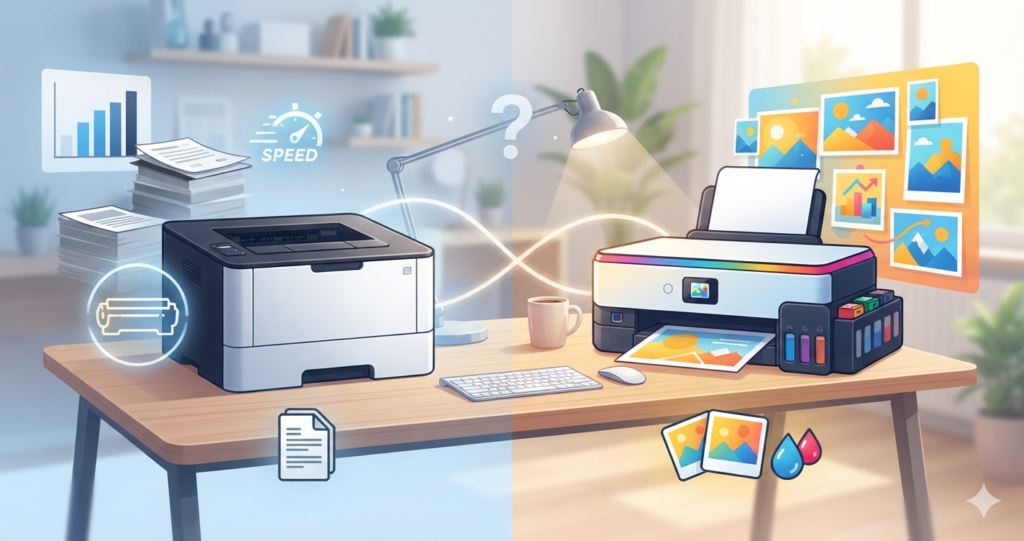
Laser Printer vs an Inkjet Printer: The Core Matchup
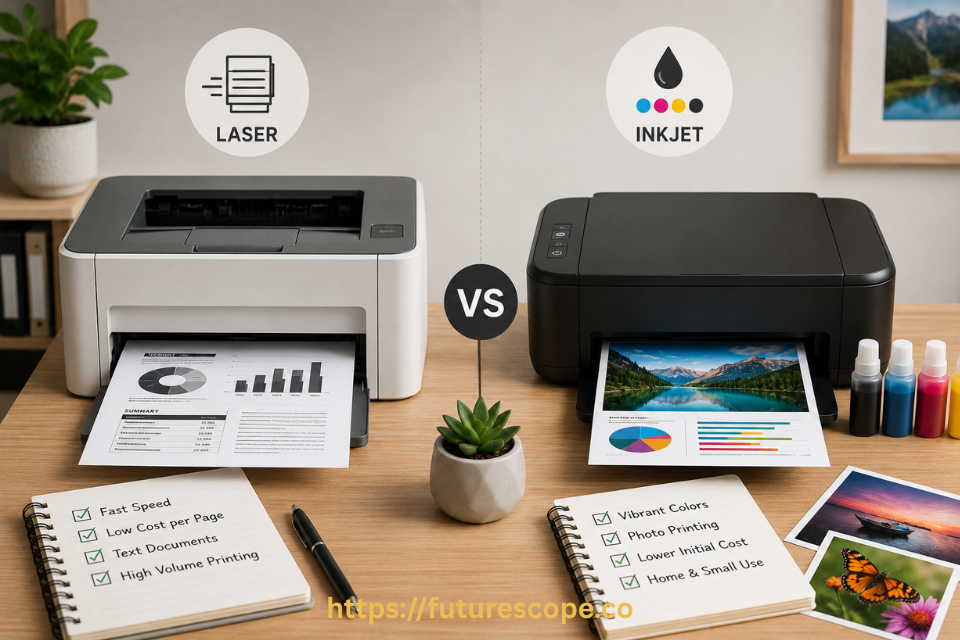
When evaluating a Laser Printer Or an Inkjet Printer, the best choice depends on analyzing four critical performance pillars: text sharpness, graphics reproduction, operating speed, and media flexibility.
1. Text Sharpness and Monochromatic Output:
If your daily workload consists primarily of black-and-white documents, text files, contracts, or spreadsheets, laser technology wins by a landslide. Because laser printers melt dry powder onto the paper rather than saturating it with moisture, the edges of letterforms are exceptionally sharp, crisp, and defined. Liquid ink can bleed slightly into standard paper fibers, occasionally producing fuzzy or feathered text edges under a magnifying glass.
2. Photo and Graphics Reproduction:
If your goal is to print rich, vibrant photos, art reproductions, or highly saturated color marketing graphics, an inkjet printer is the undisputed king. Liquid ink blends seamlessly across gradients, producing unmatched color depth, smooth tonal transitions, and photographic realism. Color laser printers are excellent for business presentations and pie charts, but they struggle to blend toner smoothly enough to match the photo-realistic output of a dedicated inkjet.
3. Print Speed and Operational Efficiency:
Time is money, especially in high-volume environments. Laser printers are built for raw speed, effortlessly turning out 20 to 55 pages per minute (PPM). They offer rapid ‘first-page-out’ times because the laser sweeps the drum instantly. Standard inkjet printers generally hover around 5 to 15 PPM, as the mechanical printhead must physically scan back and forth across every single line of the page.
4. Media Versatility and Paper Handling:
Inkjet printers are incredibly flexible when it comes to unconventional print mediums. They can safely print on glossy photo sheets, textured matte cardstock, fabric transfers, vinyl labels, and even transparencies. Laser printers are restricted by their internal heat; because the fuser reaches intense temperatures to melt toner, putting glossy photo paper or heat-sensitive vinyl into a laser machine can melt the media, permanently destroying your hardware.
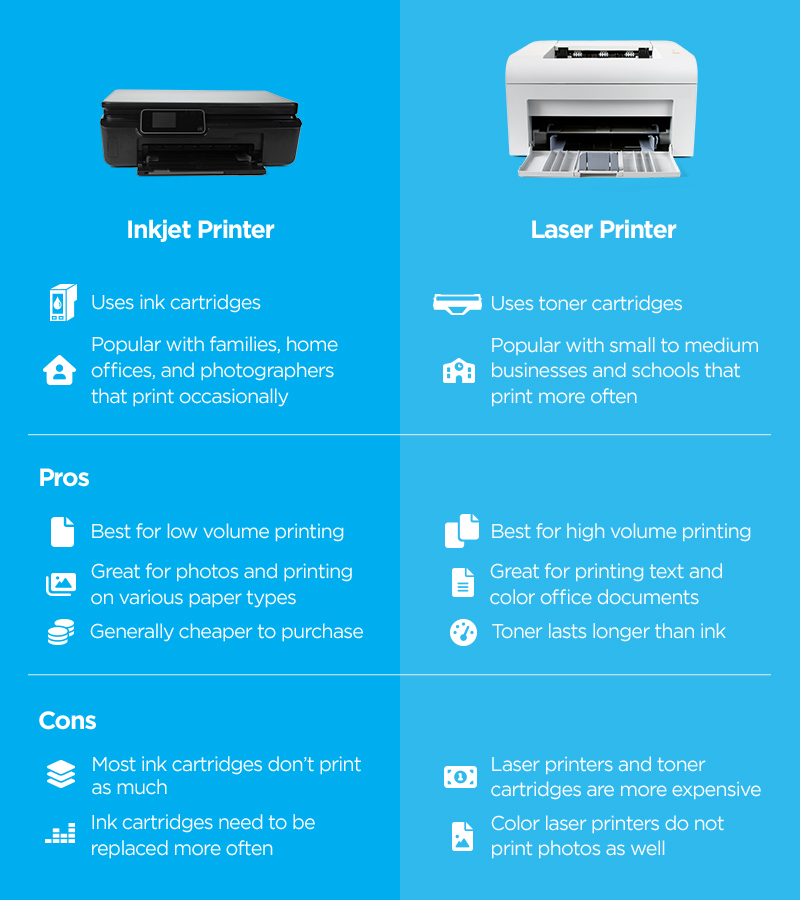
The Real Cost Matrix: Upfront Price vs. Long-Term Yield
Let’s address the financial elephant in the room: the total cost of ownership. Buyers frequently fall into the trap of purchasing a cheap $50 inkjet printer, only to discover that a single replacement set of ink cartridges costs more than the machine itself.
- Standard inkjet printers feature a low initial purchase cost, making them incredibly attractive for tight budgets. However, traditional liquid cartridges have a low page yield (often just 150 to 300 pages) and come with an incredibly high cost per page (CPP). Furthermore, if you leave an inkjet idle for a few weeks, the liquid ink inside the nozzles can dry out, ruining the cartridge entirely.
- Laser printers require a higher upfront investment, but their long-term operation is incredibly economical. A single toner cartridge can easily yield anywhere from 1,500 to over 10,000 pages before needing replacement. Because toner is dry plastic powder, it can sit idle for months—or even years—without ever drying out or degrading.
- Ink Tank Printers have emerged as an outstanding hybrid option. These machines utilize refillable ink reservoirs instead of cartridges, reducing your ongoing cost per page by up to 60%. While they still face the risk of ink drying out if left completely unused, they represent the absolute best long-term financial investment for high-volume color printing.
Expert Insights: The Hidden Truths of Printer Selection
| Expert Hardware Insight: Before buying, map your print frequency rather than your volume. If you only print 10 pages a month, a standard inkjet will cost you a fortune because the ink will dry out and clog the nozzles between uses, forcing wasteful cleaning cycles. An infrequent printer should almost always buy a monochrome laser printer, ensuring that the machine is ready to work perfectly even after months of standing idle. |
Additionally, consider the physical footprint and power dynamics of your workspace. Laser printers contain heavy internal components like drums and fuser assemblies, making them larger, heavier, and more demanding of physical desktop real estate. They also draw significantly more electricity during their initial warm-up cycle to bring the fuser up to melting temperature. Inkjets remain light, highly compact, and perfectly optimized for tight home-office cubbies.
Decision Matrix: Which One Belongs on Your Desk?
To make your purchase seamless, match your primary use case to the profiles below:
Choose a Laser Printer if:
- Your primary output consists of text documents, contracts, reports, or invoices.
- You require high-speed output and frequently print large batches of pages.
- You want a rock-bottom cost per page and don’t want to worry about cartridges drying out.
- You are setting up a fast-paced office or professional small-business environment.
Choose an Inkjet Printer if:
- You print high-quality photos, detailed art projects, or colored marketing collateral.
- You need to print on diverse media like glossy paper, cardstock, or fabric.
- You have limited desk space and require a highly compact, lightweight chassis.
- You have a lower upfront budget and don’t mind performing occasional maintenance.
Frequently Asked Questions (FAQs)
Q1: Can I print high-quality photos using a color laser printer?
Fact: Standard laser printers cannot print high-quality glossy photos. Toner powder sits on top of the page surface and cannot achieve the smooth tonal gradients or high gloss absorption required for gallery-quality photo paper. Attempting to feed inkjet photo paper into a laser printer can cause the coating to melt under the high fuser heat, severely damaging the internal drum assembly.
Q2: Do inkjet printer cartridges really dry out if I don’t use them?
Fact: Yes, liquid ink cartridges will absolutely dry out and clog the printhead nozzles if the printer is left inactive for extended periods (typically 3 to 4 weeks). To prevent this, you must run at least one test print per week or invest in modern subscription models like HP Instant Ink, which help manage head health.
Q3: Is it true that laser printer toner never dries out?
Fact: Absolutely. Toner cartridges are composed entirely of dry, stable plastic and iron particles. Because there is zero moisture content inside a toner cartridge, it can sit idle inside a cold or warm room for years without drying out, losing efficiency, or clotting.
Q4: What is an All-In-One printer, and can I get it in both styles?
Fact: An All-In-One (AIO) or multifunction printer integrates an automatic document scanner, digital copier, and sometimes a fax line into the physical chassis of the printer. You can purchase both inkjet and laser printers in All-In-One configurations, making them ideal space-savers for home businesses.
Q5: Are laser printers more expensive to maintain over time than inkjets?
Fact: It depends entirely on your print volume. If you print over 200 to 300 pages per month, a laser printer or an ink tank model is substantially cheaper over time due to their low cost per page. Standard inkjet printers have lower initial prices but carry much higher ongoing operating costs due to low cartridge yields.
Ready to Upgrade Your Print Game?
Don’t let misleading upfront prices dictate your productivity. Choosing the right hardware technology is all about aligning your daily printing habits with the machine designed to handle them. Stop wasting money on clogged ink cartridges or dealing with sluggish print speeds.
Explore our comprehensive collection of top-rated laser and inkjet printers today to find the absolute perfect match for your home or office workspace! Need personalized guidance? Leave a comment below or contact our hardware experts right now for a tailored recommendation.