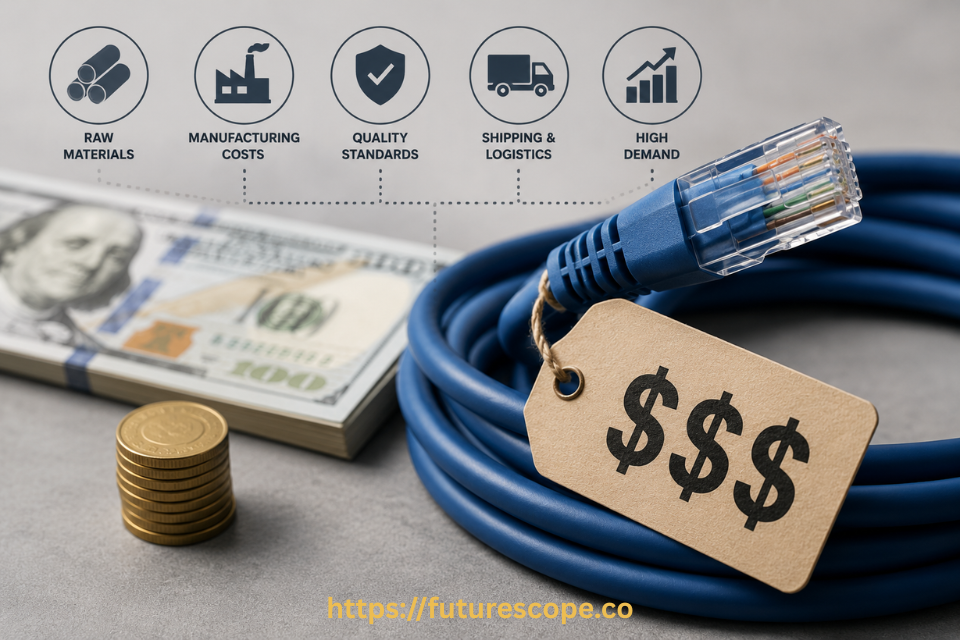

That $80 'gaming' Ethernet cable with gold connectors and a braided jacket? Physics doesn't care how much you paid for it.
You’re setting up your home network, you search for an Ethernet cable, and suddenly you’re staring at a page with options ranging from $4 to $90 — for what looks like the exact same cable. Same length. Same connector. Wildly different price.
It’s a fair question to ask: why are Ethernet cables so expensive, and is any of that premium pricing actually justified? The honest answer is nuanced. Some of the price difference reflects real, meaningful engineering. A lot of it is pure marketing theater. Knowing which is which will save you money and prevent you from either overpaying or underbuying.
In this guide, I’ll break down exactly why some Ethernet cables cost so much, whether you actually need the expensive ones, how to choose the right cable for your setup, and whether premium pricing is ever genuinely worth it.
Ethernet Cables Are Expensive — But Compared to What?
Here’s the first thing to understand: “expensive” is relative, and the Ethernet cable market spans an enormous range. A basic, perfectly functional Cat5e cable might cost you $5 to $15. Walk a little further down the product page and you’ll find Cat6a cables for $15 to $30. Then there are premium options — braided jackets, gold-plated connectors, aggressive marketing copy about “maximum performance” — running well past $30, sometimes into the $80 to $100 range for a single cable.
That premium tier is where most of the genuine confusion and frustration comes from. Buyers see aggressive marketing language promising faster speeds and better performance, and reasonably assume they’re paying for something that will measurably improve their internet connection.
Here’s the uncomfortable truth: for the vast majority of home users, that assumption is wrong. Ethernet cables transmit digital data, and digital data either arrives correctly or it doesn’t — there’s no “more premium copper makes data go faster” mechanism the way there might be with, say, water flowing through a wider pipe. Once a cable meets its category’s certified standard and isn’t damaged, it delivers that category’s rated speed. A more expensive cable of the same category doesn’t unlock extra speed beyond that rating.
💡 The Core Insight: Your internet speed is set by your ISP plan, not your cable. If you’re paying for 500 Mbps internet, no Ethernet cable — cheap or expensive — will push you past that ceiling. A basic Cat5e cable already supports up to 1 Gbps, which exceeds what most home internet plans deliver in the first place.
So Why Do Some Ethernet Cables Cost So Much More?
If raw speed isn’t the differentiator, what is actually driving the price gap? A mix of legitimate engineering and straightforward marketing strategy.
- Category rating is the only factor that matters for speed: Cat5e, Cat6, Cat6a, Cat7, and Cat8 each support progressively higher maximum speeds and longer effective cable runs. This is the one price-to-performance relationship that’s genuinely real — and the jump between categories is usually measured in single dollars, not tens of dollars.
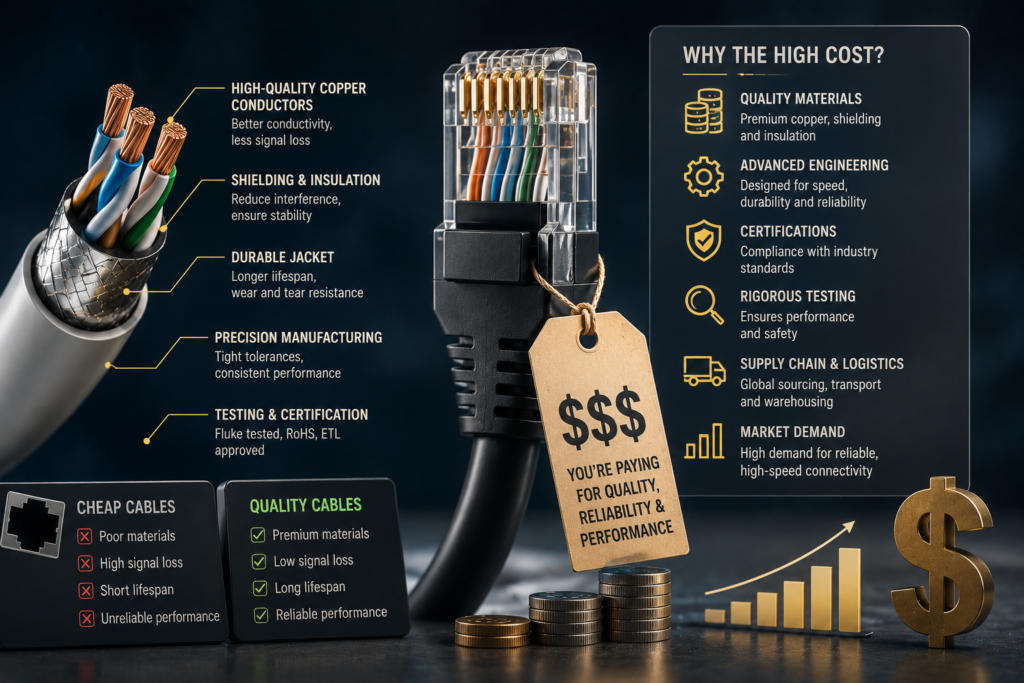
- Thicker copper and better twist density: Within a given category, some manufacturers use thicker wire gauges and more consistent twist rates between the internal wire pairs, which can modestly improve signal integrity and reduce interference. This adds some real cost, though it’s nowhere near what separates a $10 cable from a $90 one.
- Shielding for noisy environments: Shielded cables (often labeled STP or FTP) add a layer of protection against electromagnetic interference. This genuinely matters in industrial settings with heavy machinery nearby, but for the average home or office, unshielded cables work perfectly well and shielding mostly adds cost, weight, and reduced flexibility with negligible real-world benefit.
- Cosmetic and “gamer” branding: Braided nylon jackets, gold-plated connectors, RGB-lit ends, and bold packaging claims about “ultra-low latency gaming performance” add cost without adding functional benefit. Gold plating on connectors can marginally resist corrosion over a very long time, but it does not make data move faster.
- Brand premium and marketing spend: Recognizable brands selling “gaming” or “premium audiophile-grade” networking cables often charge significantly more simply because buyers associate the branding with quality, even when the underlying cable meets the same category standard as a cheaper alternative.
- Genuine compliance and manufacturing quality: This is the one place expensive caution is warranted. Some low-cost cables, despite being labeled with a category rating, fail to actually meet that standard’s certified specifications — sometimes due to inferior conductor quality like copper-clad aluminum instead of pure copper, or inconsistent manufacturing. A cable that doesn’t truly meet its labeled category can underperform even though the label says otherwise.
That last point deserves emphasis, because it’s the most legitimate argument for spending a bit more: reputable manufacturers who reliably meet their certified category specifications are worth a small premium over no-name cables of uncertain origin — not because premium cables are faster, but because budget cables from unverified sources occasionally fail to deliver what their label promises.
Do You Actually Need Expensive Ethernet Cables?
For the overwhelming majority of home and small office users, the answer is no. Here’s the practical reality, broken down by internet speed tier:
Cat5e: Supports up to 1 Gbps over standard home distances
Typical price: $5 – $15
Cat6: Supports up to 10 Gbps at shorter distances (up to ~55 meters)
Typical price: $10 – $20
Cat6a: Supports 10 Gbps over longer distances, fully rated to 100 meters
Typical price: $15 – $30
Cat7 / Cat8: Far beyond what most home or office setups need; built for data centers and specialized networking
Typical price: $30+
If you’re on a typical home internet plan — even a fast one, like gigabit service — a basic Cat5e or Cat6 cable from a reputable brand will handle your connection without any bottleneck whatsoever. The expensive premium cables marketed for “gaming performance” or “maximum speed” are, for nearly everyone, solving a problem that doesn’t exist.
There are a few specific scenarios where spending more genuinely makes sense:
- Multi-gigabit business or data center networking: If you’re running 10 Gbps+ infrastructure across longer cable runs, Cat6a or higher becomes a functional requirement, not a luxury.
- Industrial or electrically noisy environments: Facilities with heavy machinery, large motors, or significant electromagnetic interference genuinely benefit from shielded cables.
- Long cable runs near the category’s distance limit: If you’re pushing close to 100 meters, a higher-quality, properly certified cable reduces the risk of signal degradation at that extreme.
- Mission-critical business infrastructure: For servers, networking closets, or infrastructure where downtime is extremely costly, paying a bit more for a verified, compliance-tested cable from a reputable manufacturer reduces the small but real risk of a budget cable underperforming its label.
How to Choose the Right Ethernet Cable?
Cut through the marketing noise with this simple, practical approach:
- Step 1 — Know your internet speed tier: Check your ISP plan. If you’re on anything up to 1 Gbps, Cat5e or Cat6 covers you completely. Multi-gigabit plans warrant Cat6a.
- Step 2 — Match the category to that speed, not beyond it: There’s no benefit to buying Cat8 for a 500 Mbps home connection. You’re paying for headroom you’ll never use.
- Step 3 — Check the actual cable length you need: Stay comfortably under each category’s maximum rated distance (typically 100 meters for most home categories) to avoid any signal degradation risk.
- Step 4 — Buy from a reputable, established brand: This is where a small premium over the absolute cheapest option is worth paying — not for speed, but for confidence that the cable actually meets its labeled category specification.
- Step 5 — Skip shielding unless you have a specific reason: Unless you’re running cable near industrial equipment, heavy machinery, or significant electrical interference, unshielded cable performs just as well for typical home and office use.
- Step 6 — Ignore gaming and audiophile marketing claims: Braided jackets, gold connectors, and RGB accents are cosmetic. They don’t move your data any faster than a plain, properly rated cable.
Are Expensive Ethernet Cables Worth It?
Mostly, no — but with one important nuance worth taking seriously.
If “expensive” means a premium-branded cable with cosmetic flourishes and aggressive performance marketing, the honest answer is that you’re very likely paying for packaging and branding, not function. Once a cable meets its certified category rating and isn’t physically damaged, a $90 cable and a properly-rated $10 cable will deliver identical real-world speeds for the vast majority of home and office setups.
However, there’s a more technical counterpoint worth acknowledging honestly: networking is genuinely more complex than a simple binary “works or doesn’t work” model. At the physical signaling layer, marginal or substandard cables can increase bit error rates, which trigger retransmissions and adaptive link renegotiation — meaning a poor-quality cable can sometimes cause a connection to quietly downshift from, say, 1 Gbps to 100 Mbps, or introduce intermittent jitter and buffering, rather than failing outright. This is a real phenomenon, particularly with very low-quality or non-compliant cables that don’t actually meet their advertised category specification.
The practical takeaway from that nuance isn’t “buy the most expensive cable.” It’s “buy from a manufacturer who reliably meets the category specification they claim.” That’s a quality floor, not a price ceiling — and reputable mid-range cables clear that floor just as reliably as premium ones.
✅ The Practical Verdict: Spend a little more than the absolute cheapest unbranded option to ensure you’re getting a cable that actually meets its labeled category standard from a manufacturer with a real reputation to protect. Don’t spend significantly more chasing marketing claims about speed, latency, or gaming performance — those claims aren’t physically meaningful once a cable meets its category rating.
Frequently Asked Questions
1. Will a more expensive Ethernet cable make my internet faster?
No, not in any way that matters for typical home or office use. Your internet speed is determined primarily by your ISP plan, with your router, modem, and Wi-Fi signal quality as secondary factors. Once an Ethernet cable meets its certified category rating and is in good physical condition, it delivers that category’s maximum supported speed regardless of price. A basic Cat5e cable already supports speeds well beyond what most home internet plans deliver, so upgrading to an expensive premium cable provides no measurable speed benefit in the overwhelming majority of cases.
2. What’s the real difference between a cheap and an expensive Ethernet cable?
The legitimate differences come down to category rating, conductor quality, and manufacturing compliance — not price for price’s sake. A cable that’s properly built to its labeled Cat5e, Cat6, or Cat6a specification using genuine copper conductors and consistent manufacturing will perform identically to a much pricier cable of the same category. The risk with extremely cheap, unbranded cables is that some fail to actually meet their labeled category standard, sometimes using inferior materials like copper-clad aluminum instead of pure copper. Beyond that quality floor, additional spending mostly buys cosmetic features and brand marketing rather than functional improvement.
3. Do I need a shielded Ethernet cable for my home network?
Almost certainly not. Shielded cables (STP or FTP) provide genuine protection against electromagnetic interference, but that benefit only matters in environments with significant electrical noise — industrial facilities, areas near heavy machinery, or locations with substantial interference from other electronics running in close proximity. For a typical home or office network, unshielded cable performs just as reliably while remaining cheaper, lighter, and more flexible to route through walls and tight spaces.
4. Is it worth buying Cat8 cable for home use?
For nearly all home users, no. Cat8 is built for data center and specialized high-bandwidth networking environments, supporting speeds and distances far beyond what any residential internet connection currently requires or will require in the foreseeable future. Even households with fast gigabit internet are fully served by Cat5e or Cat6 cable. Buying Cat7 or Cat8 for a typical home setup means paying a meaningful premium for capability you have no practical way to use.
5. How can I tell if a cheap Ethernet cable is actually reliable?
Look for cables that clearly state their category rating (Cat5e, Cat6, Cat6a, etc.) and purchase from manufacturers or retailers with an established reputation and visible customer reviews, rather than completely unbranded or unknown sellers. Reasonable pricing within the typical range for that category — a few dollars to around $20 to $30 depending on the category — from a recognizable brand is generally a reliable signal. Extremely low prices from unknown sellers occasionally correlate with cables that don’t actually meet their labeled specification, while extremely high prices mostly reflect marketing rather than meaningfully better performance.
Stop Overpaying for Marketing, Not Performance
Now you know the truth: most of the price gap between a $10 Ethernet cable and a $90 one is marketing, not physics. Category rating and basic manufacturing quality are what actually matter — everything else is packaging.
Put that knowledge to work the next time you’re shopping for cables, and redirect the money you save toward upgrades that genuinely improve your network experience.
Here’s your action plan:
- Check your actual ISP speed tier before buying anything — match your cable category to that, not beyond it.
- Buy Cat5e or Cat6 from a reputable brand for any standard home or office gigabit setup.
- Skip the gold connectors, braided jackets, and gaming marketing — they don’t move data faster.
- Only consider shielded cable if you have a specific, known source of electrical interference nearby.
- Redirect the money you save toward a better router or improved Wi-Fi placement — those upgrades actually move the needle.
- Share this with anyone you’ve seen about to drop $80 on a ‘gaming’ Ethernet cable.
Your network deserves smart spending, not marketing-driven guesswork. Put your money where it actually improves your connection.
Written by someone who once almost bought a $79 ‘esports’ Ethernet cable before checking the actual specs.