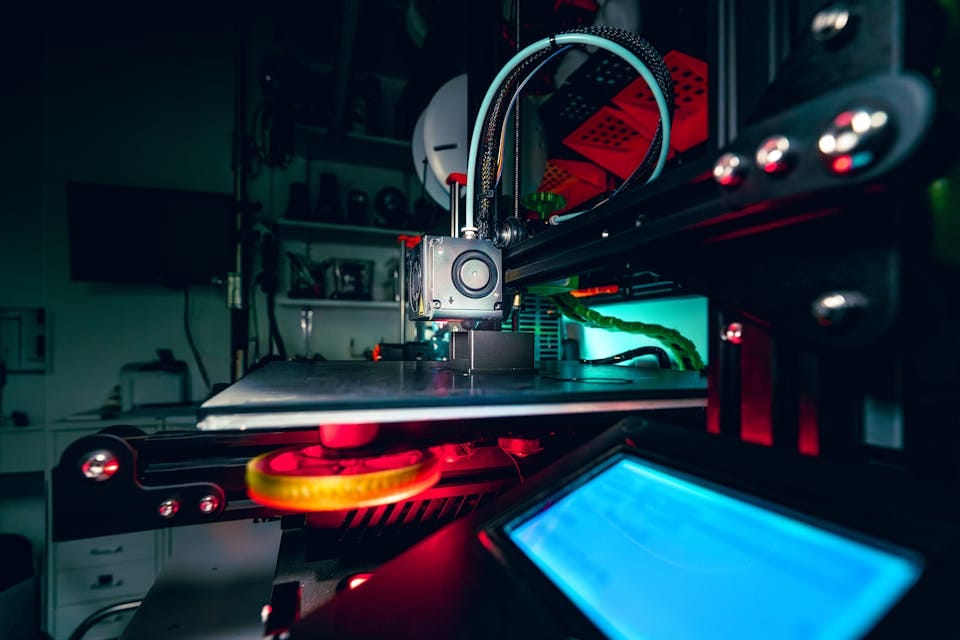

For beginners, the Creality Ender 3 V2, the Anycubic Mega S, and the Prusa i3 MK3S+ are excellent 3D printer choices. These models offer a good balance between price, ease of use, and print quality.
Embarking on the 3D printing journey can be both exciting and daunting. Choosing the right 3D printer is paramount for a smooth start and long-term satisfaction. The market is abundant with options tailored to novices, each promising a blend of user-friendliness, reliability, and precision.
Beginners should weigh their decision on factors like assembly, software support, community backing, and machine versatility. The novice-friendly Creality Ender 3 V2 stands out with its affordable price and strong community support. The Anycubic Mega S strikes a fine balance with its ease of setup and robust build. Meanwhile, the Prusa i3 MK3S+ is lauded for its top-notch print quality and advanced features, making it a choice for enthusiasts willing to invest more. Each of these printers serves as a gateway to the expansive possibilities of 3D printing.
Navigating The 3D Printer Landscape
Stepping into the world of 3D printing presents a thrilling journey of creation and discovery. A diverse array of printers awaits, each suited to different needs and skills. First-time buyers might find the choices overwhelming. The following guidelines simplify this landscape, leading to a wise purchase decision.
Key Printer Technologies
Different technologies define how printers work. Knowing them helps choose the right one. Here are the main types:
- Fused Deposition Modeling (FDM): Melts plastic to create layers.
- Stereolithography (SLA): Uses light to harden liquid resin.
- Selective Laser Sintering (SLS): Fuses powder with a laser.
Beginners often prefer FDM for its ease of use. SLA and SLS offer finer details but at a higher cost and complexity.
Popular Brands And Models
| Brand | Model | Technology | Level |
|---|---|---|---|
| Creality | ENDER-3 | FDM | Beginner |
| Anycubic | Photon | SLA | Intermediate |
| Prusa | i3 MK3S+ | FDM | Advanced |
Select a brand and model that aligns with personal goals. Creality offers affordability, perfect for starters. Anycubic’s Photon excels in resin prints. Prusa lies at the high end, favored by pros.
Assessing Your 3D Printing Needs
Before diving into the vast market of 3D printers, it’s crucial to understand your specific needs. Different printers offer a variety of features. Let’s explore what to consider to find the perfect 3D printer for your start.
Print Quality And Resolution
The sharpness of your prints matters. You want each layer to look precise.
High resolution means finer detail. Think about what you will print.
- Detail Matters: Models needing sharp features require higher resolution.
- Layer Thickness: Low numbers, such as 50 microns, mean high quality.
- Calibration Options: Printers with more settings give you control for quality.
Material Compatibility
Diverse materials open up possibilities. Certain projects need specific plastics or composites.
Check the printer’s material support.
| Material | Type |
|---|---|
| PLA | Beginner-friendly |
| ABS | Durable |
| Nylon | Versatile use |
Build Volume Requirements
Size defines limits. Big projects need big spaces. Measure what you’ll create first.
Key points: List your project dimensions. Match them with the printer’s build volume. Consider future projects too.
- Small Objects: Jewelry, figures, and small tools.
- Large Builds: Furniture parts, cosplay items, and prototypes.
Considering Usability And Connectivity
Entering the world of 3D printing is exciting. But, it’s important to pick a printer that is easy and connected. Think about how you will use it. And how it connects to other devices.
Ease Of Use And Interface
Look for printers with simple controls. A user-friendly interface makes a big difference. Screens should be clear. And settings easy to adjust.
Touch screens are very handy. They guide you with on-screen prompts. And make your experience better.
Software Integration
Some printers work well with certain software. Others need specific programs. Choose a printer that matches the software you plan to use.
- Check compatibility: Make sure it works with your computer.
- Software updates: Ensure the printer can update easily.
Community Support
A strong community can help. Look for printers with lots of fans and users. They often share tricks and fixes.
Check out forums and groups. Users often post guides and FAQs. They can help you solve common problems fast.

Budget And Additional Costs
When deciding on the perfect 3D printer, money matters. You need to consider not just the price tag of the printer but also the long-term costs. Here’s a breakdown of what to expect:
Initial Investment
Starting your 3D printing journey comes with an upfront cost: Buying the printer. High-end models boast more features, yet they hit the wallet hard. Aim for the sweet spot between affordability and quality.
| Printer Type | Price Range |
|---|---|
| Entry-Level | $200 – $500 |
| Hobbyist | $500 – $1,500 |
| Professional | $1,500+ |
Ongoing Maintenance
A 3D printer requires regular care to keep running smoothly. This can include part replacements and service checks. Always allocate funds for potential repairs and upkeep.
- Replacement parts
- Lubricants and cleaners
- Professional servicing fees
Material Expenses
Filament or resin, the stuff that makes 3D creations, come with their own costs. Different materials vary in price, affecting the economic aspect of your printing.
- PLA Filament: Widely used, cost-effective.
- ABS Filament: Durable, slightly pricier.
- Resin: For SLA printers, higher cost.
Frequently Asked Questions Of Which 3D Printer Should I Buy For The Start?
What Is A Good 3d Printer To Start With?
A good starter 3D printer is the Creality Ender 3, known for its ease of use, reliability, and affordable price, making it ideal for beginners.
What Should My First 3D Print Be?
Your first 3D print should be something simple like a calibration cube or a keychain. These items are quick to print, test your printer’s accuracy, and require minimal material.
Is Ender 3 Good For Beginners?
Yes, the Ender 3 is an excellent choice for beginners. Its affordability, ease of use, and supportive community make it ideal for those new to 3D printing.
Are Entry-level 3D Printers Worth It?
Entry-level 3D printers are often worth the investment for beginners. They offer a cost-effective way to learn 3D printing basics and explore simple projects without a large initial expense.
Conclusion
Embarking on your 3D printing journey requires the right tool. Assess your needs, research features, and consider budget constraints. A tailored choice ensures a fulfilling start in 3D printing. Keep exploring, stay updated on new models, and happy printing!