

Disclosure: This review is based on Notte’s current AppSumo listing, its own marketing materials, and publicly visible customer ratings as of August 2026 — not hands-on testing. Claims are attributed to their source throughout: official product claims, AppSumo customer feedback, or independent analysis.
Anyone who’s built browser automation before knows the pattern: it works great in testing, then a site redesigns its checkout page, a selector breaks, a CAPTCHA shows up out of nowhere, and suddenly you’re back in the code babysitting a script that used to run itself.
Notte is built around that exact problem. It’s a platform for turning browser workflows into callable APIs, AI-driven web agents, and serverless automations — the pitch being that you describe what you want done, and Notte handles the underlying browser mechanics, ideally with enough built-in resilience that a site change doesn’t immediately break everything.
It’s currently available on AppSumo as a lifetime deal. This review covers what it actually does, how its single-tier pricing breaks down, what real customers are saying, and who it realistically fits.
What Is Notte?
According to its current AppSumo listing, Notte is a platform for building, running, and deploying browser automation scripts, AI agents, and serverless API endpoints — all from one place. The core idea, in Notte’s own framing: browser workflow → automation → API endpoint.
In plainer terms: instead of writing and maintaining a browser automation script yourself (the kind that clicks buttons and fills forms using fixed selectors that break the moment a site changes), you describe the task, and Notte builds and hosts the automation for you — exposing it as something you can call from other tools, on a schedule, or from your own application.
As Per the listing, Notte supports natural-language task descriptions, live browser sessions you can inspect, serverless functions, scraping-style data extraction, and visual workflow tools for building and reviewing automations. AppSumo lists it as an alternative to IFTTT, Make, UiPath, and Zapier — though as with most “alternative to” framings, that’s a category comparison more than a feature-for-feature match, which the comparison section later in this review breaks down further.
Notte at a Glance
| Detail | Current Info |
| Product name | Notte |
| Category | AI browser automation / workflow-to-API platform |
| Best for | Developers, marketers, real estate (per AppSumo listing) |
| Browser automation | Yes — natural-language task descriptions turned into automated workflows |
| AI agents | Yes — hybrid deterministic scripting plus AI reasoning for adaptive fallback |
| API endpoints | Yes — workflows can be deployed as callable, serverless HTTPS endpoints |
| Serverless functions | Yes — deploy without managing your own browser infrastructure |
| Web scraping | Yes — structured data extraction is a stated use case |
| CAPTCHA solving | Included, per the listing — specific technical limitations aren’t detailed in the publicly visible listing, so confirm current scope in Notte’s own docs |
| Proxy support | Yes — BYO (bring your own) proxy support included on the current plan |
| Git-style workflow/versioning | Yes — the founder describes version tracking with “Git-style history” for workflow changes |
| AppSumo price | $69 (listed regular price $240, shown as 71% off) |
| Lifetime access | Yes, per the current listing |
| Refund period | 60 days |
| Current customer rating | 3.57 out of 5 stars from 21 AppSumo reviews at the time of writing |
One clarification worth making up front: Notte’s AppSumo listing carries an “AppSumo Launchpad” badge — described as products “chosen by AppSumo for their potential and innovation” — which is a different program from AppSumo’s “Radar” early-discovery listings. Plus members purchasing this deal are covered by AppSumo’s standard “We Got Your Back” guarantee, per the listing. That’s a meaningfully different level of AppSumo backing than a Radar-tier listing, though it still doesn’t substitute for your own due diligence on a young company.
How Does Notte Work?
Based on the current listing and marketing materials, the general workflow looks like this:
- Describe or demonstrate the browser task — either write a natural-language description of what you want done, or record yourself performing it once using Demonstrate Mode
- Notte creates the automation workflow — its “Anything API” engineers the underlying browser workflow and deploys it as a function, per the listing
- Test and inspect the browser session — the Console’s live session viewer lets you watch steps, logs, cookies, downloads, and uploads as the automation runs
- Add AI reasoning or fallback logic where needed — Notte describes combining deterministic scripting with AI reasoning in “hybrid workflows,” with adaptive fallback logic meant to help the automation recover when a page changes
- Deploy the workflow as an API or serverless function — once it’s working, export it as a callable HTTPS endpoint without managing your own browser infrastructure
- Schedule or call the automation from another application — trigger it via cron, call it from Zapier or your own app, or hit the endpoint directly
The meaningful difference from traditional browser automation (think Selenium or Playwright scripts built entirely around fixed CSS selectors) is the AI reasoning layer sitting on top of the deterministic steps. A traditional script fails outright the moment a button’s selector changes; Notte’s stated approach is to let AI reasoning attempt to recover and complete the step anyway. That’s a genuinely useful concept — it’s just also worth being realistic that AI-based recovery is an attempt at resilience, not a guarantee that every site change will be handled successfully every time.
Key Features of Notte
Anything API
This is Notte’s headline feature: describe a browser task in plain language, and the platform engineers the underlying workflow and deploys it as a callable API endpoint. Per the listing, subsequent runs can skip re-analyzing the browser task from scratch, which is meant to mean faster execution and lower infrastructure cost over repeated calls.
Practical use cases this opens up:
- Data extraction — pulling structured information from pages that don’t offer their own API
- Price monitoring — checking competitor or supplier pricing on a recurring schedule
- Website research — gathering information across many pages or sites without manual browsing
- Form automation — filling out and submitting recurring forms
- Back-office workflows — repetitive interactions with portals that don’t have a proper API of their own
Browser Automation
Beyond the Anything API framing, Notte handles the underlying browser automation itself — clicking, typing, navigating — without requiring you to manually write and maintain every selector, which is the part of traditional browser scripting that tends to break most often.
AI Web Agents
Notte combines AI reasoning with more traditional, deterministic automation steps. The idea is that deterministic steps handle the predictable parts of a workflow reliably, while AI reasoning steps in when something unexpected happens — a changed layout, an unfamiliar page state, an extra confirmation dialog. It’s worth being clear-eyed here: AI-based recovery makes a workflow more adaptable than a purely scripted one, but it doesn’t guarantee every possible website change will be handled correctly. Complex or unusual site changes can still break a workflow.
Demonstrate Mode
Instead of describing a task purely in text or building it step by step, Demonstrate Mode lets you record yourself performing a browser workflow once, which Notte then converts into a production-ready automation script. This is a genuinely useful on-ramp for people who find it easier to show a task than to describe or code it from scratch.
Agent Fallback / Self-Recovery
When a scripted step fails — because a page changed, an element moved, or something unexpected appeared — Notte’s adaptive fallback logic is designed to attempt recovery rather than simply failing the whole run. Per the listing, this is framed as “hybrid workflows that hold up in production.” That’s the vendor’s framing; how well it holds up in practice will vary by site and by how dramatically something has changed, and it’s not something this review can independently confirm without hands-on testing.
Serverless Functions
Once a workflow is built and tested, it can be exported and deployed as a serverless API endpoint — meaning you don’t need to run or maintain your own browser infrastructure to keep it working. You call the endpoint; Notte handles what happens behind it.
Live Session Viewer
The Console includes a live viewer for inspecting exactly what an automation did, including:
- Browser sessions and individual steps
- Logs
- Downloads and uploads
- Cookies
- Session timelines
Per the listing, this also includes the ability to replay CDP (Chrome DevTools Protocol) events to debug failures with full session context — genuinely useful when a run fails and you need to understand exactly where and why, rather than guessing.
Session Profiles
Session Profiles let an automation persist its authentication state across runs, so an agent can stay logged in rather than needing to re-authenticate every single time it runs — useful for workflows that need to interact with a site behind a login.
Credential Vaults
Notte offers encrypted credential storage for authentication workflows, including — per the listing — the ability to assign personas with real emails and phone numbers for automated two-factor authentication. This is a meaningful convenience feature, but it’s also exactly the kind of feature that deserves scrutiny before you trust it with real credentials: the listing states the storage is encrypted, but doesn’t provide independently verifiable security certifications or audit details in what’s publicly visible. Treat that claim as the vendor’s own description rather than third-party-verified fact.
CAPTCHA Solving
CAPTCHA-solving capability is included as part of the current plan. The publicly visible listing doesn’t spell out detailed browser-type or configuration limitations for this feature, so if CAPTCHA handling is central to your use case, it’s worth checking Notte’s own documentation directly for the specifics before relying on it.
Proxy Support
The current plan includes BYO (bring your own) proxy support, letting you route automation traffic through your own proxy infrastructure — useful for geographic targeting, avoiding rate limits, or working around basic bot-detection measures. The listing’s TL;DR also mentions residential proxies as part of Notte’s stealth capabilities more broadly.
Notte Use Cases
Web Scraping
Structured data collection — pulling product listings, contact information, or other publicly available page content into a usable format — is one of the more straightforward applications of Notte’s Anything API.
Price Monitoring
Businesses tracking competitor or supplier pricing could use a scheduled Notte workflow to check prices on a recurring basis rather than manually visiting pages.
Real Estate
AppSumo’s own “best for” categorization specifically calls out real estate — likely reflecting use cases like monitoring listing sites, collecting property details, or tracking price changes across multiple sources.
Marketing Automation
Marketers could use Notte for repetitive research tasks — competitor content audits, ad monitoring, or gathering information across many sites that would otherwise require manual browsing.
Back-Office Automation
Businesses with repetitive interactions in web-based portals that lack a proper API — vendor portals, government sites, internal tools without integrations — are a natural fit for turning that manual process into a callable automation.
AI Agents
More broadly, Notte can be used as infrastructure for building AI-powered browser agents generally, not just single-purpose automations.
One important caveat across all of these: not every website can or should be automated. Some sites explicitly prohibit automated access in their terms of service, and some have anti-bot measures specifically designed to block this kind of activity. Notte’s stealth and CAPTCHA-solving features may reduce friction, but they don’t make automation universally legal or reliable across every website — that’s a judgment call that sits with the person building the workflow, not the tool.
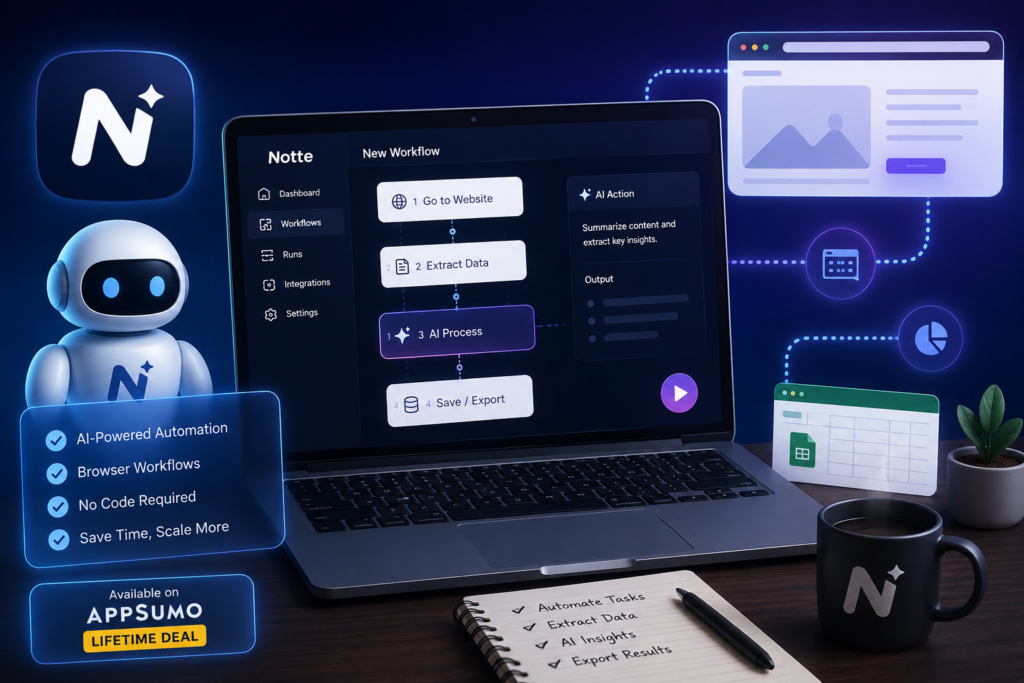
Notte AppSumo Lifetime Deal– Pricing & Plans
No Monthly Bills. Pay Once. Use Forever-Lifetime Access
Based on the current listing (checked August 2026), Notte’s AppSumo deal is a single license tier:
| Feature | AppSumo Tier 1 |
| Price | $69 (listed regular price $240) |
| Lifetime access | Yes |
| Browser hours/month | 100 |
| Browser concurrency | 25 |
| Stealth | Basic |
| BYO key | Yes |
| BYO proxy | Yes |
| Refund period | 60 days |
A few deal-term details worth understanding before buying, per the listing’s terms and conditions:
- The license includes all future updates to what’s currently called the Developer Plan
- If Notte renames that plan, the deal maps automatically to the renamed plan with its accompanying updates
- There’s no code-stacking — this is a single-tier deal, so there’s nothing to combine
- You must activate your license within 60 days of purchase
- This deal cannot be upgraded or downgraded between license tiers, since only one tier is currently offered
Because this is a single-tier offer rather than a multi-tier structure, there’s no “which tier should I buy” decision to make — it’s really a question of whether 100 browser hours a month and 25 concurrent browser sessions fit your expected usage, which the next section digs into.
Is the Notte Lifetime Deal a Good Value?
$69 for lifetime access to 100 browser hours a month and 25 concurrent sessions is a meaningfully different proposition depending on how much and how often you’d actually use it.
This looks like strong potential value for:
- Developers building recurring browser automations who’d otherwise pay ongoing subscription costs for similar infrastructure
- Agencies building reusable automations across multiple clients, where 100 monthly browser hours can be spread across several smaller workflows
- Automation consultants who need a flexible, API-callable automation layer without building and hosting their own browser infrastructure
- Marketers running recurring research or monitoring tasks that would otherwise eat up real manual time each week
- Data researchers who need structured extraction from sites without their own APIs
- Businesses with genuinely repetitive browser workflows — the kind of task performed the same way, repeatedly, that’s a natural automation candidate
$69 is less likely to be worth it for someone who only needs occasional, basic automation — a task run once a month, or something simple enough that a more basic no-code tool already handles it. If your actual usage would stay well under the 100 browser-hour allowance most months, you’re paying for headroom you won’t use, and a simpler or cheaper tool might serve the same need.
NotteAppSumo Lifetime Deal: Pros and Cons
Pros
- Turns browser workflows into callable APIs, not just internal scripts
- Natural-language task description lowers the barrier to building an automation
- AI agent capabilities add a layer of adaptability traditional selector-based scripts don’t have
- Serverless deployment means no need to host or maintain your own browser infrastructure
- Genuinely detailed browser session visibility (steps, logs, cookies, CDP replay) for debugging
- CAPTCHA-solving support included in the plan
- Proxy support (BYO) for geographic targeting or avoiding basic blocking
- Demonstrate Mode gives a lower-effort path to building automations for people who’d rather show than describe or code a task
- Persistent sessions (Session Profiles) reduce repeated login friction
- Potentially valuable for complex, multi-step workflows that would be painful to maintain as raw scripts
Cons
- Real learning curve, particularly for more advanced or custom workflows
- Initial setup can be challenging, based on customer feedback discussed below
- A young company (founded January 2025) at pre-seed stage, with the product-maturity caveats that implies
- Usage limits are real — 100 browser hours a month and 25 concurrent sessions are workable for many use cases, but heavy users will hit the ceiling
- Results can vary meaningfully depending on the target website’s complexity and anti-bot measures
- Some customer reports describe workflows failing, per publicly visible AppSumo feedback discussed below
- Some users have reported difficulty with setup and with how quickly usage credits or browser hours get consumed
It’s worth being clear that the negative points above reflect a mix of customer-reported experiences and inherent product-category risk (browser automation is genuinely hard to make bulletproof), not confirmed, universal product defects — see the next section for more detail on where that feedback comes from.
What Are Customers Saying About Notte?
At the time of writing, Notte’s AppSumo listing shows 21 customer reviews with an average rating of 3.57 out of 5 stars. The breakdown by AppSumo’s “taco” rating scale is worth looking at directly, because it tells a more specific story than the average alone:
| Rating | Number of reviews |
| 5 tacos | 12 |
| 4 tacos | 1 |
| 3 tacos | 1 |
| 2 tacos | 1 |
| 1 taco | 6 |
That’s a genuinely polarized distribution — more than half of reviewers rated it the highest possible score, while a substantial minority (6 of 21, roughly 29%) rated it the lowest possible score, with very few reviews landing in between. That pattern usually points to a real split in experience — some users getting exactly what they wanted, others hitting real friction — rather than a broadly “mediocre but consistent” product.
AppSumo also publishes an AI-generated summary of the review content, which states: “Notte is praised for its robust automation capabilities, versatile Anything API feature, and user-friendly interface. While some users encountered difficulties during the initial setup and encountered limitations with specific website scraping, the general sentiment remains positive, with users recognizing the platform’s potential value.” It’s worth being clear that this is AppSumo’s own AI-generated characterization of the review pool, not a direct quote from any individual customer or an independently verified conclusion.
Based on that summary and the rating pattern, a few recurring feedback themes emerge:
- Positive: the underlying automation concept and Anything API are seen as powerful and flexible
- Positive: several users describe the interface as user-friendly relative to the complexity of what it’s doing
- Positive: AI-agent capabilities are recognized as genuinely useful by a meaningful share of reviewers
- Negative: a real learning curve and initial setup difficulty for some users
- Negative: limitations scraping or automating certain specific websites
- Negative: some workflows failing to complete as expected
- Negative: some concern about how quickly available browser hours or credits get consumed
These are customer experiences and AppSumo’s own summary of them — not independently verified defects, and not necessarily representative of what every buyer will experience. A young, pre-seed product with a bimodal review pattern like this is worth taking seriously in both directions: real potential, and real risk of hitting friction, especially early on.
Notte vs Zapier, Make, UiPath, and Traditional Browser Automation
| Notte | Zapier | Make | UiPath | Traditional Automation | |
| Browser automation | Yes — core focus | Limited, via app integrations | Limited, via app integrations | Yes — established RPA | Yes, fully manual/scripted |
| AI agents | Yes — hybrid deterministic + AI reasoning | Some AI features, not browser-agent focused | Some AI features, not browser-agent focused | Growing AI capabilities in recent versions | No — purely scripted |
| API endpoints | Yes — core output format | Via its own triggers/actions | Similar to Zapier | Possible with more setup | Possible, but self-built and self-hosted |
| No-code workflow | Partially — technical comfort still helps | Yes — a core strength | Yes — a core strength | Limited — more enterprise-oriented | No — requires coding |
| Web scraping | Yes | Limited, via integrations | Limited, via integrations | Possible, more setup required | Yes, fully custom |
| CAPTCHA support | Yes, included | Not a core feature | Not a core feature | Varies by setup/add-ons | Requires separate tooling |
| Serverless browser workflows | Yes — a genuine differentiator | No | No | Not typically positioned this way | No — self-managed infrastructure |
| Ease of use | Moderate — real learning curve for advanced use | High — built for non-technical users | High — built for non-technical users | Moderate to low — enterprise RPA | Low — requires coding skill |
| Best for | API-callable browser automation and AI web agents | Simple app-to-app automation | Simple to moderate app-to-app automation | Enterprise-scale process automation | Developers needing full custom control |
None of these tools is a strict replacement for another — they solve overlapping but distinct problems. Zapier and Make are strongest for connecting established apps together with minimal technical effort, but they’re not built around deep, AI-assisted browser interaction the way Notte is. UiPath is a mature enterprise RPA platform with real browser automation capability, but it’s a heavier, more enterprise-oriented tool than a lightweight API-first platform. Traditional custom browser automation (writing your own Selenium or Playwright scripts) gives you full control but leaves you fully responsible for maintenance, infrastructure, and fixing things when a site changes.
Notte’s strongest differentiator, based on its current feature set, is the specific combination of browser-based automation, AI reasoning for resilience, and the ability to turn the whole thing into a callable, serverless API endpoint — a combination none of the other four options here offer in quite the same package.
Is Notte Easy to Use?
The honest answer is: it depends heavily on what you’re trying to build.
- Demonstrate Mode gives non-technical users a real on-ramp — recording a task once, rather than writing a description or code, lowers the barrier meaningfully
- Natural-language instructions for the Anything API similarly reduce the need for coding knowledge to get a basic workflow running
- Visual workflow tools in the Console support reviewing and adjusting automations without needing to read raw code
- That said, several developer-oriented features — API deployment, credential vaults, session management, CDP-level debugging — are clearly built with technical users in mind
- Documentation quality for a young, pre-seed platform is worth verifying directly rather than assuming it matches a mature, established tool’s depth
- Customer feedback (discussed above) specifically calls out a learning curve and initial setup difficulty for at least some users
A reasonable summary: non-technical users can likely get started with simple tasks via Demonstrate Mode, but building and maintaining more advanced, production-grade automations — the kind with fallback logic, credential vaults, and API deployment — leans toward requiring real technical comfort.
Is Notte Reliable?
This is worth answering carefully rather than with a confident yes or no, because browser automation as a category is inherently fragile — that’s true of every tool in this space, not just Notte.
- Websites change their layouts, selectors, and flows without warning, which is exactly the problem that breaks traditional automation scripts
- Notte’s stated approach to this is its AI reasoning and adaptive fallback logic — the idea that when a scripted step fails, AI can attempt to recover and complete the task anyway, rather than the whole workflow failing outright
- That’s a genuinely useful design idea, but it’s an attempt at resilience, not a guarantee — complex or unusual changes can still break a workflow, and this review can’t independently verify success rates without hands-on testing
- CAPTCHAs and anti-bot systems remain a real obstacle for any browser automation tool, Notte included; stealth and CAPTCHA-solving features can reduce friction but don’t eliminate the risk that a particular site’s defenses will still cause problems
- Customer feedback discussed earlier includes reports of workflows failing and difficulty with specific websites, which is useful real-world context alongside the vendor’s own resilience claims
The practical takeaway: test any workflow you’re planning to depend on thoroughly, on the actual target site, before treating it as production-ready. That’s sound advice for any browser automation tool, and it applies especially to a young platform without years of track record yet.
Is Notte Safe for Sensitive Automation?
Notte offers credential vault capabilities (described as encrypted) and session management for handling logins and authentication within automated workflows. That’s a genuinely useful capability set, and it’s worth taking seriously — but also worth evaluating carefully before trusting it with anything sensitive.
Things worth thinking through before you do:
- What credentials you’re providing — are they for a low-stakes test account, or for something with real financial or business consequences if compromised?
- What websites you’re automating — some sites explicitly prohibit automated access in their terms of service, which is a legal and account-risk consideration separate from the tool itself
- Your data privacy requirements — especially if the automation touches personal or customer data
- Regulatory requirements that might apply to your industry or the data involved
- Production security practices generally — the listing describes encrypted credential storage, but doesn’t provide independently verifiable security certifications or third-party audit results in what’s publicly visible
None of this means Notte is unsafe — there’s no evidence pointing that direction either. It means the sensible approach with any young platform handling credentials is to start with lower-stakes use cases, avoid putting your most sensitive access in from day one, and scale up your trust as the platform earns a longer track record.
Who Should Use Notte?
Developers
For building API-driven browser automation and custom workflows that need more flexibility than a no-code integration tool offers, Notte’s developer-oriented features (API deployment, CDP debugging, credential vaults) are a genuine fit.
Marketers
For repetitive research or browser-based tasks — competitor monitoring, content audits, recurring data pulls — Notte can save real manual time, especially once a workflow is built and running on autopilot.
Agencies
Building reusable automations that can be adapted across multiple clients is a strong use case, particularly given the lifetime pricing structure, which avoids per-client subscription costs stacking up.
Real Estate Professionals
AppSumo specifically calls this out as a target audience — repetitive property research, listing monitoring, and data collection across multiple sources are a natural fit for this kind of automation.
Automation Enthusiasts
For anyone experimenting with AI browser agents as a category, Notte offers a reasonably accessible entry point to a genuinely cutting-edge area, especially at the AppSumo lifetime price point compared to building similar infrastructure from scratch.
Who Should Avoid Notte?
- People needing only simple, Zapier-style app-to-app automations — if your workflow doesn’t actually involve deep browser interaction, a simpler no-code tool is likely a better fit and less overhead
- Users who dislike technical setup — while Demonstrate Mode helps, real production use still leans technical, based on both the feature set and customer feedback
- Businesses requiring guaranteed reliability for mission-critical processes — this is a young, pre-seed product, and browser automation as a category is inherently harder to guarantee than more established integration methods
- Users with very low automation volume — if you’d rarely use more than a fraction of the 100 monthly browser hours, the value proposition weakens
- Teams that can’t tolerate experimental software in critical workflows — given the mixed (specifically bimodal) customer feedback pattern, this isn’t the tool to bet a business-critical process on without thorough testing first
Conclusion| Is Notte Worth It?
Notte’s core concept is genuinely compelling: turning fragile, manually maintained browser scripts into resilient, callable APIs with AI-assisted recovery is a real and growing need, and the feature set — Anything API, session visibility, credential vaults, CAPTCHA and proxy support, serverless deployment — covers that need thoughtfully on paper.
The honest counterweight is product maturity. This is a pre-seed company founded in January 2025, and the 21 available AppSumo reviews show a genuinely polarized pattern — a majority of five-star ratings, but a substantial minority of one-star ratings, with very little in between. That’s a real signal that experiences vary significantly, likely depending on the complexity of the target website and how well a given workflow fits Notte’s current capabilities.
At $69 for lifetime access with a 60-day refund window, the financial risk of trying it is genuinely low relative to what it’s attempting to solve. Whether it’s worth buying comes down less to the price and more to fit: if you have real, recurring browser automation needs, some technical comfort, and realistic expectations about testing before depending on it in production, it’s a reasonable bet. If you need guaranteed reliability out of the box, dislike technical setup, or only have occasional light automation needs, this isn’t clearly the right tool yet — and that’s a fair conclusion given where the product currently stands, not a dismissal of what it’s building toward.
Frequently Asked Questions
What is Notte?
Notte is a platform for building, running, and deploying browser automation scripts, AI web agents, and serverless API endpoints — turning browser workflows into callable APIs.
What does Notte do?
It lets you describe or demonstrate a browser task, then automates it using a combination of deterministic scripting and AI reasoning, and can deploy the result as an API endpoint you can call from other applications or schedule via cron.
Is Notte an AI browser automation tool?
Yes — it combines traditional browser automation with AI reasoning for adaptive fallback when a scripted step doesn’t go as expected.
Does Notte offer a lifetime deal?
Yes, per the current AppSumo listing — a single license tier offers lifetime access for a one-time payment, with a 60-day refund window.
How much does Notte cost on AppSumo?
As of this writing, the current AppSumo deal is $69 (listed regular price $240), granting lifetime access with 100 browser hours per month and 25 browser concurrency. Confirm the live listing for current pricing before purchasing.
Can Notte turn browser workflows into APIs?
Yes — this is Notte’s core feature, referred to as the Anything API, which turns a described or demonstrated browser task into a callable, deployable endpoint.
Can Notte scrape websites?
Yes, structured data extraction is one of its stated use cases, though results can vary depending on the target website’s complexity and any anti-bot measures in place.
Does Notte support CAPTCHA solving?
Yes, CAPTCHA-solving capability is included in the current plan. Specific technical limitations aren’t detailed in the publicly visible listing, so check Notte’s own documentation for exact scope.
Can I use custom proxies with Notte?
Yes, BYO (bring your own) proxy support is included in the current AppSumo plan.
Does Notte support AI agents?
Yes — Notte combines deterministic automation with AI reasoning to build what it describes as hybrid, self-recovering workflows.
Can Notte automate logged-in websites?
Yes, via Session Profiles, which persist authentication across runs, and Credential Vaults for storing login credentials for use in automated workflows.
Is Notte suitable for non-technical users?
Partially. Demonstrate Mode and natural-language task descriptions make it more approachable for non-technical users building simple workflows, but more advanced features (API deployment, credential vaults, session debugging) are clearly built with technical users in mind, and customer feedback notes a real learning curve.
Is Notte better than Zapier?
Not universally — they solve different problems. Zapier is stronger for simple, no-code app-to-app automation; Notte is stronger for deep, AI-assisted browser automation and turning browser workflows into callable APIs. The better fit depends on whether your task is really a browser-interaction problem or an app-integration problem.
Is Notte better than Make?
Similarly, not universally. Make, like Zapier, excels at connecting established apps with minimal technical effort. Notte is built for a different, more browser-centric and AI-driven category of automation that Make doesn’t directly compete in.
Is Notte worth buying on AppSumo?
It depends on fit. For users with real, recurring browser automation needs and some technical comfort, the lifetime price and 60-day refund window make it a reasonably low-risk option to try. For users needing guaranteed reliability or only occasional light automation, it’s a less clear fit given current customer feedback and product maturity.
How reliable is Notte?
This can’t be stated as an absolute — browser automation as a category is inherently prone to breaking when target websites change, and Notte’s AI-based fallback is an attempt to mitigate that, not a guarantee. Public customer feedback shows a genuinely mixed, polarized pattern, so reliability likely varies significantly by use case and target website.
Does Notte work with Google?
The listing doesn’t specify particular site-by-site compatibility, including for Google specifically. As with any target site, results likely depend on that site’s structure and anti-automation measures — worth testing directly for your specific use case.
Can Notte automate any website?
Not necessarily, and it shouldn’t be assumed to. Some websites have strong anti-bot protections that can still cause problems, and some explicitly prohibit automated access in their terms of service. Notte’s stealth and CAPTCHA-solving features can reduce friction on many sites, but “any website” is more marketing framing than a guarantee.
Test It Before You Depend On It!
Notte is tackling a real, recognizable problem — browser automation that breaks the moment a website changes — with a genuinely interesting combination of AI reasoning, session visibility, and API deployment. The current AppSumo deal, at $69 for lifetime access with a 60-day refund window, makes it a relatively low-risk way to find out whether it fits your workflow.
Before relying on it for anything mission-critical, build and test a realistic version of the automation you actually need, on the real target website, and see how it holds up — not just in a demo, but across a few runs over time. That’s good practice for any browser automation tool, and especially worthwhile here given the young company behind it and the genuinely mixed customer feedback on the current listing. Check the live AppSumo deal for current pricing and terms before you buy.