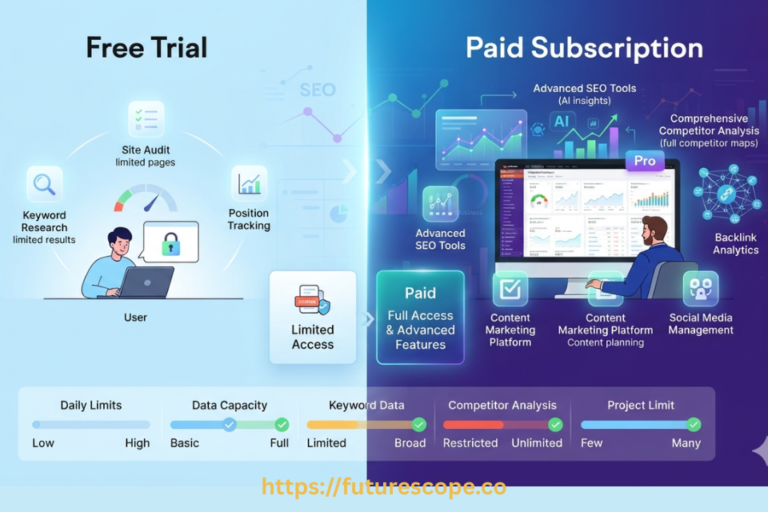

You’re starting a blog, an affiliate site, or a small business website, and everyone says you need “an SEO tool.” You look up the options and land on two very different-looking platforms: Semrush, with its dense dashboard and dozens of features, and Ubersuggest, with its simpler layout and much lower price tag.
Both can genuinely help with SEO. But they’re built for somewhat different users — Semrush for people who want depth and are willing to learn a more complex tool, Ubersuggest for people who want the basics without a steep learning curve or a big monthly bill.
This comparison looks at both specifically through a beginner’s eyes: what each one actually does, how hard each is to learn, and what they cost right now.
Semrush vs Ubersuggest: Quick Verdict
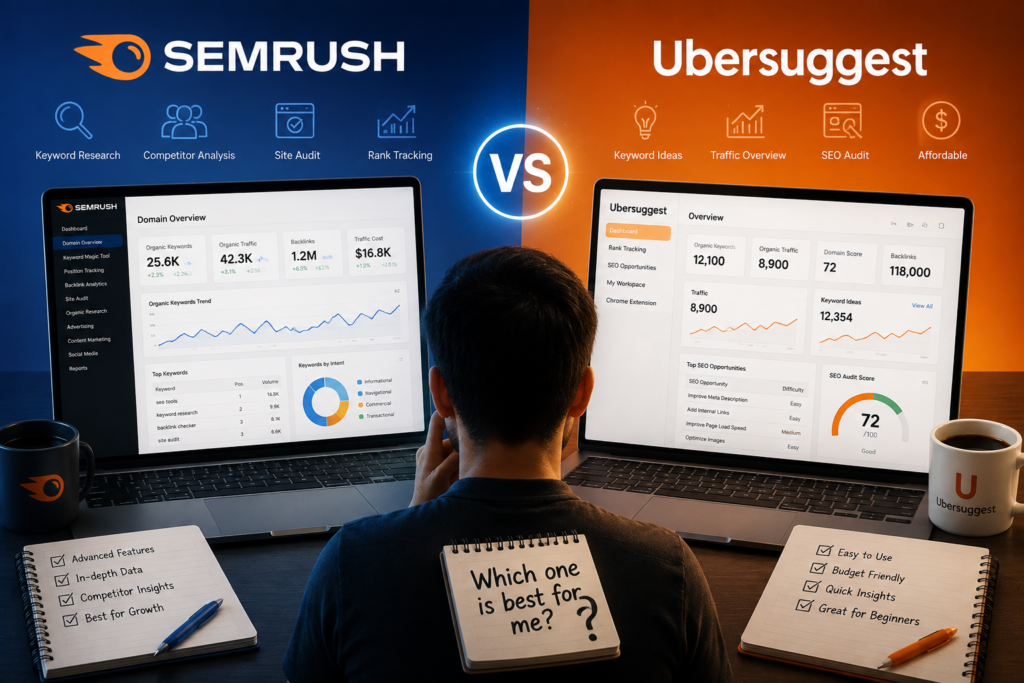
Ubersuggest is easier to learn and considerably cheaper — its current pricing runs $29 to $99 a month, versus Semrush’s $139.95 to $499.95. Semrush offers more advanced, more filterable features across a much wider toolset, but that same depth is what makes it feel more complicated to someone brand new to SEO.
| Question | Answer |
| Easier to learn | Ubersuggest — simpler dashboard, fewer metrics to interpret |
| More advanced features | Semrush — deeper filtering, more connected tools, more granular data |
| More budget-friendly | Ubersuggest — entry plan starts around $29/month vs Semrush’s $139.95/month |
| Better for keyword research | Both are capable; Semrush offers more depth and filtering, Ubersuggest is simpler to use quickly |
| Better for competitor analysis | Semrush — more detailed, more purpose-built competitor tools |
| Better for absolute beginners | Ubersuggest, for most people just starting out |
| Better for growing websites | Semrush, once keyword and project needs outgrow Ubersuggest’s limits |
Neither tool is the automatically “right” choice — it depends on your budget, how much SEO complexity you’re ready to take on, and how big your project already is.
What Is SEMRush?
Semrush is an all-in-one SEO and digital marketing platform. In plain terms: it’s a big toolbox of features for researching keywords, checking what your competitors are doing, fixing technical problems on your website, and tracking how well your pages rank on Google over time.
For someone just starting out, the beginner-relevant parts of Semrush are:
- Keyword research — finding search terms people actually type into Google, along with how often they’re searched
- Competitor analysis — seeing what other websites in your space are ranking for and how much traffic they get
- Site Audit — an automated scan that flags technical problems on your website that could hurt your rankings
- Position Tracking — monitoring where your pages rank for specific keywords over time
- Backlink research — seeing which other websites link to yours (and to your competitors)
- Content research — finding topics and questions worth writing about
- SEO reporting — exportable, shareable reports summarizing your SEO performance
Why it can feel overwhelming: Semrush packs a lot of tools, metrics, and menu options into one interface. A first-time user opening the Keyword Magic Tool, for example, sees search volume, keyword difficulty, search intent, trend data, SERP features, and a dozen filter options — all at once. It’s genuinely powerful, but there’s a real learning curve before it feels comfortable.
What Is Ubersuggest?
Ubersuggest, created by Neil Patel, is a more streamlined SEO tool built around a similar core idea — keyword research, competitor insight, and site health — but with a simpler interface and a much lower price.
Its beginner-relevant capabilities include:
- Keyword ideas — a list of related search terms based on a seed keyword
- Search volume — how many people search a given term each month
- Keyword difficulty — an estimate of how hard a keyword would be to rank for
- Content ideas — suggested topics and existing top-performing content around a keyword
- Competitor research — a look at what competing domains rank for and how much traffic they get
- Site Audit — a scan for technical SEO issues, similar in concept to Semrush’s version but with a smaller page-crawl limit
- Backlink analysis — data on who links to a given domain
- Rank tracking — monitoring keyword positions over time, with weekly updates
The appeal for a new SEO user is straightforward: fewer metrics per screen, a more guided workflow, and a lower financial commitment while you’re still figuring out whether SEO is something you’ll stick with. It won’t match Semrush’s depth, but for someone who just wants usable keyword ideas and a basic site check, it doesn’t need to.
SEMRush vs Ubersuggest: Features, SEO Performance Compared
| Feature | Semrush | Ubersuggest |
| Keyword research | Extensive, via Keyword Magic Tool with deep filtering | Solid keyword ideas with volume and difficulty, simpler interface |
| Long-tail keywords | Strong, with dedicated filters by word count and match type | Available within keyword suggestion lists, less granular filtering |
| Keyword difficulty | 0–100 score based on SERP competition | Difficulty score included, methodology less detailed publicly |
| Competitor research | Deep, with dedicated gap-analysis tools | Available, covering top pages, keywords, and estimated traffic |
| Site Audit | Larger crawl limits, more detailed issue breakdown | Included, with smaller page-crawl limits by plan |
| Rank tracking | Daily updates, more granular location/device targeting | Weekly updates, tracked keyword limits vary by plan |
| Backlink analysis | Large, actively maintained database | Included, with smaller backlink-row limits by plan |
| Content ideas | Topic Research and related content tools | Content Ideas feature included directly in the platform |
| Local SEO | Deeper local tools via a separate Local Toolkit | Basic local keyword and rank data; no dedicated local product |
| Reporting | Advanced, exportable, schedulable reports | Basic reporting and exports |
| Ease of use | More powerful, steeper learning curve | Simpler, faster to learn |
| Free access | Free account with limited daily queries, no card required | Free account with 3 searches/day, no card required |
| Pricing | $139.95–$499.95/month (SEO Toolkit) | $29–$99/month, plus a lifetime one-time option |
Ready to discover keywords your competitors are ranking for?
From keyword research to competitor analysis, SEMrush gives you the data you need to make better decisions. Try it now.
SEMrush vs Ubersuggest: Which Is Best for Keyword Research?
Picture a beginner researching “best budget laptops for students” for a tech review blog.
In Semrush’s Keyword Magic Tool, that search would surface a large list of related terms — “cheap laptops for college students,” “best budget laptop for online classes” — along with questions, long-tail variations, and each keyword’s search volume, difficulty score, and labeled search intent (informational, commercial, and so on). You could filter that list down by any of those factors before deciding what to target.
In Ubersuggest, the same search returns a list of keyword ideas with volume and difficulty shown alongside each one, plus related content ideas — existing articles that already rank well for similar terms, useful for understanding what “good” content on this topic looks like. The list and filtering options are simpler, with less granular control than Semrush’s.
For a beginner’s actual workflow, Ubersuggest gets you to a usable keyword list faster with less to learn. Semrush gets you a deeper, more filterable list — genuinely more useful once you know what you’re looking for, but slower to feel comfortable with at first.
Competitor Research: Which OneOffers More Value?
Both platforms let you enter a competitor’s domain and see what they’re doing.
- Competitor keywords — both show what keywords a domain ranks for; Semrush’s data is generally more filterable and detailed
- Top pages — both surface a competitor’s best-performing pages
- Traffic estimates — both provide estimated traffic figures, which should be treated as directional rather than exact
- Backlinks — both show who links to a competitor, with Semrush’s backlink database offering more depth
- Content ideas — both can turn competitor research into content topic suggestions
- Keyword gaps — Semrush has a dedicated Keyword Gap tool for direct side-by-side comparison; Ubersuggest’s competitor research is more about viewing one domain’s data at a time
For a beginner just wanting a general sense of “what’s working for my competitors,” Ubersuggest is easier to navigate. For anyone wanting to systematically find every gap between their site and multiple competitors, Semrush’s dedicated tools provide a more thorough (if more complex) workflow.
Site Audit and Technical SEO: Which SEO Tool Is Better?
Both tools can scan a website and flag common problems, including:
- Broken links — links pointing to pages that no longer exist
- Missing metadata — pages without title tags or meta descriptions, which affects how they appear in search results
- Page speed issues — slow-loading pages, which can hurt both rankings and user experience
- Crawlability problems — pages search engines can’t properly access or index
- Duplicate content — multiple pages with very similar content, which can confuse search engines about which to rank
- General technical SEO errors — a range of smaller issues each tool checks for automatically
Semrush’s Site Audit generally covers more pages per crawl (depending on plan) and provides more detail per issue. Ubersuggest’s audit covers similar categories with a simpler report and smaller crawl limits on lower tiers.
One important point for beginners regardless of which tool you use: these audits flag potential issues, not guaranteed problems. It’s worth understanding what a flagged issue actually means before making changes — for example, not every “duplicate content” flag needs immediate action, and some flagged issues matter far more than others. When in doubt, research what a specific recommendation means before implementing it.
Ready to take your SEO to the next level!
Ready to see what SEMrush can do for your website? Explore its SEO, keyword research, competitor analysis, and content tools today—and start turning better data into better search results.
Rank Tracking: SEMrush in comparison with Ubersuggest
Both platforms can monitor how your pages rank for chosen keywords over time, though with different capabilities depending on plan.
| Semrush Position Tracking | Ubersuggest Rank Tracking | |
| Number of keywords | 500–5,000+ depending on plan tier | Roughly 125–300 per project depending on plan, per current published limits |
| Update frequency | Daily | Weekly |
| Desktop vs mobile | Both tracked separately | Mobile tracking included on paid plans, per current published pricing |
| Location tracking | Down to ZIP/postal code on higher tiers | Multiple locations supported; exact count varies by plan |
| Competitor tracking | Yes, side-by-side in the same campaign | Yes, competitor tracking included |
| Reporting | Detailed, exportable, scheduled reports | Basic reporting and exports |
For a beginner tracking a handful of important keywords on one site, Ubersuggest’s weekly updates are perfectly workable — daily tracking mostly matters once you’re actively testing changes and want to see results faster, or managing a larger, more competitive keyword set.
Which Is Easier to Use? SEMrush or Ubersuggest!
This is where the two platforms diverge most clearly.
- Dashboard design — Ubersuggest’s dashboard is simpler and less dense; Semrush packs more navigation options and data into each screen
- Navigation — Ubersuggest’s menu structure is shorter and more intuitive for a first-time user; Semrush has more tools to find your way around
- Keyword research workflow — Ubersuggest gets you to a usable list faster; Semrush requires more filtering decisions along the way
- Reports — both are readable, but Semrush’s reports contain more data points, which can help or overwhelm depending on your comfort level
- SEO terminology — both use similar core terms (search volume, difficulty, backlinks), but Semrush introduces more specialized concepts as you dig deeper
- Beginner tutorials — Semrush has extensive documentation and an academy; Ubersuggest’s simpler feature set means there’s simply less to explain
- Amount of data shown — Semrush shows noticeably more per screen; Ubersuggest keeps things visually lighter
Semrush’s greater depth is a genuine advantage once you know how to use it — more filters mean more control. But that same depth is exactly what makes the platform feel more complicated on day one. Ubersuggest trades some of that control for a shorter path to feeling comfortable.
Semrush vs Ubersuggest: Comparing SEO Features, Limits & Pricing
Based on current official pricing (checked August 2026):
| Semrush | Ubersuggest | |
| Free access | Free account, limited daily queries (~10/day across most tools), no card required | Free account, 3 searches/reports per day, no card required |
| Entry-level plan | Pro: $139.95/month | Individual: $29/month |
| Mid-tier plan | Guru: $249.95/month | Business: $49/month |
| Top published tier | Business: $499.95/month | Enterprise: $99/month |
| Annual billing | Roughly 17% less per month, per Semrush’s pricing pages | Discounted annual rate available (e.g. around $16–17/month equivalent on Individual, per current published pricing) |
| Lifetime option | Not offered | Yes — one-time lifetime plans are currently advertised (around $290 / $490 / $990 by tier); this appears to be a promotional offer rather than permanent standard pricing, so confirm current terms before purchasing |
| Keyword research limits | Vary by tier, generally higher ceiling for tracked keywords and reports | Vary by tier: 20,000–100,000 keyword suggestions/month depending on plan, per current published limits |
| Project limits | 5–40 projects depending on tier | 1–15 domains/projects depending on tier |
| Additional user costs | 1 user included by default; extra seats cost more per tier | Additional users available as a paid add-on on top of any plan |
The gap here is real: Ubersuggest’s entry plan costs a fraction of Semrush’s, which matters a lot to someone testing whether they even want to keep doing SEO. Just keep in mind Semrush’s higher price also comes with meaningfully higher usage ceilings and a broader toolset — whether that trade-off is worth it depends entirely on how much you’ll actually use.
Ubersuggest’s lifetime deal is worth flagging specifically: it can be genuine long-term value for someone confident they’ll keep using the tool for years, but lifetime software deals always carry some risk that future updates or limits could change. Since Ubersuggest’s own pricing page currently displays this as a limited-time promotion, verify it’s still available (and read the terms) before treating it as guaranteed.
Semrush vs Ubersuggest for Different Users
New Blogger
Ubersuggest’s Content Ideas feature and simpler keyword workflow are genuinely well-suited to someone just figuring out what to write about. Semrush’s deeper tools become more useful once you have a larger backlog of published content to manage.
Affiliate Marketer
Semrush’s explicit search intent labeling makes it faster to zero in on commercial and transactional keywords specifically, which matters for affiliate content built around buying decisions. Ubersuggest can still surface these keywords, just with less direct intent labeling to filter by.
Small Business Owner
For a business owner who wants useful SEO direction without becoming an SEO expert, Ubersuggest’s simpler interface avoids unnecessary complexity. Semrush makes more sense once the business is running multiple campaigns or needs deeper competitor tracking.
Freelance SEO Beginner
Semrush is generally the better learning investment here, since client work will eventually demand the deeper research, reporting, and competitor analysis that Semrush offers — better to build those habits early, even if it takes longer to feel fluent.
Local Business
Semrush has the more developed local SEO capabilities overall, particularly through its separate Local Toolkit, though that’s an additional cost. Ubersuggest offers basic local keyword and rank data without a dedicated local product.
Growing Website
It generally makes sense to move from Ubersuggest to Semrush once you’re consistently hitting Ubersuggest’s project, keyword, or search limits, or once you need capabilities it simply doesn’t offer — like deeper competitor gap analysis, more advanced reporting, or daily rank tracking.
Pros and Cons
Semrush Pros
- Comprehensive SEO toolkit covering research, audits, tracking, and reporting
- Powerful, deeply filterable keyword research
- Strong, purpose-built competitor analysis tools
- Advanced, exportable reporting
- Extensive feature set that scales well as needs grow
Semrush Cons
- Steeper learning curve for someone new to SEO
- Considerably more expensive, especially on higher tiers
- Can feel overwhelming with the sheer number of tools and metrics on screen
- Usage limits still vary meaningfully by plan, so the entry tier can feel restrictive sooner than expected
Ready to take your SEO to the next level!
Ready to see what SEMrush can do for your website? Explore its SEO, keyword research, competitor analysis, and content tools today—and start turning better data into better search results.
Ubersuggest Pros
- Genuinely beginner-friendly interface
- Easier to understand without prior SEO knowledge
- Generally more accessible for smaller budgets, including a lifetime purchase option
- Useful, straightforward keyword research
- A simpler SEO workflow overall
Ubersuggest Cons
- Fewer advanced capabilities than a comprehensive platform like Semrush
- Usage limits (searches, tracked keywords, project count) can matter for larger or more serious campaigns
- Advanced or fast-growing users will likely eventually need a more capable tool
SEMrush vs Ubersuggest: Which One Should a Beginner Choose?
Choose Ubersuggest if:
- You’re completely new to SEO and want to learn without a steep tool-learning curve on top of everything else
- You mainly need keyword ideas and basic content direction, not deep competitor analysis
- You have a limited budget and want to keep costs low while you’re still testing the waters
- You prefer a simpler interface with fewer decisions to make per screen
Choose Semrush if:
- You want a complete SEO toolkit and are willing to invest time learning it properly
- You plan to do serious, ongoing competitor research
- You’re managing multiple SEO projects or sites already
- You want room to grow into more advanced features as your skills and needs develop
Can You Start With Ubersuggest and Upgrade to SEMRush Later?
Yes, and honestly, it’s a pretty sensible strategy for a lot of beginners. Starting with a simpler, cheaper tool while you’re still learning core SEO concepts — what keyword difficulty means, how backlinks work, why technical issues matter — lets you build real understanding without a big financial commitment or an overwhelming interface working against you.
Once your site grows, your SEO workload increases, or you find yourself needing features Ubersuggest doesn’t offer (deeper competitor gap analysis, daily rank tracking, more advanced reporting), moving to Semrush becomes a lot easier — you’ll already understand the underlying concepts, so you’re learning a more powerful interface rather than learning SEO and a complex tool at the same time.
There’s no rule that says you have to pick the more advanced tool from day one. Matching the tool to your actual current stage, and upgrading when you genuinely outgrow it, is usually the more practical path than paying for capability you’re not ready to use yet.
Frequently Asked Questions
Is Semrush better than Ubersuggest?
It depends on what you need. Semrush offers more depth, more features, and more advanced data — but at a much higher price and with a steeper learning curve. Ubersuggest is simpler and cheaper, which makes it genuinely better for many beginners’ actual needs.
Which is easier to use, Semrush or Ubersuggest?
Ubersuggest. Its simpler dashboard, fewer metrics per screen, and more guided workflow make it noticeably easier for someone new to SEO tools.
Is Ubersuggest good for beginners?
Yes, particularly for basic keyword research, content ideas, and a general sense of competitor activity. It’s a genuinely solid starting point, with clear limits once your SEO needs grow more advanced.
Is Semrush worth it for beginners?
It can be, especially for someone planning to do serious SEO work fairly soon, like freelancing or managing a growing business site. For someone just testing the waters, the cost and complexity may not be worth it yet.
Is Ubersuggest free?
There’s a free account with limited daily searches (3 per day, per Ubersuggest’s own documentation) and no credit card required. Full features require a paid plan starting at $29/month.
Does Semrush have a free version?
Yes. Semrush offers a free account with limited daily queries across most tools (generally around 10/day) and no credit card required, alongside a 7-day free trial that unlocks full access to a paid plan temporarily.
Which is better for keyword research?
Both are genuinely useful. Semrush offers more depth, filtering, and labeled search intent; Ubersuggest offers a simpler, faster path to a usable keyword list. Neither consistently produces better results than the other across every niche.
Which has better competitor analysis?
Semrush, generally, thanks to its dedicated gap-analysis tools and deeper data per competitor. Ubersuggest covers the basics well but with a less purpose-built workflow for finding competitive gaps.
Which is better for blogging?
For a new blogger focused on finding content ideas and basic keyword targets, Ubersuggest’s simpler workflow is often a better fit. As a blog grows and content strategy becomes more competitive, Semrush’s deeper tools become more valuable.
Which is better for affiliate marketing?
Semrush’s explicit intent labeling helps affiliate marketers isolate commercial and transactional keywords more efficiently, which tends to matter more as an affiliate site scales.
Can Ubersuggest replace Semrush?
For basic, single-site SEO needs, often yes. For deeper competitor research, larger keyword volumes, daily rank tracking, or advanced reporting, Ubersuggest’s current feature set and limits generally fall short of what Semrush offers.
Should I start with Ubersuggest or Semrush?
If you’re new to SEO and budget-conscious, starting with Ubersuggest (or Semrush’s free tier) to learn the fundamentals is a reasonable approach. Move to Semrush once your workload or ambitions genuinely outgrow what Ubersuggest offers.
Ubersuggest vs SEMrush: Which Tool Is Worth Your Money?
Neither Semrush nor Ubersuggest is the universally correct first SEO tool — it depends on your budget, your current project size, and how much complexity you’re ready to take on right now.
Both platforms offer ways to try before committing: Semrush’s free account and 7-day trial, Ubersuggest’s free tier and its own trial option. Before paying for either, spend some time in both with a real keyword or site from your own project, and choose the one you’ll actually open and use consistently — not the one with the longest feature list.