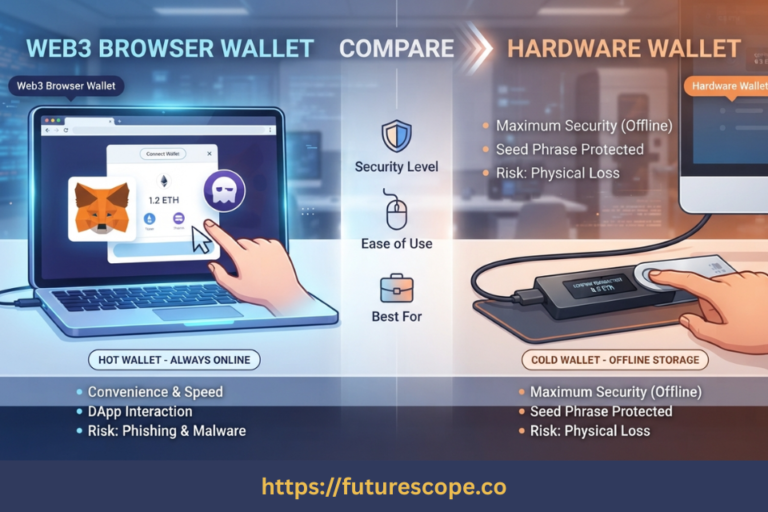

Your hardware wallet just stopped working. Before panic sets in — here’s the truth: if you have your seed phrase, your crypto is almost certainly safe.
You press the button on your hardware wallet and nothing happens. Or the screen is cracked. Or it was submerged, crushed, or simply died after years of use. Whatever the failure mode, you’re staring at a dead device and wondering whether your Bitcoin, Ethereum, or other assets went with it.
Take a breath. They almost certainly didn’t.
Understanding why starts with one critical fact: your cryptocurrency doesn’t live inside the hardware wallet. It lives on the blockchain — a distributed, global ledger that no single device or company controls. Your cold wallet stores the private keys that prove ownership and authorise transactions. Lose the device, and you haven’t lost your crypto. Lose your seed phrase, and that’s a fundamentally different situation.
This guide walks through exactly what happens when a cold wallet breaks, how to recover depending on your scenario, and what to do today so a device failure never becomes a permanent loss.
Industry Data: Hardware failure accounts for approximately 15% of reported self-custody issues — yet asset loss in hardware failure cases is near 0% for users who followed proper backup protocols. The device breaks. The crypto doesn’t.
Why a Broken Cold Wallet Doesn’t Mean Lost Crypto
The separation between device and assets is the foundational concept here. A hardware wallet stores private keys inside a tamper-resistant Secure Element chip. Those keys are mathematically derived from your seed phrase — 12, 18, or 24 words — using the BIP-39 standard.
Your blockchain account exists independently of any device. The moment you enter your seed phrase into any compatible wallet, you regenerate those exact same private keys and regain full access to the same addresses and balances. The brand of device doesn’t matter. A seed generated on a Ledger restores perfectly on a Trezor, or on MetaMask, or any other BIP-39 compatible wallet.
The Rule: Seed phrase = your crypto. With it, a broken device is an inconvenience that takes days to fix. Without it, a broken device can mean permanent loss. Everything in this guide depends on which situation you’re in.
Common Failure Scenarios and What They Mean for Recovery
Scenario 1: Screen Failure or Physical Damage
Screen burnout is the leading cause of hardware wallet returns industry-wide. A cracked or dead screen prevents you confirming transactions, but it does not touch the Secure Element chip where your private keys live. The chip is physically and functionally separate from the display.
In many cases, a device with a broken screen can still be accessed via connected software if the chip is functional. Most manufacturers also offer warranty replacements for hardware defects.
✔ Recovery path: Restore seed phrase onto a new device or software wallet
✔ Urgency: Low — funds are safe, take your time ordering a replacement
Scenario 2: Firmware Brick or Software Corruption
Occasionally a hardware wallet bricks during a firmware update, producing no display and no response. This is a logical failure — and again, the Secure Element is typically unaffected by software-layer failures. Most manufacturers recommend a factory reset followed by seed phrase restoration when a firmware brick occurs.
⚠ Always download firmware updates exclusively from the manufacturer’s official website. Fake update phishing pages have been used to steal credentials from users seeking help.
✔ Recovery path: Official manufacturer recovery process or seed phrase restoration

Scenario 3: Water Damage, Fire, or Extreme Physical Destruction
A submerged or fire-damaged hardware wallet presents a different challenge. If the Secure Element chip is intact, professional data recovery may be possible, though it is expensive (typically $500+) and cannot be guaranteed. For most users with a seed phrase backup, restoring on a new device is faster, cheaper, and certain.
This scenario illustrates why off-device seed backups are non-negotiable. Physical destruction of the seed phrase backup is estimated to be a more common root cause of total crypto loss than hardware failure itself.
✔ Recovery path: Seed phrase restoration; professional chip recovery as expensive last resort
⚠ Ensure any professional recovery service is verified and reputable before engaging
Scenario 4: Loss or Theft (Device Still Intact)
If your cold wallet is lost or stolen rather than broken, the risk profile shifts. Most hardware wallets auto-wipe after 3 to 8 failed PIN attempts, making brute-force attacks on the device difficult. However, sophisticated actors with physical access and time should not be underestimated.
The correct response to a stolen hardware wallet is to treat it as eventually compromised and move funds immediately. Use your seed phrase to restore on a new device or temporary software wallet, then transfer all assets to fresh addresses generated from a brand new seed phrase. Once assets are under the new seed, retire the old one permanently.
⚠ Do not delay if your device was stolen — move funds immediately, then rotate to a new seed

Step-by-Step Recovery Process
Regardless of how your cold wallet failed, the recovery sequence is the same:
- Step 1 — Locate your seed phrase backup: Your 12, 18, or 24-word recovery phrase, written on paper or stamped into a metal backup plate and stored separately from the device. Without this, if the device is non-functional, recovery has no certain path.
- Step 2 — Choose your recovery method: If you can wait 1–3 days, order a new hardware wallet from the manufacturer’s official website. If you need immediate access, install a reputable software wallet on a clean device as an emergency bridge.
- Step 3 — Restore using the seed phrase: Hardware wallet: choose ‘Restore from Recovery Phrase’ during setup and enter words in exact order. Software wallet: choose ‘Import’ and enter your seed phrase. Word order is absolute — one word in the wrong position generates completely different addresses.
- Step 4 — Verify all balances: After restoration, confirm all expected balances appear. Some tokens require manually selecting the correct network or adding a custom contract address before they are visible.
- Step 5 — Decide whether to retire the old seed: If the device simply broke from age or accident and the seed was never exposed to an online device, your existing seed remains secure. If the device was stolen or you temporarily imported the seed into a software wallet on an internet-connected computer, generate a new seed on a new hardware wallet and transfer all funds.
Recovery Method Comparison
Not all recovery approaches carry the same risk profile. Here’s how to weigh your options:
| Recovery Method | Security Level | Speed | Cost | Best For |
| New Hardware Wallet | Maximum | 1–3 days shipping | $50–$150 | Standard recovery, larger holdings |
| Software Wallet (Temporary) | Lower (keys online) | Instant | Free | Emergency access, smaller holdings |
| Professional Chip Recovery | Variable (third-party) | Weeks | $500+ | Catastrophically damaged device, very large holdings |
The security tradeoff is clear: waiting for a new hardware wallet keeps private keys offline throughout recovery. Using a software wallet is faster but briefly exposes your seed phrase to an internet-connected device. For significant holdings, the wait is almost always worth it.
🚨 Scam Warning: Fraudulent ‘recovery services’ targeting lost hardware wallet users are common. There is no legitimate service that can recover blockchain funds without your seed phrase — and no real service will ask you to share your seed phrase or pay an upfront fee. Never enter your seed phrase on any third-party website.
How to Prevent This From Ever Being a Crisis Again
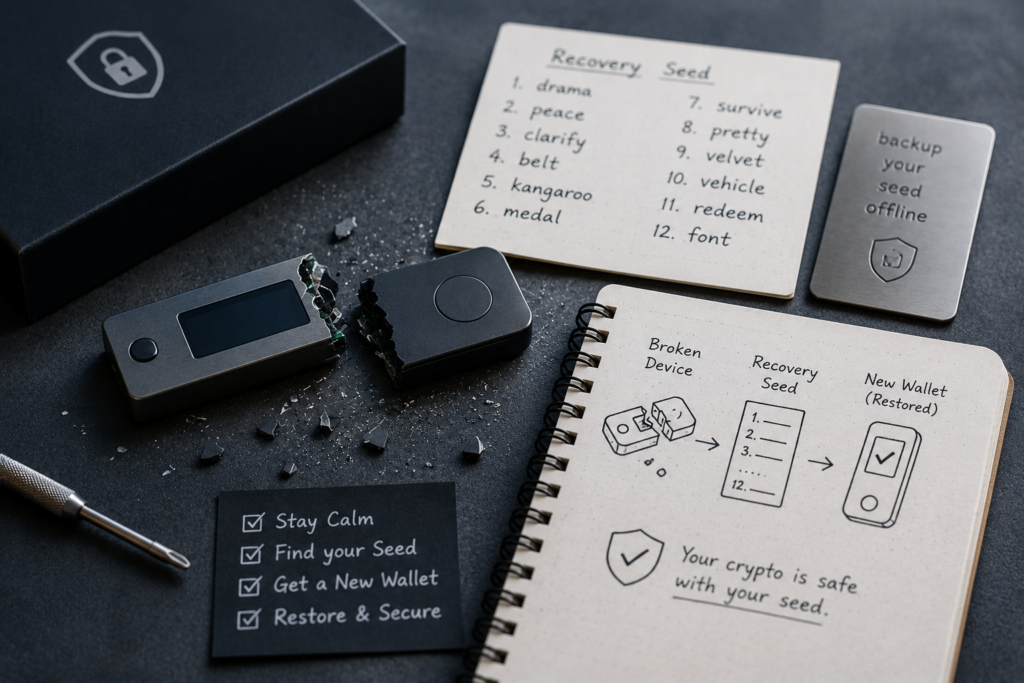
A broken cold wallet is manageable. A broken cold wallet with no seed backup is a disaster. The difference is entirely determined by decisions made during setup. These actions take under an hour and provide permanent peace of mind:
- Upgrade to a metal seed backup: Paper burns, gets wet, and deteriorates. Stainless steel or titanium seed storage plates survive house fires, floods, and decades. This is the single highest-impact improvement available to most hardware wallet users.
- Store the seed separately from the device: Keeping both in the same location means one event — a theft, fire, flood — can destroy both simultaneously. A safety deposit box, a trusted family member’s fireproof safe, or a secure secondary location solves this completely.
- Keep a second hardware wallet restored from the same seed: A backup device means no shipping delays when your primary device fails. Funds become accessible within minutes, not days.
- Test your recovery process before you need it: Practice restoring a small amount from seed while things are calm. This confirms your backup is complete and accurate, and removes uncertainty during an actual emergency.
- Consider multisig for significant holdings: Multi-signature setups require multiple keys to authorise a transaction. If one device breaks, the others remain fully operational. No single device failure can halt access to funds.
Frequently Asked Questions
1. Does a broken hardware wallet mean my crypto is gone?
No. Your cryptocurrency exists on the blockchain, not inside the device. The hardware wallet stores the private keys that authorise transactions, and those keys are derived from your seed phrase — which exists independently. As long as you have your seed phrase, a broken device is an inconvenience, not a financial loss. Industry data confirms that hardware failure cases see near-zero asset loss for users who followed basic backup protocols.
2. What if I don’t have my seed phrase and my cold wallet breaks?
This is the hardest scenario. Without a seed phrase and without a functional device, there is no certain recovery path. If the device is physically damaged but the Secure Element chip is intact, professional data recovery services exist at significant cost and with no guarantee. If both the device and the seed phrase are permanently lost, those addresses and their assets are inaccessible indefinitely. This is the defining tradeoff of self-custody: total control means total responsibility for the backup.
3. Can I restore a Ledger seed phrase onto a Trezor, or vice versa?
Yes, for the vast majority of coins. Both Ledger and Trezor follow the BIP-39 seed standard and BIP-44 derivation paths, making cross-brand restoration reliable in most cases. Some coins may use slightly different derivation paths, and you may need to verify the correct path if expected balances don’t appear immediately. For standard holdings of Bitcoin, Ethereum, and major tokens, cross-brand recovery works without issues.
4. Should I contact the manufacturer if my device fails?
Yes, as a first step, particularly if the failure may be a hardware defect or you’re within the warranty period. Most manufacturers have troubleshooting guides and some offer replacements for defective units. However, the manufacturer cannot recover your funds — they do not hold your keys or seed phrase. If the device is non-functional and repair or replacement isn’t viable, restoring from your seed phrase remains the definitive path forward.
5. How long do hardware wallets typically last?
Most hardware wallets have a practical lifespan of five to ten years, varying by model and usage patterns. Battery degradation is the most common age-related failure in Bluetooth-enabled models. Screen burnout is most common for OLED-screen devices. It’s good practice to check your device annually, verify all buttons and the display are functional, and apply official firmware updates when available. Proactive replacement when a device shows signs of wear — while you have time to do it carefully — is considerably less stressful than handling a sudden failure.
A Broken Device Should Never Mean Lost Crypto. Here’s Your Action Plan.
A hardware wallet is hardware. It will eventually wear out, get lost, or stop working. That’s expected and manageable — but only if your backup is in order. The seed phrase is the permanent foundation. The device is temporary.
Do these things today, while it’s not an emergency:
- Locate your seed phrase backup now and verify every word is legible and complete.
- If it’s on paper, upgrade to a metal backup plate — paper doesn’t survive fires or floods.
- Store your seed phrase somewhere physically separate from your hardware wallet.
- Order a replacement or backup device directly from the manufacturer’s official website only.
- Practice the recovery process with a small test wallet so you know exactly what to do under stress.
- Never enter your seed phrase into any third-party website, chat, or support form under any circumstance.
The hardware wallet failing is not the emergency. Having no backup is the emergency. Fix that today.
Written by a cryptography and crypto custody professional. Your seed phrase is your crypto — protect it as such.