
Which One Is Actually Keeping Your Collection Safe?
MetaMask, Trust, Phantom vs Ledger, ELLIPAL, Tangem, Cypherock, NGRAVE, One Key Pro
You have probably heard the phrase “not your keys, not your coins” at least a few times. But there is an NFT-specific version of that rule that does not get said enough: your browser wallet is not a secure place to keep NFTs you actually care about.
Browser and mobile Web3 wallets — MetaMask, Trust Wallet, Phantom, Exodus — are brilliant tools for buying NFTs, interacting with marketplaces, and bridging between chains. They are not designed to be long-term vaults. They are connected to the internet at all times. They display transaction details on screens that can be compromised by malware. And in 2024, that combination cost collectors $494 million in wallet drainer attacks.
This guide gives you a clear, no-nonsense breakdown of browser wallets versus hardware wallets for NFT collectors — what each does well, where each fails, and how to set up the two-wallet system that every serious collector should be running in 2026.
| “Software wallets make it easy to interact with dApps, DeFi platforms, NFT marketplaces and other Web3 applications. But that convenience comes with trade-offs. Hardware wallets keep private keys offline in secure, tamper-resistant hardware, making them much harder to compromise.” — Trust Wallet Security Guide 2026 |
The Security Reality for NFT Collectors in 2026
| $494M stolen from NFT and crypto holders via wallet drainer attacks in 2024 | 332K+ wallets drained in 2024 — most through hot wallet approval exploits | $50-400 price range for hardware wallets that prevent most of these attacks | EAL7 NGRAVE Zero’s security chip certification — highest commercial standard |
The $494 million figure from ScamSniffer’s 2024 analysis is the most important context for any NFT collector choosing a wallet. These attacks did not require anyone’s seed phrase. They did not hack a blockchain. They worked by exploiting the fundamental vulnerability of browser wallets: your private keys are stored on a device connected to the internet, and every transaction approval happens through a browser or app that can be compromised or deceived.
Understanding the specific attack vectors that target browser wallet users — and which ones hardware wallets neutralize — is the foundation of making an intelligent wallet choice.
How Browser Wallets and Hardware Wallets Actually Work
Browser and Web3 Wallets: The Connected Layer
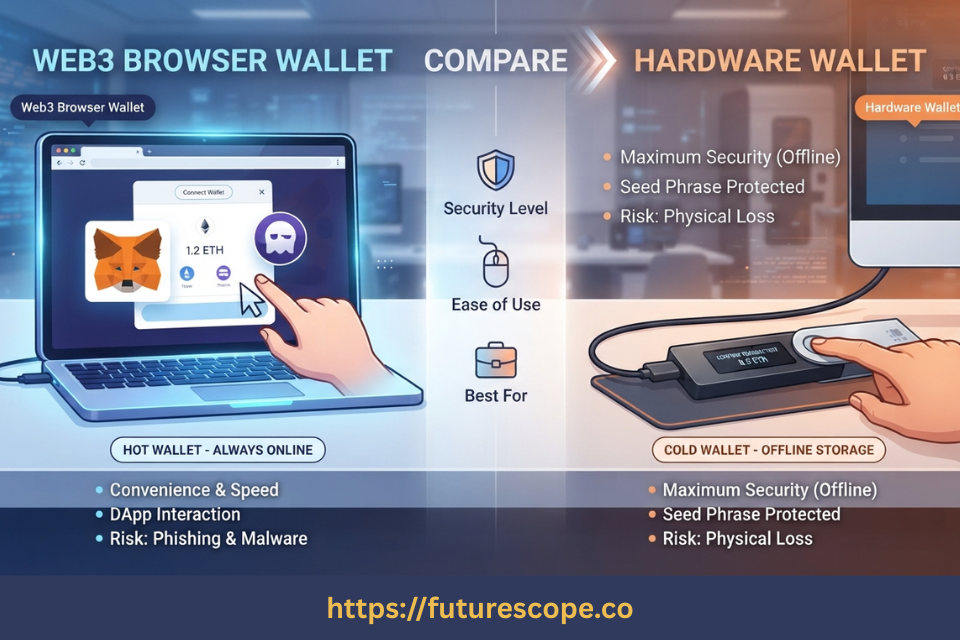
Browser wallets (MetaMask, Phantom, Trust Wallet) and mobile wallets (Trust Wallet, Exodus) are software applications that store your private keys on an internet-connected device. When you connect to OpenSea or Magic Eden, the wallet extension or app communicates directly with the marketplace smart contracts. You see a transaction in your browser — approve it with a click — and the wallet signs it with your private key.
The convenience is undeniable. MetaMask works with every Ethereum dApp. Phantom connects to every Solana NFT platform. Trust Wallet handles over 100 blockchains from one app. Exodus provides a beautiful portfolio interface with live prices and a built-in swap. These tools are genuinely excellent for what they do. The risk is that the private key lives on the same device and network as the threat
Hardware Wallets: The Offline Security Layer
Hardware wallets — Ledger, ELLIPAL, Tangem, Cypherock, NGRAVE, SafePal, Keystone — store your private key inside a certified secure element chip that never touches the internet. When you sign a transaction, the request travels to the hardware device, which displays the transaction details on its own screen, and signs it with the offline key. The signed transaction goes back out through the paired software — but at no point does your private key leave the secure hardware.
As the Bitcoin Foundation’s 2026 web3 wallet guide notes: “hardware wallets are physical devices that store private keys offline, providing an extra layer of protection against hackers and malware.” The key distinction for NFT collectors: on-device transaction verification — the hardware shows you what you are actually signing, not what your compromised browser shows you.
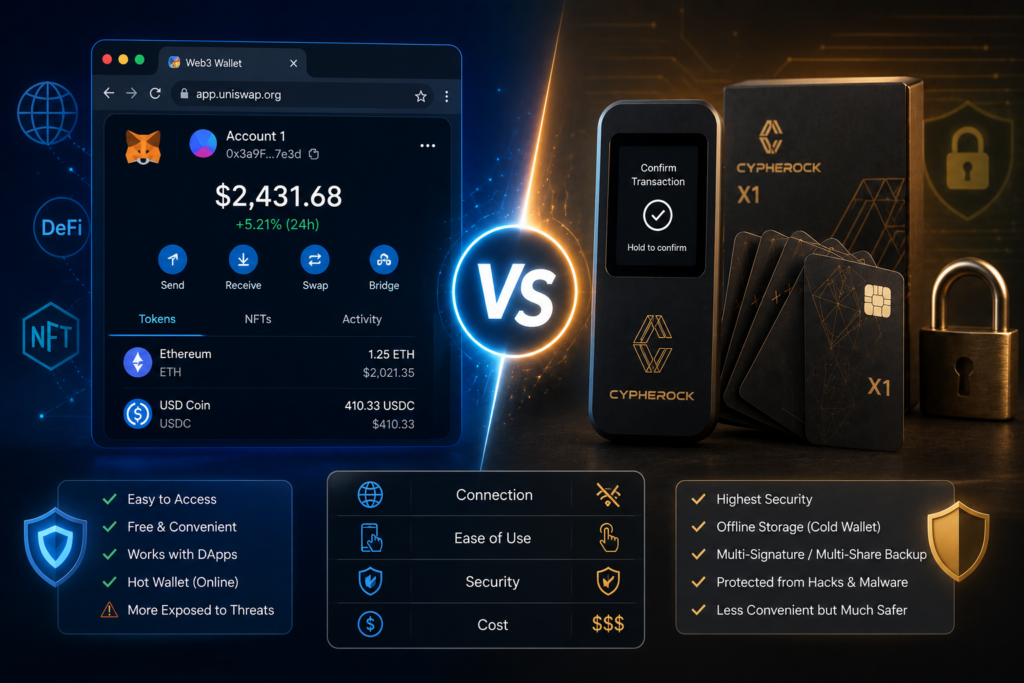
Hot vs Cold Storage: The Trade-offs for NFT Collectors Specifically
| BROWSER / WEB3 WALLETS (Hot) Always internet-connected Keys stored on your device (browser or phone) Free to download and use Full dApp, NFT marketplace, DeFi access Vulnerable to malware, phishing, wallet drainers Transaction verified on compromised screen Best for: daily use, small amounts, active trading Examples: MetaMask, Trust Wallet, Phantom, Exodus | HARDWARE WALLETS (Cold) Keys stored offline in certified secure chip Immune to remote hacking and malware One-time device purchase ($50-$400) On-device screen verifies what you actually sign Transaction signed on device, not on browser Works with dApps via paired hot wallet app Best for: valuable NFTs, long-term holding Examples: Ledger, ELLIPAL, Tangem, Cypherock, NGRAVE |
| The Critical NFT Attack Vector: Wallet drainer attacks work by getting you to approve a malicious smart contract that grants attacker access to your assets or executes a hidden transaction. If your transaction verification happens on your phone or browser, malware can alter what you see before you approve. A hardware wallet with an independent screen shows you what the device received — not what your compromised screen displayed. This single difference is why hardware wallets prevent the attack class that stole $494M in 2024. |

The Best Browser and Web3 Wallets for NFT Buying
These wallets are your active NFT management layer — for buying, listing, minting, and interacting with marketplaces. Use them for amounts you can afford to risk; move valuable holdings to cold storage.
MetaMask — The Ethereum NFT Standard
MetaMask is the foundational Web3 wallet for Ethereum. As the most widely used browser extension wallet with 30+ million users, it connects to OpenSea, Blur, Foundation, Zora, and essentially every Ethereum-based NFT marketplace and DeFi platform. Ledger Nano X and Trezor integrate directly with MetaMask — you can use MetaMask as your marketplace interface while hardware-signing every transaction on the device. For EVM-chain NFTs (Ethereum, Polygon, Arbitrum, Base), MetaMask is the standard connection point.
- Best for: Ethereum and EVM chain NFTs. Direct dApp integration. Hardware wallet pairing (Ledger + Trezor)
- Security note: Hot wallet — keys on browser device. Use hardware wallet pairing for valuable NFTs
Phantom — The Solana NFT Wallet
Phantom is the leading Solana wallet and the default connection for Magic Eden, Tensor, and every major Solana NFT marketplace. It also supports Ethereum and Polygon, making it a practical multichain option. The built-in NFT gallery is one of the best available — you can view your collection, burn spam NFTs with one tap, and manage across three chains from one interface. Ledger Nano X pairs with Phantom for hardware-signed Solana transactions.
- Best for: Solana NFTs. Magic Eden, Tensor. Ledger Nano X hardware pairing for Solana
- Security note: Hot wallet — all keys on your phone or browser
Trust Wallet — Best Mobile Multi-Chain Wallet
Trust Wallet supports 100+ blockchains and 10 million+ tokens, making it the most versatile mobile wallet for collectors who hold NFTs across many chains. It handles Ethereum (ERC-721), Polygon, BNB Chain, and Solana NFTs from one app. Per Trust Wallet’s own security guide, it is a non-custodial hot wallet — private keys are stored on your device, and security depends on your device’s security and your own practices.
- Best for: Multi-chain NFT holders, collectors new to Web3 and mobile-first users
- Security note: Hot wallet — keys on mobile device. Vulnerable to phone compromise

Exodus — Best Desktop and Mobile Hot Wallet UX
Exodus is known for the most polished portfolio interface in the hot wallet category. The NFT gallery shows your assets clearly, built-in swaps let you move between tokens without leaving the app, and cross-device sync keeps desktop and mobile in alignment. It is available on Windows, Mac, Linux, iOS, and Android — making it one of the most accessible entry points into NFT self-custody for newcomers.
- Best for: Beginners who want a beautiful, easy interface for NFT viewing and management
- Security note: Hot wallet. No hardware wallet signing integration
The Best Hardware Wallets for NFT Cold Storage
These wallets are your cold storage vault — for NFTs with real value that you do not need to interact with daily. Pair them with a hot wallet app for marketplace access; sign on the device for security.
Ledger Nano X — Most Connected Hardware Wallet for NFTs
Ledger Nano X remains the most ecosystem-connected hardware wallet for NFT collectors. Ledger Live displays Ethereum and Polygon NFTs natively. Bluetooth pairing with Phantom enables hardware-signed Solana NFT transactions. MetaMask integration covers every Ethereum dApp. At $149 with Bluetooth mobile management and 5,500+ supported assets, it is the most practical hardware wallet for collectors who are actively buying and occasionally trading while keeping primary holdings in cold storage.
ELLIPAL Titan 2 — Maximum Air-Gap for NFT Cold Storage
ELLIPAL Titan 2 has zero connectivity — no USB, Bluetooth, WiFi, or NFC. All data transfers via QR code between the device’s 4-inch color touchscreen and your phone camera through the ELLIPAL app. The anti-tamper self-destruct mechanism triggers on physical tampering. For NFT collectors whose primary concern is remote attack immunity, ELLIPAL’s architecture is definitionally immune to network-based exploits. EAL5+ chip, 10,000+ tokens including Ethereum and Polygon NFTs. Best for long-term cold storage of high-value NFTs you rarely need to move.
Tangem — Simplest Hardware Wallet for Long-Term NFT Holders
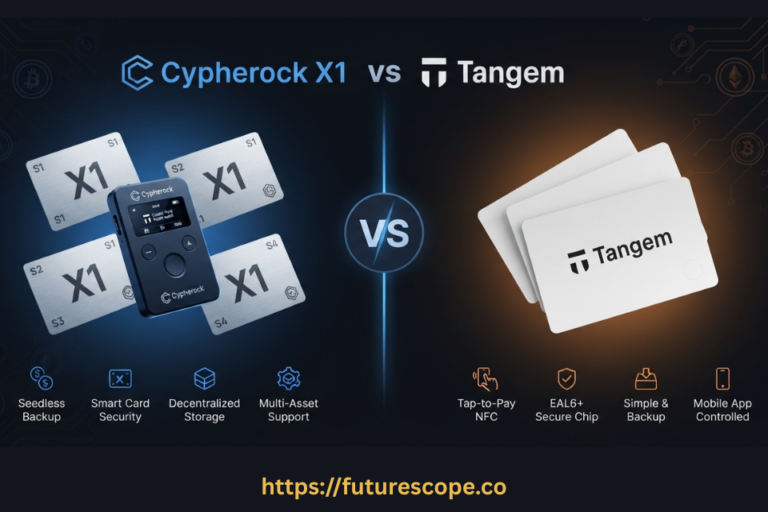
Tangem’s credit-card NFC hardware wallet at ~$55 is the most accessible entry into cold storage for NFT collectors who primarily want to hold, not trade. Setup takes minutes. No seed phrase required by default. EAL6+ chip. 16,000+ tokens across 90+ blockchains. The trade-off: no on-device screen means transaction details appear on your phone — limiting blind signing protection compared to screen-equipped hardware wallets. Ideal for collectors who want cold storage security for long-term holds without the complexity of screen-based hardware wallets.
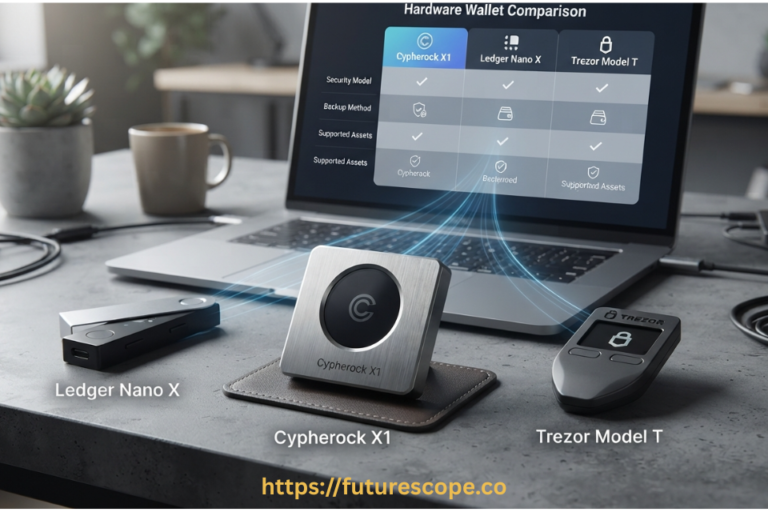
Cypherock X1 — Distributed Security for Irreplaceable NFTs
Cypherock X1 is the choice for collectors holding 1-of-1 artwork or blue-chip NFTs where any single point of failure is unacceptable. Shamir’s Secret Sharing distributes key recovery across the vault device and four NFC cards — no single component compromise can drain your collection. Keylabs audited it and found security firsts not seen in other wallets. EAL6+ chip, OLED screen for transaction verification, 3,000+ coins. Ideal for the most valuable assets in your collection.
NGRAVE Zero — EAL7 for High-Value NFT Collections
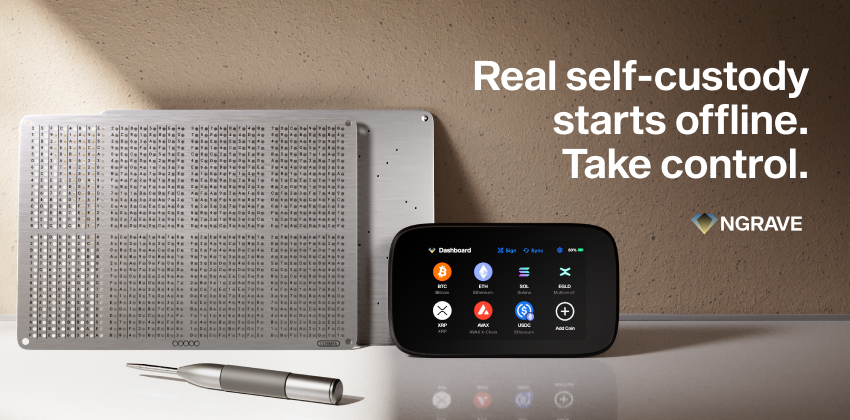
NGRAVE Zero carries EAL7 certification — the highest commercial security standard. Biometric fingerprint authentication, light-based key generation unique to your setup moment, fully air-gapped QR signing, and optional fireproof/waterproof Graphene steel backup plates. For collectors holding NFT portfolios worth five to seven figures, NGRAVE Zero is the ceiling of available protection. At $398, it is appropriate for holdings where the wallet cost is genuinely immaterial compared to the collection’s value.
Keystone 3 Pro — Best Air-Gapped Multi-Wallet Choice
Keystone 3 Pro connects to MetaMask (Ethereum/Polygon NFTs), Phantom (Solana), and Keplr via QR code — making it the most practical air-gapped hardware wallet for collectors active across multiple chains simultaneously. Open-source firmware, fingerprint authentication, 4-inch color touchscreen, EAL5+ tri-chip security. At $149, it is the strongest choice for collectors who need one air-gapped device to secure assets across all three major NFT chains.
OneKey Hardware Wallet
OneKey is an open-source hardware wallet designed for secure self-custody of cryptocurrencies and NFTs. It supports thousands of digital assets across major blockchains, including Ethereum, Bitcoin, Solana, and EVM-compatible networks. With desktop, mobile, and browser extension support, OneKey makes it easy to connect securely to NFT marketplaces and Web3 dApps while keeping private keys offline. Its modern hardware features, on-device transaction verification, and transparent open-source firmware make it a strong alternative to Ledger and Trezor for NFT collectors and DeFi users.
Key Features
- Open-source firmware and software for transparency
- Supports NFTs, DeFi, and thousands of crypto assets
- Secure Element (EAL6+) chip for offline private key protection
- Compatible with desktop, mobile, and browser extension
- On-device transaction verification to prevent phishing attacks
- Integrates with popular Web3 wallets and dApps for secure signing
Web3 Browser Wallets vs Hardware Wallets
Every key dimension for NFT collectors side by side:
| Feature | Browser/Web3 Wallet | Hardware Wallet | Better For NFTs |
| Key Storage | On device (browser/phone) | Offline secure element chip | Hardware |
| Internet Connection | Always online | Offline (air-gapped options) | Hardware |
| Cost | Free | $50-$400 one-time | Depends on use |
| Setup Time | Minutes | 15-30 minutes | Browser |
| Blind Signing Risk | High — screen can be manipulated | Low — on-device screen verification | Hardware |
| Wallet Drainer Risk | High — approvals via browser | Significantly lower — device confirms tx | Hardware |
| NFT Display | Full gallery (OpenSea, Blur etc.) | Via paired app + device confirmation | Browser |
| DeFi / dApp Access | Direct and immediate | Via hot wallet pairing | Browser |
| Seed Phrase Risk | Written on paper (phishing risk) | Physical device + seed phrase backup | Hardware |
| Solana NFTs | Yes (Phantom, Trust Wallet) | Yes (Ledger+Phantom, Keystone+Phantom) | Tie |
| Ethereum NFTs | Yes (MetaMask, Exodus) | Yes (Ledger Live, ELLIPAL, Cypherock) | Hardware for cold storage |
| Polygon NFTs | Yes (MetaMask, Trust) | Yes (Ledger Live, SafePal) | Hardware for cold storage |
| Portability | Smartphone / browser extension | Physical device required | Browser |
| Recovery | Seed phrase | Seed phrase or alternative (Tangem/Cypherock) | Hardware (seedless options) |
| Price | Free | $50-$400 | Browser |
Frequently Asked Questions
Can I use MetaMask with a hardware wallet for NFTs?
Yes — this is the recommended setup for active NFT collectors. Connect your Ledger Nano X or Trezor to MetaMask via the hardware wallet integration. MetaMask handles the marketplace interface — connecting to OpenSea, Blur, Foundation — while the hardware device signs every transaction on its own screen before broadcast. Your private keys never leave the hardware device. This two-layer approach gives you MetaMask’s full dApp ecosystem with hardware-level signing security. For Solana NFTs, pair Ledger Nano X with Phantom the same way.
What is a wallet drainer attack and how does a hardware wallet protect me?
A wallet drainer attack works by tricking you into approving a malicious smart contract interaction — often through a fake airdrop, a phishing replica of a legitimate marketplace, or a spam NFT with embedded links. The attack does not need your seed phrase. It just needs one click approving a transaction you did not read carefully. When using a browser or mobile wallet, all transaction details appear on your potentially compromised screen. A hardware wallet with a physical screen (Ledger, ELLIPAL, Keystone, Cypherock) displays what the device actually received to sign — independent of your browser. Malware can alter your browser display but cannot alter what the hardware device shows.
Do I need both a browser wallet and a hardware wallet?
For serious NFT collectors, yes — the two-wallet model is the professional standard. Use a free hot wallet (MetaMask for Ethereum, Phantom for Solana) as your daily buying and marketplace interface. Move NFTs you plan to hold long-term to a hardware wallet for cold storage. The hot wallet handles convenience; the hardware wallet handles security. As Trust Wallet’s security guide notes: ‘Many experienced users employ both, using hot wallets for daily transactions and cold wallets for larger holdings.’ The two wallets are complementary, not competing.
Which hardware wallet is best for Ethereum, Solana, and Polygon NFTs combined?
Keystone 3 Pro ($149) is the strongest single-device answer: it connects to MetaMask (Ethereum/Polygon NFTs) and Phantom (Solana) via QR code, fully air-gapped, from one device. Ledger Nano X ($149) covers Ethereum and Polygon natively in Ledger Live and pairs with Phantom for Solana. SafePal S1 Pro (~$50) covers all three chains at the lowest cost. For sheer ecosystem breadth, Ledger Nano X wins; for air-gap purity across all three chains simultaneously, Keystone 3 Pro is the stronger choice.
Is Trust Wallet or Exodus safe enough for storing valuable NFTs?
Trust Wallet and Exodus are safe for amounts you are comfortable risking — small balances, NFTs you actively buy and sell, or items where the value is modest. Neither is appropriate for valuable long-term NFT holdings. Both are hot wallets: private keys stored on internet-connected devices that can be compromised by malware, phishing, or device theft. Trust Wallet’s own security documentation recommends hardware wallets for significant holdings. If your NFT collection has real financial value, cold storage in a hardware wallet is the appropriate security tier, not a hot wallet app — however well-designed that app is.
| Your NFT Collection Is Only as Safe as Your Weakest Security Layer. Use MetaMask or Phantom for daily NFT buying. Use a hardware wallet for everything you actually want to keep. That two-wallet model is how serious collectors protect what they own. LEDGER.COM | ELLIPAL.COM | TANGEM.COM | KEYSTONE.PRO | NGRAVE.IO | CYPHEROCK.COM | OneKey.SO Buy hardware wallets from official manufacturer sites only. This is not financial advice. DYOR. |
Sources: Trust Wallet hardware vs software wallet security guide (2026), Bitcoin Foundation best web3 wallets guide, ScamSniffer wallet drainer 2024 report ($494M, 332K+ wallets), Kraken web3 wallet guide, Ledger web3 wallet guide, CoinTracker best web3 wallets. Prices accurate as of July 2026.