
Your software wallet is protected by a password. Unfortunately, malware doesn’t need your password to steal your crypto.
This is one of the most important questions anyone who holds cryptocurrency should ask. The answer is yes — and understanding precisely how it happens is the first step toward actually protecting yourself.
Software wallets — applications on your phone or computer that store your private keys and let you interact with the blockchain — are convenient, widely used, and genuinely useful. They’re also the most targeted type of crypto storage by malicious software. Unlike hardware wallets, which store keys on a physically isolated device, software wallets live on internet-connected machines. And internet-connected machines are exactly where malware thrives.
In this guide, I’ll walk you through exactly how malware steals crypto from software wallets, the five primary threat types you need to know about, and the practical, actionable steps that will meaningfully reduce your risk. This isn’t theoretical — every method described here has been used in documented, real-world attacks.
The Scale of the Problem: According to Chainalysis, ransomware alone was on pace to extort $175.8 million more in 2023 than it did at the same point in 2022 — and that’s just one malware type. SonicWall recorded 332 million cryptojacking attacks in just the first half of 2023, a staggering 399% increase year-over-year. The threat is growing, not shrinking.
How Can Malware Steal Crypto From a Software Wallet?
A software wallet’s security model depends on one critical assumption: that the device it’s running on is clean. When malware compromises that device, the entire security model collapses. Here’s why:
Your private key — the string of cryptographic data that proves ownership of your crypto and authorizes transactions — must at some point exist in memory or storage on your device. Even if it’s encrypted at rest, it has to be decrypted to sign transactions. Malware positioned on your device can intercept private keys during this decryption window, read them from wallet files on disk, or manipulate transactions before they’re signed.
Most users assume their wallet’s password protection is sufficient. It isn’t. A password protects against someone physically accessing your device while it’s locked. Malware operating on a running system with your wallet open bypasses that protection entirely. It’s already inside the device you’re using.
The 5 Types of Malware That Steal From Software Wallets
Clipboard Hijackers (Clippers)
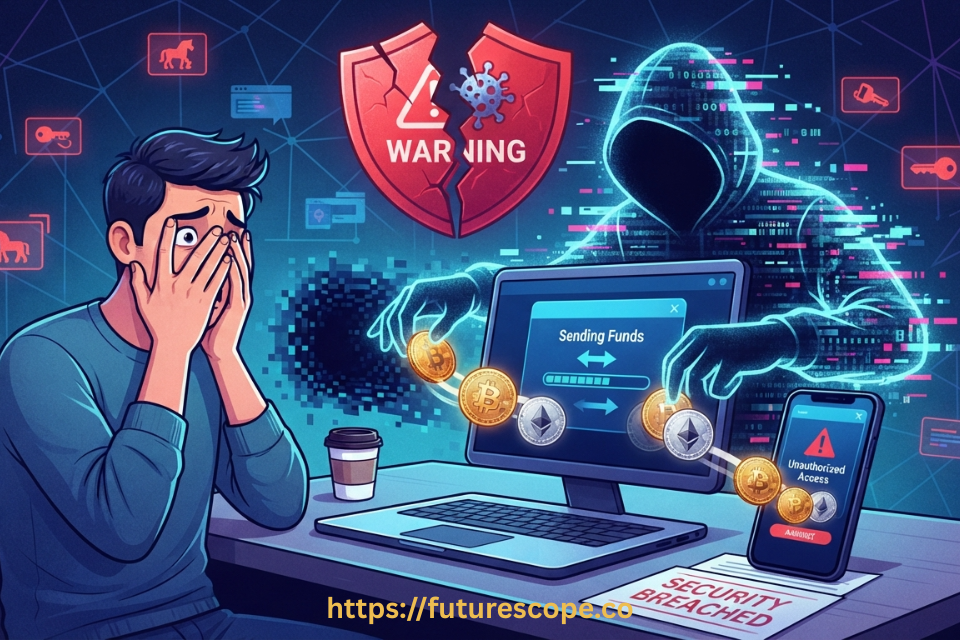
Clipboard hijackers — commonly called clippers — are arguably the most elegant and effective form of crypto-stealing malware in active use today. They work by monitoring your clipboard in real time. The moment they detect a cryptocurrency wallet address being copied, they silently replace it with the attacker’s address.
The victim pastes what they believe is the destination address, sends the transaction, and the funds go straight to the attacker. Because blockchain transactions are irreversible, there is no recourse once the transaction is confirmed. The attacker receives the funds and disappears.
In the wild: the Laplas Clipper and MortalKombat campaign distributed clippers through fake emails impersonating CoinPayments and other cryptocurrency companies. Most victims were in the US, UK, Turkey, and the Philippines. Clippers succeed because they require only one moment of user inattention — failing to visually verify the pasted address.
Remote Access Trojans (RATs)
A Remote Access Trojan grants an attacker full remote control of your device. Once installed — typically disguised as a legitimate software update, utility, or wallet application — the RAT operates silently in the background, giving the attacker the ability to view your screen, record keystrokes, access files, and interact with open applications.
For software wallets, this means an attacker can wait until you open your wallet, watch the session in real time, extract the seed phrase or private key from the application’s memory or configuration files, and transfer your assets without your knowledge. The Chameleon RAT, identified by the cybersecurity firm Cyble, posed as legitimate cryptocurrency exchange apps on Android. Once installed, it captured keystrokes, launched overlay attacks displaying fake screens over real wallet apps, and harvested passwords and cookies.

Malicious Browser Extensions
Web-based software wallets and exchange interfaces accessed through a browser are particularly vulnerable to malicious browser extensions. These extensions operate with elevated access to browser activity — they can read page content, inject scripts, monitor form inputs, and intercept data being sent to and from websites.
A malicious extension can harvest private keys or seed phrases entered into a web wallet, replace withdrawal addresses on an exchange’s interface, or bypass two-factor authentication by displaying fake confirmation dialogs that capture your 2FA code before it’s used legitimately.
The Rilide malware, which targeted Chromium-based browsers including Chrome, Brave, Opera, and Edge, mimicked a benign Google Drive extension to evade detection. It monitored browser activity, took screenshots, and stole cryptocurrency through injected scripts. Crucially, it bypassed 2FA by presenting forged dialogs that tricked users into entering their authentication codes, which Rilide then used to process unauthorized withdrawals.
Keyloggers and Screen Capture Malware
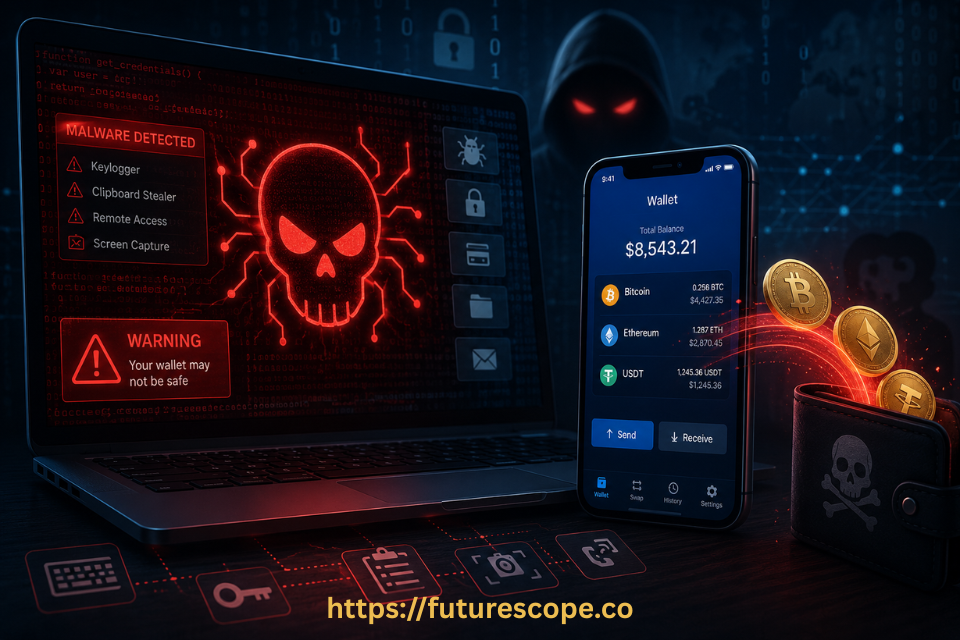
Keyloggers record every keystroke typed on an infected device. For cryptocurrency users, this is catastrophic: when you type your wallet password, seed phrase recovery words, or private key into any application, a keylogger captures and transmits that input to the attacker. Screen capture malware extends this by periodically taking screenshots or recording screen activity, which can expose sensitive information displayed in wallet applications.
Keyloggers are frequently bundled with other malware types and are often delivered through phishing campaigns, pirated software, or malicious downloads. They are difficult to detect because they run silently with no visible symptoms.
Cryptojacking and Wallet File Theft
Cryptojacking malware hijacks your device’s processing power to mine cryptocurrency for the attacker — without stealing your funds directly. The impact is slower device performance, increased electricity consumption, higher hardware temperatures, and potential hardware damage from sustained overload. SonicWall recorded 332 million cryptojacking attacks in just the first half of 2023, up 399% year-on-year.
More directly threatening is wallet file theft. Software wallets typically store encrypted wallet data files (like wallet.dat in Bitcoin Core) on disk. Some malware specifically targets these files, exfiltrating them to the attacker’s server for offline brute-force attacks against the encryption. If your password is weak or reused, this attack can eventually succeed.

How to Protect Your Software Wallet From Malware?
None of these threats are inevitable. Each has concrete, practical defenses. Here’s what actually works:
- Always verify the wallet address after pasting: Never send a transaction without visually comparing the first and last several characters of the pasted destination address against the original. Clippers can only succeed when users skip this check.
- Use QR codes instead of copy-paste: For receiving and sending crypto, using QR codes eliminates the clipboard hijacking attack surface entirely. If the address never enters your clipboard, a clipper has nothing to modify.
- Download wallet software only from official sources: Verify the download URL manually. Never install wallets from app stores that aren’t the official source, links in emails, or third-party download sites. RATs and trojans are almost always delivered through fake software.
- Audit your browser extensions ruthlessly: Remove any extension you don’t actively use. For every remaining extension, verify the developer, read reviews critically, and check permissions. No cryptocurrency-related work should be done in a browser with unvetted extensions installed.
- Enable 2FA — but use an authenticator app, not SMS: SMS-based 2FA is vulnerable to SIM-swapping attacks. Authenticator apps generate time-based codes locally and are meaningfully harder to compromise than SMS.
- Keep your OS, software, and antivirus updated: Malware frequently exploits known software vulnerabilities. Applying security patches promptly closes the most commonly used infection vectors.
- Consider a hardware wallet for significant holdings: Hardware wallets sign transactions on an isolated device, meaning private keys never exist on your internet-connected machine. Even a fully compromised computer cannot extract private keys from a properly used hardware wallet.
The Irreversibility Problem: Blockchain transactions are permanent. There is no fraud protection, no chargeback, and no customer service that can reverse a transaction to a malicious address. The entire burden of security is on you, before the transaction is sent. Prevention is the only effective strategy.
Frequently Asked Questions
1. Can malware steal crypto even if my wallet is password-protected?
Yes. A password on a software wallet encrypts your private key at rest on disk, protecting it when your device is off or locked. It does not protect against malware that operates while your device is running and your wallet is open. Malware can capture your private key from memory during active wallet sessions, record your password as you type it using a keylogger, or wait for you to copy a wallet address and replace it with an attacker’s address before you paste it. Password protection is valuable and should be used, but it addresses a different threat than active malware on a compromised device.
2. Are mobile software wallets safer than desktop wallets?
Mobile wallets benefit from the sandboxed application model used by iOS and Android, which limits what apps can access from one another. This makes certain types of malware attack harder on mobile than on desktop. However, mobile devices are not immune. Android devices in particular have been targeted by RATs like Chameleon that pose as legitimate cryptocurrency apps.
Malicious apps approved through app stores, fake wallet apps distributed through phishing links, and screen capture malware have all been documented on mobile platforms. Mobile wallets reduce some risk vectors while remaining genuinely vulnerable to others.
3. How would I know if my wallet has been compromised by malware?
Often, you won’t know until funds are missing. Clipboard hijackers, RATs, and keyloggers are specifically designed to operate without visible symptoms. Signs that may indicate compromise include unexpected device slowdown or overheating (possible cryptojacking), transactions in your wallet history that you don’t recognize, wallet addresses that look slightly different after pasting than the one you copied, or browser extensions you don’t remember installing. Running a full system scan with reputable antivirus software can identify known malware. For any suspected compromise, immediately move funds to a clean wallet on a clean device before taking any other action.
4. Does using a VPN protect my software wallet from malware?
A VPN protects your network traffic from interception and hides your IP address from surveillance, but it does not protect against malware on your own device. Clipboard hijackers, RATs, keyloggers, and malicious browser extensions all operate locally on your machine — your network traffic is irrelevant to their attack vectors. A VPN is a valuable security layer for other purposes, but it addresses a completely different threat than crypto-stealing malware. Device-level protection — clean software, reputable antivirus, careful extension management, and address verification habits — is what defends against crypto malware.
5. Is a hardware wallet completely safe from malware?
Hardware wallets are significantly more resistant to malware than software wallets because private keys are generated and stored on a physically isolated chip that never exposes them to the internet-connected device. Even on a malware-infected computer, a hardware wallet will not expose your private key. However, hardware wallets are not completely immune to all attack vectors.
A clipboard hijacker can still replace your destination address before you confirm it on the hardware device — which is why you must always verify the address displayed on the hardware wallet’s own screen, not just on your computer. Additionally, fake hardware wallet software and phishing sites impersonating legitimate hardware wallet manufacturers have been used to steal seed phrases during setup. Hardware wallets dramatically raise the security floor but still require careful user practices.
Your Crypto’s Security Depends on What You Do Right Now
Malware that steals crypto from software wallets is real, active, and increasingly sophisticated. The attacks documented in this guide have successfully stolen from careful, experienced crypto users — not just beginners. The difference between the people who lost funds and those who didn’t usually came down to a few specific habits.
Your action checklist — start today:
- Always verify the full wallet address after pasting — first and last characters, every single transaction.
- Audit every browser extension you have installed right now. Remove anything you don’t recognise or actively use.
- Download wallet software exclusively from official, verified URLs. Bookmark them.
- Switch from SMS-based 2FA to an authenticator app on all crypto accounts.
- Consider moving significant holdings to a hardware wallet — the hardware cost is trivial compared to what it protects.
- Run a full antivirus scan on any device you use for crypto activity today.
The blockchain doesn’t have a fraud department. It doesn’t do refunds. Every protection that exists between your crypto and an attacker is one you built yourself. Build it well.
Written by a cryptography and cybersecurity professional. Your private keys are your responsibility — protect them accordingly.