
The Complete Beginner’s Guide for 2026
Set Up, Send, Receive, and Stay Safe — Step by Step
You have bought some crypto on an exchange and it is sitting in your account. Maybe you have heard the phrase ‘not your keys, not your coins’ and wondered what that actually means for you. Or maybe someone told you to ‘get a wallet’ and you are not sure where to start.
Here is the most important clarification to get out of the way first: a crypto wallet does not hold your cryptocurrency. Your Bitcoin, Ethereum, or Solana lives on the blockchain — a public distributed database shared across thousands of computers worldwide. What a wallet holds is your private key: the cryptographic proof that you, and only you, are authorized to move the coins associated with your address.
Lose the key, lose the coins — permanently. Control the key, control the coins — completely. That is the entire philosophy of crypto self-custody in two sentences. The rest of this guide shows you exactly how to put it into practice safely, step by step.
| “A crypto wallet is not a bank account. It is a key. The seed phrase is the only thing standing between you and financial sovereignty — or financial ruin.” — Brighty App, Complete Beginners Guide 2026 |
Why Crypto Wallets Matter: The Key Facts
| 4.2B people globally own or have owned cryptocurrency in 2026 | $3.96B lost to crypto theft in 2025 — most preventable with proper wallets | 12 or 24 words in a standard seed phrase (BIP-39) — the backup of your entire wallet | 0 banks or intermediaries needed to hold, send, or receive crypto yourself |
The global crypto user base crossed 4.2 billion in 2026, with adoption growing fastest in Southeast Asia, Africa, and Latin America — precisely the regions where traditional banking infrastructure is weakest. Crypto wallets are the reason crypto works as an alternative to banks: they give any person with a smartphone the ability to hold and transfer value without needing permission from any institution.
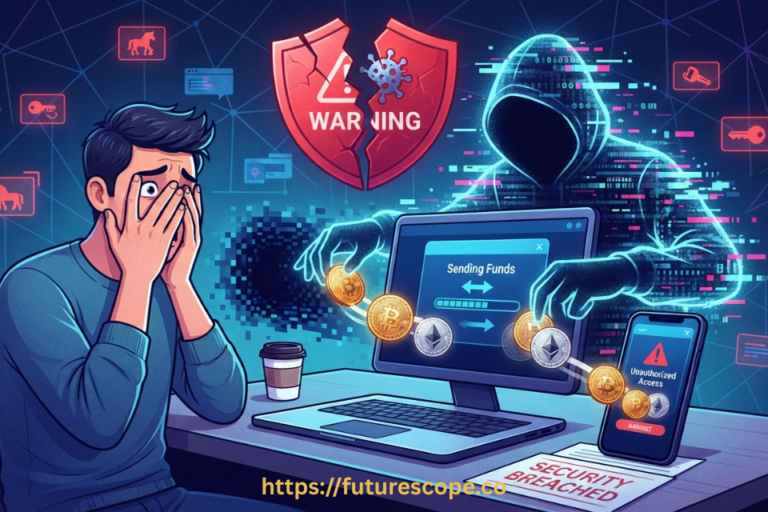
At the same time, $3.96 billion was lost to theft in 2025. Almost none of those losses were caused by failures of the underlying blockchain technology. They were caused by users who did not understand how wallets work — storing seed phrases digitally, approving malicious transactions, using fake wallet apps, or leaving funds on exchanges that failed. This guide exists to make those mistakes impossible for you.

What Is a Crypto Wallet, Really?
Per Britannica’s definition: a crypto wallet is software or hardware that manages your private and public cryptographic keys and interfaces with blockchain networks to let you send, receive, and track digital assets.
Think of the blockchain as a massive public spreadsheet tracking every transaction ever made. Your public address is your account number on that spreadsheet — a string of characters like 0x742d35Cc6634C0532… that you share with anyone who wants to send you crypto. Your private key is your password — the cryptographic proof that you own the entries on that spreadsheet under your address.
When you send crypto, your wallet signs a transaction with your private key and broadcasts it to the network. Thousands of computers verify the signature and record the transfer. When someone sends you crypto, they broadcast a transaction to your public address. Your wallet scans the blockchain and shows you the updated balance. The coins never moved anywhere except between blockchain entries — but your private key is what proves those entries belong to you.
The seed phrase — usually 12 or 24 random words — is the human-readable backup of your private key. It is generated when you create a wallet. Anyone who has those words can reconstruct your private key and access your funds from any device, anywhere in the world. This is both the power and the responsibility of self-custody.
Types of Crypto Wallets: Hot, Cold, Custodial, and MPC
In 2026, the Brighty App’s complete beginner guide identifies two axes that matter for wallet choice: connectivity (hot vs cold) and custody (who holds the keys). Understanding both helps you choose the right tool for each purpose.
| Type | Best For | Risk Level | Examples | Cost |
| Custodial (exchange) | Beginners learning, active trading | Medium (platform risk) | Coinbase, Binance, Kraken | Free |
| Hot wallet (non-custodial) | Daily use, DeFi, small amounts | Medium (phishing risk) | MetaMask, Trust Wallet, Phantom | Free |
| MPC wallet | Seedless recovery, mobile convenience | Lower (no single phrase) | ZenGo, NuFi, Binance Web3 | Free |
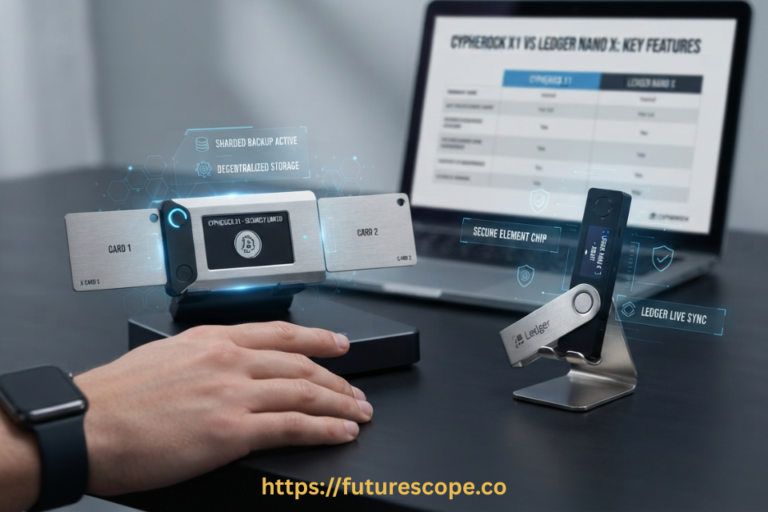
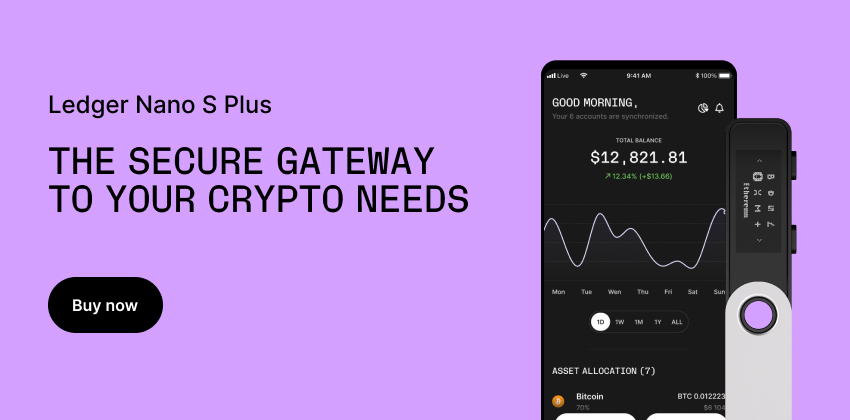
| Cold wallet (hardware) | Large holdings, long-term storage | Lowest (offline keys) | Ledger, Trezor, Cypherock | $50-$249 |
| Paper wallet | Ultra-cold offline backup | Low if created offline | Manually generated | Free |
| The Tiered Storage Approach (recommended by Brighty App 2026): Keep small daily-use amounts in a free hot wallet (MetaMask, Trust Wallet, Phantom). Keep larger long-term holdings in a cold wallet (Ledger, Trezor). Never use the same seed phrase for both. This is the approach every experienced holder uses. |

How to Use a Crypto Wallet: Step-by-Step Setup
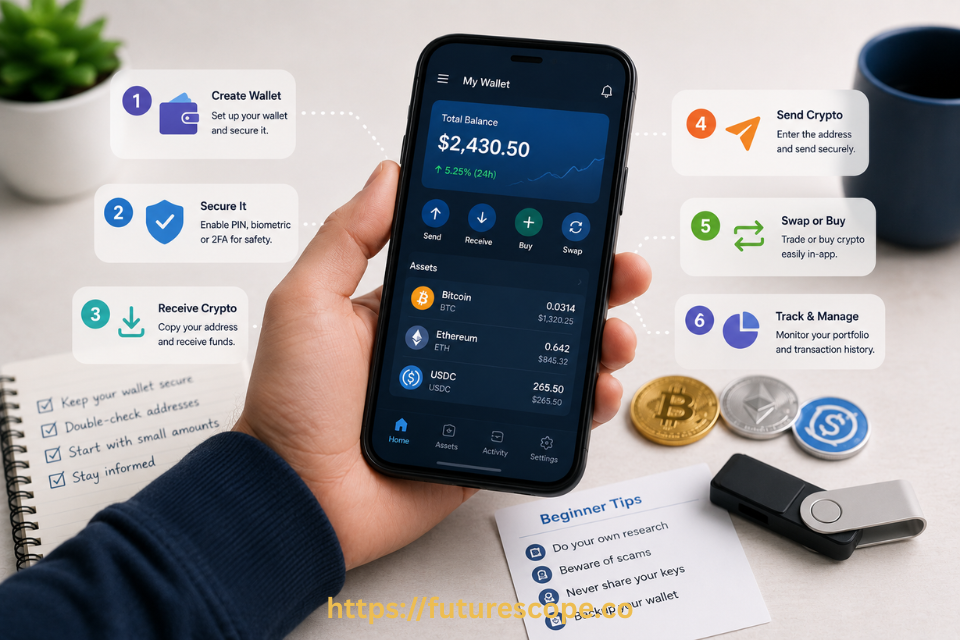
Here is the complete setup process for your first non-custodial wallet — following the official guidance from Coinbase and the Bitcoin Foundation’s step-by-step guide for beginners:
- Download from the official source only: Visit the wallet’s official website (metamask.io, trustwallet.com) and click through to the App Store or Google Play link. Never download wallet apps from third-party sites or links in messages. Fake wallet apps are one of the most common crypto scams in 2026.
- Create a new wallet: Open the app and select ‘Create New Wallet’ (not ‘Import’). The app will generate a seed phrase — typically 12 or 24 random words. This is your wallet’s master backup. The moment this phrase appears on screen is one of the most important moments in your crypto journey.
- Write the seed phrase on paper — never digitally: Write each word carefully in the correct order. Do not take a screenshot. Do not type it into a notes app. Do not email or message it to yourself. A photograph of your seed phrase in your camera roll is one of the most dangerous things in crypto. Write it on paper and store it somewhere secure — ideally in two separate physical locations.
- Confirm the phrase: The app will ask you to verify your seed phrase by selecting the words in order. This confirms you wrote it down correctly. Take this seriously — it is your only recovery path if you lose access to the app.
- Set your wallet PIN or biometric: Most mobile wallets offer PIN or Face ID/fingerprint unlock. This protects your wallet from someone who gets physical access to your phone — but it does not protect the funds if they have your seed phrase.
- Send a test transaction first: Before transferring any significant amount, send the smallest possible amount to your new wallet address and confirm it arrived. This confirms the address is correct and you understand the process. A test transaction of $1 or $5 is excellent insurance against a costly address error.
How to Send and Receive Crypto?
Receiving Crypto
To receive crypto, share your public wallet address. In most wallet apps, find the ‘Receive’ button and copy your address or display the QR code. Give this address to whoever is sending you crypto — an exchange withdrawal screen, a friend’s wallet app, or a payment link. The address is safe to share publicly.
Important: always verify the address on your wallet app’s screen. Clipboard-hijacking malware can silently replace a copied address with the attacker’s address when you paste it. On a hardware wallet, the device shows you the address for independent verification before any transaction.
Sending Crypto
- Click ‘Send’ in your wallet app
- Enter or paste the recipient’s public address. Verify every character
- Enter the amount. Check that you are sending the correct token on the correct network
- Review the gas fee. Higher fees mean faster confirmation; the app suggests an appropriate level
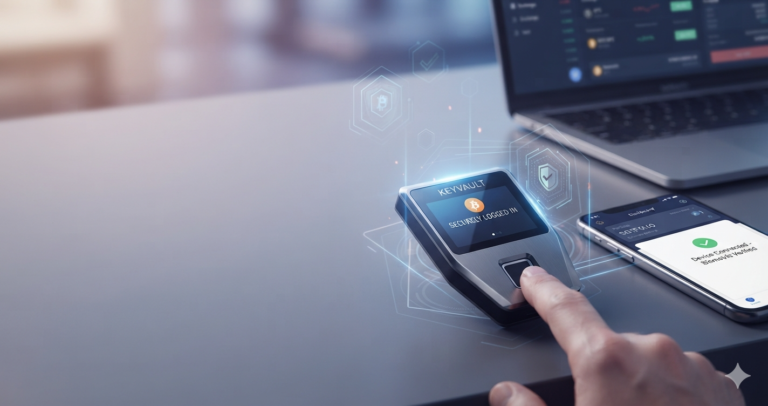
- Confirm on-device. On a hardware wallet, the device screen shows the transaction details to verify before signing
- Wait for confirmation. Bitcoin takes ~10 minutes per block. Ethereum is faster. Solana is near-instant
The most common beginner mistake: sending a token to the wrong network. Sending ETH on the Polygon network to an Ethereum mainnet address — or vice versa — can result in permanently inaccessible funds. Always verify both the token and the network before confirming.
Security Rules Every Beginner Must Follow
These rules are the difference between enjoying crypto for years and losing everything in a single mistake. They come from the Electrocoin beginners guide and the Bitcoin Foundation’s security framework:
- Never share your seed phrase with anyone, ever: No legitimate wallet, exchange, support agent, or company will ever ask for your seed phrase. If anyone asks for it, they are attempting to steal your funds.
- Never store your seed phrase digitally: Not in email. Not in Notes. Not in Google Drive. Not in a password manager that syncs to cloud. Paper, stored securely, in two locations. That is the standard.
- Verify every transaction on-device before signing: Especially when interacting with DeFi apps. A hardware wallet with a screen shows you exactly what you are signing before the transaction is broadcast.
- Only interact with dApps you trust: Wallet drainer attacks work by getting you to approve a malicious smart contract transaction. In 2024, $494 million was stolen this way. Use reputable dApps, check URLs carefully, and revoke approvals regularly.
- Use a hardware wallet for anything you cannot afford to lose: As Brighty’s 2026 guide states: ‘Once you cross the $10,000 threshold, invest in a hardware wallet.’ Many experienced holders use one far earlier.
Quick Glossary: Terms Every Beginner Needs to Know
| Private Key | The cryptographic credential that proves you own your crypto. Anyone with it controls your funds. Never share it. |
| Public Address | Your wallet’s ‘account number’ — like an email address. Share it freely to receive crypto. |
| Seed Phrase | 12 or 24 random words that back up your private key. The master password to your wallet. Store offline only. |
| Gas Fee | A small network fee paid to blockchain validators when you send crypto. Varies by chain and network congestion. |
| MPC | Multi-Party Computation — splits your key across multiple parties so no single item is the sole failure point. |
| Non-Custodial | You hold your own keys. No platform can freeze or access your funds. Full sovereignty, full responsibility. |
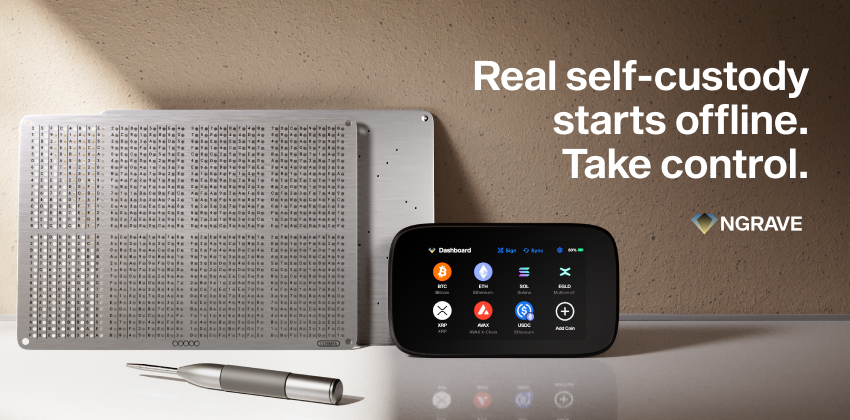
| Cold Storage | Keeping private keys completely offline (hardware device or paper). Immune to remote hacking. |
Frequently Asked Questions
What happens if I lose my seed phrase?
For a non-custodial wallet, the funds are permanently and irretrievably lost. There is no customer support line, no recovery service, and no central authority that can restore access. This is the fundamental trade-off of self-custody: complete control comes with complete responsibility. For MPC wallets (ZenGo, NuFi), recovery may be possible via linked social accounts if those remain accessible. For custodial wallets (Coinbase, Binance), standard account recovery applies. The lesson for beginners: treat your seed phrase like the most important physical document you own, because it is.
Is my crypto safe in a hot wallet like MetaMask or Trust Wallet?
A hot wallet is reasonably safe for small amounts when you follow good security practices: download from the official source, never share the seed phrase, verify transactions before signing, and avoid connecting to suspicious dApps. The risk compared to a hardware wallet is that your private keys are stored on an internet-connected device, which creates a theoretical attack surface for sophisticated malware. For amounts you would be genuinely distressed to lose, a hardware wallet is the appropriate tool. For learning and smaller daily-use amounts, a reputable non-custodial hot wallet is a practical starting point.
What is a gas fee and how much will I pay?
A gas fee is a payment to the blockchain network’s validators or miners to process your transaction. It is not paid to the wallet app — it goes to the network itself. Gas fees vary dramatically by blockchain and network congestion. Ethereum gas can range from under $1 to $50+ during peak congestion. Solana, Polygon, and other L2 networks typically charge fractions of a cent. Most wallet apps display the estimated gas fee before you confirm any transaction and let you adjust the fee level — higher fees generally mean faster confirmation. Always factor in gas when planning small transactions, as fees can sometimes equal or exceed the amount being sent on high-fee networks.
What is the difference between a crypto wallet and a crypto exchange?
A crypto exchange (Coinbase, Binance, Kraken) is a platform where you buy, sell, and trade crypto. When you hold crypto on an exchange, the exchange holds the private keys on your behalf — you have an account balance, not direct blockchain ownership. A crypto wallet (non-custodial) gives you direct control of your private keys, and therefore direct ownership of your crypto on the blockchain. The practical difference: exchanges can be hacked, freeze withdrawals, or go bankrupt (as FTX demonstrated). A non-custodial wallet cannot be closed by a third party because there is no third party — only you and the blockchain.
Can I have multiple crypto wallets?
Yes — and most serious crypto users do. The standard approach is the tiered storage model: a mobile hot wallet (MetaMask, Trust Wallet) for small daily-use amounts and DeFi interaction, and a hardware cold wallet (Ledger, Trezor, Cypherock) for larger long-term holdings. Some users add a dedicated wallet for specific ecosystems (Phantom for Solana, Rabby for Ethereum DeFi). Each wallet has its own seed phrase and its own security consideration. Never reuse the same seed phrase across multiple wallet apps — each should be completely independent for security purposes.
| Your Crypto Journey Starts With One Simple Step: Your First Wallet. Do not leave your crypto sitting on an exchange indefinitely. Start with a free non-custodial wallet for small amounts, learn how it works, and upgrade to a hardware wallet as your holdings grow. That is the sequence every experienced holder used. METAMASK.IO | TRUSTWALLET.COM | ZENGO.COM | LEDGER.COM | TREZOR.IO Always download wallets from official websites or verified app stores. This is not financial advice. DYOR. |
Sources: Brighty App Complete Beginner Guide (July 2026), Britannica Money crypto wallet definition, Bitcoin Foundation beginner wallet guide, Developer Nation beginner crypto wallet guide, Electrocoin beginner wallet guide, Coinbase official wallet setup guide. All figures accurate as of July 2026.