

If you’re the person responsible for network security at your company, chances are you didn’t wake up one day and decide to Google “how to get rid of ContentKeeper” for fun. Something prompted it — a support ticket pile-up, a budget review, a remote employee who can’t get the filtering agent to behave, or a board asking why your web gateway still looks like it was built for a school district.
That last point matters more than people realize. ContentKeeper’s roots are deeply tied to K-12 education filtering, and a lot of its architecture still reflects that use case. If you’re running it in a business environment, this guide walks you through the smartest, safest way to remove it and replace it — without breaking your network, losing your compliance logs, or creating a security gap in the process.
Why Businesses Reconsider ContentKeeper?
ContentKeeper is a legitimate, capable web filtering and security gateway. Plenty of organizations use it well. But as companies shift toward hybrid work, cloud-first infrastructure, and identity-based security policies, some IT teams find that a platform built around fixed networks and managed school devices doesn’t flex the way a modern business needs it to.
The most common reasons teams start evaluating a switch usually come down to a handful of recurring pain points. None of these mean ContentKeeper is a bad product — they just mean it may not be the right fit for your current environment anymore.
- Remote and hybrid workforce gaps: appliance-based or on-prem filtering struggles to consistently protect employees who never touch the corporate network.
- Over-blocking legitimate business traffic: aggressive category filtering and SSL inspection sometimes catch vendor portals, SaaS tools, or research sites your team actually needs.
- Reporting and visibility: some teams want cleaner, more granular dashboards that tie filtering events back to a specific user or identity, not just a device or IP.
- Contract and licensing complexity: appliance renewals, per-seat pricing, and support response times can push cost-conscious teams to shop around.
- Integration limits: modern security stacks lean on single sign-on, SASE, and zero-trust frameworks — and not every legacy filtering tool keeps pace.
What ContentKeeper Actually Touches on Your Network?
Here’s the part people underestimate: ContentKeeper isn’t a single app you can uninstall in thirty seconds. It’s a multi-layered gateway that can sit at the DNS level, the SSL/certificate level, the endpoint level, and the management-profile level all at once. That’s exactly why removing it cleanly takes a plan, not just a click.
Before you touch anything, it helps to understand everywhere it might be embedded in your environment:
- DNS and proxy routing that directs traffic through the ContentKeeper gateway or appliance.
- Root or intermediate SSL certificates pushed to devices to allow HTTPS inspection.
- Agents, clients, or browser extensions installed on managed endpoints.
- MDM or Group Policy profiles that enforce filtering settings on company devices.
- Firewall rules and routing tables built around the appliance’s IP address.
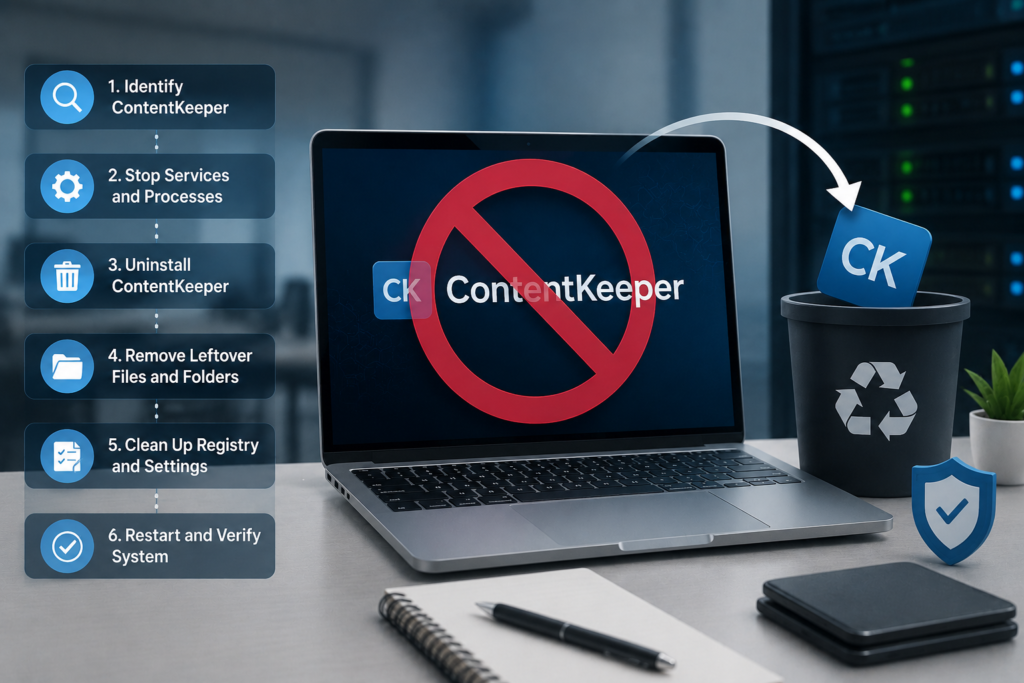
How to Get Rid of ContentKeeper: A Step-by-Step Migration Plan
1. Audit your current deployment
Start with a full inventory before you make any changes. You want a clear picture of what’s actually running, where, and who depends on it.
- List every appliance, virtual instance, or cloud tenant tied to ContentKeeper.
- Identify every endpoint with the agent or extension installed.
- Document DNS, proxy, and firewall rules pointing traffic to ContentKeeper.
- Pull your current contract terms, renewal date, and cancellation notice window.
2. Loop in the right people early
Filtering changes ripple beyond IT. Bring in the stakeholders who’ll feel the switch before you start decommissioning anything.
- Security and compliance teams, especially if you’re bound by industry regulations or an E-rate/CIPA obligation.
- Leadership or finance, since contract cancellation usually has a budget conversation attached.
- A small pilot group of end users who can flag issues before a company-wide rollout.
3. Stage your replacement before you remove anything
The most effective solution here isn’t just “delete ContentKeeper” — it’s “have the new gateway fully tested and ready to take over first.” Run the replacement in parallel, mirror your existing policies as closely as possible, and confirm reporting is capturing what compliance needs before you cut over.
4. Remove it from the network layer
- Redirect DNS and proxy settings to the new filtering provider.
- Decommission or repurpose the ContentKeeper appliance or virtual instance.
- Update firewall rules and routing so nothing still points at the old gateway.
- Retire the SSL inspection certificates once the new solution’s certificates are deployed.
5. Remove it from endpoints
For managed devices, push the removal through your RMM or MDM platform rather than visiting machines one by one.
- Push an uninstall command for the ContentKeeper agent or client software.
- Remove the ContentKeeper root certificate from each device’s trusted store.
- Use managed browser policy (Chrome, Edge) to remove leftover extensions across the fleet.
- Clean up residual folders, registry entries, or configuration profiles on Windows and macOS devices.
On smaller teams without centralized management, this can be done manually: uninstall via Control Panel on Windows or drag-to-Trash on macOS, then clear browser extensions and cached data on each machine.
6. Close out the contract and preserve your data
- Contact your ContentKeeper account representative to formally cancel or downgrade the contract.
- Request an export of historical filtering logs and reports for your compliance or audit records.
- Double-check the cancellation window so you don’t get caught by an auto-renewal clause.
- Revoke any API keys, SSO integrations, or third-party connections tied to the account.
7. Communicate the change and watch closely
Let staff know filtering is changing before it happens, not after. In the first couple of weeks, keep an eye on helpdesk tickets for over-blocking or under-blocking, and keep a rollback plan on hand just in case something in the new setup needs tuning.
Choosing the Right Replacement
Getting rid of ContentKeeper only pays off if what replaces it actually fits how your business operates today. Weigh candidates against your real environment, not just feature checklists.
- Cloud-native architecture that covers remote and hybrid employees, not just on-network devices.
- Policy controls based on user identity and groups, not only device or IP address.
- Native integration with your identity provider, such as Okta or Microsoft Entra ID.
- Reporting and analytics detailed enough to satisfy your compliance and security reviews.
- Transparent pricing and support SLAs that match the size of your organization.
Depending on your needs, that might mean a cloud secure web gateway, a DNS-layer filtering service, or a broader SASE platform that bundles filtering with other security functions. There’s no single “best” replacement — the right one depends on your workforce mix, compliance obligations, and existing security stack.
Common Mistakes to Avoid
- Cutting over to the new tool without a pilot period to catch policy gaps first.
- Forgetting about BYOD or remote devices that still carry old ContentKeeper certificates.
- Cancelling the contract before exporting historical logs you may need later.
- Missing the cancellation notice window and getting billed for an unwanted renewal.
- Leaving orphaned firewall rules or open ports pointed at a decommissioned appliance.
Frequently Asked Questions
How long does it typically take to fully remove ContentKeeper from a business network?
For a small business with a handful of managed devices, a full migration can often be completed within one to two weeks. Larger organizations with hundreds or thousands of endpoints, multiple office locations, or complex compliance requirements should plan for a phased rollout over several weeks, with a pilot group going first and the rest of the company following once policies are confirmed to be working correctly.
Will removing ContentKeeper affect our compliance obligations?
It shouldn’t, as long as you replace it with a solution that meets the same requirements you were relying on ContentKeeper for, whether that’s CIPA, an industry-specific regulation, or an internal acceptable-use policy. The key is confirming your new filtering solution covers the same categories and reporting standards before you decommission the old one, not after.
Can we run our new filtering solution alongside ContentKeeper during the transition?
Yes, and it’s actually the safer approach. Running both in parallel for a short pilot period lets you compare policy behavior, catch over-blocking or under-blocking issues, and confirm reporting accuracy before you fully cut over and decommission the old system.
What happens to our historical filtering logs after we cancel the contract?
Once your contract ends, ongoing access to ContentKeeper’s dashboards and stored logs typically ends too. If you need historical data for audits, compliance reviews, or investigations, export and archive it before cancellation takes effect, not afterward.
Do we need to manually visit every device, or can removal be automated?
If your devices are managed through an MDM or RMM platform, removal can be pushed out remotely to the entire fleet at once, which is far faster and more reliable than manual removal. Manual uninstalls are really only necessary for unmanaged devices or very small environments without centralized device management in place.
The Bottom Line
Getting rid of ContentKeeper the right way isn’t about finding a shortcut — it’s about treating it like the infrastructure change it actually is. Audit what you have, bring the right people into the conversation, stage your replacement before you remove anything, and close out the contract on your terms instead of the vendor’s renewal calendar.
Start with the audit this week. Pull together a full inventory of where ContentKeeper lives in your network and on your endpoints, get your leadership and compliance stakeholders aligned on the timeline, and start evaluating replacement platforms against your actual business needs, not just a feature list. A clean, well-planned migration now saves you weeks of cleanup and support tickets later.