

Are you searching for a way to boost your computer’s performance without breaking the bank? If so, you might have stumbled upon IObit Advanced SystemCare’s free version.
Maintaining a fast and secure PC is a priority for many home users, and Iobit Advanced SystemCare Free is a widely used tool designed to address these needs. Offering a suite of system optimization and basic security features, it’s an attractive option for those looking to improve their computer’s performance without spending money. However, with many advanced features locked behind paid versions (Pro and Ultimate), it’s worth examining whether the free version is sufficient for the average home user.
This article explores the key features, limitations, and user feedback to help you decide if Iobit Advanced SystemCare Free meets your needs or if upgrading to a paid version is necessary.
What Does the Free Version of Advanced SystemCare Offer?
The free edition of IObit Advanced SystemCare includes several useful features ideal for home users:
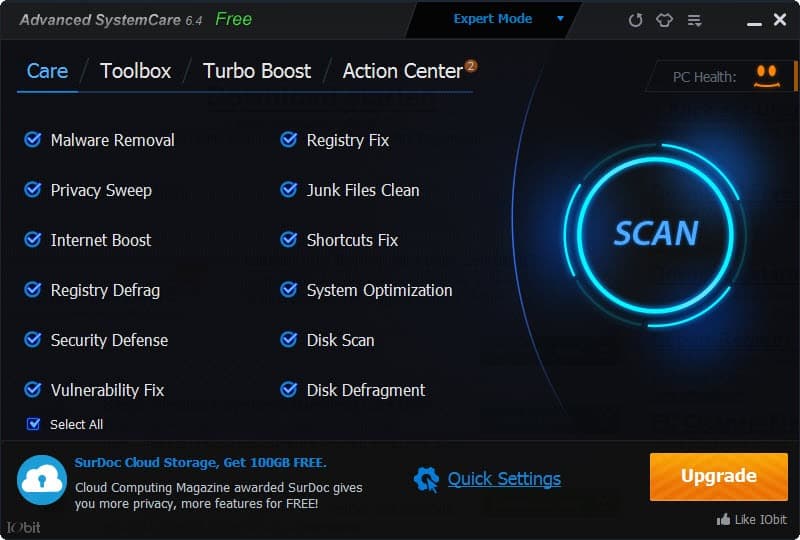
- Basic system cleaning: Clears cache, temporary files, recycle bin contents, and internet traces.
- Startup optimization: Speeds up boot time by managing startup programs.
- Privacy protection: Removes tracking data from browsers to improve privacy.
- System monitoring: Provides real-time performance stats on CPU, RAM, and disk usage.
- Registry cleaning: Identifies and fixes broken registry entries that may slow down the system.
These features cover the core needs of most home users — especially those with older PCs or laptops showing signs of lag.
What You Don’t Get in the Free Version?
While the free version is helpful, some premium features are locked behind a paywall:
- Deep registry cleaning
- Automatic RAM cleaning & real-time optimization
- AI-based cleaning suggestions
- Auto updates and background optimization
- Internet speed boost
- 24/7 technical support
If you’re a gamer, power user, or someone who wants automated, always-on performance tweaks, the Pro version might be a better fit.
Comparison with Paid Versions
To understand whether the free version is sufficient, it’s helpful to compare it with the Pro version, which offers a more comprehensive feature set for $14.77/year for one PC (IObit Pro). The following table highlights the key differences:
| Feature Category | Advanced SystemCare Free | Advanced SystemCare Pro |
|---|---|---|
| Price | Free | $29.99/year (1 PC) |
| Basic PC Cleaning & Optimization | Yes | Yes |
| Real-Time Spyware Protection | No | Yes (larger database for comprehensive protection) |
| Deep Registry Cleaning | No | Yes (prevents system crashes) |
| Auto RAM Cleaning | No | Yes (stops unused programs/processes) |
| Automatic Task Scheduling | No | Yes |
| Internet Booster (Up to 300% Faster) | Basic | Enhanced |
| Software Updater | Basic (limited updates) | Enhanced (keeps programs up-to-date for security) |
| Privacy Protection | Basic (browsing history cleanup) | Advanced (digital fingerprint defender, browser anti-tracking) |
| Real-Time System Monitoring | No | Yes (with Health Checker) |
| Technical Support | Limited (contact form, community forum) | 24/7 priority support |
The Ultimate version further enhances security by integrating a full-fledged antivirus engine, making it a viable option for users without a separate antivirus solution (IObit Ultimate). For home users, the Pro version’s real-time protection, automatic maintenance, and enhanced optimization tools offer significant advantages over the free version, particularly for those with older PCs or heightened security concerns.

Features Of IObit Advanced SystemCare
When it comes to optimizing your computer’s performance, Iobit Advanced Systemcare offers a range of features designed to boost speed, enhance privacy, and extend the life of your device. But is the free version of this tool enough for home users? Let’s explore its features to help you decide if it meets your needs.
User-friendly Interface
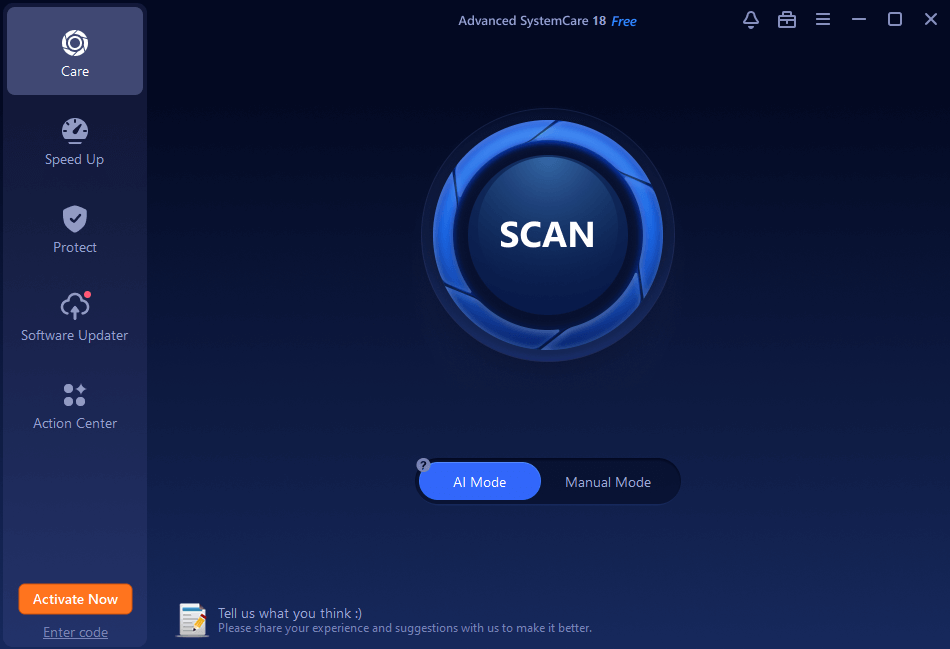
One of the first things you’ll notice about Iobit Advanced Systemcare is its user-friendly interface. The dashboard is intuitive, making it easy for you to navigate through various tools without a steep learning curve. Even if you’re not tech-savvy, you can quickly find the features you need.
Basic System Optimization
The free version offers essential system optimization tools. It cleans junk files, removes unnecessary software, and fixes registry issues. This can significantly speed up your computer. Have you ever noticed how much faster your computer runs after a good cleanup?
Privacy Protection
Privacy is a growing concern for many users. Iobit Advanced Systemcare includes basic privacy protection features like clearing your browsing history and blocking unauthorized access to your sensitive data. It’s like having a personal bodyguard for your online activities.
Real-time Monitoring
Real-time system monitoring helps you keep an eye on your computer’s health. It tracks your CPU and RAM usage, alerting you to potential issues. It’s like having a personal assistant that warns you before problems escalate.
Limited Security Features
While the free version offers some basic security features, it lacks advanced protection against malware and ransomware. If you often download files or click on unknown links, you might need additional security software. Have you ever wondered if your system is truly safe from cyber threats?
The free version of Iobit Advanced Systemcare provides a solid foundation for basic maintenance and privacy. It’s user-friendly and offers essential tools that can make noticeable improvements. However, if security and advanced features are crucial, you may need to consider the paid version or additional software. What features are non-negotiable for you in a system care tool?
Performance And Efficiency
When considering a tool to optimize your computer’s performance, you might wonder if the free version of Iobit Advanced Systemcare is sufficient for home users. Let’s dive into the aspects of performance and efficiency to see if it meets your needs.
Optimizing Speed And Responsiveness
Does your computer sometimes feel sluggish? The free version of Iobit Advanced Systemcare offers tools to speed things up. It removes junk files that slow your system, enhancing responsiveness. You might notice your applications open quicker and your tasks complete faster.
Try using it after a heavy download session or installing new software. You’ll likely see a noticeable improvement, making your day-to-day computing more pleasant.
Resource Management
Ever wondered if your computer uses resources efficiently? This software helps manage CPU and RAM usage. It stops unnecessary processes that can drain power and slow your system. You may experience fewer crashes and freezes, keeping your machine running smoothly.
Imagine working on an important document without worrying about sudden system hiccups. Efficient resource management can be a lifesaver.
User-friendly Interface
Is the interface easy to navigate? Absolutely! The simple design makes it accessible for anyone, even if you’re not tech-savvy. You’ll find features are labeled clearly, helping you understand and use them effectively. This allows you to maintain your system without spending hours figuring things out.
It’s like having a friendly guide that helps you keep your computer in top shape without the hassle.
Automatic Updates
Do you keep up with updates? The free version ensures your systemcare tool stays current with automatic updates. This feature helps protect your computer from new threats and improves functionality. You won’t need to remember to update manually.
Regular updates mean better performance and security, letting you focus on what matters most—your work or leisure activities.
With these features in mind, do you think the free version is enough for your home use? Consider your needs and decide if these benefits suit you. The power to enhance your computer’s performance is in your hands.
Security And Privacy Tools
When considering computer maintenance, security and privacy are crucial. Iobit Advanced SystemCare offers tools for these needs. But is the free version enough for home users? Let’s explore its security and privacy features.
Security Features
The free version provides basic security tools. It includes protection against spyware. It also removes malicious files. This helps keep your computer safe. However, it lacks advanced threat detection. For full protection, other tools might be necessary.
Privacy Protection
Privacy is vital for home users. Advanced SystemCare’s free version offers basic privacy protection. It clears browsing history and cookies. This helps maintain online privacy. It also blocks unauthorized access to private data. But, it does not offer encryption features. Some users may need stronger privacy tools.
Browser Protection
The free version enhances browser security. It blocks malicious websites. This protects against phishing scams. It also prevents harmful extensions. These features are useful for safe browsing. Yet, it may not cover all security threats.
System Optimization
Besides security, system optimization is key. The free version cleans junk files. It also optimizes system performance. This leads to a smoother computer experience. But, some advanced features are limited. For complete optimization, the paid version might be preferable.
Free Version Limitations
Understanding the limitations of the free version of Iobit Advanced Systemcare is crucial. Home users often wonder if it meets their needs. The free version offers basic tools. But, it might not cover all requirements. Let’s explore its limitations.
System Optimization Features
The free version lacks some advanced optimization tools. It offers basic cleanup and speed-up features. Paid versions include deeper system scans. These scans improve performance more effectively. Home users might notice limited enhancements with the free version.
Security Functions
Security is vital for any user. The free version provides basic protection. But, it misses out on real-time threat detection. Premium versions offer enhanced security features. They guard against modern threats more efficiently.
Privacy Protection
Privacy tools in the free version are limited. They offer basic browsing protection. More advanced privacy features are in the paid versions. These include tracking prevention and data protection. For better privacy, home users may need more than the free version.
Customer Support
Customer support is crucial during tech issues. The free version offers limited support options. Paid users receive priority support and faster responses. This can be a significant factor for some home users.
Automatic Updates
Keeping software updated is essential. The free version requires manual updates. Paid versions update automatically. This ensures users always have the latest features. Home users might find manual updates inconvenient.
Frequently Asked Questions
Is Advanced SystemCare Free Version Good For Basic PC Maintenance?
Yes, the free version of Advanced SystemCare by IObit is good for basic PC maintenance. It offers essential tools like junk file cleanup, registry repair, privacy protection, and system optimization, which help speed up your computer and improve overall performance. The interface is user-friendly, making it suitable even for beginners. While it lacks advanced features like deep cleaning, real-time optimization, and internet speed boost (available in the Pro version), the free version still provides a reliable and safe way to perform regular maintenance on Windows PCs.
Does The SystemCare Free Version Have Real-time Protection?
The free version of Advanced SystemCare does not include real-time protection. It offers handy features like junk cleanup, privacy sweep, registry repair, and manual scans, but real-time malware monitoring, automatic threat blocking, and continuous protection are only available in the Pro version . In fact, the free edition relies on manual scans rather than actively monitoring your system’s behavior.
⚠️ Additionally, user feedback warns that IObit tools (including SystemCare) might bundle extra software or display aggressive upgrade prompts. Some have even reported it being flagged as a Potentially Unwanted Program (PUP) by antivirus tools.
Bottom line: For casual, on-demand cleanup, the free version can be helpful—but it won’t provide live protection against threats. If you’re looking for real-time defense, consider using a reputable antivirus solution alongside, or upgrade to the Pro version for built-in real-time capabilities.
Can Advanced SystemCare Free Speed Up My Computer?
Yes, Advanced SystemCare Free can help speed up your computer by performing basic optimization tasks such as removing junk files, fixing registry errors, disabling unnecessary startup items, and cleaning up privacy traces. These actions can free up system resources and improve overall performance, especially on older or cluttered PCs. While the speed boost may not be dramatic, users often notice faster boot times and smoother general usage. However, for deeper performance enhancements and real-time optimization, the Pro version offers more advanced features.
Is Advanced SystemCare Free Version Safe To Use?
Yes, it’s generally safe. The free version of Advanced SystemCare offers useful basic PC maintenance features like junk file cleanup, registry repair, and startup optimization, making it helpful for casual users. However, it does not provide real-time protection—that’s only available in the paid Pro version. While the software is generally safe to use if downloaded from official sources, it has been flagged by some antivirus programs as a Potentially Unwanted Program (PUP) due to bundled offers, ads, and aggressive upgrade prompts. Users should be cautious, avoid installing extra software during setup, and consider using it alongside trusted antivirus tools. For simple and safer maintenance, Windows built-in utilities or alternatives like CCleaner may be preferable.
What Features Are Missing In The SystemCare Free Version?
The free version of Advanced SystemCare offers basic PC optimization tools, but several advanced features are exclusive to the Pro version. These include:
- Real-time protection against malware and spyware.
- Deep registry cleaning to prevent system crashes.
- Automatic RAM cleaning and real-time optimization for improved performance.
- Internet speed booster enhancing browsing and download speeds.
- Privacy protection features like browser anti-tracking and digital fingerprint disguise.
- Auto software updater for keeping applications current.
- Scheduled maintenance and automatic updates.
- Premium technical support.
While the free version provides essential cleanup and optimization tools, upgrading to the Pro version unlocks these advanced features for comprehensive system care.
Conclusion
IObit Advanced Systemcare Free version offers basic tools. Cleans and speeds up your computer. Good for non-heavy users. Keeps systems running smoothly. But lacks advanced features. Pro version offers more. Paid features suit tech enthusiasts.
Free version satisfies basic needs. Ideal for everyday home use. Consider upgrading if you need more. Evaluate your usage and decide wisely.