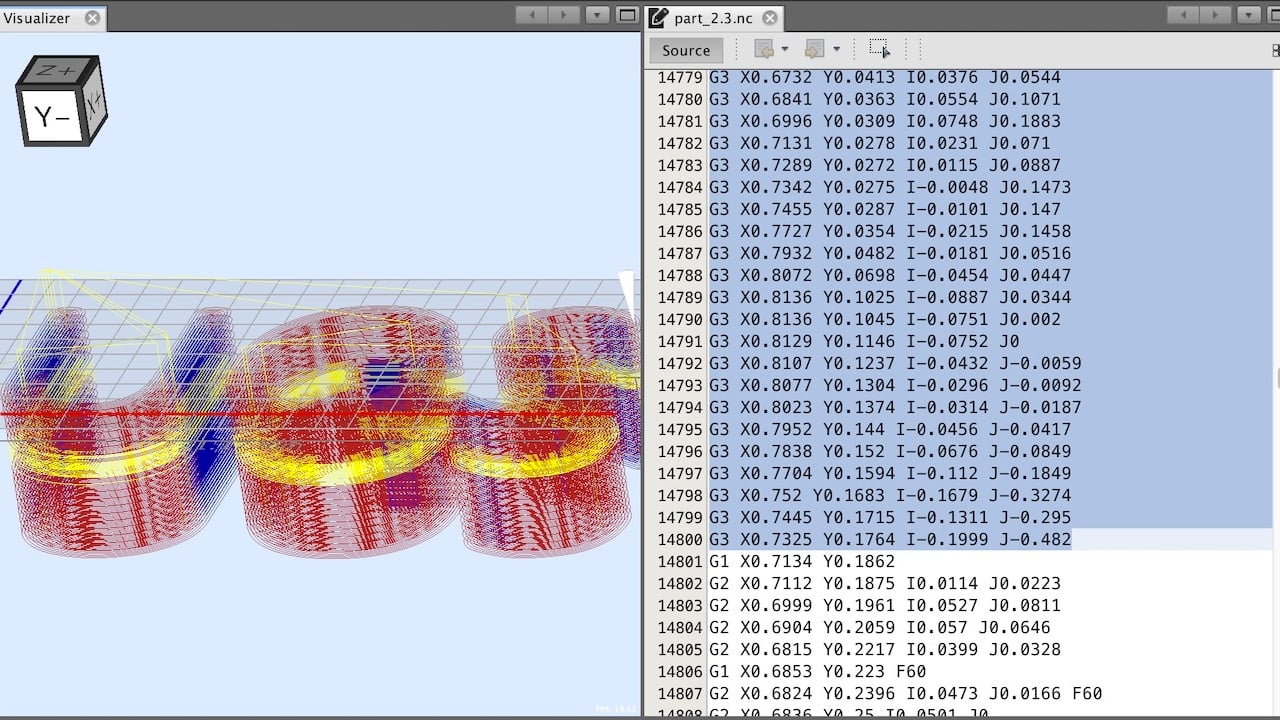
3D printers typically use the G-code programming language for operations. G-code instructs the printer’s movements and controls extrusion.
Understanding what programming language 3D printers use is crucial for enthusiasts and professionals alike. G-code serves as the standard for most 3D printing systems, translating digital models into precise instructions that direct the printer’s motion. Users rarely have to write G-code themselves, as 3D printing software often generates it from a digital model.
This scripting language speaks directly to the 3D printer, guiding the print head to create objects layer by layer. Mastery of G-code can enhance the user’s ability to customize and optimize prints, offering deeper control over the printing process. Whether fine-tuning homemade designs or operating high-end industrial printers, a grasp of G-code is a valuable tool in the 3D printing arsenal.
The Role of Programming In 3D Printing
The Role of Programming in 3D Printing is essential to bring any idea to life. Machines need instructions to work. That’s where programming steps in. It helps printers understand what to create. Through codes, these machines turn thoughts into tangible items.
Connecting Computers With Printers
Programming forms a bridge between computers and 3D printers. It’s like teaching your computer how to talk to the printer. This communication happens through a language both devices understand.
Specific software, called slicers, convert digital models into a printer-friendly language. This process involves a lot of programming behind the scenes. For users, it’s all about clicking ‘Print’. But, the actual game happens in the coded instructions that flow through cables or air.
Translating Designs Into Physical Objects
Imagine having a beautiful digital design on screen. Now, you want it in your hands. That’s where programming takes the stage.
3D printers use a special language called G-code. It breaks down designs into steps. Every move of the printer, every drop of material, follows this code.
| Step | Action in G-code |
|---|---|
| 1 | Start with a 3D model |
| 2 | Break model into layers |
| 3 | Create a path for each layer |
| 4 | Translate path into G-code |
| 5 | 3D printer follows the G-code |
The transformation is magical: bits and bytes become physical items. Each line of code is a direction to the printer. It tells where to move, how fast, and what to do. Our ideas manifest into objects, layer by layer, guided by the rhythm of programming.
G-code: The Universal 3d Printing Language
In the innovative world of 3D printing, G-code reigns supreme as the backbone that brings models to life. Every 3D printer understands G-code, making it the universal language across different machines and brands. This code tells your 3D printer exactly what to do and how to do it. It dictates the motion of the printer head, controls temperature, and ensures precise material placement, layer by layer.
From CAD To Slicing Software
Before G-code gets to work, you need a digital model. CAD software enables designers and engineers to create these 3D models. But, you can’t print directly from CAD. The model must go through a process known as ‘slicing.’ Slicing software converts the 3D model into a series of thin layers and generates the necessary G-code. This code now serves as the detailed set of instructions for your 3D printer.
Essential G-code Commands For 3D Printing
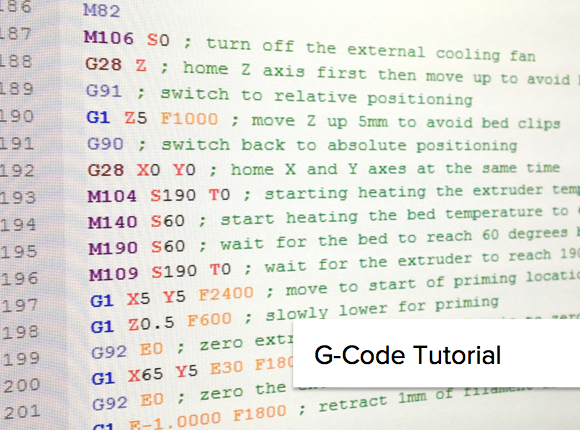
Understanding the core commands of G-code is crucial for successful 3D printing. Here are essential commands every enthusiast should recognize:
- G0 and G1: Movements of the printer head.
- G28: Homing the printer.
- G90: Setting absolute positioning, meaning all coordinates given are based on a single origin point.
- G91: Setting relative positioning which allows the printer head to move relative to its current position.
- G92: Setting the position of the printer head.
- M104 and M109: These commands set and wait for nozzle temperature, respectively.
- M140 and M190: They are similar to M104 and M109 but for the bed temperature.
G-code is the crucial intermediary between your digital design and the physical 3D print. It turns abstract models into tangible objects. Mastering the G-code commands will grant you the power to optimize prints, troubleshoot issues, and unlock the full potential of your 3D printer.
Proprietary Languages And Manufacturer Specifications
When it comes to 3D printing, the language a printer understands is crucial. Proprietary languages are specific to each manufacturer, shaping how a printer interprets designs. They ensure printers perform accurately, following the manufacturer’s specifications.
Brand-specific Programming Languages
Different brands often create unique programming languages for their machines.
These languages tell the printer how to create an object step by step.
Brand-specific languages can impact the type of designs you can print.
- G-code: The universal language many 3D printers use.
- XYZware: A language for XYZprinting devices.
- MakerBot: Uses its language, known as MakerBot G-code.
Compatibility With Open-source Software
Open-source software can be a game-changer for 3D printing.
Some printers support these programs, even if they have their language.
| Printer Brand | Open-Source Compatibility |
|---|---|
| Ultimaker | Yes, with Cura |
| Lulzbot | Yes, with Slic3r and others |
| Prusa | Yes, highly compatible |
Compatibility with global standards like STL or OBJ files allows printers to use versatile software.
This opens up a world of possibilities for creators and makers alike.
Expanding Possibilities With Advanced Programming
The realm of 3D printing thrives on the backbone of programming. Advanced programming languages and software stretch what makers and industries can achieve. They transform ideas into tangible, intricate 3D objects. The development and adaptation of programming languages for 3D printing purposes stand as a testament to human innovation and technological advancement. Let’s delve into how custom firmware and open-source projects, along with the intersection of 3D printing and IoT, are revolutionizing the capabilities of 3D printers.
Custom Firmware And Open-source Contributions
Firmware is the beating heart of 3D printers. It commands the hardware to perform precise actions. Today’s custom firmware offers various benefits:
- Enhanced precision and speed settings for optimal printing performance.
- Customization options for enthusiasts and professionals alike.
Open-source initiatives encourage community collaboration. They result in robust, innovative solutions that anyone can access. Below are key advantages:
- Community-driven improvements, leading to more resilient systems.
- Access to a wealth of knowledge and resources for both beginners and advanced users.
Integrating With Iot And Smart Factories
Seamless integration with the Internet of Things (IoT) propels 3D printing into the future. This opens doors for smart factories. It links devices for a truly automated and optimized manufacturing environment. Here’s how this integration benefits the 3D printing landscape:
- Remote monitoring and control of printer fleets.
- Real-time adjustments to printing processes based on environmental data.
- Enhanced production workflows through machine learning algorithms.

Frequently Asked Questions
Do 3D Printers Use Python?
Some 3D printers use Python for scripting and customization. This programming language can control printer operations and process print files.
What Type Of Code Do 3D Printers Use?
3D printers use G-code, a language that directs the printer’s movements and control the printing process. This code provides detailed instructions for creating the 3D object.
What Program Does 3D Printers Use?
3D printers use specialized software called slicers to convert 3D models into printable instructions. Programs like Cura and Simplify3D are popular choices.
Do 3D Printers Use Stl Or G-code?
3D printers initially use STL files to model objects, which are then converted into G-code for printing instructions.
Conclusion
Unlocking the full potential of 3D printing hinges on mastering the language that drives it. G-code stands central, an accessible yet powerful script. Embracing its nuances can elevate your 3D printing projects. Whether you’re a hobbyist or a professional, the journey to fluency starts with a single line of code.
Dive in, and let the language of creation become your second tongue.