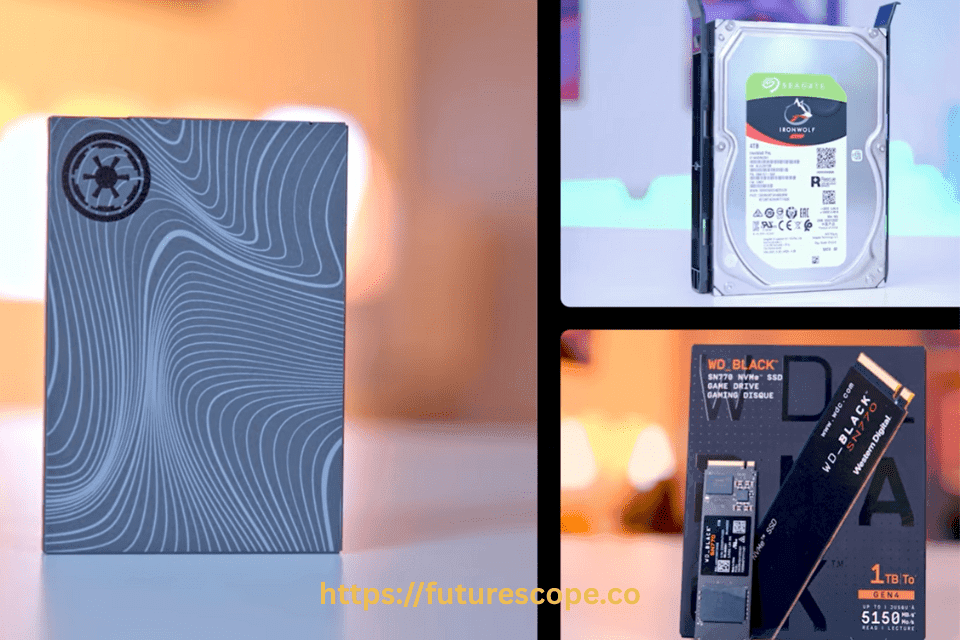

As digital content continues to grow in size and complexity, the need for reliable high-capacity storage becomes increasingly critical—especially for photographers, video editors, gamers, and content creators. A 4TB SSD offers a perfect balance between ample storage space, fast performance, and durability, making it ideal for storing high-resolution videos, raw images, and large project files. Whether you’re managing 4K/8K footage, archiving your creative portfolio, or looking for faster load times for your media library, choosing the best 4TB SSD for media storage is essential for productivity and peace of mind.
Why Choose a 4TB SSD for Media Storage?
Unlike traditional HDDs, SSDs offer superior read/write speeds, no moving parts, and better shock resistance, which means faster access to your media files, quicker boot times, and less risk of mechanical failure. For professionals handling high-bandwidth workflows or simply wanting reliable long-term storage, a 4TB SSD delivers the performance and capacity you need without compromise.
Top Picks: Best 4TB SSDs for Media Storage
1. Samsung 870 QVO 4TB – Best SATA SSD for Large Media Libraries
The Samsung 870 QVO is a go-to solution for users who need massive storage capacity at an affordable price. Using QLC NAND, this 2.5” SATA SSD is optimized for read-heavy workloads such as storing and accessing large photo, video, and audio libraries. With sequential read/write speeds up to 560 MB/s and 530 MB/s, it’s perfect for backups, cold storage, and light editing work.
Key Specs:
- Interface: SATA III (6 Gb/s)
- Form Factor: 2.5-inch
- Sequential Read/Write: 560/530 MB/s
- Endurance (TBW): 1,440 TB
- Warranty: 3 years
Pros
- Budget-friendly high capacity/li>
- Widely compatible with older systems
- Samsung Magician software support
- Trusted reliability and brand support
Cons
- Lower endurance compared to TLC-based drives
- Not suitable for heavy 4K editing or fast transfer needs
- Availability Issues
- Slower performance than NVMe drives
2. Crucial P3 Plus 4TB – Best Value PCIe Gen 4 NVMe SSD
The Crucial P3 Plus offers a great balance between performance and price, making it one of the best budget NVMe Gen 4 drives on the market. It delivers up to 5000 MB/s read and 4200 MB/s write speeds, sufficient for high-definition content editing, gaming, and multitasking. Though it lacks a DRAM cache, its real-world performance is impressive for creators on a budget.
Key Specs:
- Interface: PCIe Gen 4 x4 NVMe
- Form Factor: M.2 2280
- Sequential Read/Write: 5000/4200 MB/s
- Endurance (TBW): 800 TB
- Warranty: 5 years
Pros
- Excellent performance for the price
- Ideal for 4K content creators
- Compatible with Gen 3 and Gen 4 motherboards
- Backed by Crucial (Micron) reliability
Cons
- Lacks DRAM cache (slightly reduced performance in heavy write tasks)
- Lower endurance than pro-tier NVMe drives
- Not ideal for constant rendering workloads
3. Samsung 990 PRO 4TB – Best Premium NVMe SSD for Pros
The Samsung 990 PRO represents the pinnacle of PCIe Gen 4 NVMe SSD performance, tailored for professionals working in 8K video editing, 3D rendering, and heavy data applications. With blazing-fast read/write speeds of up to 7450/6900 MB/s, it features a nickel-coated controller and advanced heat spreader to manage thermals during high loads.
Key Specs:
- Interface: PCIe Gen 4 x4 NVMe
- Form Factor: M.2 2280
- Sequential Read/Write: 7450/6900 MB/s
- Endurance (TBW): 2400 TB
- Warranty: 5 years
Pros
- Industry-leading speed and stability
- Excellent thermal efficiency
- High endurance and reliability
- Samsung Magician software included
Cons
- High price tag
- Overkill for basic media storage tasks
- Requires Gen 4 M.2 slot to reach full potential
4. Sabrent Rocket Q4 4TB – Best QLC NVMe SSD for Creative Workloads
The Sabrent Rocket Q4 bridges the gap between affordability and performance with PCIe Gen 4 speeds and QLC flash memory, making it a solid option for professionals dealing with read-heavy workflows like photo editing, VFX rendering, and large video file access. It comes with a pre-installed heatsink option for thermal control.
Key Specs:
- Interface: PCIe Gen 4 x4 NVMe
- Form Factor: M.2 2280
- Sequential Read/Write: 4900/3500 MB/s
- Endurance (TBW): 1000 TB
- Warranty: 5 years with registration
Pros
- Affordable large-capacity NVMe drive
- Includes optional heatsink
- Suitable for moderate media production
- High real-world throughput
Cons
- QLC NAND = lower endurance than TLC
- May throttle under sustained heavy write loads
- Software support not as robust as Samsung/WD
5. WD Black SN850X 4TB – Best High-Speed SSD for Gaming + Media Creators
The WD Black SN850X is optimized for users who demand low latency, fast loading times, and seamless playback of large media assets. With up to 7300 MB/s read speeds and enhanced firmware, it’s great for high-speed data access in gaming or live production environments.
Key Specs:
- Interface: PCIe Gen 4 NVMe
- Form Factor: M.2 2280
- Sequential Read/Write: 7300/6600 MB/s
- Endurance (TBW): 2400 TB
- Warranty: 5 years
Pros
- Outstanding performance in both gaming and creative use
- Advanced thermal management
- Optional heatsink and RGB options
- High IOPS ideal for multitasking
Cons
- Consumes more power
- Slightly more expensive than other options
- May require BIOS updates for compatibility
6. PNY XLR8 CS3140
| Feature | Details |
|---|---|
| Interface | PCIe 4.0 x4 |
| Capacity | 4TB |
| Sequential Read Speed | 7,500MB/s |
| Sequential Write Speed | 6,850MB/s |
| TBW | 3000 |
| Heatsink | Optional |
| PS5 Compatible | Yes |
The PNY XLR8 CS3140 is a standout NVMe SSD, offering exceptional performance with sequential read speeds of up to 7,500MB/s and a robust TBW rating of 3000. This high endurance makes it suitable for demanding tasks like video rendering or managing large media libraries. The optional heatsink ensures consistent performance under heavy loads, and its PS5 compatibility adds versatility for gamers. The PNY XLR8 CS3140 is a great choice for users seeking a balance of speed, durability, and value.
7. Lexar NM790
| Feature | Details |
|---|---|
| Interface | M.2 PCIe 4.0 x4 |
| Capacity | 4TB |
| Sequential Read Speed | 7,400MB/s |
| Sequential Write Speed | 6,500MB/s |
| TBW | Not specified |
| Heatsink | No |
| PS5 Compatible | Yes |
The Lexar NM790 is a high-performance NVMe SSD with sequential read speeds of up to 7,400MB/s and write speeds of 6,500MB/s. It runs cool and offers superb performance for media storage and gaming. However, its controller and flash combination are less well-known, which may be a consideration for some users. This SSD is a strong contender for those seeking high capacity and speed at a competitive price.
What to Look for in a 4TB SSD for Media Storage?
Selecting the right 4TB SSD for media storage involves evaluating several critical factors to ensure it meets your specific requirements:
- Capacity: A 4TB SSD provides sufficient space for large media files, including high-definition videos, RAW photos, and music libraries, making it ideal for both professional and personal use.
- Interface: SSDs come in two main types: NVMe (using PCIe 3.0 or 4.0) and SATA. NVMe SSDs offer significantly faster read and write speeds, which are crucial for frequently accessed files, such as during video editing or gaming. SATA SSDs, while slower, are more affordable and suitable for archiving or less frequently accessed media.
- Speed: High sequential read and write speeds are essential for transferring large files quickly, especially for tasks like video rendering or loading game assets.
- Durability: Measured by Total Bytes Written (TBW), endurance indicates how much data the SSD can handle before potential degradation. Higher TBW ratings are preferable for media storage, where files may be written and rewritten frequently.
- Price: NVMe SSDs are typically more expensive than SATA SSDs. Balancing performance with cost is key, especially for budget-conscious users.
- Additional Features: Features like TRIM support (for maintaining performance over time), power loss protection (to prevent data loss during power outages), and optional or included heatsinks (to manage heat during intensive tasks) enhance an SSD’s reliability and performance.
Additional Considerations
- External SSDs: If portability is a priority, consider external 4TB SSDs like those from Western Digital or Lexar, as mentioned in Lightroom Queen Forums. These are ideal for photographers or videographers who need to transport large media files.
- Cooling: For NVMe SSDs, especially during intensive tasks, a heatsink (included or optional) can prevent thermal throttling, ensuring consistent performance.
- Warranty and Software: Many SSDs, like the Samsung 870 Evo, come with management software (e.g., Samsung Magician) that enhances performance and monitoring. Check for warranty periods, typically 5 years for high-quality SSDs.
Which 4TB SSD Should You Choose?
The best 4TB SSD for media storage depends on your specific use case:
- High-Performance Needs (Video Editing, Gaming): If you frequently work with large media files or need fast load times for gaming, NVMe SSDs like the Samsung 990 Pro, PNY XLR8 CS3140, Corsair MP600 Pro LPX, Kingston Fury Renegade, Lexar NM790, or Team Group MP44 are excellent choices. Their high sequential speeds (over 7,000MB/s) and robust TBW ratings ensure smooth performance and durability for demanding tasks.
- Budget-Friendly or Archival Storage: For users storing less frequently accessed media, such as archived videos or photos, the Samsung 870 Evo offers reliable performance at a lower cost. Its SATA interface is slower than NVMe but sufficient for long-term storage, and its high TBW rating ensures longevity.
- Best Value NVMe: Choose Crucial P3 Plus
- Top Speed for Professionals: Invest in the Samsung 990 PRO
- Balanced NVMe with Thermal Control: Try Sabrent Rocket Q4
- Gaming + Creative Hybrid Use: Pick the WD Black SN850X
Each of these Best SSDs serves different needs—whether you’re archiving content, editing 8K footage, or simply speeding up your workflow. Selecting the right one depends on your hardware interface (SATA vs. NVMe), performance needs, and budget.
Conclusion
A 4TB SSD is a powerful and versatile solution for media storage, catering to the needs of content creators, gamers, and media enthusiasts. For high-performance applications, NVMe SSDs like the Samsung 990 Pro, PNY XLR8 CS3140, Corsair MP600 Pro LPX, Kingston Fury Renegade, Lexar NM790, and Team Group MP44 offer unmatched speed and endurance. For budget-conscious users or those storing less frequently accessed files, the Samsung 870 Evo provides excellent value and reliability. By considering factors like speed, endurance, and cost, you can choose the perfect 4TB SSD to meet your media storage needs in 2025.
Frequently Asked Questions
What is the best SSD for video storage?
The best SSD for video storage depends on your needs. For high performance and reliability, the Samsung 990 Pro (NVMe) is excellent, offering fast read/write speeds ideal for 4K or 8K video editing. For a more budget-friendly option, the Crucial MX500 (SATA) provides good speed and durability, making it great for storing and backing up large video files.
Is SSD good for video storage?
Yes, SSDs are excellent for video storage. They offer fast read/write speeds, quick file access, and greater reliability compared to HDDs, making them ideal for editing and storing high-resolution video files.
Which SSD is best for external drive?
The best SSD for an external drive is the Samsung T7 Shield for its fast performance, rugged design, and USB-C compatibility. For top speed, the SanDisk Extreme Pro V2 is also a great choice.
Is SSD better than HDD for CCTV?
Yes, SSDs are better than HDDs for CCTV in terms of speed, durability, and reliability. However, HDDs are more cost-effective for long-term, continuous recording due to their larger storage capacity at a lower price.
What is the highest storage SSD?
The highest storage SSD available for consumers is the Sabrent Rocket 8TB NVMe SSD. For enterprise use, SSDs like the Nimbus ExaDrive offer up to 100TB of storage.
What is the best long-term storage device?
The best long-term storage device is the external hard drive (HDD) for cost-effective large capacity, while archival-grade Blu-ray discs and tape drives (LTO) are ideal for ultra-long-term data preservation.