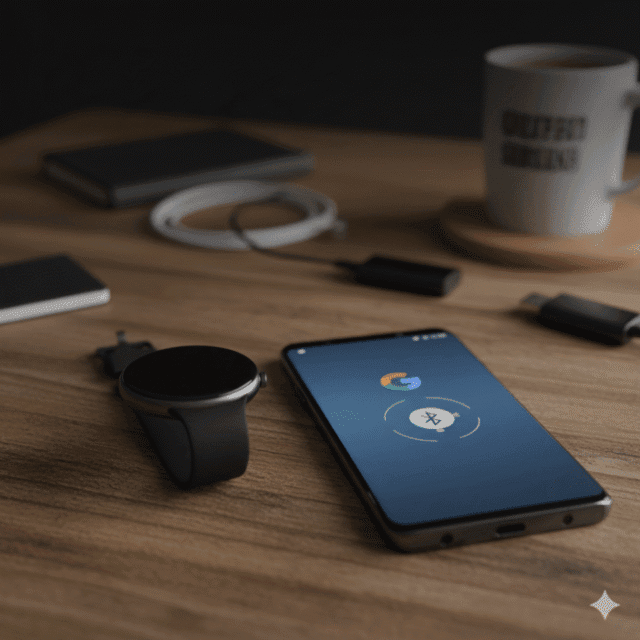

In the ever-evolving world of wearable technology, smartwatches have become indispensable companions for productivity, fitness, and connectivity. Among the top contenders in this space is the Google Pixel Watch, a stylish and feature-rich device that integrates seamlessly with Google’s ecosystem. But if you’re a Samsung phone user, you might be wondering: Can I use the Google Pixel Watch with my device? The short answer is yes—but let’s dive deeper into the details, compatibility requirements, setup process, and potential limitations.
TL;DR
Yes, the Google Pixel Watch works with Samsung phones running Android 6.0 or higher. You’ll get access to Google Assistant, Fitbit health tracking, notifications, and apps via Wear OS. While Pixel phones offer slightly deeper integration, Samsung users still enjoy a full-featured smartwatch experience.
Understanding Smartwatch Compatibility
Before exploring the specifics, it’s important to understand how smartwatch compatibility works. Most smartwatches operate on one of several platforms:
- Wear OS by Google – Used by the Pixel Watch and other Android-compatible wearables.
- watchOS by Apple – Exclusive to Apple Watches.
- Tizen OS – Previously used by Samsung watches, now largely replaced by Wear OS in newer models.
The Pixel Watch runs on Wear OS, which is designed to work with Android smartphones, including Samsung devices. This means that, in theory, any Samsung phone running a compatible version of Android should be able to pair with the Pixel Watch.
System Requirements for Pixel Watch Compatibility
To ensure a smooth experience, your Samsung phone must meet the following minimum requirements:
- Android Version: Android 6.0 (Marshmallow) or later.
- Bluetooth: Version 4.0 or higher.
- Google Play Services: Must be updated to the latest version.
- Wear OS App: Available on the Google Play Store and required for pairing.
Most modern Samsung phones, including the Galaxy S series, Note series, and A series, meet these criteria. If you’re using a relatively recent Samsung device, you’re good to go.
Setting Up the Pixel Watch with a Samsung Phone
Pairing your Pixel Watch with a Samsung phone is straightforward. Here’s a step-by-step guide:
- Download the Wear OS App: Open the Google Play Store on your Samsung phone and install the “Wear OS by Google” app.
- Enable Bluetooth: Make sure Bluetooth is turned on.
- Power On the Pixel Watch: Press and hold the side button to turn on the watch.
- Open the Wear OS App: Follow the on-screen instructions to pair your watch with your phone.
- Sign in with Google Account: This allows access to Google services like Assistant, Maps, and Gmail.
- Customize Settings: Choose your watch face, set up notifications, and configure health tracking.
The process typically takes less than 10 minutes, and once paired, your Pixel Watch will begin syncing data with your Samsung phone.
Features You Can Use with a Samsung Phone
Once connected, Samsung users can enjoy a wide range of Pixel Watch features, including:
- Google Assistant: Use voice commands to send texts, set reminders, and control smart home devices.
- Notifications: Receive and respond to calls, texts, emails, and app alerts directly from your wrist.
- Fitness Tracking: Monitor steps, heart rate, sleep, and workouts via Google Fit and Fitbit integration.
- Navigation: Use Google Maps for turn-by-turn directions.
- App Ecosystem: Access thousands of apps via the Google Play Store.
- Custom Watch Faces: Personalize your watch with stylish and functional designs.
These features work seamlessly with Samsung phones, offering a robust smartwatch experience.
Limitations Compared to Pixel Phones
While the Pixel Watch is compatible with Samsung phones, there are a few minor limitations to be aware of:
- Deep Integration: Some features may work more smoothly with Pixel phones due to tighter integration with Google’s hardware and software.
- Firmware Updates: Pixel phones may receive watch-related updates faster.
- Battery Optimization: Pixel phones may offer better battery management for the watch.
However, these differences are generally negligible for everyday users. The core functionality remains intact, and most Samsung users won’t notice any significant drawbacks.
Comparing Pixel Watch with Samsung Galaxy Watch
If you’re deciding between the Google Pixel Watch and the Samsung Galaxy Watch, here’s a quick comparison:
| Feature | Google Pixel Watch | Samsung Galaxy Watch |
|---|---|---|
| OS | Wear OS | Wear OS (newer models) / Tizen (older models) |
| Assistant | Google Assistant | Bixby (limited Google Assistant support) |
| Health Tracking | Fitbit & Google Fit | Samsung Health |
| App Store | Google Play Store | Google Play Store (Wear OS models) |
| Compatibility | Android 6.0+ | Android 6.0+ (limited features on non-Samsung phones) |
| Design | Sleek, minimal | Sporty, customizable |
Key takeaway: The Pixel Watch offers better integration with Google services, while Samsung Galaxy Watch may offer deeper health features—especially when paired with a Samsung phone.
Real-World Performance with Samsung Phones
Users who have paired the Pixel Watch with Samsung phones report positive experiences. The watch performs reliably, syncs notifications quickly, and offers accurate health tracking. Apps like Gmail, Calendar, and Google Maps work flawlessly, and voice commands via Google Assistant are responsive.
Battery life varies depending on usage but typically lasts 24 hours with moderate use. Charging is fast and convenient with the included magnetic charger.
Tips for Optimizing Your Experience
To get the most out of your Pixel Watch on a Samsung phone, consider the following tips:
- Keep Software Updated: Regularly update both your phone and watch for performance improvements.
- Use Google Apps: Stick to Google services for better compatibility.
- Manage Notifications: Customize which apps send alerts to avoid clutter.
- Enable Health Sync: Connect Google Fit or Fitbit to track your wellness data.
- Explore Watch Faces: Try different designs to match your style and needs.
Troubleshooting Common Issues
If you run into problems, here are some quick fixes:
- Watch Not Pairing: Restart both devices and ensure Bluetooth is enabled.
- Notifications Not Syncing: Check app permissions and notification settings.
- Battery Draining Fast: Disable always-on display and reduce brightness.
- App Crashes: Reinstall the Wear OS app and clear cache.
Most issues can be resolved with basic troubleshooting, and Google’s support resources are available if needed.
Final Verdict: Should Samsung Users Buy the Pixel Watch?
If you’re a Samsung phone user looking for a stylish, feature-rich smartwatch, the Google Pixel Watch is a solid choice. It offers excellent compatibility, robust features, and seamless integration with Google’s ecosystem. While Pixel phone users may enjoy slightly deeper integration, Samsung users still get a premium experience.
Whether you’re tracking workouts, managing notifications, or navigating your day with Google Assistant, the Pixel Watch delivers. And with Wear OS continually improving, the future looks bright for Android smartwatch users.
In summary, the Google Pixel Watch does work with Samsung phones, provided they meet basic system requirements. With its sleek design, powerful features, and Google-powered ecosystem, it’s a compelling option for Samsung users who want a smartwatch that goes beyond the basics.
If you’re ready to elevate your wearable experience, the Pixel Watch might just be the perfect fit for your Samsung phone.
Frequently Asked Questions
Can I use the Google Pixel Watch with a Samsung Galaxy phone?
Yes. As long as your Samsung phone runs Android 6.0 or later and supports Bluetooth 4.0+, it’s compatible with the Pixel Watch.
Do I need a Pixel phone to use all features of the Pixel Watch?
No. Most features—including Google Assistant, Maps, Gmail, and Fitbit—work well on Samsung phones. However, Pixel phones may offer faster updates and deeper integration.
How do I pair the Pixel Watch with my Samsung phone?
Download the Wear OS app from the Google Play Store, enable Bluetooth, and follow the on-screen instructions to pair and sync your watch.
Will I get notifications from my Samsung phone on the Pixel Watch?
Absolutely. You can receive and respond to texts, calls, emails, and app alerts directly from your wrist.
Can I use Samsung Health with the Pixel Watch?
No. The Pixel Watch uses Fitbit and Google Fit for health tracking. Samsung Health is not supported.
Is the Pixel Watch better than the Samsung Galaxy Watch?
It depends on your needs. Pixel Watch offers better Google integration, while Galaxy Watch may offer deeper health features—especially when paired with a Samsung phone.
What apps can I use on the Pixel Watch with a Samsung phone?
You can access thousands of apps via the Google Play Store, including Spotify, Strava, Google Maps, and more.
Are there any limitations when using the Pixel Watch with a Samsung phone?
Minor ones. Pixel phones may receive updates faster and offer slightly better battery optimization, but the core experience remains excellent on Samsung devices.