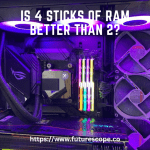
Gaming computers consume as much energy per year as three refrigerators, according to a study from Lawrence Berkeley National Laboratory. This high power consumption is due to the demanding graphics cards, processors, and cooling systems found in gaming PCs.
With their high-performance components, gaming computers can use anywhere from 500 to 1500 watts of electricity, depending on the system and usage.
Understanding Gaming Computer Energy Consumption
Energy consumption of gaming computers
Gaming computers are known for their powerful hardware and exceptional performance, but with great power comes great energy consumption. Compared to regular computers, gaming PCs consume significantly more energy due to their high-performance components and demanding graphics processing requirements.
When gaming, these computers utilize their processors, graphics cards, cooling systems, and other components at maximum capacity, resulting in a higher energy draw.
The impact of high-performance components on power usage
The power usage of a gaming computer heavily relies on its high-performance components. High-end processors, such as those from the Intel Core i7 or AMD Ryzen series, and powerful graphics cards like the NVIDIA GeForce RTX 3000 series, require a substantial amount of electricity to operate efficiently.
Additionally, gaming computers often incorporate multiple storage drives, high-speed RAM, and advanced cooling systems, all of which contribute to increased power usage.

Key factors affecting energy consumption
Several factors contribute to the energy consumption of gaming computers:
- Processor and graphics card: These two components are the primary power consumers. The more powerful the processor and graphics card, the higher the energy consumption.
- Usage and load: Energy consumption varies based on the intensity and duration of gaming sessions. Extended gaming sessions at high graphics settings will consume more energy compared to shorter and less demanding sessions.
- Cooling system: Gaming computers require effective cooling systems to dissipate heat generated during gameplay. These cooling systems, often consisting of multiple fans and liquid cooling solutions, consume additional energy.
- Peripherals: Gaming setups usually consist of multiple peripherals such as gaming mice, keyboards, and high-resolution monitors. Although these peripherals individually consume less energy, their combined usage can have an impact on the overall energy consumption.
Understanding the energy consumption of gaming computers is crucial for gamers who are conscious of their environmental impact and want to optimize power usage. By considering the power requirements of different components and adjusting their gaming habits accordingly, gamers can minimize their energy consumption while still enjoying their favorite games.
Measuring Gaming Computer Power Consumption
Tools and methods for measuring power usage
When it comes to measuring the power consumption of gaming computers, there are various tools and methods available for accurate measurement. One of the most commonly used tools is a wattage meter, which plugs into the power outlet and allows you to monitor the power usage of your gaming PC in real-time. It provides information about the total wattage drawn by the computer, as well as the voltage and current being used.
Understanding wattage and voltage
In order to accurately measure and compare power consumption across different gaming computers, it is important to understand the concepts of wattage and voltage. Wattage refers to the amount of power consumed by the computer, while voltage refers to the amount of electrical potential difference present. Both these factors play a significant role in determining the overall power consumption of a gaming computer.
Comparing power consumption across different gaming computers
When comparing the power consumption of different gaming computers, it is essential to ensure that you are comparing them on the same basis. This means considering factors such as the specifications of the components used, the efficiency of the power supply, and the load on the computer during gaming sessions. By taking these factors into account, you can accurately compare the power consumption and choose a gaming computer that meets your energy efficiency requirements.
Factors Affecting Gaming Computer Power Consumption
Factors Affecting Gaming Computer Power Consumption
When it comes to gaming computers, power consumption is an important consideration. Gaming PCs are known for their high-performance components, which can consume a significant amount of energy. Several factors affect the power consumption of gaming computers, and understanding these factors can help you optimize your system’s energy usage and reduce your electricity bills.
Processor and GPU power requirements
The processor (CPU) and graphics card (GPU) are the two most power-hungry components in a gaming computer. High-performance processors require more power to handle the demanding tasks and calculations involved in gaming. Similarly, powerful GPUs are needed to render high-quality graphics and run complex visual effects. As a general rule, more powerful CPUs and GPUs consume more energy. Therefore, when building or purchasing a gaming computer, it’s important to consider the power requirements of these components. Opting for more efficient processors and graphics cards can not only save energy but also reduce heat generation and enhance overall system performance.
RAM and storage device impact on energy usage
Although not as power-hungry as the CPU and GPU, the Random Access Memory (RAM) and storage devices in a gaming computer also contribute to its overall power consumption. RAM is responsible for temporarily storing and accessing data during gameplay, while storage devices, such as hard drives and solid-state drives (SSDs), hold game files and operating systems. While the power consumption of RAM is typically low, larger capacities and higher clock speeds can increase energy usage. Similarly, SSDs generally consume less power compared to traditional hard drives. Hence, opting for energy-efficient RAM modules and SSDs can help reduce your gaming computer’s power consumption.
The role of cooling systems in power consumption
Gaming computers consist of powerful components that generate a significant amount of heat during operation. To prevent overheating and ensure optimum performance, cooling systems, including fans and liquid cooling solutions, are essential. However, these cooling systems contribute to the overall power consumption of a gaming computer. The more cooling required to maintain optimal temperatures, the more power the system will consume. Inefficient cooling systems can result in higher energy usage, so it’s crucial to invest in high-quality, energy-efficient cooling solutions that effectively dissipate heat without consuming excessive power.
In conclusion, several factors affect the power consumption of gaming computers. The processor and GPU power requirements play a significant role, with more powerful components generally consuming more energy. RAM and storage devices also have a minor impact on energy usage, depending on their capacity and technology. Additionally, the cooling systems play a crucial role in maintaining optimal temperatures, but their energy consumption should be considered when optimizing the power efficiency of a gaming computer. By being mindful of these factors, gamers can reduce their energy footprint while still enjoying a top-performing gaming setup.
Strategies For Reducing Gaming Computer Energy Consumption
Gaming computers are known for their high power consumption due to the demanding hardware requirements of modern games. However, there are several strategies that can be employed to reduce the energy consumption of gaming PCs. By optimizing power settings, choosing energy-efficient components, and implementing proper cooling and ventilation techniques, gamers can minimize their environmental impact while still enjoying their gaming sessions.
Optimizing Power Settings
One of the simplest ways to reduce the energy consumption of a gaming computer is by optimizing its power settings. By adjusting power settings, gamers can ensure that unnecessary energy is not being wasted when the computer is not in use. These settings can be accessed through the Control Panel or the Power Options menu in the operating system.
Some recommended power-saving settings include:
- Setting the computer to sleep mode or hibernate mode when not in use for extended periods of time.
- Adjusting the screen brightness to a lower level.
- Enabling the power-saving mode for peripherals such as keyboards and mice.
Choosing Energy-Efficient Components
Another effective strategy for reducing gaming computer energy consumption is by carefully selecting energy-efficient components during the building or upgrading process. When choosing components, it is important to prioritize energy efficiency without compromising performance.
Some energy-efficient components to consider include:
| Component | Energy-Efficient Option |
|---|---|
| Processor (CPU) | Look for CPUs with low power consumption and high performance ratings. |
| Graphics Card (GPU) | Consider GPUs with efficient thermal design and lower power requirements. |
| Power Supply Unit (PSU) | Choose a PSU with high energy efficiency ratings (80 Plus certified). |
| Storage (HDD/SSD) | Opt for solid-state drives (SSDs) instead of traditional hard disk drives (HDDs) as they consume less power. |
Proper Cooling and Ventilation Techniques
Gaming computers often generate a significant amount of heat due to the intensive processing requirements. To prevent overheating and ensure optimal performance, it is crucial to implement proper cooling and ventilation techniques.
Here are some tips to improve cooling efficiency:
- Clean the computer’s air vents and fans regularly to remove dust and dirt buildup that can obstruct airflow.
- Position the computer in a well-ventilated area, away from walls or other obstructions that could impede the airflow.
- Consider installing additional case fans or upgrading to more efficient cooling solutions.
- Monitor and adjust fan speeds using software utilities to optimize cooling performance without excessive power consumption.
By implementing these strategies, gamers can significantly reduce the energy consumption of their gaming computers while still enjoying an immersive gaming experience. Not only does this help reduce electricity bills, but it also contributes to a more sustainable and eco-friendly gaming setup.
Frequently Asked Questions Of How Much Energy Do Gaming Computers Use?
How Much Does It Cost To Run A Gaming PC All Day?
Running a gaming PC all day can vary in cost. It depends on the wattage of the PC and your local electricity rates. On average, a gaming PC can cost around $1 to $3 per day to run.
How Much Does It Cost To Run A Gaming PC Per Hour?
The cost of running a gaming PC per hour depends on various factors such as the power consumption of the PC and the cost of electricity in your area.
How Much Does It Cost To Run A Gaming PC 24/7?
Running a gaming PC 24/7 can cost between $20 to $50 per month, depending on electricity rates and PC specifications.
Does A Gaming PC Use More Electricity Than A Fridge?
A gaming PC uses as much electricity as three refrigerators in a year, according to a study from Lawrence Berkeley National Laboratory.
Conclusion
Gaming computers consume a significant amount of energy, comparable to three refrigerators per year, according to a study by Lawrence Berkeley National Laboratory. Understanding the energy consumption of gaming PCs is crucial for both gamers and the environment. By optimizing power settings, upgrading to energy-efficient components, and limiting usage when not needed, gamers can reduce the environmental impact and the cost of running their gaming computer.
It’s important to consider energy consumption when building and using gaming computers to ensure a sustainable gaming experience.