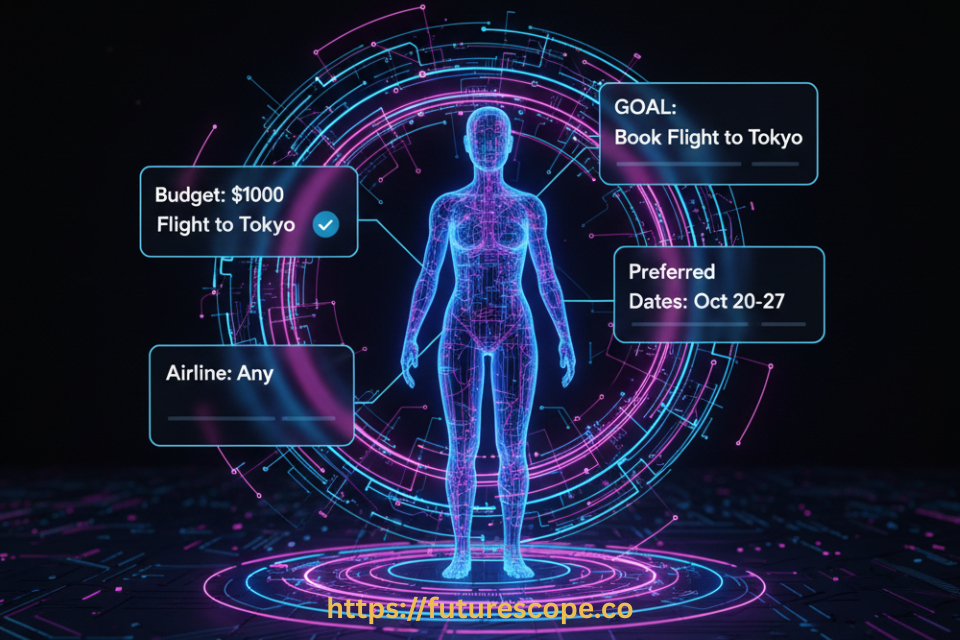

| Everyone has Microsoft 365 Copilot. But most teams are still getting cookie-cutter responses. A Microsoft declarative agent changes everything — letting you build a custom AI assistant that knows your business, speaks your language, and works inside apps your team already uses. |
Let’s say you’ve rolled out Microsoft 365 Copilot. Great. But two months in, your HR team is frustrated it doesn’t know your internal leave policies. Your sales reps can’t get it to pull from your CRM knowledge base. And your IT help desk? Still drowning in tickets Copilot could’ve solved.
The fix isn’t a bigger prompt. It’s a Microsoft declarative agent.
So what exactly is a declarative agent?
Think of a declarative agent as a focused, role-specific version of Microsoft 365 Copilot — one you configure for a particular job.
As Microsoft puts it, a declarative agent is a customized version of Microsoft 365 Copilot that you can use to create personalized experiences by declaring specific instructions, actions, and knowledge. In plain English: you tell it who it is, what it knows, and what it can do — and it stays in that lane.
No custom AI models. No complex infrastructure. No large engineering team required. You declare the behavior through configuration files, and Microsoft’s Copilot AI does the heavy lifting.
then, What Is a Microsoft Declarative Agent?
A Microsoft declarative agent is an AI-powered assistant configured through declarative definitions such as instructions, data sources, and capabilities, instead of traditional programming workflows.
These agents are designed to work inside platforms like:
- Microsoft Copilot Studio
- Microsoft 365 Copilot
- Azure OpenAI Service
Instead of coding complex workflows, developers define:
- Agent instructions
- Tools the agent can use
- Data sources it can access
- Security boundaries
- Knowledge grounding
The AI agent then dynamically decides how to complete the task using available tools and knowledge.
Why Microsoft Introduced Declarative Agents?
Traditional automation systems require:
- Hardcoded workflows
- Constant maintenance
- Complex logic trees
- Frequent updates when requirements change
Declarative agents remove these limitations.
Microsoft introduced this model to help developers build smarter AI assistants faster and with less engineering overhead.
Key benefits include:
- Faster development cycles
- Easier maintenance
- More adaptive AI behavior
- Less rigid automation
This is particularly important for modern AI systems that rely on large language models (LLMs) and contextual reasoning.
How is this different from regular Copilot?
| Traditional Copilot | Declarative Agent |
| Generic, broad responses One-size-fits-all prompts No business context baked in Searches everything No custom persona | Focused, role-specific answers Custom instructions & tone Trained on your company data Scoped to relevant sources Branded experience for users |
The key word is scoped. A regular Copilot searches broadly and responds generally. A declarative agent is laser-focused — it draws only from the knowledge sources you specify, follows the instructions you write, and presents a persona that fits your use case.
The four pillars that make it work
| 1. Instructions You write the agent’s behavior — its tone, its rules, what it should and shouldn’t do. | 2. Knowledge Connect it to SharePoint sites, Microsoft 365 connectors, or external data your team actually uses. |
| 3. Actions Add plugins to let the agent call APIs, trigger workflows, or integrate with external systems. | 4. Security Inherits all of Microsoft 365 Copilot’s enterprise-grade data protection and compliance controls automatically. |
Real-world use cases that actually make sense
Here’s where the Microsoft declarative agent stops being abstract and starts being obviously useful:
- IT Self-Help Agent: Connects to your internal SharePoint knowledge base. Employees ask it questions instead of submitting tickets. Resolution time drops, IT costs drop with it.
- HR Onboarding Agent: Knows your company handbook, leave policies, and onboarding checklists. New hires get instant, accurate answers — not a wild Copilot guess.
- Sales Enablement Agent: Scoped to your product docs, pricing sheets, and CRM data. Reps get focused competitive intel and objection-handling guidance in seconds.
- Customer Support Agent: Pulls from live order systems via plugins. Support reps see real-time context without switching between five apps.
Each of these runs right inside Microsoft 365 — in Teams, Word, PowerPoint, and the Copilot chat panel. No new app to install, no new login to manage.
How hard is it to build one?
Surprisingly easy — especially with the Microsoft 365 Agents Toolkit for Visual Studio Code. The process looks roughly like this:
- Open VS Code install the Microsoft 365 Agents Toolkit.
- Create a new Declarative Agent and pick your starting configuration.
- Edit three files: the app manifest, the agent manifest (instructions + knowledge), and optionally a plugin manifest for actions.
- Provision and test: then publish to your organization via the Microsoft 365 admin center.
No custom AI training. No model hosting. No backend servers spinning up. The declarative approach means you configure, not code. And since agents inherit Microsoft’s existing governance and authentication structures, your IT admin doesn’t need to build a new security framework from scratch.
What are the limits?
To be fair, declarative agents aren’t for every scenario. Because Microsoft controls the orchestration layer, you can’t build complex multi-step reasoning loops or custom AI models on top. They work best for:
- Information retrieval and summarization from known sources
- Simple, single-step workflows that don’t require iterative logic
- Productivity tasks that live inside the Microsoft 365 ecosystem
If you need full orchestration control or custom AI stacks, Microsoft offers Custom Engine Agents for that. But for the vast majority of enterprise use cases? A declarative agent is faster, safer, and dramatically simpler to deploy.
Declarative vs Traditional AI Agents
| Feature | Declarative Agents | Traditional Agents |
|---|---|---|
| Development Style | Define intent | Write step-by-step logic |
| Flexibility | Highly adaptive | Rigid workflows |
| Maintenance | Minimal updates | Frequent updates required |
| AI Reasoning | Dynamic decision-making | Predefined decisions |
| Scalability | Easier to scale | Complex to expand |
The bottom line
A Microsoft declarative agent is the bridge between a generic AI assistant and a purpose-built tool your team will actually use. It lives in apps they already know, draws from data you already own, and respects the compliance rules you already have. You’re not building a new AI system — you’re telling an existing one exactly who it should be.
That’s not a small thing. That’s the difference between a chatbot nobody opens and an assistant your team can’t work without.
| Ready to Build Your Own Declarative Agent? Stop letting your team get generic answers from a generic Copilot. A Microsoft declarative agent takes minutes to configure and can transform how your organization works. Visit Microsoft Learn, grab the Microsoft 365 Agents Toolkit, and launch your first custom agent today. → Visit Microsoft Learn to Get Started ← |
Frequently Asked Questions (FAQ)
1. What is a Microsoft declarative agent?
A Microsoft declarative agent is an AI-powered assistant configured using declarative instructions rather than traditional step-by-step programming. Developers define the agent’s goals, tools, and data sources, and the system automatically determines how to complete tasks using AI reasoning.
2. How does a Microsoft declarative agent work?
A Microsoft declarative agent works by combining natural language instructions, enterprise data sources, and AI reasoning. Platforms like Microsoft Copilot Studio allow developers to configure the agent’s behavior, connect knowledge sources, and define actions that the agent can perform.
3. What is the difference between declarative and traditional AI agents?
Traditional AI agents rely on rigid workflows and step-by-step programming. Declarative agents focus on defining the desired outcome, allowing the AI to dynamically determine how to achieve the task using available tools and data.
4. Where are Microsoft declarative agents used?
Microsoft declarative agents are commonly used in enterprise environments within platforms like Microsoft 365 Copilot. They can assist with tasks such as document summarization, workflow automation, internal knowledge retrieval, and business productivity.
5. Do Microsoft declarative agents require coding?
Not necessarily. Many declarative agents can be created with minimal coding using tools like Microsoft Copilot Studio, where developers define instructions, connect data sources, and configure agent actions through a user-friendly interface.
6. What are the benefits of Microsoft declarative agents?
Key benefits of Microsoft declarative agents include:
- Faster AI development
- Reduced need for complex workflows
- Better integration with enterprise data
- Adaptive decision-making using AI
- Easier maintenance and scalability