HDMI 1.4 is the minimum required HDMI version for the ps5. Anything lower and you won’t be able to take full advantage of the console’s features. 1.4 supports 4K resolution at 30fps, which is what the ps5 is capable of outputting.
When connecting your PlayStation 5 (PS5) to a TV or monitor, the HDMI cable and port version play a pivotal role in determining the quality of your gaming experience. The PS5 is designed to take full advantage of HDMI 2.1, a modern standard that supports high resolutions, fast refresh rates, and advanced gaming features. However, many users wonder if an older standard, HDMI 1.4, is sufficient for the PS5. This article explores the compatibility of HDMI 1.4 with the PS5, its limitations, and why upgrading to HDMI 2.1 is recommended for the best experience.
Understanding HDMI Versions
HDMI (High-Definition Multimedia Interface) is the standard for transmitting high-quality audio and video signals between devices. Over the years, HDMI has evolved, with each version offering improved capabilities. Below is a comparison of HDMI 1.4 and HDMI 2.1, the two standards most relevant to this discussion:
| Feature | HDMI 1.4 | HDMI 2.1 |
|---|---|---|
| Bandwidth | 10.2 Gbps | 48 Gbps |
| Resolution Support | 4K at 30Hz, 1080p at 120Hz | Up to 10K, 8K at 60Hz, 4K at 120Hz |
| Dynamic HDR | Limited HDR, up to 8-bit | Supports Dynamic HDR, 12-bit color |
| Gaming Features | No VRR or ALLM, fixed refresh rates | VRR, ALLM, Quick Frame Transport (QFT) |
| Audio Capabilities | Basic ARC, limited audio formats | eARC, supports DTS:X, Dolby Atmos |
- HDMI 1.4: Released in 2009, HDMI 1.4 supports resolutions up to 4K at 30Hz and 1080p at 120Hz. It introduced features like Deep Color, HDMI Ethernet Channel, and Audio Return Channel (ARC). While groundbreaking at the time, its bandwidth and feature set are limited compared to modern standards.
- HDMI 2.1: The latest standard, HDMI 2.1 supports resolutions up to 10K, including 8K at 60Hz and 4K at 120Hz. Its 48 Gbps bandwidth enables advanced gaming features like Variable Refresh Rate (VRR), which syncs the display’s refresh rate with the game’s frame rate to reduce screen tearing, and Auto Low Latency Mode (ALLM), which minimizes input lag for responsive gameplay. It also supports enhanced Audio Return Channel (eARC) for superior audio formats.
How to run 120Hz on HDMI 1.4 and 2.0. on budget Monitors?
PS5’s HDMI Requirements
The PS5 is equipped with an HDMI 2.1 port, designed to deliver the console’s full potential. This includes:
- High Resolutions and Frame Rates: The PS5 supports 4K gaming at up to 120 frames per second (fps) and 8K at 60 fps, depending on the game. For example, Spider-Man: Miles Morales can run at 4K/60fps, and Demon’s Souls offers modes for 4K/60fps or 1080p/120fps.
- Advanced Gaming Features: VRR and ALLM enhance gameplay by reducing visual artifacts and input lag, critical for fast-paced titles like first-person shooters or racing games.
- Superior Audio: The PS5 supports advanced audio formats like DTS:X and Dolby Atmos via eARC, providing immersive soundscapes for games and media.
The PS5 includes an ultra-high-speed HDMI 2.1 cable in the box, ensuring users can immediately access these capabilities with a compatible display.
What Will You Miss Using HDMI 1.4?
Using HDMI 1.4 with the PS5 means you’re missing out on key features that make the console truly next-gen:
- No 4K at 60Hz or 120Hz – PS5 games are optimized for 4K 60fps gameplay. HDMI 1.4 maxes out at 4K 30Hz, which means laggy visuals and poor frame pacing.
- No Variable Refresh Rate (VRR) – HDMI 1.4 does not support VRR, which helps reduce screen tearing and input lag during fast gameplay.
- No HDR10+ or Dolby Vision support – These visual enhancements are better handled by newer HDMI versions (2.0/2.1).
What HDMI Version is Best for PS5?
To take full advantage of what the PS5 offers, HDMI 2.1 is the best choice. It supports:
- 4K at 120Hz for ultra-smooth gaming
- VRR and ALLM (Auto Low Latency Mode) for responsive gameplay
- 8K resolution support (future-proofing)
- Enhanced Audio Return Channel (eARC) for immersive sound systems
Even HDMI 2.0 is better than 1.4, offering 4K at 60Hz, which is more acceptable for casual gamers or non-competitive play.
Limitations of HDMI 1.4 with PS5
While HDMI 1.4 can connect the PS5 to a display, it significantly restricts the console’s performance. Here are the key limitations:
- Resolution and Frame Rate Restrictions: HDMI 1.4 is capped at 4K at 30Hz, meaning you cannot achieve 4K at 60Hz or 120Hz, which many PS5 games support. For 1080p, it can handle up to 120Hz, but this is still less than the PS5’s full potential. For instance, Spider-Man: Miles Morales may drop to 4K/30fps with HDMI 1.4, compared to 4K/60fps with HDMI 2.1.
- Lack of Advanced Features: HDMI 1.4 does not support VRR or ALLM, which are crucial for modern gaming. Without VRR, you may experience screen tearing in games with fluctuating frame rates. Without ALLM, input lag may be higher, affecting responsiveness.
- Limited Audio Capabilities: HDMI 1.4’s basic ARC cannot handle advanced audio formats like DTS:X or Dolby Atmos, limiting the PS5’s audio output to less immersive formats.
- Backward Compatibility: While the PS5’s HDMI 2.1 cable is backward compatible with HDMI 1.4 ports, the performance is limited to HDMI 1.4’s capabilities. This means you’re not leveraging the PS5’s full graphical and audio potential.
Benefits of Using HDMI 2.1 with PS5
Using an HDMI 2.1 cable with a compatible display unlocks the PS5’s full capabilities:
- Enhanced Visuals: Enjoy 4K at 120Hz or 8K at 60Hz for sharper, smoother visuals. Games like Demon’s Souls benefit from high frame rates, making gameplay feel more fluid.
- Smoother Gameplay: VRR eliminates screen tearing by syncing the display’s refresh rate with the game’s frame rate, while ALLM reduces input lag for faster response times.
- Immersive Audio: eARC supports advanced audio formats, delivering rich, three-dimensional soundscapes that enhance both gaming and media experiences.
- Future-Proofing: HDMI 2.1 supports resolutions up to 10K, ensuring compatibility with future games and displays.
Does HDMI 1.4 Support 120Hz on PS5?
When it comes to the PlayStation 5, one of the most common questions is whether or not HDMI 1.4 support 120Hz. The answer to this question is a bit complicated and depends on a few factors. First, let’s take a look at what HDMI 1.4 is and how it works.
HDMI 1.4 is the latest version of the HDMI standard and supports up to 4K resolution at 60Hz. It also supports 3D content, but only at 1080p resolution. However, there are a few things to keep in mind when using HDMI 1.4 with the PlayStation 5.
First, while HDMI 1.4 does support 4K resolution at 60Hz, it’s important to note that the PlayStation 5 only supports 4K resolution at 30Hz. This means that you won’t be able to take advantage of the full potential of your 4K TV with the console. If you want to game in 4K at 60fps, you’ll need to use an display port adapter which is included with the console.
Secondly, while 3D content is supported by HDMI 1.4, it’s important to keep in mind that the PlayStation 5 doesn’t have any games that support 3D right now. So if you’re looking to game in 3D on your PS5, you’ll need to wait for some future titles that support the feature before you can do so.
Recommendations for HDMI 1.4 Users
If you’re using a display with HDMI 1.4 ports or an HDMI 1.4 cable, consider the following:
Check Compatibility: Ensure your display supports the desired refresh rate via HDMI. Some monitors may require DisplayPort for higher refresh rates, but since the PS5 uses HDMI, confirm the HDMI port’s capabilities.
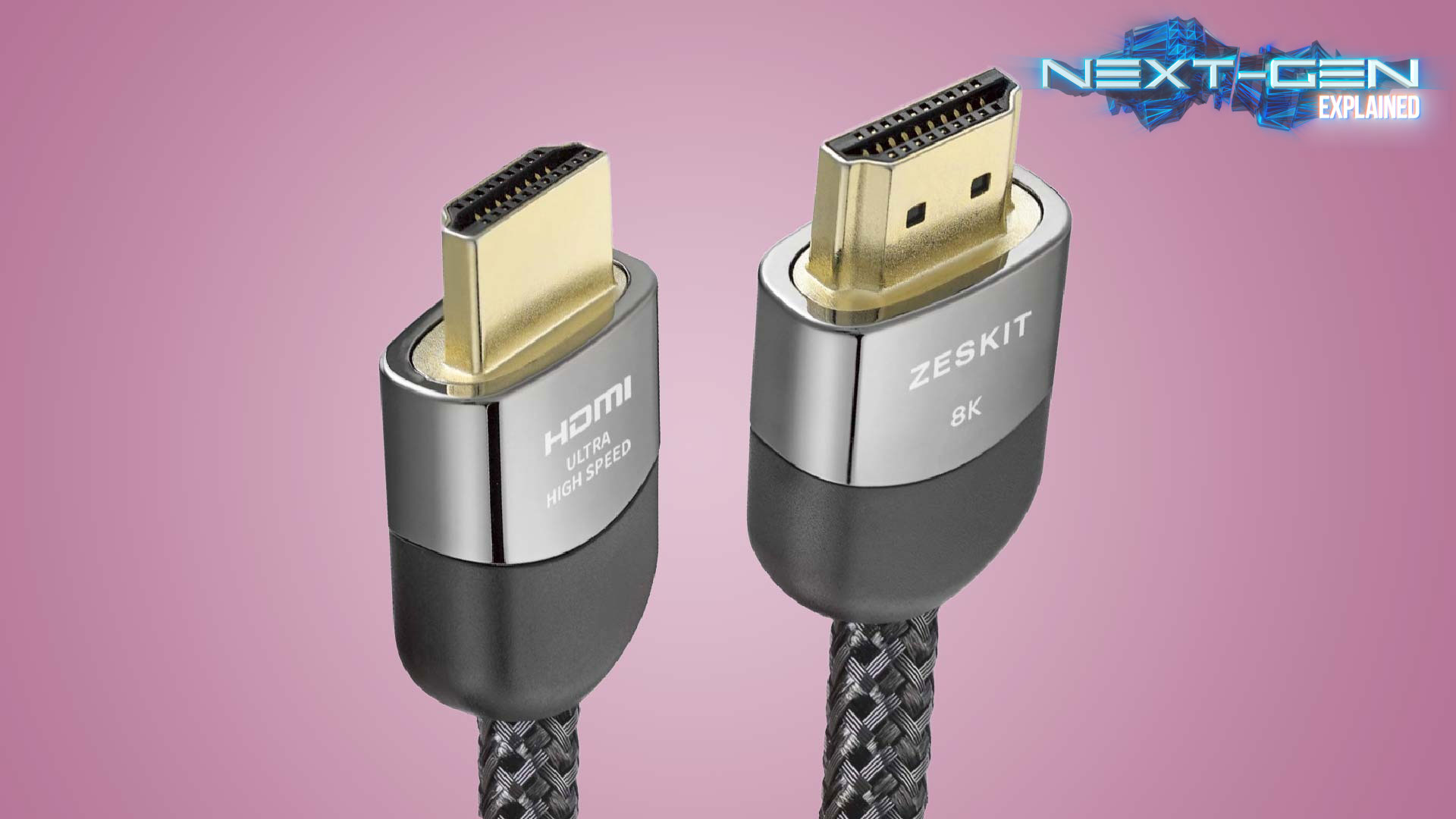
Upgrade Your Cable: If your display supports HDMI 2.0 or 2.1, use the HDMI 2.1 cable included with the PS5 or purchase a certified ultra-high-speed HDMI 2.1 cable, such as the Anker 8K HDMI Cable. This ensures you’re not limited by the cable, even if the display has older ports.
Upgrade Your Display: For the best PS5 experience, consider a TV or monitor with HDMI 2.1 ports, such as those from LG or Samsung, which support 4K at 120Hz and advanced features. Check out TechRadar’s guide to the best TVs for recommendations.
Accept Limitations: If upgrading isn’t an option, HDMI 1.4 will still allow you to play PS5 games, but you’ll be limited to 1080p at up to 120Hz or 4K at 30Hz. This may be acceptable for casual gamers or those prioritizing 1080p performance over 4K visuals.
Conclusion
Technically, HDMI 1.4 works with PS5—but it’s not ideal. If you want to experience the console’s full potential. While it can connect the PS5 to a display, it limits resolutions to 4K at 30Hz or 1080p at 120Hz, lacks advanced gaming features like VRR and ALLM, and restricts audio quality. The PS5 is designed for HDMI 2.1, which supports 4K at 120Hz, 8K at 60Hz, and features that enhance gameplay and audio. For the best experience, use the included HDMI 2.1 cable with a compatible display. If you’re stuck with HDMI 1.4, you can still enjoy PS5 gaming, but upgrading to at least HDMI 2.0 or ideally HDMI 2.1 is highly recommended.
Frequently Asked Questions
Is HDMI 1.4 Capable of 120Hz?
HDMI 1.4 is the latest revision of the HDMI standard and it supports a maximum bandwidth of 10.2 Gbps. This means that it can theoretically support a 120 Hz refresh rate at 1080p resolution. However, there are several factors that limit the actual achievable frame rate.
First, most HDMI 1.4 devices only support 8-bit color depth, which limits the maximum color resolution to 16.7 million colors (24-bit color depth is required for true 1080p HDTV). Second, the cable length is limited to 15 feet (5 meters), which reduces the achievable bandwidth. Third, HDMI 1.4 does not support 4k resolutions (4096×2160), so it cannot be used for high-resolution gaming or movies.
Is HDMI 1.4 Good Enough?
HDMI 1.4 is the latest version of the HDMI standard and it is good enough for most purposes. It supports 4K resolution at 30fps, which is the highest resolution that most monitors and TVs can display. It also supports 3D video, which is becoming more popular.
What HDMI Should I Use for PS5?
If you’re using a 1080p TV, then an HDMI 1.4 cable will suffice. The second thing to consider is what features you want to use. If you want to take advantage of the PS5’s HDR capabilities, then you’ll need an HDR-compatible HDMI cable.
If you want to use the PS5’s new 3D audio feature, then you’ll need an HDMI 2.1 cable that supports it. Finally, there’s the issue of length. The longer the HDMI cable, the more likely it is to suffer from signal degradation.
So if possible, try to get an HDMI cable that’s as short as possible while still being long enough to reach your TV from your PS5 console.
Is HDMI 1.4 Or 2.0 Better for Gaming?
Most monitors these days have a 60 Hz refresh rate, which means they can display up to 60 frames per second.
However, some gamers prefer a higher refresh rate, like 144 Hz or even 240 Hz. If you want to game at a high refresh rate, you’ll need an HDMI 2.0 port because HDMI 1.4 only supports up to 60 Hz. Another thing to consider is resolution.
If you want to game at 4K resolution, you’ll again need an HDMI 2.0 port because HDMI 1.4 only supports up to 1080p resolution. Finally, think about HDR (high dynamic range). If your monitor supports HDR and you want to take advantage of it while gaming, you’ll need an HDMI 2.0 port because HDMI 1.4 doesn’t support HDR10+ (the most common type of HDR).