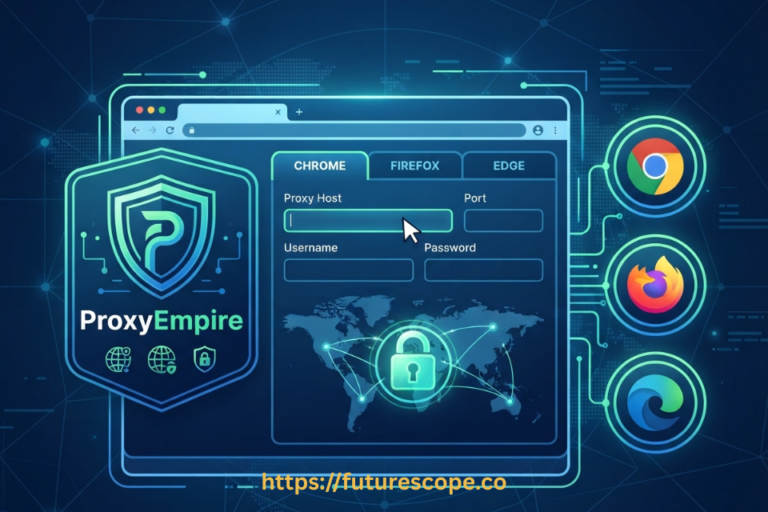

You’ve picked a proxy type, maybe even generated your first credentials, and now you’re staring at a host, a port, a username, and a password wondering what actually goes where. That’s the gap this guide closes. Knowing how to use ProxyEmpire residential proxies isn’t complicated once you understand the basic connection pattern, but there are a few details, like sticky sessions and targeting filters, worth getting right from the start.
This walkthrough covers everything from generating your first connection to plugging it into real tools, plus the practical habits that keep your usage efficient.
What You Need Before You Start?
- An active ProxyEmpire account — You’ll need this to access the dashboard where residential proxy credentials are generated.
- A clear idea of your use case — Know whether you’re browsing manually, running a script, or using a scraping tool, since that shapes exactly how you’ll plug in your credentials.
- Your target location, if it matters for the task — Country, region, city, or ISP targeting, so you know what to configure before generating your connection.
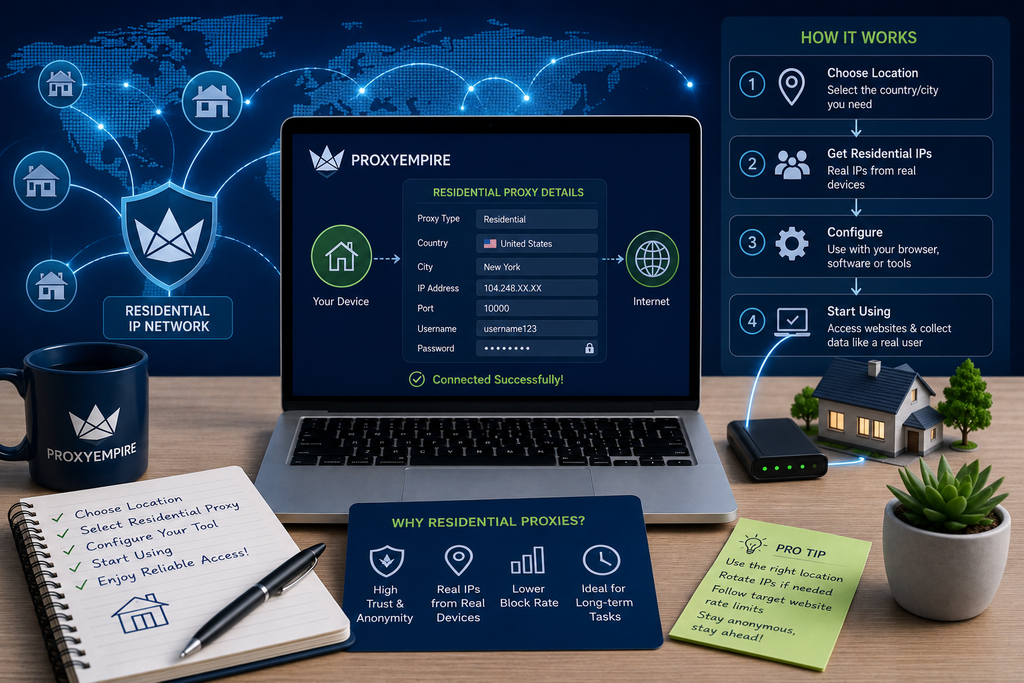
Step 1: Generate Your ProxyEmpire Residential Proxy Credentials
- Choose rotating residential. Log into your ProxyEmpire dashboard and select rotating residential proxies from your available proxy types.
- Set your targeting. Set your country, region, city, or ISP filters depending on how precise your task’s location needs to be.
- Generate your connection details. Your dashboard will generate a host, port, username, and password. These four values are everything you need to connect.
Need Proxies? Try ProxyEmpire Today!
Try ProxyEmpire for $1.97
Curious whether ProxyEmpire is worth it? Try it yourself and see how it performs for your use case.
Step 2: Understand Your Connection Format
ProxyEmpire residential proxies use a standard gateway format, where your username and password authenticate the connection and the host and port route your traffic through the network. A typical connection string looks like this:
host:port:username:password
Most tools, browsers, and scripts accept this information either as four separate fields or as a single combined string, depending on how you’re connecting.
Step 3: Connect Your Residential Proxy
How you actually plug in your credentials depends on what you’re using the proxy for.
In a Browser
For manual browsing, enter your ProxyEmpire host and port into your browser or operating system’s proxy settings, then authenticate with your username and password when prompted. A proxy extension makes this smoother if you’re switching between connections often, since it can save your credentials and avoid repeated login prompts.
In a Script or Application
For scraping or automation, most programming languages and libraries accept a proxy URL directly. In Python, for example, using the requests library:
import requests
proxies = {
‘http’: ‘http://username:password@host:port’,
‘https’: ‘http://username:password@host:port’
}
response = requests.get(‘https://example.com’, proxies=proxies)
Swap in your actual ProxyEmpire username, password, host, and port, and the same basic pattern applies across most other languages and HTTP libraries.
Via curl, for a Quick Test
curl -x http://username:password@host:port https://ipinfo.io
This is a fast way to confirm your credentials work and see exactly which IP and location ProxyEmpire is routing you through before plugging the connection into a bigger project.
In a Scraping Tool or Anti-Detect Browser
Most dedicated scraping frameworks and anti-detect browsers have a dedicated proxy field where you enter the host, port, username, and password directly, often with a built-in test button to confirm the connection before you rely on it.
Rotating vs. Sticky: Choosing How Your IP Behaves
By default, ProxyEmpire’s rotating residential proxies assign a new IP with each new connection, which is ideal for scraping, price monitoring, and other high-volume, stateless tasks. If your task needs to hold the same IP for a stretch of time, such as logging into an account or working through a checkout flow, you can enable a sticky session by adding an eight-digit session ID to your username. Reusing that same ID keeps you on the same IP for up to ProxyEmpire’s maximum node lifespan of around 60 minutes.
Using ProxyEmpire Residential Proxies for Common Tasks
- Web scraping and data collection — Use rotating mode with broad targeting so your requests spread naturally across a large pool of IPs.
- Account creation or login flows — Enable a sticky session so the platform sees a consistent visitor throughout the process.
- Ad verification and localized research — Use city or ISP-level targeting to see exactly what a real local shopper or searcher would see.
- SEO rank tracking and price monitoring — Combine country-level rotating proxies with consistent scheduling to track rankings and pricing accurately across markets.
Testing Your Connection
Before relying on any new ProxyEmpire connection for real work, send a quick test request to an IP-checking service and confirm the displayed IP and location match what you configured in your dashboard. This takes seconds and catches misconfigured targeting or authentication issues before they affect a larger task.
Managing Bandwidth While You Use It
Residential proxy usage is billed by the gigabyte, so it’s worth keeping an eye on your dashboard’s usage stats as you work, particularly for larger scraping jobs. ProxyEmpire’s rollover policy means unused bandwidth carries forward into your next billing cycle instead of expiring, so a lighter month doesn’t waste money the way it would with providers that reset your allowance every cycle.
Start With ProxyEmpire and Scale When You Need To, Explore ProxyEmpire Proxies
Get Reliable Proxies With ProxyEmpire
If ProxyEmpire looks like a good fit, check the current plans and start with the option that suits your traffic needs.
Troubleshooting Common Issues
Authentication Fails
Double-check your username and password for typos, and confirm you’re using the correct host and port for the proxy type you generated.
Requests Are Slow or Timing Out
Check your remaining bandwidth for that specific package, and consider narrowing your targeting if you’re pulling from a country with a smaller available IP pool.
Wrong Location Showing Up
Revisit your targeting filters in the dashboard, since your credentials are tied to whatever country, region, or city was selected when you generated them.
Sticky Session Doesn’t Hold
Confirm you’re reusing the exact same session ID across requests, since a new or mistyped ID will simply start a fresh session on a different IP.
Final Thoughts
Once you’ve connected your first ProxyEmpire residential proxy, everything after that is largely repetition: generate credentials, choose rotating or sticky based on the task, plug the connection into whatever tool you’re using, and verify it’s working before you scale up. The mechanics are simple; the judgment calls, like when to use sticky sessions or how tightly to target a location, are what actually make your usage effective.
Frequently Asked Questions
1. What do I need to start using ProxyEmpire residential proxies?
Just an active ProxyEmpire account and a clear idea of your use case. Once you generate a host, port, username, and password from your dashboard, you can plug those details into a browser, script, or tool.
2. How do I use a ProxyEmpire residential proxy in a Python script?
Most libraries, like requests, accept a proxy URL in the format http://username:password@host:port, which you pass into your request configuration alongside your ProxyEmpire credentials.
3. Should I use rotating or sticky mode?
Use rotating mode for high-volume, stateless tasks like scraping or price monitoring. Use a sticky session, enabled with an eight-digit session ID, for tasks that need a consistent IP, like account logins or checkout flows.
4. How do I know if my ProxyEmpire residential proxy is working correctly?
Send a quick test request to an IP-checking service, either through curl, a browser, or your script, and confirm the displayed IP and location match your ProxyEmpire dashboard configuration.
5. Does unused bandwidth get wasted if I don’t use all of it in a month?
No. ProxyEmpire’s rollover policy carries unused bandwidth forward into your next billing cycle instead of letting it expire, which helps if your usage varies from month to month.
Ready to Start Using Your Residential Proxy?
You now know exactly how to use ProxyEmpire residential proxies, from generating your first connection to plugging it into a browser, script, or scraping tool. Grab your credentials from your ProxyEmpire dashboard, run a quick test request, and put your first connection to work. Go set up your ProxyEmpire residential proxy today and get your project running.