

The Uncomfortable Truth About ‘Hidden’ Photos in 2026
LockMyPix, Keepsafe, Private Photo Vault, Calculator+ and iOS/Android Built-ins — Tested and Rated
You downloaded a private photo vault app. Set a PIN, moved your most sensitive photos inside, deleted them from your main gallery, and felt secure. Nobody can see them without your password. Right?
Maybe not. An independent security audit published by the Viallo team in June 2026 found that 6 out of 7 popular vault apps stored completely readable image files behind nothing more than a PIN screen. The apps were hiding photos — not protecting them. And the difference between those two things is the difference between genuine privacy and a false sense of security that could expose your most personal moments at the worst possible moment.
This guide explains exactly what is happening inside the apps you trust, which ones actually do the job, and what you should use instead — with a full comparison table and the facts you need to make the right decision.
| “Hidden from view and encrypted are very different things. Most vault apps only deliver the first one.” — Viallo Security Research Team, June 2026 |
The Numbers That Make This a Serious Concern
| 75M+ Keepsafe users — uses PIN lock, not file encryption | 6 of 7 popular vault apps tested stored photos in plaintext (Viallo, 2026) | AES-256 military encryption standard — only 2 of 7 tested apps actually used it | $0 cost of iOS Hidden Album and Android Locked Folder — safer than most paid apps |
The private photo vault app market is enormous. Keepsafe alone claims over 75 million users. Private Photo Vault has accumulated millions of App Store downloads since 2010. Calculator+ — the app disguised as a calculator to hide its vault function — is one of the most searched utility apps on both iOS and Android. These apps are collectively trusted with some of the most sensitive content on people’s devices: private relationships, medical images, financial documents, and moments people have every right to keep confidential.
The marketing they use to earn that trust is aggressive. ‘Military-grade encryption. Bank-level security. Your photos are completely safe.’ These phrases appear across dozens of vault app listings. But when security researchers connect devices to computers and examine what is actually stored, a very different reality emerges. Standard JPEG and PNG files, unmodified, readable, with GPS coordinates and timestamps intact — sitting in an app’s data directory with no cryptographic protection whatsoever.
PIN Lock vs Real Encryption: The Core Distinction
Understanding why most vault apps fail requires understanding the difference between obscurity and encryption. They sound similar. They protect against entirely different threat models.
A PIN lock creates a door in front of your photos in the app interface. Enter the correct PIN, see the photos. Exit the app, the door closes. But the underlying image files on your device’s storage are untouched — they exist as standard, accessible files in the app’s sandboxed directory. The PIN is a gate on the app. It is not a lock on the files.
Real file encryption transforms the image itself using a cryptographic algorithm — typically AES-256. The resulting file is mathematically scrambled data that is unreadable without the decryption key derived from your password. Even if someone extracts the file directly from your device storage, they see noise, not a photo. The protection lives inside the file, not in a gatekeeper application sitting in front of it.
Here is what the PIN-only architecture means for you in practice:
- USB extraction: Connect your phone to any computer and browse the app’s data directory. If there is no file-level encryption, your ‘hidden’ photos appear as regular image files without entering any PIN at all. The vault’s gate is bypassed entirely by accessing storage directly.
- Backup exposure: iOS iTunes and iCloud backups, and Android’s backup systems, can contain the contents of app data directories. Photos stored without encryption in a vault app travel unprotected into every backup you make.
- EXIF metadata: GPS coordinates, shooting location, timestamps, device model, and editing history are embedded in image files. Even if the app hides the image content from casual browsing, this metadata is fully readable from unencrypted files by anyone who extracts them.
- File recovery tools: After ‘deleting’ a photo from your main gallery and importing it to a vault app, forensic recovery tools can often retrieve the original from device storage until that sector is overwritten by new data.
| Real case documented by Viallo’s research: Private Photo Vault had its Firebase database fully exposed online — revealing user email addresses, plaintext passwords, and folder names to anyone who knew where to look. A ‘privacy’ app was openly broadcasting its users’ data to the public internet. |
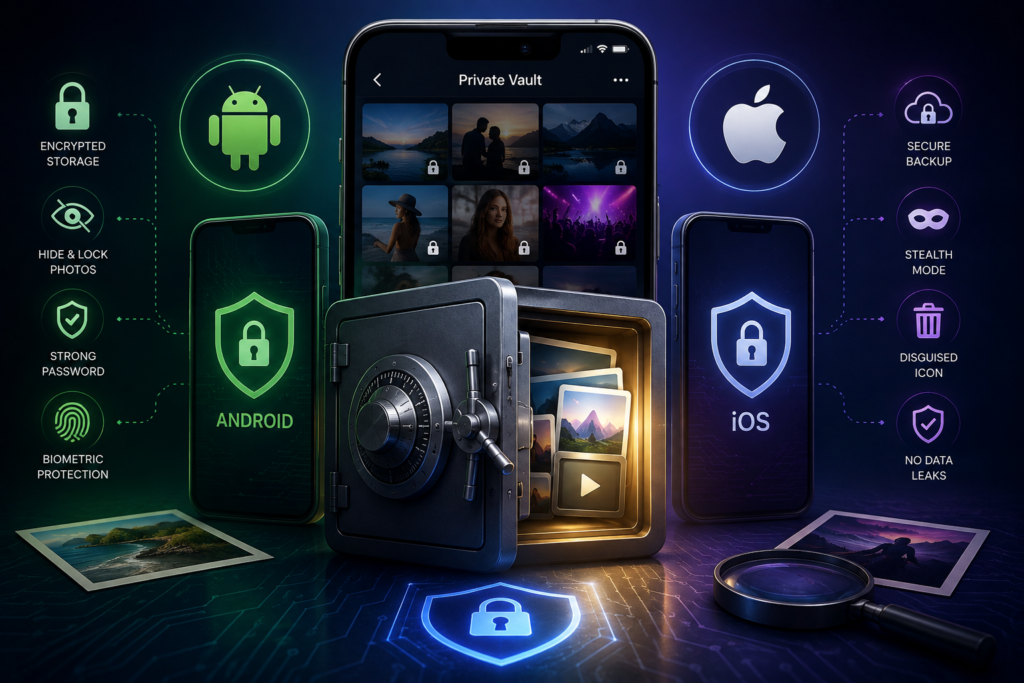
How the Major Apps Actually Perform
LockMyPix — The Third-Party Vault That Actually Works
LockMyPix is the strongest third-party option on both iOS and Android. Independent testing confirms it uses AES-256 per-file encryption — each image is individually encrypted so that files extracted from storage are unreadable without the decryption key. With over 40 million users, it is the most widely used genuine encryption-based vault app. The premium tier adds encrypted cloud sync. If you specifically need a standalone vault app with verified real security, LockMyPix is the defensible choice in 2026.
Inner Gallery — Best iPhone Vault with One-Time Purchase
Inner Gallery is the strongest choice for iPhone users who prefer not to commit to a recurring subscription. It combines per-file AES encryption with optional end-to-end encrypted iCloud sync, zero analytics tracking, and a single $4.99 payment. Researchers have confirmed the encryption implementation is genuine. The end-to-end encrypted cloud sync is a meaningful differentiator — most vault apps that offer cloud backup store unencrypted copies on their own servers, meaning the cloud versions of your ‘private’ photos are accessible to the service provider.
Keepsafe — Popular, Misleading, and Data-Hungry
Keepsafe is the most widely downloaded vault app — and one of the most problematic for security-conscious users. Despite marketing language implying strong protection, Keepsafe stores photos using PIN lock only with no file encryption. It also uploads photos to its own cloud servers without end-to-end encryption. And the company openly tracks user behavior inside the app — citing ‘six billion events and counting’ from users. This is a data collection business running inside a product marketed as a privacy tool. If you are storing genuinely sensitive photos in Keepsafe, move them to a different solution immediately.
Calculator+ and Other Disguised Vault Apps
Apps disguised as calculators, note-takers, or utility tools — with hidden photo vaults behind a secret gesture — add a layer of social engineering obscurity. Someone casually scrolling through your phone is less likely to discover a calculator app than a clearly labeled ‘Photo Vault.’ But the underlying security model is identical to any other PIN-only vault: no file encryption. As documented by SVICAC, these apps are also commonly used by teenagers and young people to hide content from parental oversight — a use case that underscores the real-world privacy stakes of understanding what these apps actually protect.
iOS Hidden Album — The Free Answer Apple Built for You
Since iOS 16, Apple’s native Hidden album in Photos is protected by Face ID, Touch ID, or device passcode by default. Combined with iPhone’s full-disk encryption — which encrypts all on-device storage whenever the phone is locked — photos in the Hidden album are encrypted at rest and excluded from widgets, Memories, and the main library. This free, built-in feature provides stronger security than most paid third-party vault apps because it operates at the device level rather than trying to secure files inside an unencrypted storage environment. To use it: open a photo, tap Share, scroll down, tap Hide.
Android Locked Folder — Google’s On-Device Solution
Google Photos’ Locked Folder stores photos on-device only — deliberately excluded from cloud backup — and requires the device lock screen to access. Content in the Locked Folder cannot be screenshotted, shared, or accessed by Google’s AI scanning features. Samsung’s Secure Folder goes further, creating a completely separate encrypted partition. For Android users, these built-in solutions outperform most third-party vault apps at no cost.
Full Comparison: 7 Apps Tested and Rated
Based on Viallo’s June 2026 independent security testing and Vaultaire’s comparative security review:
| App | Real Encryption | Encryption Type | Tracks Behavior | Cloud Backup | Cost | Verdict |
| LockMyPix | YES | AES-256 per file | No | Encrypted (paid) | Free/$3.99mo | Best third-party vault — verified AES-256 |
| Inner Gallery | YES | Per-file + E2E iCloud | No | E2E encrypted | $4.99 once | Best iPhone vault — one-time purchase |
| Keepsafe | NO | PIN lock only | YES — tracks 6B events | Unencrypted cloud | Free/$9.99mo | Misleading: collects behavioral data |
| Private Photo Vault | NO | PIN lock only | Unknown | None | Free/$3.99mo | Past database breach — exposed passwords |
| Calculator+ / Disguised | NO | PIN + hidden UI | Unknown | None | Free/$4.99mo | Obscurity only — zero real encryption |
| iOS Hidden Album | YES (full-disk) | Device AES encryption | No | Standard iCloud | Built-in / Free | Best free option — Face ID + full disk enc. |
| Android Locked Folder | YES (device) | Device encryption | No | Not backed up | Built-in / Free | On-device only — strong, free, no cloud |
| How to test your own vault app in 90 seconds: Connect your phone to a computer via USB. Navigate to the app’s data or storage directory. If your ‘hidden’ photos are visible as standard image files without entering any PIN, your vault app is not encrypting them. It is only hiding them behind a door — and the files themselves are exposed. |
Frequently Asked Questions
What is the best photo vault app that genuinely encrypts my photos?
LockMyPix provides verified AES-256 per-file encryption on both iOS and Android — independently tested and used by 40 million+ people. For iPhone users preferring a one-time purchase, Inner Gallery offers per-file encryption plus end-to-end encrypted iCloud sync for a single $4.99 payment. Both are confirmed to encrypt files at the storage level, not just hide them behind a PIN. If you want a free option with genuine security, Apple’s iOS Hidden Album (iOS 16+) combined with device full-disk encryption provides stronger protection than most paid third-party apps.
How can I check whether my current vault app is actually encrypting my photos?
Connect your phone to a trusted computer via USB. Navigate to the app’s data directory. If your hidden photos appear as viewable JPEG or PNG files without needing to enter any PIN, the app is not encrypting them at the file level. Another test: check whether your vault photos appear in your iCloud or iTunes backup archives in readable form. A genuine encryption-based vault stores files as scrambled, unreadable data that cannot be opened without the correct decryption key — not as standard image files behind a PIN gate.
Are disguised vault apps like Calculator+ actually more private?
The disguise adds one layer of social obscurity — someone casually browsing your phone is less likely to identify a calculator as a vault. But the underlying security model is typically identical to any other PIN-only vault: no file-level encryption. Photos stored inside these apps are usually standard readable files that can be extracted via USB or backup without entering the secret code. The disguise protects against casual human discovery; it provides no additional protection against technical access by anyone motivated to look.
Can deleted gallery photos be recovered after I moved them to a vault app?
Yes, often. When you delete a photo from your main gallery, it typically enters a Recently Deleted folder for 30 days. Even after permanent deletion, forensic recovery tools can frequently retrieve images until the device’s storage sectors are overwritten by new data. If the vault app you imported them to does not encrypt its stored copy, two potentially recoverable versions exist: the deleted original and the plaintext vault copy. Using a vault with genuine encryption (LockMyPix, Inner Gallery, or iOS Hidden Album) eliminates the risk at the vault storage layer.
What is the safest overall approach for storing sensitive photos in 2026?
The most secure approach combines real file encryption with biometric authentication and minimal third-party cloud exposure. On iPhone: use the native Hidden Album (iOS 16+) protected by Face ID — it benefits from device-level AES encryption at no extra cost. On Android: use Google Photos Locked Folder or Samsung Secure Folder. If you need a third-party app, LockMyPix provides AES-256 per-file encryption on both platforms. In all cases, avoid apps that market encryption without independent confirmation, and be particularly cautious of apps with business models that include behavioral tracking or unencrypted cloud upload as a ‘free’ feature.
| Your Private Photos Deserve More Than a PIN Screen. If your vault app does not encrypt files at the storage level, your photos are one USB cable away from exposure. Check your app today — and switch to one that actually protects what it claims to hide. SWITCH TO LOCKMYPIX — OR USE YOUR PHONE’S BUILT-IN HIDDEN ALBUM FREE Sources: Viallo Team (June 2026), Vaultaire, Ideanology, FontsArena, Internxt, SVICAC. For educational awareness purposes only. |
Sources: Viallo Team security audit (June 2026), Vaultaire comparative review, Ideanology app safety framework, FontsArena photo vault review, Internxt secure photo apps guide, SVICAC vault app parent awareness guide. App Store metadata current as of July 2026.