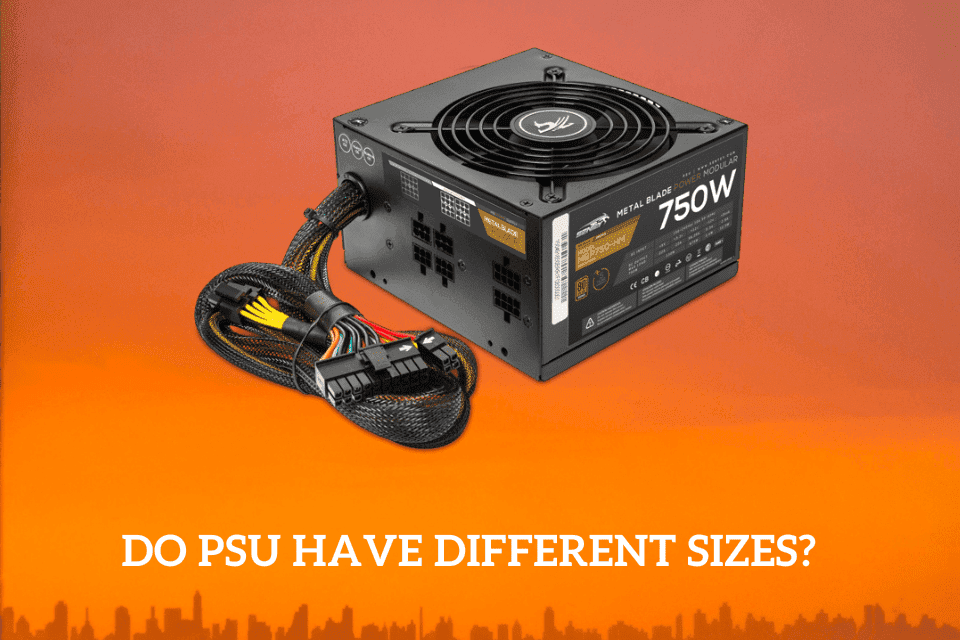

If you are new to the world of computers, then you may inquire about the different power supply sizes. Are you scratching your head wondering whether ATX power supplies are the same? Keep scrolling to find out.
No, the power supplies aren’t the same size. Most power supplies (PSU) come in different standard ATX sizes with the same height and width but with different depths. The other PSU standards come in different sizes.
Do you want to learn more about PSU sizes? This post dives deep into the sizes of PSUs and reveals whether their sizes matter. Keep reading to find out more.
Do PSU have Different Sizes?
The PSU is among the most significant components of the PC system and comes in different factors, shapes, brands, and sizes. The table provides a short overview of the various power supplies while indicating their height (h), width (w), and depth (d).
| PSU Standard | Sizes |
| Advanced Technology Extended (ATX) PS/2 | 150mm (w) x 86mm(w) x 140mm(d) |
| ATX PS/3 | 150mm(w) x 86mm(h) x 100mm(d) |
| ATX Large | 150mm(w) x 86mm(h) x 180mm(d) |
| ATX- EPS | 150mm(w) x 86mm(h) x 230mm(d) |
| Small Form Factor (SFX) | 125mm(w) x 63.5mm (h) x 100mm(d) |
| TFX | 85mm(w) x 64mm(h) x 175mm(d) |
| Large Form Factor (LFX) | 62mm(w) x 72mm(h) x 210mm(d) |
The ATX PS/2 is the top-rated PSU, also known as Standard ATX PSU. There’s a difference between PS/2 and PS/3, which is the depth.
This TFX form factor is common in PC cases with specific height requirements or no given shape. It’s similar to Flex ATX but more extensive in all specs.
Does PSU Size Matter?
The PSU’s size matters; if not correctly chosen, might not fit inside your computer’s case.
Even though any regular PSU may fit inside any micro ATX or ATX case, the case size shows the maximum size the motherboard fits. The full-tower or mid-tower ATX case supports the ATX motherboards and full-sized PSUs.
Similar to hard drives, PSUs come in different shapes and sizes, which is significant for computer assembling. When you purchase ATX PS/2 or an Information Technology eXtended (ITX), you may encounter limitations during PSU installation.
The key problem preventing the installation is the compatibility with the PC’s case. So, if the computer’s case allows, you can use the ATX PS/2 with a small PC. If you don’t use a PC case and let your computer remain in that caseless state, then a standard ATX PSU is for you.
You must choose a PSU in a size that’s compatible with your computer.
Are All ATX PSUs the Same Size?
The height and width of the different ATX PSUs are the same, but the depth isn’t. Therefore, being keen on checking the dimensions is necessary. From the table given in the article, a clear example is between ATX PS/3 and ATX PS/2.
If the height and width vary, then the harder it gets to install the PSU in the PC case. However, some higher-wattage PSUs are longer, such as the 850W PSU is 7 inches long, and the 1600W PSU, which is 9 inches long.
What Size Power Supply Do I Require?
When it comes to PSU sizes, you need to manually check your computer’s compatibility with the power supply.
Most PCs have a space for the PSU, but this space may differ in shape and size. Small form factor computer cases can’t accommodate a PSU meant for a mid or full-tower PC case. Before buying a PSU, check if the computer has space to install it.
PSU Size for a Gaming PC
The latest gaming systems with a six or eight-core CPU or a mid to high-end GPU need a 650-850 power supply. However, 750W of power supply is the top pick for gamers.
A PSU with 800W is nearly 7 inches long, and if you’re considering building a gaming PC, you may use a standard ATX or microATX case, as these cases are almost 18 inches high and 8 inches long. The towers are capable of providing space for PSUs.
How to choose a computer’s PSU
At times, it’s tempting to purchase any power supply for running your PC, which isn’t a wise choice. A PSU that doesn’t give efficient power can cause many problems, including random resets and freezes.
You need to give attention to the power supply the same way you provide it to your CPU, GPU, and other components. Therefore it’s necessary to have considerations when purchasing a PSU.
How much power output do you need?
You need to consider many important factors, but the power output is the simplest of them all, as you know your power requirements. You may use tools to determine the exact amount of power supply you require, such as the power supply calculator.
The tool’s usage is simple, and it contains a variety of options, from the RAM, CPU, and GPU, among other components. However, the tool doesn’t get deep into the details of every component but reverts any guesswork on the power output you need.
Be ready for upgrades when buying a power supply.
You may want to check if the PSU can serve you for a long time. For instance, upgrading to Nvidia GeForce RTX 3080 increases the recommendation to 602W, while RAM doubling has no impact. When considering upgrading the GPU, you’ll need nearly 700W.
Don’t look for needs satisfaction for today only; consider the future. If you purchase a prebuilt PC, ensure you know the power supply it needs to make replacements easy.
The maximum power or the continuous power the power supply can deliver consistently differs from the peak power. An increased maximum power supply provided for a short time is known as peak power.
You should understand that a higher-rated PSU doesn’t necessarily mean using more power. A power supply pulls electricity as per the requirements of your computer’s components and that purchase may be a waste of money.
Protection
PSU manufacturers install protection settings to keep your components from power-related issues. The protections add costs to the power supply but, at the same time, offer peace of mind. These protection settings include
- Overvoltage protection: This mechanism shuts down the PSU when it exceeds the specified voltage limit. The defense is necessary as high output voltage can cause damage to the PC components.
- Overload and overcurrent protection: These circuits protect the power supply unit and computer by shutting down the PSU. This powering off occurs when excessive current or power load is detected.
Efficiency
The efficiency rating is as important as the wattage. Efficiency is a measure of the DC power sent to the PC and heat lost. How much you’ll use to keep your PC juiced depends on the efficiency.
Consequently, a power supply with a higher efficiency rating can allow effective cooler performance. Every computer component produces some heat, which may work against the performance. An efficient PSU dissipates less heat, making a quieter system since the fan doesn’t need to run as much.
Rails
Power is supplied to the components by rails, and each voltage rail needs attention. The attention is mainly on the +12v rails. They need that much attention as they supply power to the power-hungry components of the PC.
A modern PSU supplies at least 18A (amps) on the +12V rails for the latest computers. This 18A is more than 24A for a system with a single GPU and no less than 34A for a top-quality cross-fire system. The output power discussed is for PSUs containing more than one +12V rail.
Does a PC PSU have a specific size, or does it fit all PC cases?
Excluding high single non-standard styles unique to their respective manufacturers, ATX work with standard form factors and are generally interchangeable.
In case of a replacement, ensure the Wattage matches or exceeds the initial one. You need to check that the motherboard power connector has the correct pin number, 20 or 24. Some PSUs contain 20-pin slots with an extra 4, which ensure the PSU installation on the motherboard.
Final thoughts
It’s clear that PSUs are in different shapes and sizes; therefore, before choosing a power supply, ensure your case has enough space to fit it. This choosing of the PSU should be done as the last part when you are sure of the components you can use.
Consider purchasing a standard PSU that can give you quality and long-lasting service. I hope the article has nailed the essential aspects you need to know.