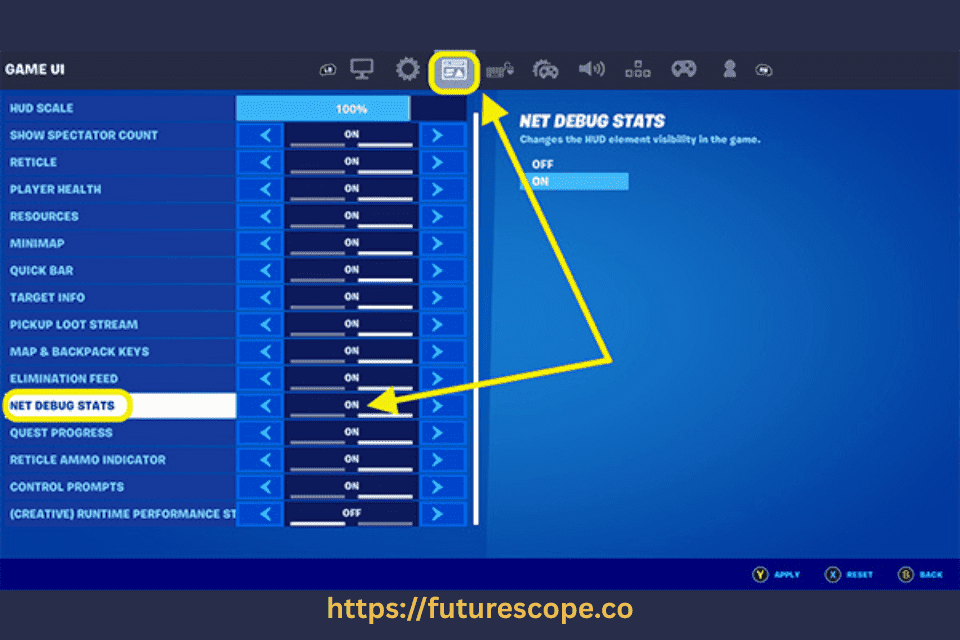

When gamers experience lag, the first thing they usually check is their ping. A high ping often causes delay in online games, making characters move late or shots register slowly. But sometimes, you may see that your ping is very low, yet you still experience lag. This situation is confusing and frustrating for many gamers. Understanding why this happens requires looking beyond just ping. Lag can be caused by several other network and hardware issues even when your ping seems perfect.
In this article, we will explore in detail why low ping does not always guarantee a smooth gaming experience. We will also discuss the most common reasons behind lag despite low ping, how to troubleshoot the problems, and the steps you can take to improve your gameplay.
What is Ping and Why Does it Matter?
Ping is a measurement of latency. It shows the time it takes for your device to send a signal to a game server and get a response back, usually measured in milliseconds (ms). For example, if your ping is 20 ms, it means data travels to the server and back in 20 milliseconds. Generally, lower ping means faster communication and smoother gameplay.
- 0–50 ms is considered excellent for gaming.
- 50–100 ms is acceptable.
- 100–200 ms can cause noticeable delay.
- 200+ ms usually results in severe lag.
Many players assume that as long as they have low ping, they should never lag. But that is not true. Ping is only one factor in the overall performance of online gaming.
Why Do You Still Lag With Low Ping?
If you have low ping but still face lag, it means the issue lies beyond basic latency. Let’s break down the most common reasons.
1. Packet Loss
Packet loss occurs when some of the data packets traveling between your device and the server never arrive. Even if your ping is low, losing data packets can cause stuttering, rubber-banding, or sudden disconnections. Packet loss usually happens due to unstable connections, faulty hardware, or overloaded networks.
Packet loss can be caused by:
- Faulty routers or modems
- Poor Wi-Fi signal
- ISP routing issues
- Network interference
Use tools like PingPlotter or your router’s diagnostics to check for packet loss.
2. Jitter (Ping Fluctuations)
Jitter refers to inconsistent latency. While your average ping may show a low number, the connection could be unstable, jumping between low and high values. For example, your ping might show 20 ms, but if it spikes to 150 ms every few seconds, you’ll experience lag spikes in-game.
Jitter is often caused by:
- Shared bandwidth (multiple devices streaming or downloading)
- Poor-quality cables or connectors
- Wi-Fi interference from other electronics
A wired Ethernet connection usually reduces jitter significantly.
3. Server Performance Issues
Sometimes the lag does not come from your side at all. Even with low ping, if the game’s server is overloaded, unstable, or located far away from most players, everyone will experience lag. This is common during peak gaming hours or in poorly optimized games.
4. Bandwidth Limitations
Ping measures latency, not bandwidth. You may have low ping but insufficient bandwidth if other devices in your home are streaming videos, downloading large files, or using heavy applications. Online games don’t need huge bandwidth, but constant background activity can eat away at your available speed, causing lag.
Symptoms of hardware lag include:
- Low frame rates
- Long loading times
- Delayed rendering
Update your drivers, close background apps, and ensure your system meets the game’s recommended specs.
5. Hardware Bottlenecks
Lag is not always about the internet. Your computer or console might not be powerful enough to process the game smoothly. A weak CPU, outdated GPU, or insufficient RAM can all cause frame drops, stuttering, and lag, even if your ping is perfect.
6. Wi-Fi vs. Ethernet
Wi-Fi is convenient but prone to interference and signal degradation. Walls, microwaves, and other devices can disrupt your signal. Even with low ping, unstable Wi-Fi can cause lag spikes.
Solution: Switch to a wired Ethernet connection for more stable performance. If that’s not possible, consider using a powerline adapter, which transmits data through your home’s electrical wiring
7. Background Applications
Applications running in the background, such as cloud storage sync, updates, or even browsers with multiple tabs open, can consume system resources and internet bandwidth. This can cause lag despite low ping. Common culprits include:
- Cloud sync tools (Google Drive, Dropbox)
- Streaming services (Netflix, YouTube)
- Windows updates or antivirus scans
- Torrent clients
Use Task Manager or Activity Monitor to identify and close unnecessary apps during gameplay.
8. ISP Routing Problems
Sometimes your internet service provider (ISP) may have inefficient routing paths between your network and the game server. Even though your ping looks low in tests, the actual game data may take longer routes, causing inconsistent performance. Your ISP’s routing path to the game server may be inefficient. Even with low ping, poor routing can cause delays in data delivery.
Solution: Try switching to a faster DNS provider like Google DNS (8.8.8.8) or Cloudflare DNS (1.1.1.1). You can also use a gaming VPN to optimize routing paths.
Ping vs. Lag: What’s the Difference?
While ping measures latency, lag refers to any delay or disruption in your online experience. Lag can manifest as:
- Rubber-banding (your character snaps back to a previous position)
- Frame drops or stuttering
- Delayed actions or inputs
- Audio desync in voice chats
- Freezing or disconnection
Lag is influenced by multiple factors beyond ping, including packet loss, network congestion, hardware limitations, and server performance
Diagnosing the Problem: Tools You Can Use
To identify the root cause of lag, consider using these tools:
- PingPlotter: Visualizes ping, jitter, and packet loss across your network path.
- Wireshark: Analyzes network traffic for anomalies.
- Speedtest.net: Measures your upload/download speeds and ping.
- Game-specific net graphs: Many games offer built-in tools to monitor network performance (e.g., CS:GO’s net_graph 1).
Symptoms of Lag With Low Ping
To identify if you are experiencing lag despite low ping, watch out for these signs:
- Rubber-banding: Your character moves forward and then snaps back.
- Stuttering or freezing: The game pauses briefly even though ping remains low.
- Input delay: Actions like shooting, jumping, or moving feel delayed.
- High frame time: Frames take longer to render, causing uneven gameplay.
- Desync: Your game shows a different state than the server (e.g., seeing enemies in the wrong position).
These symptoms suggest that the problem is not simply latency but could involve packet loss, jitter, or hardware-related issues.
How to Fix Lag With Low Ping?
Now that you know the reasons, let’s look at the solutions.
1. Check for Packet Loss
You can use tools like PingPlotter or the in-game network graph (if available) to check for packet loss. If packet loss is detected, try restarting your router, using a wired connection, or contacting your ISP for support.
2. Stabilize Your Connection
If jitter is the problem, switching from Wi-Fi to Ethernet can help. Wired connections are always more stable and less prone to interference.
3. Optimize Network Usage
Make sure no one else is downloading or streaming heavily on your network while you’re gaming. You can also set up Quality of Service (QoS) settings on your router to prioritize gaming traffic.
4. Check Game Servers
Sometimes the issue is entirely server-side. Check official forums or websites to see if the game servers are having issues. Playing on a closer server region can also reduce lag.
5. Upgrade Hardware
If your PC or console struggles to run the game, upgrading RAM, graphics card, or CPU may be necessary. Optimizing in-game settings, lowering resolution, or disabling background apps can also help.
6. Close Background Applications
Before gaming, close unnecessary applications like browsers, streaming services, or large downloads. This will free up system resources and bandwidth.
7. Update Network Drivers and Firmware
Outdated drivers for your network card or router firmware can cause network instability. Keeping everything updated can improve performance.
8. Contact Your ISP
If none of the above solutions help, the issue may be with your ISP’s routing or service quality. Contacting them for troubleshooting or switching to a better plan may resolve lag issues.
Preventing Future Lag
To minimize the chances of experiencing lag with low ping in the future, consider these preventive measures:
- Always use a wired Ethernet connection instead of Wi-Fi.
- Regularly restart your modem and router.
- Keep your PC, console, and router firmware updated.
- Monitor your network usage and schedule downloads outside gaming time.
- Choose the closest possible game server region.
- Use gaming VPNs if your ISP routing is poor.
Conclusion | Ping Isn’t Everything
Having low ping but still experiencing lag is one of the most frustrating problems for gamers. While ping is a crucial metric, it is only part of the bigger picture. Network instability, packet loss, jitter, hardware issues, or even game server problems can all cause lag despite low latency.
The good news is that most of these problems can be fixed with the right steps. By understanding the underlying causes and applying solutions like stabilizing your connection, upgrading hardware, and monitoring bandwidth, you can greatly improve your gaming experience.
Next time you face lag even with low ping, remember: ping is not everything. Smooth gameplay depends on a combination of factors working together. Identifying the real issue is the first step toward lag-free gaming.
Frequently Asked Questions
Why do I lag even if my ping is low?
Lag can still happen with low ping due to packet loss, jitter, unstable Wi-Fi, limited bandwidth, server issues, or even hardware problems on your PC or console.
How do I fix lag when I have low ping?
Switch to a wired Ethernet connection, close background apps, update network drivers, check for packet loss, and optimize in-game settings. If the problem continues, contact your ISP or upgrade your hardware.
What is the difference between ping and lag?
Ping measures latency (response time), while lag can be caused by many factors including ping, packet loss, jitter, or system performance. Low ping doesn’t always mean lag-free gameplay.
Can Wi-Fi cause lag even with low ping?
Yes. Wi-Fi is prone to interference and instability, which can cause jitter and packet loss. A wired Ethernet connection is more reliable for gaming.
Does low bandwidth affect lag even if ping is fine?
Yes. If other devices are using bandwidth (streaming, downloading, etc.), your game may lag because the network doesn’t have enough available speed to keep up with data transfer.