AutoCAD is expensive due to its industry-leading features, extensive user support, and continuous software development. As a widely recognized computer-aided design (CAD) software, AutoCAD has become an essential tool in various industries including architecture, engineering, and manufacturing.
Its high price tag reflects the investment made in research and development, as well as ongoing improvements to meet the demanding needs of professionals. AutoCAD offers a comprehensive suite of design, drafting, and documentation tools, ensuring precision and efficiency. The software’s versatility allows users to work on complex projects, collaborate with teams, and seamlessly integrate with other software applications.
Additionally, Autodesk, the company behind AutoCAD, provides excellent customer support, valuable resources, and training programs. While the cost of AutoCAD may be a barrier for some, its robust features and benefits make it a worthwhile investment for professionals seeking top-notch CAD capabilities.
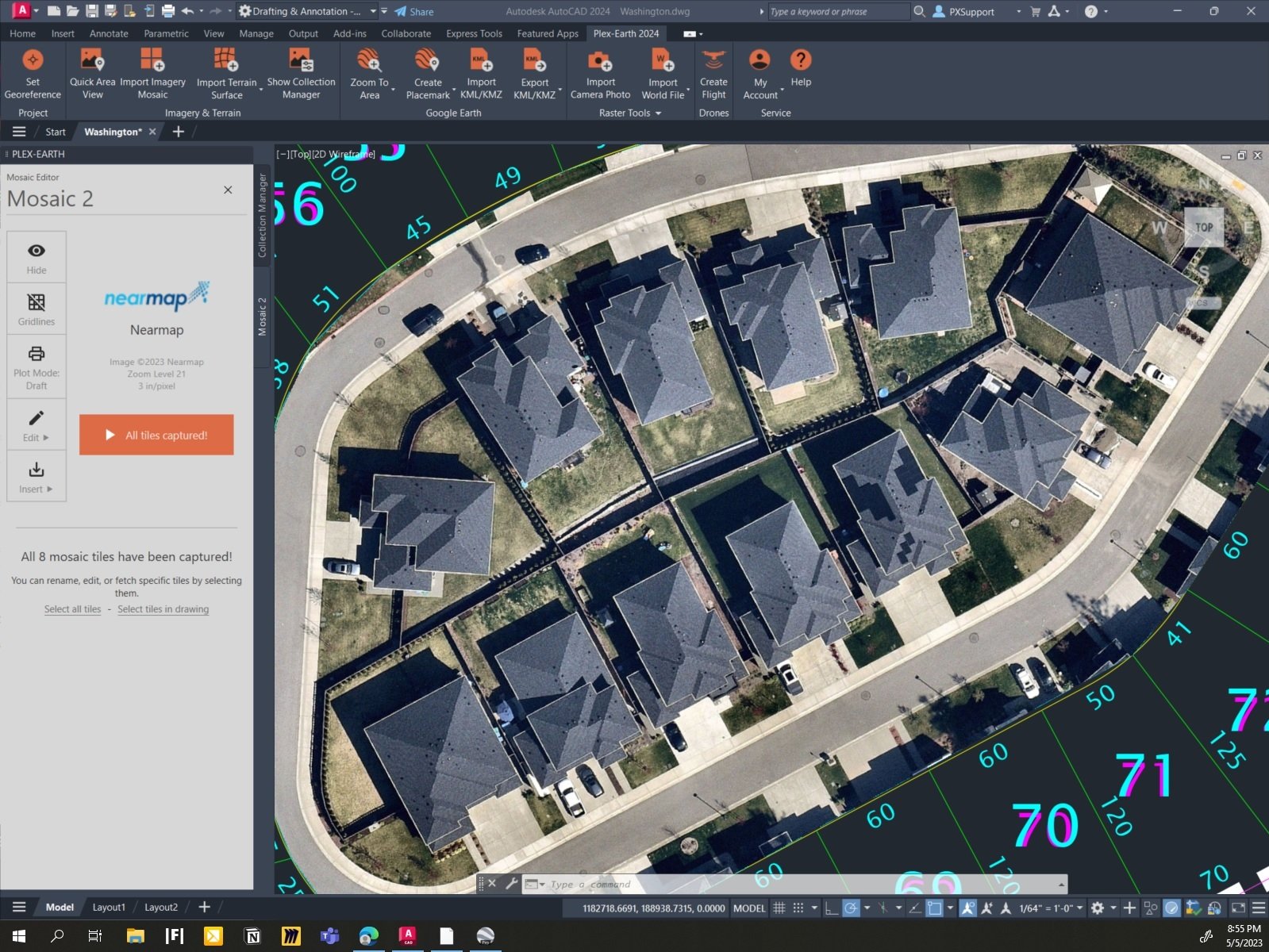
Credit: plexearth.com
The Evolution Of Autocad Pricing
The Evolution of Autocad Pricing has been a subject of curiosity for many designers and engineers. Autocad, developed by Autodesk, has long been the industry-standard software for computer-aided design (CAD), offering a wide range of tools and functionality to create precise, intricate designs. However, its hefty price tag has often left people wondering: Why is Autocad so expensive? To unravel this pricing mystery, let’s delve into the historical overview of Autocad pricing and explore the factors that have influenced its initial cost.
Historical Overview Of Autocad Pricing
The pricing of Autocad has evolved significantly since its inception in the early 1980s. Initially, Autocad was introduced as a high-end software product, mainly targeted towards professionals in architecture, engineering, and manufacturing industries. Back then, it came with a substantial price tag due to the groundbreaking technology it offered and the limited competition in the CAD software market.
Factors Influencing The Initial Cost Of Autocad Software
Several factors have contributed to the initial cost of Autocad software, making it relatively expensive:
1. Development And Research Costs
Developing and improving software like Autocad involves extensive research, development, and testing. The intricate algorithms, advanced features, and compatibility across different platforms require substantial investment in terms of time, expertise, and resources. These costs are then passed on to the end-users through the pricing of the software.
2. Continuous Updates And Support
Autocad is continually updated to keep pace with technological advancements and industry demands. These updates, including bug fixes, security upgrades, and new features, require ongoing maintenance and support from Autodesk. The cost of providing these updates and technical assistance is accounted for in the overall pricing of the software.
3. Licensing And Intellectual Property
Autodesk holds the intellectual property rights for Autocad, which means they have exclusive rights to distribute, license, and protect the software. Such ownership entails costs related to patenting, copyright protection, legal compliance, and ensuring software security. These expenses contribute to the higher cost of Autocad.
4. Target Market And Industry Standards
Autocad has established itself as the standard CAD software in many industries, including architecture, engineering, and manufacturing. This widespread acceptance and market dominance allow Autodesk to set a higher price due to the perceived value and market demand for a widely-used, industry-standard tool.
5. Specialized Tools And Support
Autocad offers a wide range of specialized tools, plugins, and integrations that cater to specific industries and workflows. The development and maintenance of these specialized features require additional investment, which is reflected in the cost of the software. Additionally, Autodesk provides dedicated technical support and training resources to help users maximize the software’s potential, further justifying the price.
As technology and competition in the CAD industry have evolved, Autodesk has introduced various pricing options to cater to different user needs and budgets. These include subscription-based plans, perpetual licenses, educational licenses, and specialized industry packages. These pricing strategies offer more flexibility for users while ensuring Autodesk can sustain the development and support of Autocad.
Subscription Vs. Perpetual Licensing: Weighing The Options
Autucad is widely recognized as one of the leading computer-aided design (CAD) software in the industry. Its powerful features, robust capabilities, and widespread usage have contributed to its reputation. However, some users find the price of Autucad to be quite high, often questioning why it is so expensive. In this article, we will delve into the factors that contribute to the cost of Autucad and explore the different licensing options available. We will specifically compare the subscription and perpetual licensing models, highlighting the pros and cons of each. Additionally, we will discuss how the subscription pricing model impacts the overall cost of Autucad. So, let’s weigh the options and understand why Autucad comes with a hefty price tag.
Comparison Between Subscription And Perpetual Licensing Models
When it comes to licensing Autucad, users have two primary options: subscription and perpetual licensing. Each model has its own advantages and disadvantages. Let’s take a closer look at how these licensing options compare:
| Subscription Licensing | Perpetual Licensing |
|---|---|
| Allows users to pay a recurring monthly or annual fee to access and use Autucad. | Requires a one-time upfront payment to purchase a perpetual license, granting users the right to use a specific version of Autucad indefinitely. |
| Provides flexibility to scale up or down based on project requirements. | Offers a fixed version of Autucad, with an option to upgrade to newer versions at an additional cost. |
| Provides access to the latest features and updates as long as the subscription is active. | Users are entitled to the features of the purchased version but may need to purchase upgrades separately for access to newer features. |
Pros And Cons Of Each Licensing Option
Subscription Licensing
Subscription licensing offers several advantages for users. Some of the pros include:
- Flexibility: With a subscription, users have the flexibility to adjust their licensing needs according to project demands. In highly dynamic industries, this scalability proves to be advantageous as it allows users to pay only for the duration they require Autucad.
- Latest Features and Updates: Subscribing to Autucad ensures access to the most up-to-date features and enhancements. As Autodesk releases new updates, subscribers can take advantage of the latest tools and functionalities without additional purchases or upgrades.
- Lower Upfront Cost: Subscription licensing eliminates the need for a significant upfront investment. Instead, users pay a more manageable recurring fee, which can be especially beneficial for small businesses or freelancers with budget constraints.
However, subscription licensing also has its drawbacks. Some of the cons to consider include:
- Long-Term Costs: While the monthly or annual payments may appear affordable in the short term, the cumulative cost over an extended period can be higher compared to perpetual licensing.
- Dependency on Active Subscription: Subscribers must maintain an active subscription to continue using Autucad. If the subscription lapses or is canceled, access to the software and updates may be lost.
Perpetual Licensing
Perpetual licensing has its own set of advantages and disadvantages. Here are the pros of perpetual licensing:
- One-Time Payment: Purchasing a perpetual license involves a single upfront payment, providing users with lifetime access to the specific version of Autucad they have purchased. This can be cost-effective in the long run, particularly for users who plan to use the software for an extended period.
- No Dependency on Active Subscription: Unlike subscription licensing, owning a perpetual license ensures continued access to the version of Autucad without the need for ongoing payments or having to worry about subscription renewals.
However, perpetual licensing also comes with a few drawbacks that users should consider:
- Upfront Investment: Acquiring a perpetual license requires a higher upfront investment compared to subscription licensing. This upfront cost may pose a financial challenge for some users.
- Limited Updates and Features: While users retain access to the purchased version, they may miss out on the latest features and updates unless they purchase additional upgrades. Without these upgrades, users are limited to the functionalities of the specific version they own.
How Subscription Pricing Impacts The Overall Cost Of Autucad
The subscription pricing model introduces a different cost structure compared to perpetual licensing. By opting for a subscription, users can access Autucad at a more affordable initial cost while enjoying the benefits of continuous updates and access to the latest features. However, it is important to consider the long-term costs involved.
With subscription pricing, users are required to make recurrent payments, which can add up over time. While these costs may be manageable for users with short-term projects or those who frequently require the latest features, long-term usage can result in higher cumulative expenses. On the other hand, perpetual licensing involves a higher upfront investment but avoids recurring costs, making it potentially more economical for long-term use.
Ultimately, the pricing model that best suits your needs depends on various factors, such as project duration, budget constraints, and the importance of always having access to the latest features. Evaluating these factors can help you make an informed decision when choosing between subscription and perpetual licensing for Autocad.
Maintenance And Support Fees: A Hidden Expense
Exploring The Importance Of Maintenance And Support Services
Maintaining and supporting software is essential for ensuring its smooth operation and longevity. With regards to AutoCAD, one must understand the significance of maintenance and support fees to truly grasp why this software comes with a high price tag. These fees, often perceived as hidden expenses, play a crucial role in providing customers with ongoing updates, technical assistance, and a range of other benefits.
Understanding The Costs Associated With Ongoing Software Updates
Keeping any software up to date is key to leveraging its full potential. AutoCAD’s maintenance and support fees encompass the cost of continuous software updates that introduce new features, enhance functionality, and address compatibility issues. These updates ensure that users can work with the latest tools and technologies, improving their productivity and efficiency.
Moreover, ongoing updates also contribute to the software’s overall stability and security. By regularly patching vulnerabilities and fixing bugs, Autodesk, the company behind AutoCAD, safeguards users’ data and protects them from potential threats. The peace of mind that comes with knowing the software is well-maintained and secure is invaluable, particularly for businesses or professionals who rely heavily on AutoCAD for their daily operations.
Ensuring Access To Technical Support Services
Technical support is another essential component of the maintenance and support fees associated with AutoCAD. By subscribing to these services, users gain access to a dedicated team of experts who can provide assistance and guidance in troubleshooting issues, resolving software glitches, and optimizing its performance. This prompt and reliable support ensures that users can swiftly overcome any obstacles they may encounter while using AutoCAD, minimizing downtime and maximizing productivity.
Additionally, technical support empowers users to explore the full potential of AutoCAD by helping them navigate complex features, offering training resources, and sharing best practices. This guidance can greatly enhance users’ proficiency in the software, enabling them to tackle intricate design tasks and achieve desired outcomes more efficiently.
Ina short, the maintenance and support fees associated with AutoCAD are far from hidden expenses – they are indispensable investments in ongoing software updates and technical support. By subscribing to these services, users gain access to the latest features, improved stability, and enhanced security. Additionally, the availability of technical support ensures that users can swiftly resolve issues and maximize their productivity. Ultimately, these fees contribute to the overall value and reliability of AutoCAD, making it a powerful tool for professionals and businesses in various industries.
Additional Costs Beyond The Software
When considering the high price tag associated with AutoCAD, it’s important to look beyond the cost of the software itself. While the software is known for its advanced features and powerful capabilities, there are additional costs that can significantly impact the overall expenses. In this article, we will explore some of the key expenses that users may encounter when investing in AutoCAD, including hardware requirements, training and certification, and the cost of add-on tools and plugins.
Hardware Requirements And Implications For Cost
Using AutoCAD requires a computer system that meets certain hardware requirements. These requirements are meant to ensure smooth performance and optimal utilization of the software. In order to run AutoCAD effectively, a powerful processor, ample RAM, and sufficient storage space are needed. Additionally, a high-resolution display is recommended to take advantage of the software’s rich visualization capabilities. The cost associated with upgrading or purchasing new hardware to meet these requirements can contribute to the overall expenses of using AutoCAD.
Training And Certification Expenses
Mastering AutoCAD is no small feat, and many users opt for formal training to fully harness its potential. Training courses are often available through Autodesk’s authorized training centers or through online platforms. These courses cover essential concepts, best practices, and advanced techniques to enhance productivity. While acquiring this knowledge is undoubtedly valuable, it comes with a price tag. Training expenses can vary depending on the level of expertise desired, the duration of the course, and the location of the training center.
In addition to training, certification is another expense that users may choose to consider. Autodesk offers various certification exams, which validate individual proficiency and expertise in the use of AutoCAD. Obtaining these certifications can enhance one’s credibility and open up new career opportunities. However, the exam fees and preparation materials required can add to the overall costs of using AutoCAD.
Add-on Tools And Plugins: Enhancing Functionality At A Price
AutoCAD’s out-of-the-box capabilities are extensive, but there are also a plethora of add-on tools and plugins available in the market. These tools are designed to extend the functionality of AutoCAD, providing users with specialized features and workflows tailored to their specific needs. While these add-ons can greatly enhance productivity and efficiency, they often come at an additional cost. Plugin prices can vary widely depending on the complexity and functionality they offer, so users must carefully evaluate their requirements and budget before investing in these add-ons.
Whether it’s powerful hardware to run the software smoothly, training and certification to gain expertise, or add-on tools and plugins to enhance functionality, the costs beyond the AutoCAD software purchase are worth considering. While these additional expenses may pose a financial challenge, they can also contribute to unlocking the full potential of AutoCAD, maximizing productivity, and ultimately, reaping the benefits of using this industry-leading software.
Frequently Asked Questions Of Why Is Autocad So Expensive?
Why Is Autocad So Expensive?
AutoCAD is a professional-grade software that offers powerful tools for designing and drafting. Its price reflects the high level of functionality it provides, suitable for industries such as architecture and engineering. The cost of development, maintenance, and support also contributes to its price.
AutoCAD’s efficiency and industry dominance justify the investment.
Can I Get Autocad For Free?
Yes, Autodesk, the developer of AutoCAD, offers a free version called AutoCAD LT. Although it has limitations compared to the full version, it is still a great option for students or those who require basic functionality. Additionally, Autodesk provides a 30-day free trial for AutoCAD, allowing users to explore its complete feature set.
Are There Any Alternatives To Autocad?
Yes, there are several alternatives to AutoCAD available in the market. Some popular options include SketchUp, SolidWorks, and ArchiCAD. These software offer similar functionalities and cater to various industries. Choosing the right alternative depends on your specific requirements and budget.
It is advisable to research and try out different options before making a decision.
Conclusion
The high cost of AutoCAD is justified by the extensive features and capabilities it offers. From 2D and 3D design to project collaboration and streamlined workflows, AutoCAD remains an industry leader that professionals rely on. While the price may seem steep, the investment in AutoCAD is ultimately a worthwhile one for businesses and individuals seeking reliable and powerful design software.
So, understanding why AutoCAD is expensive brings forth a deeper appreciation for the value it provides.