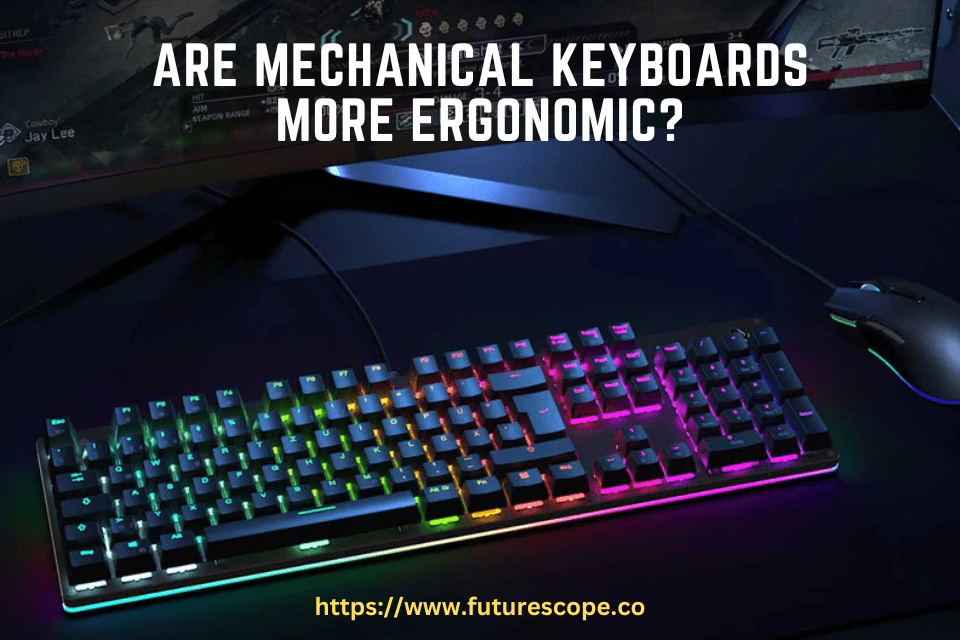

Yes, mechanical keyboards are more ergonomic due to their tactile feedback and customizable key switches. With the rise in popularity of mechanical keyboards, many are wondering if they are more ergonomic compared to traditional rubber dome keyboards.
The answer is a resounding yes. Mechanical keyboards offer a superior typing experience thanks to their tactile feedback and customizable key switches. The tactile feedback provides a satisfying click and helps reduce the strain on your fingers, wrists, and arms, making them more comfortable to use for extended periods.
Additionally, the ability to customize key switches allows you to select the ones that best suit your typing style and preferences, further enhancing ergonomics. We will explore the various ergonomic benefits of mechanical keyboards and why they are a preferred choice for many users.
Credit: www.rtings.com
Understanding Ergonomics And Its Importance In Keyboard Design
Definition Of Ergonomics
Ergonomics is the scientific study of designing and arranging products, systems, and environments so that they are compatible with human abilities and characteristics. In the case of keyboard design, it involves creating a user-friendly and comfortable typing experience by considering factors like body posture and hand positioning.
Impact Of Ergonomics On Keyboard Design
Considering the impact of ergonomics in keyboard design is essential as it directly affects user comfort, productivity, and overall health. Traditional keyboards often lead to issues like wrist strain, discomfort, and risk of repetitive strain injuries (RSIs) due to the flat and rigid layout. On the other hand, ergonomic keyboards are specifically designed to provide a more natural typing experience, reducing the strain on hands, wrists, and various muscle groups.
Ergonomic keyboards take into account the natural alignment of the wrists and hands, allowing for a more relaxed and neutral position while typing. This reduces the strain on the tendons and muscles, preventing issues like carpal tunnel syndrome and tendonitis.
Common Ergonomic Features In Keyboards
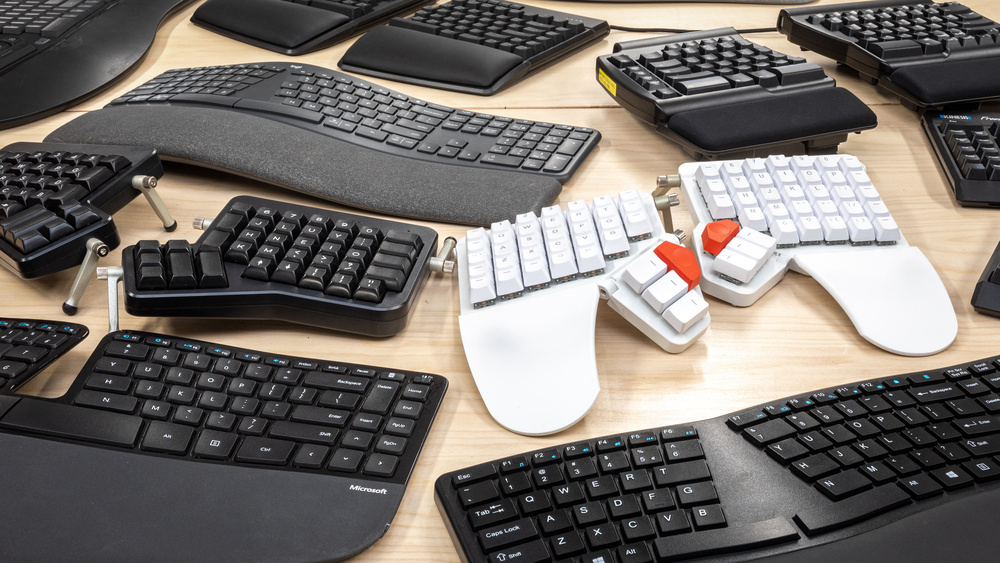
Ergonomically designed keyboards come with various features to promote user comfort and reduce the risk of developing musculoskeletal disorders. Some common ergonomic features in keyboards include:
- Split keyboard layout: Split keyboards are divided into two separate sections, allowing users to position their hands at shoulder width. This design helps to minimize wrist pronation and ulnar deviation, which can lead to strain and discomfort over time.
- Adjustable tenting angle: Tenting refers to the slight angling or raising of the keyboard to match the natural curve of the hands and wrists. Adjustable tenting angles allow users to customize the keyboard’s position, accommodating their individual comfort and reducing the strain on the joints.
- Elevated palm rest: Ergonomic keyboards often feature a padded palm rest that supports the wrists, providing a comfortable place to rest while typing. This relieves pressure on the wrists and contributes to a more natural hand position.
- Mechanical switches: Many ergonomic keyboards utilize mechanical switches that require less force to actuate, resulting in a lighter touch while typing. This reduces finger fatigue and strain, making the typing experience more comfortable and efficient.
By incorporating these ergonomic features, keyboards are designed to promote a more natural and relaxed typing posture, minimizing the risk of strain and injuries. Whether you are a casual typist or spend hours at your desk, choosing an ergonomically designed mechanical keyboard can significantly improve your overall typing experience and prevent long-term health issues associated with prolonged computer use.
Examining The Benefits Of Mechanical Keyboards For Ergonomics
When it comes to typing comfort and long-term health, it’s important to choose a keyboard that prioritizes ergonomics. Mechanical keyboards have gained popularity among typing enthusiasts and professionals alike, not only for their tactile feedback and durability but also for their potential ergonomic benefits. In this article, we will explore the key characteristics that make mechanical keyboards more ergonomic and how they promote proper typing posture, reducing strain on our bodies.
Overview Of Mechanical Keyboards
Before delving into the ergonomic advantages, let’s first understand what sets mechanical keyboards apart. Unlike their traditional membrane counterparts, mechanical keyboards utilize individual switches for each key. These switches are based on a mechanical mechanism, resulting in a distinct tactile feedback and audible click. As a result, each key press feels more responsive and precise, enhancing the overall typing experience.
Key Characteristics That Make Mechanical Keyboards Potentially More Ergonomic
What makes mechanical keyboards stand out in terms of ergonomics? Let’s explore some key characteristics:
| 1. Adjustable Actuation Force | The actuation force required to register a key press can be customized on most mechanical keyboards. This feature allows you to find the optimal actuation force that suits your typing style, reducing finger fatigue and strain. |
| 2. Key Travel Distance | Mechanical keyboards generally have a deeper key travel distance compared to membrane keyboards. This increased travel distance ensures that your fingers have a wider range of motion, enabling a more natural and comfortable typing experience. |
| 3. Anti-Ghosting and N-Key Rollover | Mechanical keyboards often come equipped with advanced anti-ghosting and N-key rollover technology. This means that multiple key presses are accurately registered, even if you press them simultaneously. With fewer missed or unintended keystrokes, you can maintain your typing flow and avoid unnecessary strain. |
How Mechanical Keyboards Promote Proper Typing Posture And Reduce Strain
One of the major contributors to ergonomic comfort when typing is maintaining proper posture. Mechanical keyboards can assist in achieving and maintaining the ideal typing position by:
- 1. Ergonomic Key Layout: Many mechanical keyboards feature an ergonomic layout that positions the keys in a more user-friendly way. These designs often incorporate a slight curvature or split layout that aligns with the natural position of our hands, minimizing wrist extension and pronation.
- 2. Wrist Rest Support: Some mechanical keyboards come with detachable wrist rests that provide additional support for your wrists, reducing the strain on your muscles and tendons during long typing sessions.
- 3. Reduced Bottoming Out: Mechanical keyboards offer tactile feedback that helps you recognize the point at which a key press is registered. This feedback can discourage the habit of “bottoming out” (pressing keys all the way down) and encourage lighter, shallower keystrokes. By reducing excessive force on your fingers, you can minimize the risk of repetitive strain injuries.
By considering these ergonomic aspects, mechanical keyboards offer a compelling solution for those seeking a comfortable typing experience with reduced strain on their bodies. Now, let’s explore some popular mechanical keyboard options and learn how to choose the perfect one for your needs.
Myths: Potential Concerns About Ergonomics In Mechanical Keyboards
As mechanical keyboards continue to gain popularity among gaming and typing enthusiasts, concerns about their ergonomic qualities have also surfaced. In this article, we aim to debunk these misconceptions and shed light on the real ergonomic benefits of using mechanical keyboards.
Myth 1: Mechanical Keyboards Are Too Bulky And Uncomfortable For Extended Use
Contrary to popular belief, mechanical keyboards come in a variety of sizes and designs, offering options that cater to different ergonomic needs. While it is true that some mechanical keyboards may have a larger form factor, it is important to note that this design choice often provides additional wrist and palm support, reducing strain and discomfort during extended use.
In fact, many mechanical keyboards feature ergonomic layouts with split or angled designs, allowing for a more natural hand and wrist position. These keyboards often come equipped with wrist rests that provide additional comfort and prevent wrist fatigue.
Myth 2: Mechanical Keyboards Cause More Typing Fatigue Than Other Types Of Keyboards
The tactile feedback and distinct key actuation of mechanical keyboards can actually improve typing efficiency and reduce fatigue. The responsive nature of mechanical switches enables users to effortlessly register keystrokes, promoting a lighter typing touch and reducing the need for excessive force. This can significantly reduce the risk of repetitive strain injuries (RSIs) often associated with traditional rubber dome keyboards.
Moreover, the customizable key switches in mechanical keyboards allow users to choose switches with a lighter actuation force that suits their individual preferences. This customization feature ensures a comfortable typing experience, minimizing strain and fatigue even during prolonged typing sessions.
Myth 3: Mechanical Keyboards Lack Adjustability And Customization For Ergonomic Needs
On the contrary, mechanical keyboards offer a wide range of adjustability and customization options specifically tailored to ergonomic needs. Many mechanical keyboards feature adjustable tilt and height settings, allowing users to achieve a comfortable typing angle that reduces strain on the hands and wrists.
Additionally, mechanical keyboards often support key remapping and programmability, enabling users to assign macros, shortcuts, and functions to specific keys. This level of customization ensures that the keyboard adapts to the user’s preferences and ergonomic requirements.
Furthermore, the compatibility of mechanical keyboards with ergonomic accessories such as palm rests, wrist rests, and tenting kits provides additional support and customization options for users seeking a more ergonomic typing experience.
In conclusion, the notion that mechanical keyboards lack ergonomic qualities is simply a misconception. These keyboards offer various design features, customization options, and programmability that can improve comfort, reduce fatigue, and help prevent potential health-related issues associated with prolonged computer usage.
Exploring Factors To Consider For Optimal Ergonomics In Keyboard Usage
When it comes to optimizing ergonomics in keyboard usage, there are more factors to consider beyond the choice between mechanical and non-mechanical keyboards. These additional factors can have a significant impact on your overall comfort, productivity, and long-term health. Let’s dive deeper into three essential aspects to keep in mind: key layout and spacing, wrist and forearm support, and keyboard positioning and angle adjustment.
Importance Of Key Layout And Spacing
One crucial factor that contributes to ergonomic typing experience is the layout and spacing of the keys. A well-designed keyboard should ensure that each key is easily reachable and evenly spaced. Keyboards with compact layouts or cramped key spacing can cause unnecessary strain on your fingers and hands.
To improve ergonomics, consider keyboards with an ergonomic key layout, such as split keyboards or those with a curved design. These keyboards are designed to allow your hands to adopt a more natural position, reducing strain and fatigue. Additionally, keyboards with concave key wells and contoured keycaps can offer extra comfort and accuracy, as they conform to the shape of your fingers.
Considerations For Wrist And Forearm Support
Another crucial aspect of ergonomic keyboard usage is wrist and forearm support. Prolonged typing without proper support can lead to discomfort, pain, and even long-term conditions like carpal tunnel syndrome.
To ensure optimal wrist and forearm support, consider keyboards that feature built-in wrist rests. These rests provide a soft cushioned surface for your wrists to rest on, promoting a more neutral wrist position and reducing strain. Alternatively, you can use gel or foam wrist rests to add support to a standard keyboard.
The Role Of Keyboard Positioning And Angle Adjustment
Keyboard positioning and angle adjustment play a significant role in ergonomic typing. Ideally, your keyboard should be positioned at a height that allows your elbows to rest comfortably at your sides, forming a relaxed 90-degree angle. This position helps reduce strain on your shoulders and neck.
Adjusting the angle of your keyboard is also important. Slight tilting can help align your wrists in a more natural and neutral position, preventing awkward bending or extension. Ergonomic keyboards often feature adjustable feet or stands that allow you to find the most comfortable angle for your wrists.
By considering these additional factors of key layout and spacing, wrist and forearm support, and keyboard positioning and angle adjustment, you can further enhance the ergonomic benefits of your mechanical keyboard. Remember, ergonomics is a holistic practice, and optimizing all aspects of your typing setup can make a real difference in your comfort and well-being.
Frequently Asked Questions On Are Mechanical Keyboards More Ergonomic?
Are Mechanical Keyboards More Ergonomic Than Regular Keyboards?
Yes, mechanical keyboards are more ergonomic than regular keyboards because they provide better key feedback and reduce the risk of repetitive strain injuries. The keys require less force to press, reducing finger fatigue and promoting a more natural typing posture.
Additionally, the tactile feedback from mechanical keys can improve typing speed and accuracy.
Can Mechanical Keyboards Reduce The Risk Of Wrist Pain And Carpal Tunnel Syndrome?
Yes, using a mechanical keyboard can help reduce the risk of wrist pain and carpal tunnel syndrome. The key switches in mechanical keyboards typically have a higher actuation force, which promotes proper typing technique and reduces the strain on the wrists.
Additionally, many mechanical keyboards offer customizable ergonomic features like wrist rests and negative tilt options to further alleviate wrist discomfort.
Does Typing On A Mechanical Keyboard Enhance Productivity?
Yes, typing on a mechanical keyboard can enhance productivity. The tactile feedback and distinct key feel of mechanical switches promote a faster and more accurate typing experience. The keys are also durable and responsive, allowing for smooth and efficient typing.
Overall, the improved typing experience on a mechanical keyboard can save time and boost productivity for both casual users and professionals.
Conclusion
Mechanical keyboards are becoming increasingly popular due to their ergonomic benefits. With their tactile feedback and customizable key switches, they provide a more comfortable typing experience and reduce the risk of repetitive strain injuries. The responsive nature of mechanical keyboards also enhances typing speed and precision.
So, if you’re looking for a keyboard that promotes ergonomic usage, switching to a mechanical keyboard might be a wise choice. Make the switch today and experience the benefits for yourself.