To access the F keys on a 65% keyboard, use the “Fn” key in combination with number keys. This allows you to reach all F1-F12 functions.
A 65% keyboard is a compact and efficient choice for many users. It saves desk space while retaining essential keys. Unlike larger keyboards, it lacks a dedicated function row. Users must use the “Fn” key to access F1-F12 keys. This setup offers a minimalist design without sacrificing functionality.
Gamers, programmers, and typists often prefer this layout. It provides a balance between size and usability. Understanding how to use the “Fn” key is crucial. It ensures you can perform all necessary functions seamlessly. This keyboard type is ideal for those who prioritize both form and function.
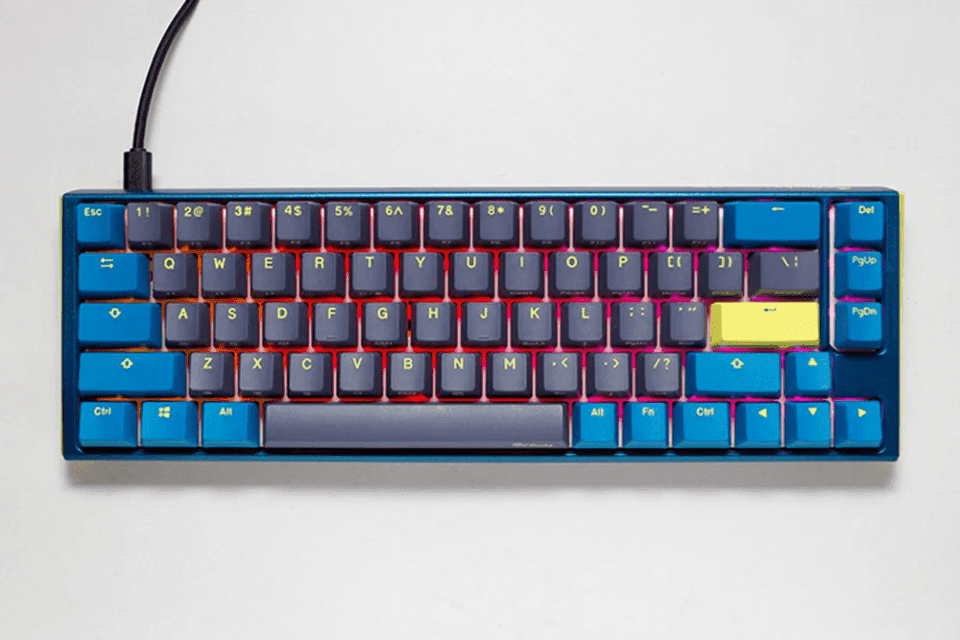
The Charm Of 65% Keyboards
The charm of a 65% keyboard lies in its perfect balance of size and function. These keyboards offer a compact design without sacrificing essential keys. Let’s dive into their unique features.
Compact Form Factor
A 65% keyboard is smaller than a full-sized keyboard. It includes around 67 keys. This compact form factor saves desk space. It is easy to carry. Gamers and typists love its minimal design.
| Feature | 65% Keyboard | Full-Sized Keyboard |
|---|---|---|
| Number of Keys | 67 | 104 |
| Size | Compact | Large |
| Portability | High | Low |
Missing Function Keys
The 65% keyboard lacks dedicated function keys (F1-F12). You might wonder how to access these. The answer is simple: use a function (Fn) key.
- Press the Fn key.
- Hold it down.
- Press the number key for the function.
For instance, Fn + 1 acts as F1. This method keeps the keyboard compact. It ensures all functions remain accessible.
Despite missing dedicated function keys, the 65% keyboard remains popular. Its charm lies in its efficient design and portability.
Functionality Meets Design
The 65% keyboard is a blend of functionality and design. It provides a compact form without sacrificing essential keys. The F keys are accessible through innovative methods, ensuring seamless use.
Layering And Key Mapping
On a 65% keyboard, you can access F keys using layering. This means pressing a function key (Fn) along with a number key.
For example, pressing Fn + 1 gives you F1. Here is a quick reference table:
Continue the pattern for F5-F12
| Key Combination | Function Key |
|---|---|
| Fn + 1 | F1 |
| Fn + 2 | F2 |
| Fn + 3 | F3 |
| Fn + 4 | F4 |
This method keeps the keyboard compact while maintaining full functionality.
Custom Firmware And Software Solutions
For advanced users, custom firmware offers more options. Software like QMK or Via allows you to reprogram keys.
With custom firmware, you can:
- Remap keys to different functions
- Create custom layers
- Program macros for complex actions
To get started, follow these steps:
- Download the firmware software
- Connect your keyboard to your computer
- Open the software and choose your keyboard model
- Map the F keys to your desired combinations
- Save and upload the firmware to your keyboard
Using these tools, your 65% keyboard can be as versatile as a full-sized one. This offers a perfect balance of functionality and design.
DIY Solutions For F Key Access
DIY solutions can help you access F keys on a 65% keyboard. These small keyboards save space but often skip function keys. With a few tricks, you can use them efficiently.
Assigning Secondary Actions
Most 65% keyboards let you assign secondary actions. Use software like QMK Firmware or Via Configurator. These tools help you map function keys to other keys.
Follow these steps:
- Download the software.
- Connect your keyboard.
- Open the key mapping tool.
- Select a key to remap.
- Assign the desired F key action.
This method is simple and effective. It allows quick access to F keys without extra hardware.
Using Macros For Efficiency
Macros are another useful trick. They let you perform complex actions with a single key press. F keys can be included in these macros.
Here’s how to set up macros:
- Open your keyboard software.
- Select the macro recording function.
- Record the sequence including the F key.
- Assign the macro to a key.
Macros can save time and improve workflow. They are great for gamers and professionals alike.
| Method | Benefit |
|---|---|
| Assigning Secondary Actions | Quick and easy access to F keys. |
| Using Macros | Perform complex tasks with one key press. |
Expert Tips And Shortcuts
Expert Tips and Shortcuts: Have you ever wondered how to use the F keys on a 65% keyboard? This guide will help you master those functions with ease. Below, you’ll find expert tips and shortcuts to make the most out of your compact keyboard.
Shortcut Combinations
Shortcut Combinations are essential for accessing the F keys on a 65% keyboard. You can use a combination of keys to activate these functions.
- Press FN + 1 for F1
- Press FN + 2 for F2
- Press FN + 3 for F3
- Press FN + 4 for F4
- Press FN + 5 for F5
- Press FN + 6 for F6
- Press FN + 7 for F7
- Press FN + 8 for F8
- Press FN + 9 for F9
- Press FN + 0 for F10
- Press FN + – for F11
- Press FN + = for F12
Making The Most Of Fn Keys
The FN key is your friend on a 65% keyboard. It helps you access additional functions.
- Use FN + Arrow Keys for media controls
- Use FN + ESC to toggle between modes
- Use FN + Backspace for the delete function
| Function | Shortcut |
|---|---|
| F1 | FN + 1 |
| F2 | FN + 2 |
| F3 | FN + 3 |
| F4 | FN + 4 |
| F5 | FN + 5 |
| F6 | FN + 6 |
| F7 | FN + 7 |
| F8 | FN + 8 |
| F9 | FN + 9 |
| F10 | FN + 0 |
| F11 | FN + – |
| F12 | FN + = |
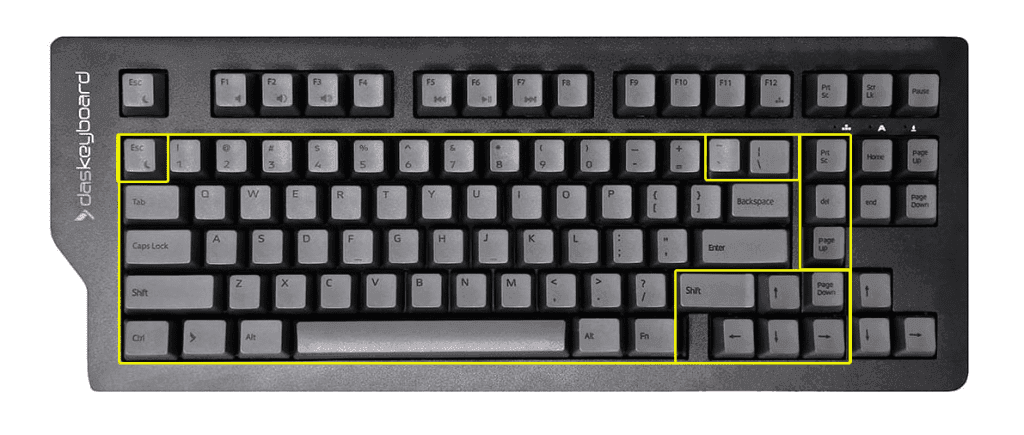
Frequently Asked Questions
How Do You Use F Keys On A 65 Keyboard?
Press the “Fn” key along with the desired F key to use function keys on a 65% keyboard.
How Do I Get The F Keys On 60%?
Use the FN key with number keys to access F keys on a 60% keyboard. Check your keyboard’s manual.
How Do I Enable The F Keys On My Keyboard?
Press the “Fn” key and the desired F key simultaneously. Adjust settings in your keyboard’s software if needed.
What Is Fn On 60% Keyboard?
The FN key on a 60% keyboard accesses secondary functions. It allows users to use keys like F1-F12, arrows, and more.
How To Access F Keys On 65% Keyboard?
Use the FN key combined with number keys to access F keys on a 65% keyboard.
Conclusion
Mastering the F keys on a 65% keyboard enhances your efficiency. By using key combinations and software remapping, you can easily access these functions. Practice and customization will make your workflow smoother. Embrace these tips to optimize your keyboard usage and boost productivity.
Happy typing!