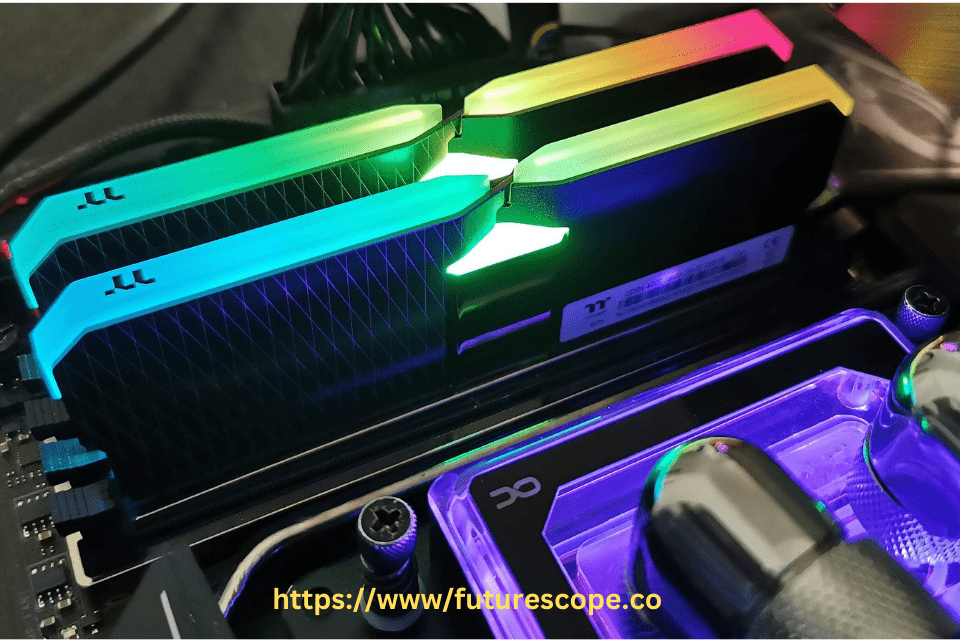

When it comes to high-performance PC builds, RAM overclocking can make a big difference. Overclocking improves memory speed, lowers latency, and boosts system responsiveness.
Overclocking RAM is a popular technique among PC enthusiasts to boost system performance by pushing memory modules beyond their rated specifications. Samsung’s A-Die and B-Die RAM, two prominent DDR4 memory dies, are often compared for their overclocking capabilities. While B-Die has long been the gold standard for overclockers due to its low latency and high-frequency potential, A-Die has emerged as a viable alternative with its own strengths.
If you are serious about gaming or content creation, choosing the right RAM matters. Two popular Samsung RAM types are A-Die and B-Die. But the big question is — does A-Die overclock as well as B-Die?
This article explores whether A-Die RAM can overclock as effectively as B-Die, highlighting key facts, performance differences, and practical considerations to help you decide which is best for your overclocking needs.
Understanding A-Die and B-Die RAM
A-Die and B-Die are distinct DRAM chip designs from Samsung, each engineered for specific performance profiles. B-Die, known for its tight timings and high overclocking headroom, is a favorite among gamers and overclockers, particularly for AMD Ryzen systems that thrive on fast, low-latency memory. A-Die, manufactured using a more advanced 10nm-class process, offers higher chip density and power efficiency, making it suitable for high-capacity modules in workstations and servers. Both dies support DDR4, but their overclocking potential varies significantly due to differences in architecture and design priorities.
Quick Overview: A-Die vs B-Die
Samsung B-Die memory is legendary for its ability to run at tight timings and high speeds. It’s the favorite for serious overclockers.
Samsung A-Die came later, offering improved efficiency and higher stock speeds at a lower cost, but with slightly looser timings.Both can perform great, but their overclocking behavior is not identical.
B-Die RAM: The Overclocking Champion
B-Die RAM is renowned for its exceptional overclocking performance, capable of achieving clock speeds of 4000 MHz or higher with tight timings like CAS Latency (CL) 14 or 15. Its robust design tolerates higher voltages (up to 1.5-1.6V safely), allowing enthusiasts to push frequencies and reduce latencies for significant performance gains. For example, B-Die kits overclocked to 3800 MHz with 16-16-16-36 timings can deliver 15-20% better memory bandwidth in benchmarks like AIDA64 compared to stock settings. This makes B-Die ideal for memory-sensitive applications, such as competitive gaming or content creation, though its premium price and limited availability since its discontinuation in 2019 pose challenges.
A-Die RAM: Overclocking Capabilities
A-Die RAM, while not as legendary as B-Die, offers respectable overclocking potential, particularly for users prioritizing high frequencies over tight timings. A-Die modules can often reach 3600-4000 MHz, but they typically require looser timings, such as CL16 or CL18, which result in slightly higher latency compared to B-Die. Overclocking A-Die beyond 1.45V can be risky, as its advanced manufacturing process is less tolerant of high voltages, potentially affecting long-term stability. However, A-Die’s XMP (Extreme Memory Profile) settings provide reliable out-of-the-box performance, making it a low-effort option for users who want decent overclocking without extensive manual tuning.
Overclocking Potential: Key Differences
1. B-Die: The Gold Standard
- High Speeds: Can reach 4000+ MHz easily.
- Tight Timings: Can achieve low CL14 to CL16 at high frequencies.
- Stable Performance: Maintains strong stability under stress.
- Best for Enthusiasts: Perfect for those who manually tweak settings.
B-Die is extremely flexible for manual tuning and tight latency optimization.
It handles voltage increases better and can be pushed far beyond stock settings.
2. A-Die: Great But Different
- High Speeds: Often rated at 3600–4266 MHz out of the box.
- Looser Timings: Typically CL18 or higher at stock.
- Good Stability: Stable at XMP (Extreme Memory Profile) speeds.
- Less Tuning Headroom: Struggles to tighten timings compared to B-Die.
A-Die is still fast and efficient but does not allow as much manual tweaking.
If you mainly rely on XMP profiles and light overclocking, A-Die will serve you well
Head-to-Head Overclocking Comparison
When comparing overclocking performance, B-Die consistently outperforms A-Die in achieving low-latency, high-frequency configurations. For instance, B-Die kits can maintain CL14 timings at 3600 MHz, while A-Die might require CL16 or higher at similar speeds, leading to a 5-10% performance gap in latency-sensitive tasks like gaming or benchmarking. B-Die’s ability to handle aggressive overclocks with stable timings gives it an edge in enthusiast builds, particularly for AMD Ryzen CPUs, where memory speed directly impacts Infinity Fabric performance. A-Die, however, excels in scenarios requiring high-capacity modules, offering stable overclocks for multi-channel setups in workloads like video editing or virtualization.
Stability and Voltage Considerations
Stability is a critical factor in RAM overclocking, and B-Die’s design provides greater flexibility. Its tolerance for higher voltages allows for stable overclocks even under demanding conditions, provided adequate cooling and motherboard support. A-Die, while stable at moderate overclocks, may encounter issues when pushed beyond 1.45V, as its 10nm-class architecture prioritizes efficiency over extreme voltage handling. Overclockers using A-Die must carefully balance frequency and timings to avoid instability, often settling for looser timings to maintain reliability. For beginners, A-Die’s simpler XMP profiles reduce the risk of configuration errors compared to B-Die’s manual tuning demands.
Compatibility with AMD and Intel Platforms
B-Die’s overclocking prowess is particularly valuable for AMD Ryzen systems, where fast, low-latency RAM can boost gaming performance by up to 10-15% in titles like Cyberpunk 2077. Its tight timings maximize Infinity Fabric efficiency, making it the preferred choice for Ryzen overclockers. Intel systems, less sensitive to memory latency, still benefit from B-Die’s high frequencies but show diminishing returns above 3600 MHz. A-Die RAM, with its broader compatibility and higher density, performs well on both platforms, especially in Intel-based workstations or Ryzen builds focused on productivity tasks. However, A-Die’s looser timings may limit its overclocking appeal for Ryzen gaming rigs.
Cost and Availability Impact on Overclocking
The cost and availability of A-Die and B-Die RAM significantly influence their appeal for overclocking. B-Die’s discontinuation in 2019 has driven prices up, with 16GB kits often exceeding €150, reflecting its niche status among enthusiasts. A-Die RAM, being more widely available and affordable (2x16GB kits starting at ~€130), is a cost-effective option for overclockers on a budget. While A-Die may not match B-Die’s extreme performance, its lower price and reliable XMP profiles make it accessible for users seeking moderate overclocks without breaking the bank. Tools like DRAM calculators can aid in optimizing both dies, but B-Die’s scarcity complicates sourcing.
Ideal Scenarios for A-Die and B-Die Overclocking
B-Die RAM is the go-to choice for hardcore overclockers, gamers, and Ryzen users aiming for the lowest latency and highest frequencies. Its ability to achieve tight timings at 4000 MHz or beyond makes it perfect for competitive gaming or benchmarking. A-Die RAM suits users who need high-capacity memory with decent overclocking potential for professional workloads, such as 3D rendering or server applications. For casual overclockers or those prioritizing value, A-Die’s stability and affordability make it a practical alternative, especially when manual tuning isn’t a priority. Your choice depends on whether you value raw performance or a balance of cost and capability.
Real-World Performance: Benchmarks Matter
Recent tests show B-Die kits outperform A-Die by about 5–10% in tasks like gaming and rendering — when manually tuned.
However, with only XMP profiles enabled, A-Die narrows the gap and can match or beat older B-Die kits in raw frequency.
Important:
If you are not an extreme overclocker, the difference might be small enough that you won’t notice much in daily use.
Conclusion
So, does A-Die overclock as well as B-Die?
Short answer: No, not quite — but it’s still very good.
B-Die remains the king for extreme overclockers chasing tight timings and max performance.
A-Die is a smart choice for users who want high speeds out of the box with minimal fuss.
If you’re a hardcore tuner, go B-Die.
If you prefer easy performance at a better price, A-Die is fantastic!
While A-Die RAM offers solid overclocking potential with high frequencies and reliable XMP profiles, it falls short of B-Die’s exceptional low-latency and high-frequency capabilities. B-Die remains the undisputed champion for enthusiasts seeking maximum performance, particularly in AMD Ryzen systems, despite its higher cost and scarcity. A-Die, with its affordability and stability, is a compelling option for users who need high-capacity modules or moderate overclocks without extensive tweaking.
By considering your budget, platform, and performance goals, you can determine whether A-Die’s practical overclocking or B-Die’s elite performance best suits your needs.