Imagine you’re all set to monitor your site’s performance with Semrush Position Tracking, but suddenly, it’s not updating. Frustrating, right?
You’ve invested time and effort into optimizing your website, and now you’re left in the dark about your rankings. Don’t worry, you’re not alone in this. Many users face similar issues, and the good news is, there are solutions. This guide is crafted just for you, to help navigate through the maze of troubleshooting.
We’ll uncover common reasons why your position tracking might be stalled and provide simple, actionable steps to get things back on track. Ready to regain control and ensure your SEO efforts are reflected accurately? Let’s get in and solve this mystery together.
How SEMrush Position Tracking Works?
SEMrush Position Tracking is a powerful feature that lets you:
- Monitor keyword rankings in Google’s search results
- Track daily movements by location, device type, and competitor
- Visualize changes using dynamic graphs and reports
Typically, SEMrush updates keyword positions once per day, depending on your plan and settings. However, if you notice no changes over 24–48 hours, several factors may be at play.
Common Reasons For Tracking Issues
Start Your Free Trial & Dominate Google Results with SEMrush
SEMrush Position Tracking issues often stem from outdated data or incorrect settings. Check for recent updates and verify tracking settings to ensure accuracy.
In the digital marketing realm, Semrush Position Tracking is a crucial tool for monitoring your website’s keyword rankings. However, you might face situations where the tracking isn’t updating as expected. Understanding the common reasons behind these issues can be the first step in troubleshooting effectively. Let’s dive into some frequent culprits that may cause your tracking to stall or display inaccurate data.
Data Sync Delays
Have you ever eagerly awaited your latest keyword rankings only to find them unchanged? Data sync delays could be the reason. Semrush relies on various data sources, and occasionally, these sources might not sync instantly. If your data isn’t updating, consider checking Semrush’s dashboard for any notices regarding sync issues. A brief delay can often resolve itself without intervention, but keeping a tab on updates is always wise.
Keyword Limitations
Adding more keywords than your plan supports is a common pitfall. Each Semrush subscription comes with a set keyword tracking limit. Exceeding this limit can halt updates for new keywords. To resolve this, review your keyword list and ensure it aligns with your plan’s capacity. If you’re passionate about tracking more keywords, upgrading your plan might be a worthwhile investment.
Tracking Settings Misconfiguration
It’s easy to overlook your tracking settings, yet a small misconfiguration can lead to big discrepancies in your data. Double-check your settings, such as the targeted location and device type. Are they aligned with your tracking goals? If your settings are off, your data might not reflect your actual rankings. Taking a moment to review these settings can save you from chasing phantom errors.
Have you ever wondered why the simplest solutions are often the most overlooked? Sometimes, all it takes is a quick audit of your settings and limitations to fix persistent tracking issues. Remember, troubleshooting is not just about fixing problems—it’s about understanding your tools better. What’s your go-to strategy when faced with tracking discrepancies?
Check Account Settings
Experiencing issues with Semrush position tracking not updating? Check account settings to ensure accurate data flow. Correct settings can solve update problems and maintain tracking efficiency.
When you’re relying on Semrush for crucial insights into your website’s performance, it can be frustrating to notice that your position tracking isn’t updating as expected. Before you panic, take a moment to check your account settings. Sometimes, the solution is simpler than it seems. By ensuring your settings are correctly configured, you can get your tracking back on track.
Verify Tracking Limits
Start by checking if you’ve hit your tracking limits. Semrush assigns a certain number of keywords you can track based on your subscription plan. If you’ve maxed out, it won’t update with new data. You might need to upgrade your plan or remove some keywords to free up space.
Keep an eye on your usage. Are you tracking more than you need? Trim the excess to make room for essential keywords.
Ensure Correct Domain Targeting
Double-check the domain you’re tracking. Mistakes here are more common than you think. It’s easy to accidentally track a subdomain or a wrong version of your site.
Verify that you’re targeting the primary domain you want insights on. Are you sure the URL is correctly entered? A small typo could be the issue.
Review Keyword List
Look over your keyword list. Are the keywords relevant and up-to-date? Keywords can evolve over time, and what was important yesterday might not be today.
Make sure your keywords align with your current goals. Are there keywords that no longer serve your strategy? Replace outdated keywords with ones that reflect your current focus.
Have you ever wondered if your settings could be holding you back? Sometimes, a small oversight can lead to big headaches. By taking the time to review your account settings, you can ensure that your Semrush position tracking works smoothly and effectively.
Try SEMrush
SEO can feel overwhelming, but you don’t have to do it alone. Tools like SEMrush give you a clear roadmap—showing which keywords to target, what your competitors are ranking for, and how to climb the search results faster.
Adjust Tracking Settings
Adjusting tracking settings in Semrush can resolve update issues. Settings affect how data is gathered and presented. Proper adjustment ensures accurate and timely updates.
Update Location Settings
Location settings impact your tracking data. Ensure the location matches your target market. Incorrect settings lead to inaccurate data. Check the selected country and city. Adjust as needed. This improves data relevance.
Set Device Preferences
Device preferences determine data collection. Choose between desktop or mobile tracking. Select the device most relevant to your audience. Ensure settings match your target device. This ensures accurate position tracking.
Modify Competitor List
Competitors influence your position data. Ensure your competitor list is current. Outdated lists affect tracking accuracy. Regularly update this list. Add new competitors or remove old ones. This keeps your tracking data relevant.
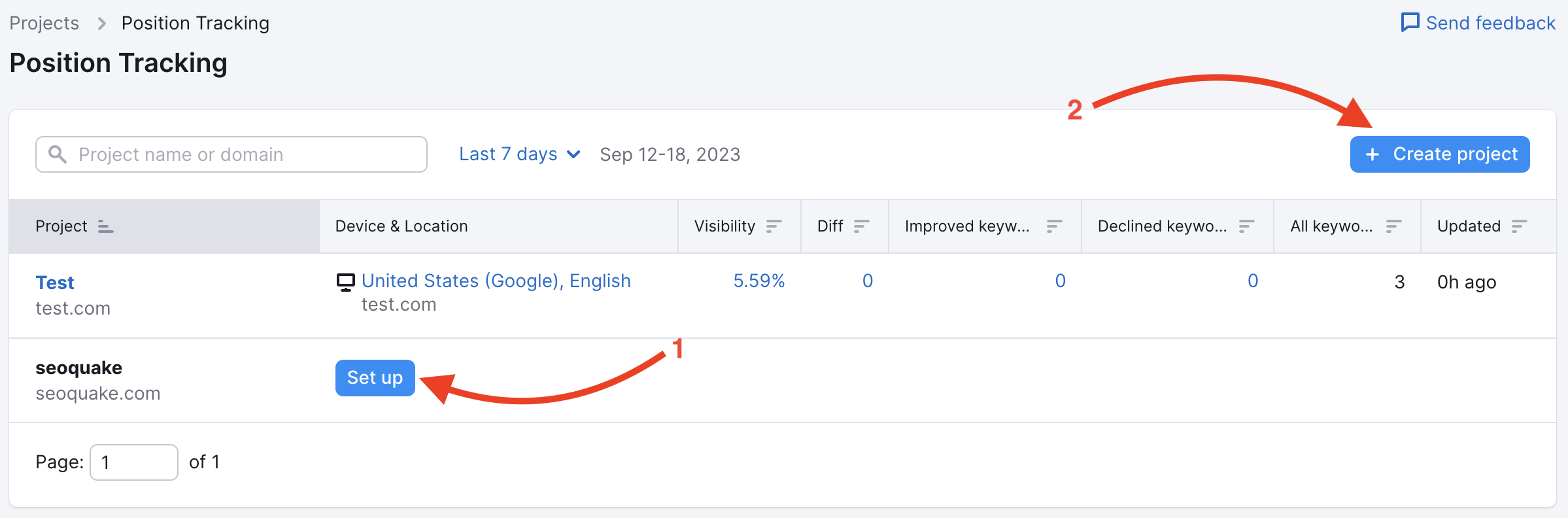
Refresh Data Manually
SEMrush position tracking is essential for SEO success. Sometimes, data doesn’t update automatically. This can cause frustration. Manually refreshing data often solves this issue. This guide explains how to refresh data manually. Follow these steps to ensure accurate tracking.
Using The Refresh Button
SEMrush offers a refresh button. It’s easy to use. Navigate to the tracking dashboard. Locate the refresh button on the screen. Click it to update data instantly. This action retrieves the latest ranking information. It’s quick and straightforward.
Understanding Refresh Limits
Refreshing isn’t unlimited. SEMrush sets limits on manual updates. Check your account details for specific refresh limits. Overusing the refresh button can lead to restrictions. Use it wisely to avoid hitting these limits. This ensures continuous access to updated data.
Contact Support
Struggling with SEMrush position tracking not updating? Contacting support can help. SEMrush has a dedicated team ready to assist. Before reaching out, gather all relevant details. This ensures a smooth and efficient process. Let’s dive into how you can contact them.
How To Reach SEMrush Support?
Getting SEMrush support is straightforward. Start by visiting the SEMrush website. Look for the “Help” or “Support” section. You’ll find options like live chat, email, or phone support. Choose the method most convenient for you. Live chat often provides quick responses.
Information To Provide
Providing the right information is crucial. First, include your account details. This helps the support team identify your account. Next, describe the issue clearly. Mention how long the problem has existed. Include any troubleshooting steps you’ve tried. This saves time and aids in finding a solution. Attach screenshots if possible. They offer a visual reference for the support team. This can lead to a faster resolution.
Steps To Prevent Future Issues
Discover effective ways to resolve Semrush position tracking issues. Regular updates and proper settings can ensure accurate data. Follow this troubleshooting guide to maintain seamless tracking and prevent future problems.
Preventing future issues with Semrush position tracking ensures smooth operations. By adopting proactive measures, you can avoid disruptions. Regular checks and staying informed are crucial strategies.
Regular Account Audits
Conducting regular account audits helps identify potential issues early. Review your settings and data frequently. Check if your keywords and domain settings are correct. Ensure that the tracking settings align with your goals. Audits also help in maintaining data accuracy. Look for any discrepancies or unusual patterns. Address them promptly to prevent future problems.
Stay Updated On Tool Changes
Tool updates can impact your tracking accuracy. Stay informed about any changes in Semrush features. Subscribe to newsletters or updates from Semrush. This helps in understanding new features or alterations. Implement any recommended settings adjustments immediately. Being aware of updates keeps your tracking aligned with current standards. This proactive approach minimizes unexpected issues.
Common Reasons for Position Tracking Not Updating
Several factors can prevent SEMrush Position Tracking from updating or showing rankings. Below are the most common reasons, based on insights from SEMrush’s Knowledge Base and user discussions:
| Reason | Description | Solution |
|---|---|---|
| Data Gathering in Progress | New campaigns or keywords require up to an hour to collect initial data. | Wait up to an hour for data to populate (Position Tracking FAQs). |
| Incorrect Domain Scope | Tracking a specific URL/subfolder/subdomain when another part of the domain (e.g., root domain) ranks for the keywords. | Change the scope to the root domain via the settings menu in the upper-right corner of the Position Tracking interface. |
| No Rankings for Keywords | The website does not rank in the top 100 for the tracked keywords. | Check SERP snapshots in the Rankings Overview table to confirm rankings. |
| Location and Device Mismatch | Campaign settings differ from manual search parameters, causing discrepancies due to Google’s personalized results. | Align campaign location and device settings with your intended tracking parameters (Position Tracking Differences). |
| Low Search Volume Keywords | Keywords with low search volume may not register in SEMrush, even if listed in Google Search Console. | Verify keyword search volume and select high-volume, relevant keywords. |
Frequently Asked Questions
Why Is My SEMrush Position Tracking Not Updating?
If your SEMrush position tracking is not updating, it’s likely due to one of several common reasons. First, position tracking data in SEMrush is usually updated once every 24 hours by default, so delays can occur if you’re checking too soon. Also, ensure that your project settings and target location are correctly configured—errors here may cause missing or incorrect keyword data. Another reason could be paused or expired subscription plans, which halt data refresh. Lastly, tracking may not update if the target keywords are inactive, irrelevant, or have very low search volume. Reviewing your keyword list and schedule settings can usually resolve the issue.
How Often Does SEMrush Update Position Tracking?
SEMrush updates Position Tracking data every 24 hours by default, providing daily keyword ranking updates for your selected domain, location, and device. This means you can track fluctuations in search positions on a day-to-day basis. The tool stores daily data for 60 days, after which it keeps weekly snapshots—usually taken on Wednesdays—for long-term reference. Updates may vary slightly depending on your project settings and subscription level, but regular automatic tracking ensures you stay informed about your SEO performance in near real-time.
Can Wrong Keywords Affect SEMrush Tracking Updates?
Yes, using wrong or irrelevant keywords can negatively affect SEMrush position tracking updates. If keywords are too broad, have very low search volume, or don’t match your target audience, SEMrush may struggle to collect accurate ranking data or fail to update positions regularly. Additionally, tracking keywords that are not indexed or are rarely searched can lead to inconsistent or missing updates. To ensure reliable tracking, it’s important to select relevant, high-quality keywords that reflect your actual SEO goals and target market.
Does Browser Cache Affect SEMrush Updates?
Yes, a full cache might show outdated info. Generally Browser cache does not affect SEMrush updates because SEMrush’s position tracking data is processed and refreshed on their servers, not your local browser. The data you see in your SEMrush dashboard is pulled directly from their cloud system, so clearing your browser cache won’t influence how frequently or accurately your keyword rankings update. However, if you experience display issues or outdated data on your screen, clearing your browser cache can help refresh the webpage and show the latest information.
How Can I Fix SEMrush Tracking Issues?
To fix SEMrush tracking issues, start by ensuring your project settings are correct—check that your target domain, location, device type, and keywords are properly configured. Verify your subscription is active and hasn’t expired, as inactive plans can pause data updates. Remove any irrelevant or low-search-volume keywords that may cause data gaps. Clear your browser cache or try accessing SEMrush from a different browser to rule out display problems. If issues persist, contact SEMrush support for assistance, as occasional server-side glitches or account-specific problems might require expert help.
Conclusion
SEMrush position tracking issues can be frustrating. Simple checks might resolve them. Ensure your settings are correct. Refresh the data regularly. Check your keywords and competitors. Contact support if problems persist. It’s essential to keep your tools running smoothly. This ensures accurate data.
Accurate data means better decision-making. Troubleshooting takes time, but it’s worth it. Keep your SEO strategy on track. Stay informed and proactive. Regular updates ensure you don’t miss changes. Your efforts will pay off in the long run. Happy tracking!