To use arrow keys on a 60% keyboard, activate the function layer. Press the FN key plus the designated arrow keys.
A 60% keyboard is a compact, minimalist keyboard design. It lacks the dedicated arrow keys, function row, and numpad. Users favor it for its portability and desk space savings. Despite the absence of dedicated keys, you can still access arrow functions.
The FN key, combined with other keys, allows navigation. This setup may vary between different keyboard brands. Check your keyboard’s manual for specific key combinations. Understanding your keyboard’s layout can enhance your typing experience. Mastering these shortcuts ensures efficient, uninterrupted work flow.
What is 60% Keyboards?
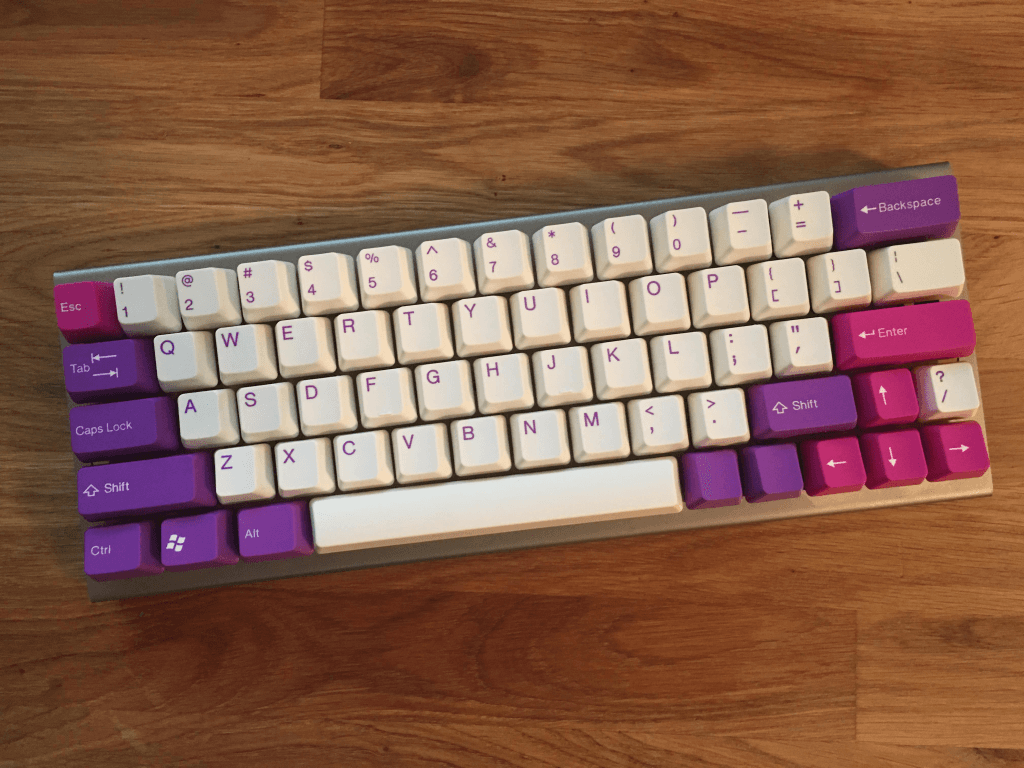
60% keyboards are becoming popular due to their small size. These keyboards have fewer keys than standard ones.
They save desk space and are easy to carry. Despite their size, they offer full functionality.
Compact Size
60% keyboards are very compact. They have about 60 keys.
This makes them smaller than regular keyboards. They lack a number pad and function keys.
Gamers and travelers love these keyboards. They fit into small bags and workspaces easily.
Full Functionality
Even with fewer keys, 60% keyboards are versatile. They use key combinations to perform extra functions.
For example, you can still use arrow keys. Usually, pressing the “Fn” key and another key allows this.
These keyboards often have customizable key functions. This makes them very flexible.
Popular Models And Brands
| Brand | Model | Special Features |
|---|---|---|
| Razer | Huntsman Mini | RGB lighting, fast switches |
| Anne Pro | Anne Pro 2 | Bluetooth, customizable keys |
| Ducky | Ducky One 2 Mini | Durable build, RGB lighting |
Arrow Key Functionality On Compact Boards
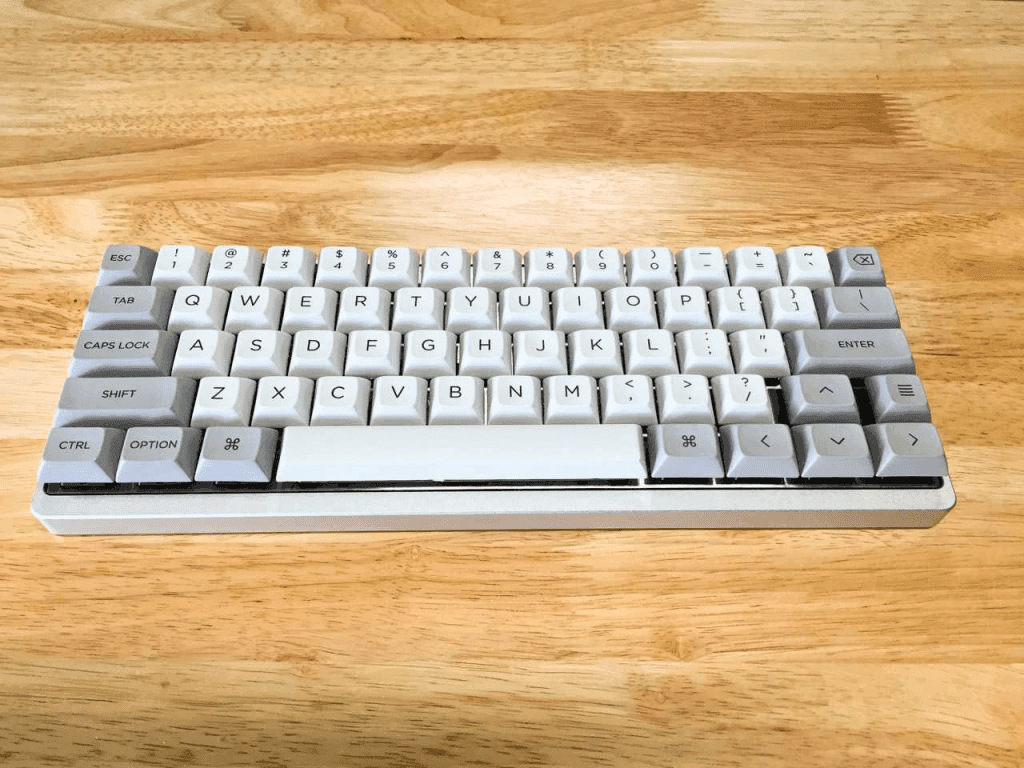
Compact keyboards, like 60% keyboards, save space. They do this by removing some keys, including dedicated arrow keys. This can be confusing for new users. But don’t worry, you can still use arrow keys on these smaller boards.
The Absence Of Dedicated Arrows
On a 60% keyboard, you won’t find dedicated arrow keys. This design choice makes the keyboard smaller and more portable. Despite the absence of these keys, you can still use arrows through key combinations.
Layer And Key Mapping Basics
Most 60% keyboards use a function (FN) layer. This layer helps access missing keys, including arrow keys. Here is a simple way to understand it:
- Press the FN key to activate the function layer.
- While holding FN, press the appropriate key for arrows.
For example:
| Arrow Key | Key Combination |
|---|---|
| Up Arrow | FN + I |
| Down Arrow | FN + K |
| Left Arrow | FN + J |
| Right Arrow | FN + L |
Some keyboards let you remap these keys. This means you can choose which keys act as arrows. This is useful if you have a preferred layout.
Here is a step-by-step guide for remapping keys:
- Open your keyboard’s software.
- Select the key you want to remap.
- Choose the new function for the key.
- Save your changes.
Using a 60% keyboard can be easy. Just remember to use the function layer and remap keys as needed.
Step-by-step Guide To Mastering Arrow Keys
Using arrow keys on a 60% keyboard can be tricky. But with a few steps, you can master them. Follow this guide to make your navigation easier.
Activating The Function Layer
Many 60% keyboards have a function layer. This layer helps access additional keys. To activate it, hold down the Fn key. Some keyboards might use the Fn key in combination with another key. Check your keyboard’s manual for specific instructions.
Key Combinations For Navigation
Once the function layer is active, you can use specific key combinations for arrow keys. Here are some common key combinations:
| Arrow Key | Key Combination |
|---|---|
| Up Arrow | Fn + W |
| Down Arrow | Fn + S |
| Left Arrow | Fn + A |
| Right Arrow | Fn + D |
Practice these combinations to get familiar with them. You can also reprogram keys using software for more customization.
Tips And Tricks For Efficient Use
Using arrow keys on a 60% keyboard can be tricky. But with practice and customization, you can master it. Below are some tips and tricks for efficient use.
Customizing Your Keymap
Customizing your keymap can improve efficiency. Many 60% keyboards come with software for remapping keys. Use this software to assign arrow functions to easy-to-reach keys. Here is how you can do it:
- Download the keyboard’s customization software.
- Open the software and select the keymap option.
- Assign arrow key functions to specific keys.
- Save your new keymap.
Some popular key assignments include:
| Key | Arrow Function |
|---|---|
| Fn + J | Left Arrow |
| Fn + K | Down Arrow |
| Fn + L | Up Arrow |
| Fn + ; | Right Arrow |
Practice Drills For Proficiency
Practice is key to mastering 60% keyboard arrow keys. Try these drills to improve:
- Open a text document.
- Use your custom arrow keys to navigate through text.
- Set a timer and see how fast you can move.
- Repeat until you feel comfortable.
Regular practice will help you become proficient. Aim for at least 10 minutes a day.
Frequently Asked Questions
How Do I Turn On The Arrow Keys On My 60 Keyboard?
Enable arrow keys on a 60% keyboard by pressing the FN key along with the designated arrow function keys. This varies by model, so check your keyboard’s manual.
How To Use Arrow Keys On 60% Keyboard Rk61?
Hold the Fn key and press the right Shift key to enable arrow keys on the RK61 keyboard. Use Fn + W/A/S/D for arrow functionality.
How Do You Make The Arrow ↑ ↓ → ← On Your Keyboard?
Use Alt codes for arrows. Hold the Alt key and type these codes on the numeric keypad: – ↑: Alt + 24 – ↓: Alt + 25 – →: Alt + 26 – ←: Alt + 27
How Do You Function Keys On A 60% Keyboard?
Use the Fn key along with the number keys (1-0) to access function keys on a 60% keyboard.
How Do You Use Arrow Keys On A 60% Keyboard?
Use the FN key combined with other keys, usually I, J, K, L.
Conclusion
Mastering the arrow keys on a 60% keyboard enhances your typing and gaming experience. With practice, muscle memory develops quickly. Custom key mappings and layers can optimize your setup. Enjoy the compact design without sacrificing functionality. Adapt these tips for efficient navigation and improved productivity.