
Are you ready to take your business strategy to the next level? Keeping an eye on your competitors is one of the smartest ways to improve your SEO strategy. SEMrush Position Tracking helps you do just that. It allows you to see how your website ranks compared to others for your target keywords. You can track ranking changes, find opportunities, and understand what’s working for your competitors. Let’s look at how to use SEMrush Position Tracking step by step.
What Is SEMrush Position Tracking?
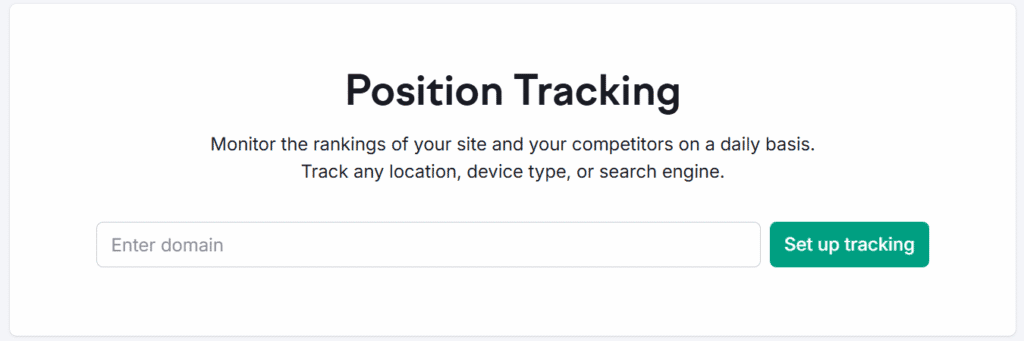
SEMrush Position Tracking is a powerful tool that shows where your website and your competitors stand in Google’s search results. You can track rankings for specific keywords, devices, and locations. It updates daily, so you always know if your performance is improving or slipping.
The best part? You can compare your site’s rankings with up to 20 competitors at once. This helps you see exactly who’s winning in your niche.
This tool is perfect for SEO professionals, digital marketers, and business owners who want to measure performance and discover opportunities.
TL;DR
SEMrush Position Tracking is a powerful SEO tool that helps you monitor your keyword rankings and compare them with competitors. By setting up a tracking campaign, adding relevant keywords, and analyzing visibility scores, you can uncover strategic insights. Use Competitors Discovery to find rivals, track SERP features, and generate reports to stay ahead in search results.
Why Track Competitors?
Tracking competitors helps you understand what’s working for them. You can see which keywords they rank for, how visible they are in search results, and what strategies they might be using. This insight allows you to:
- Identify keyword gaps
- Discover new content ideas
- Improve your SEO strategy
- Benchmark your performance
- Stay ahead of market trends
Setting Up SEMrush Position Tracking
To begin tracking competitors, you first need to set up a Position Tracking campaign. Here’s how:
Step 1: Set Up a New Project
Start by logging into your SEMrush account. Go to the Projects section and click Create New Project. Enter your website’s domain name and project name.
Once the project is created, click Set Up under Position Tracking. This is where you’ll define the keywords and competitors you want to monitor.
Step 2: Choose Your Target Location and Device
You can track rankings based on specific locations. This is great if you run a local business or serve customers in different regions. Choose your target country, city, or even ZIP code.
Next, select the device type—desktop, mobile, or tablet. Ranking positions can differ by device, so this data helps you see how your website performs everywhere.
Start tracking. Start winning
Don’t Guess—Know Your Competition’s Every Move with SEMrush Position Tracking.
Step 3: Add Keywords to Track
Now add the keywords you want to track. You can type them manually, import from a file, or pull them directly from other SEMrush tools like Keyword Magic or Organic Research.
Make sure to include both branded and non-branded keywords. Branded keywords help you track your name’s visibility, while non-branded ones show how you rank for general search terms.
Step 4: Add Your Competitors
This is where SEMrush Position Tracking shines. You can add your competitors’ domains manually or let SEMrush suggest them automatically. The tool analyzes your keywords and lists top domains already ranking for them.
Add up to 20 competitors to compare. This will help you see who is ranking better and for which keywords.
Step 5: Review the Overview Report
After setting everything up, SEMrush starts collecting ranking data. The Overview report gives you a quick summary of your progress. It shows:
- Average position
- Visibility trend
- Top keywords
- Ranking distribution
You can also see how your performance compares to competitors. For example, if a competitor’s visibility score jumps, it’s a sign their SEO strategy is working.
Step 6: Analyze Competitor Rankings
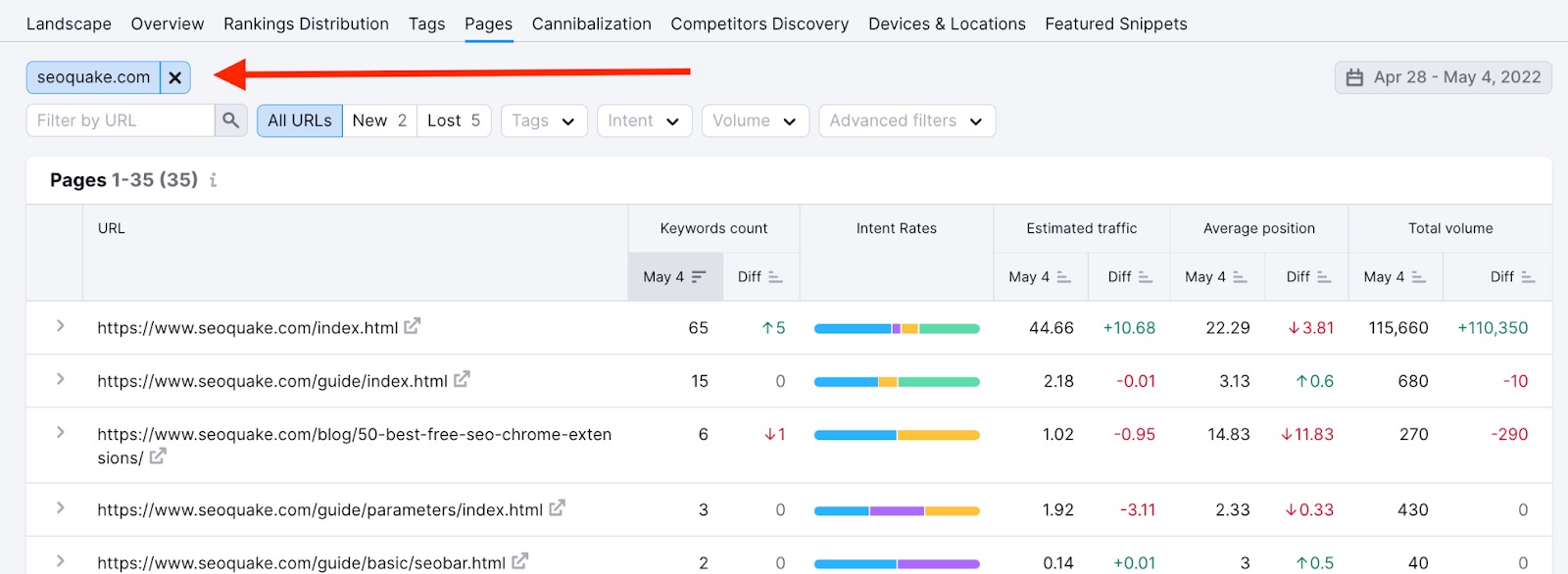
Go to the Competitors Discovery tab. Here, you can see which domains compete with you for your tracked keywords. The table shows visibility %, traffic %, and average position for each domain.
Click on any competitor to view detailed keyword-level comparisons. You’ll see where they outrank you and where you can gain ground.
This data helps you identify which pages or keywords you should optimize next.
Step 7: Use Tags and Filters for Better Insights
If you’re tracking many keywords, organize them using tags. For example, group them by product category or topic. You can then filter reports to see how specific keyword groups are performing.
This makes it easier to find patterns. For instance, you might notice that your competitor ranks higher for long-tail keywords, which could inspire you to focus more on them.
Step 8: Track Daily Changes and Alerts
SEMrush updates rankings every day. You can set up email alerts to get notified about major changes. For example, if your ranking drops for a critical keyword, you’ll know right away.
Monitoring daily changes helps you react fast to SEO shifts and Google algorithm updates.
Step 9: Generate and Share Reports
SEMrush allows you to create custom reports. You can include charts, tables, and competitor data. Export them as PDFs or schedule automatic weekly reports via email.
This feature is perfect for SEO agencies and marketers who want to share progress with clients or team members.
Using Competitors Discovery
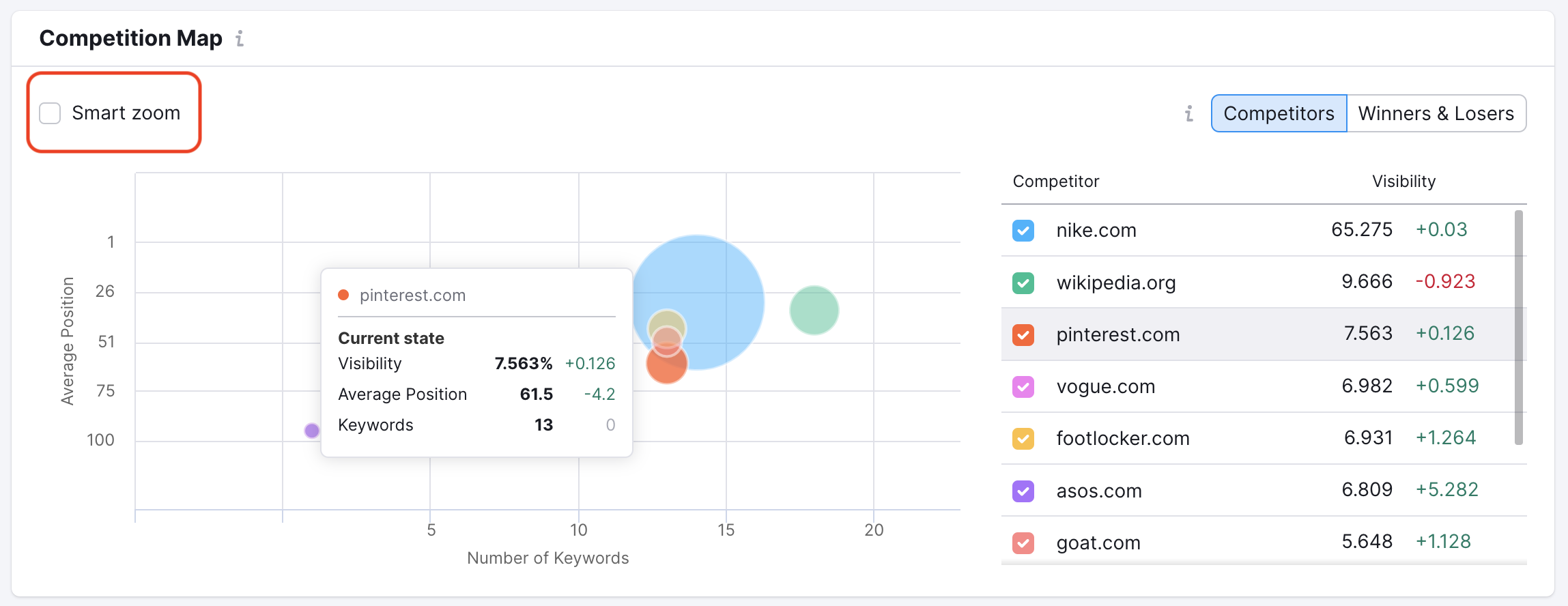
The Competitors Discovery tab is a powerful tool. It automatically identifies domains that compete with yours for traffic from your target keywords. SEMrush plots these domains on a Competition Map, showing who has the most keywords and best average positions.
Here’s how to use it:
- Open the Competitors Discovery tab
- View the Competition Map
- Identify top competitors based on keyword overlap and visibility
- Add them to your tracking campaign with one click
This visual map helps you quickly spot major players in your niche.
Analyzing Competitor Performance
Once your campaign is set up, SEMrush starts collecting data. You can now analyze how your competitors are performing.
Visibility Score
This score shows how visible a domain is in search results for the tracked keywords. A higher score means better rankings and more exposure.
Average Position
This metric tells you the average ranking position of a domain across all tracked keywords. It helps you compare performance over time.
Keyword Rankings
You can see which keywords your competitors rank for, their positions, and how they’ve changed. This helps you spot opportunities and threats.
SERP Features
SEMrush also tracks SERP features like featured snippets, local packs, and site links. If your competitor owns a featured snippet, you can analyze their content and try to outrank them.
Tracking Changes Over Time
One of the best parts of SEMrush Position Tracking is its ability to show changes over time. You can view historical data, compare week-over-week or month-over-month performance, and spot trends.
This is useful for:
- Measuring the impact of SEO campaigns
- Identifying seasonal trends
- Tracking algorithm updates
- Monitoring competitor growth
Don’t Guess—Know Your Competitor
Learn the smarter way to monitor your rivals and boost your rankings—try SEMrush Position Tracking today!
Alerts and Reporting
SEMrush allows you to set up alerts for ranking changes. If a competitor suddenly jumps in rankings, you’ll be notified. You can also generate automated reports to share with your team or clients.
Reports include:
- Keyword rankings
- Visibility scores
- SERP feature ownership
- Competitor comparisons
These reports are customizable and easy to understand.
Tips for Effective Competitor Tracking
To get the most out of SEMrush Position Tracking, follow these tips:
1. Track Relevant Competitors
Focus on competitors who target the same keywords and audience. Avoid tracking unrelated domains.
2. Update Keywords Regularly
SEO is dynamic. Add new keywords as your strategy evolves and remove irrelevant ones.
3. Monitor SERP Features
Featured snippets and People Also Ask boxes can drive massive traffic. Keep an eye on who owns them.
4. Use Tags and Filters
Organize your keywords using tags. This helps you analyze performance by topic, intent, or funnel stage.
5. Export Data
Download your reports and data for deeper analysis. Use Excel or Google Sheets to create custom dashboards.
Why Use SEMrush Position Tracking for Competitor Analysis?
Tracking competitors with SEMrush gives you a complete picture of your market. You can:
- Identify which keywords drive the most traffic to their sites.
- Discover new keyword opportunities.
- Learn how often competitors’ rankings change.
- Spot content gaps and backlink opportunities.
By studying your competitors’ performance, yo
Common Mistakes to Avoid
While SEMrush is user-friendly, some mistakes can limit your results:
- Tracking too many keywords: Focus on high-value keywords to avoid clutter.
- Ignoring local search: If you serve a specific region, track local rankings.
- Not updating competitors: Your market changes. Review your competitor list regularly.
- Overlooking mobile rankings: Mobile-first indexing makes mobile tracking essential.
Real-World Example
Let’s say you run an online shoe store. You want to track how your competitors rank for keywords like “best running shoes,” “affordable sneakers,” and “Nike shoes online.”
Using SEMrush Position Tracking, you:
- Set up a campaign with your domain
- Add keywords related to your products
- Use Competitors Discovery to find rival stores
- Track their rankings and visibility
- Spot keywords they rank for that you don’t
- Create content to target those gaps
- Monitor your progress weekly
This approach helps you stay competitive and grow your organic traffic.
Final Thoughts
SEMrush Position Tracking is more than just a rank checker. It’s a strategic tool that helps you understand your market, analyze competitors, and improve your SEO. By tracking your rivals, you gain insights that can shape your content, keyword strategy, and overall digital presence.
Whether you’re a solo blogger or part of a large marketing team, this tool offers the clarity and control you need to succeed. Start tracking your competitors today and take your SEO game to the next level.
Frequently Asked Questions
What Is Semrush Position Tracking?
Semrush Position Tracking monitors your website’s keyword rankings. It also tracks competitors’ rankings.
Why should I track competitors?
Tracking competitors helps you identify keyword gaps, discover new content opportunities, and benchmark your SEO performance to stay ahead in your niche.
How Can Semrush Help Track Competitors?
Semrush shows competitors’ keyword positions. It highlights new trends and opportunities.
How To Set Up Position Tracking On Semrush?
Enter your domain and keywords. Select target location. Start tracking competitors.
How do I add competitors in SEMrush?
You can manually add competitor domains or use the Competitors Discovery tool, which suggests rivals based on keyword overlap and visibility.
Why Is Competitor Tracking Important?
It reveals competitors’ strategies. Helps you adjust your SEO plan.
Can I track local rankings?
Yes, SEMrush allows you to track rankings at the city, state, or country level, making it ideal for local SEO strategies.
What are SERP features in SEMrush?
SERP features include elements like featured snippets, site links, local packs, and People Also Ask boxes. SEMrush shows which domains own these features.
How often is the data updated?
SEMrush updates Position Tracking data daily, allowing you to monitor changes and trends in real time.
Can I export reports?
Yes, you can export keyword rankings, visibility scores, and competitor comparisons into customizable reports for sharing or deeper analysis.
Can Semrush Track Mobile And Desktop Rankings?
Yes, Semrush tracks both. It shows variations between mobile and desktop rankings.