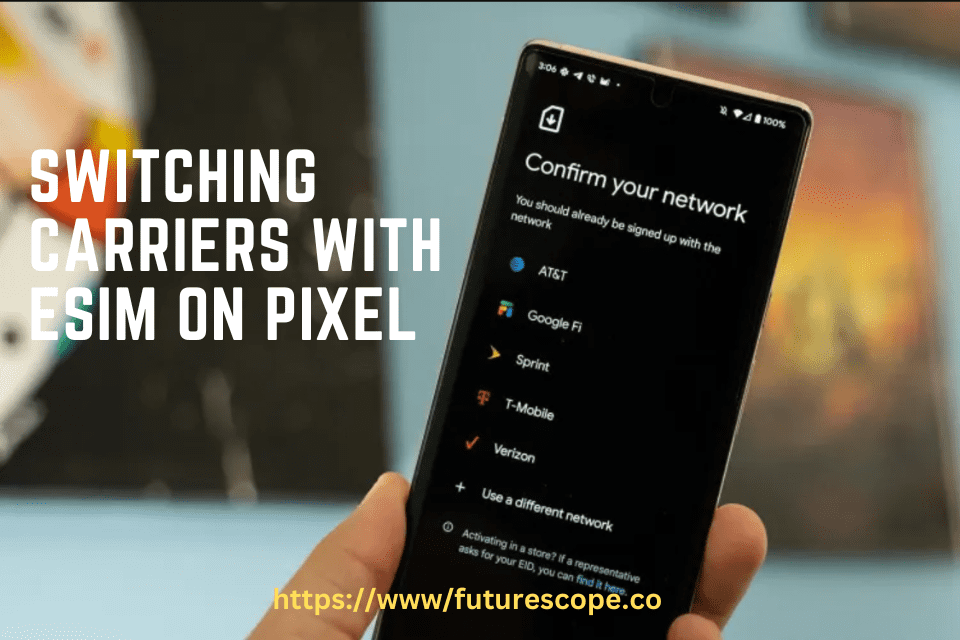

Switching carriers using eSIM on your Google Pixel is a convenient way to change mobile providers without a physical SIM card. This process works on Pixel 3a and later models, making it accessible for most users in 2025.
Steps to Switch Carriers
- Check Compatibility:
- Ensure your Pixel (Pixel 3a or later) supports eSIM. Most models do, and you can verify by checking your device settings.
- Confirm with both your current and new carriers that they support eSIM, as availability can vary.
- Get eSIM Details from New Carrier:
- Contact your new carrier or visit their website to request an eSIM. They’ll provide a QR code or activation code for setup.
- Add the New eSIM:
- Open the Settings app on your Pixel.
- Go to Network & Internet > SIMs > Add SIM > Download a new eSIM.
- Scan the QR code from your new carrier or enter the activation code. This typically takes about 5 minutes to activate.
- Manage Dual SIM (If Needed):
- You can keep both eSIMs active temporarily, choosing which one handles calls, texts, and data via Settings > Network & Internet > SIMs.
- Pixel 7 and later models support two eSIMs, offering flexibility during the transition.
- Remove Old eSIM (Optional):
- If you no longer need the old eSIM, go to Settings > Network & Internet > Mobile network, select the old eSIM, and tap Delete SIM.
- Test the New Connection:
- Make a test call, send a text, and use mobile data to ensure everything works with the new carrier.
- If issues arise, contact your new carrier for support, as some carriers have specific activation processes.
Unexpected Detail: Pixel 7 and later models support two eSIMs simultaneously, so you can keep both active during the transition if needed.
eSIM on Pixel Devices
eSIM, or embedded SIM, is a digital SIM that allows users to activate mobile data plans without a physical SIM card. Pixel devices have supported eSIM since the Pixel 3a, released in 2019, with subsequent models, including the Pixel 7 and later, offering enhanced dual SIM functionality. As of March 22, 2025, eSIM adoption is widespread, driven by carriers like AT&T, Verizon, and T-Mobile, making it a viable option for switching carriers.
The technology enables users to manage multiple carrier profiles on a single device, which is particularly beneficial for frequent travelers or those needing to switch providers. Pixel’s implementation, as detailed in official Google support pages, allows for easy activation via QR codes or activation codes, simplifying the process compared to traditional SIM swaps Set up an eSIM Pixel Phone Help.
Device and Carrier Compatibility
To switch carriers using eSIM, your Pixel device must support eSIM, which is true for all models from Pixel 3a onwards. For instance, the Pixel 8, launched in 2023, supports eSIM and is highlighted in guides for its seamless activation process Activate eSIM Google Pixel Holafly. Pixel 7 and later models also support dual eSIM functionality, allowing two eSIM profiles simultaneously, which is useful for maintaining multiple numbers during transitions.
Carrier compatibility is crucial, and as of 2025, most major U.S. carriers support eSIM. However, users should verify with their carrier, as some regional providers may have limitations. For example, a guide on eSIM carriers worldwide notes AT&T, T-Mobile, and Verizon as key providers in the USA Activate eSIM Google Pixel Holafly.
Step-by-Step Process for Switching Carriers
The process to switch carriers involves adding a new eSIM and optionally removing the old one. Below is a detailed breakdown:
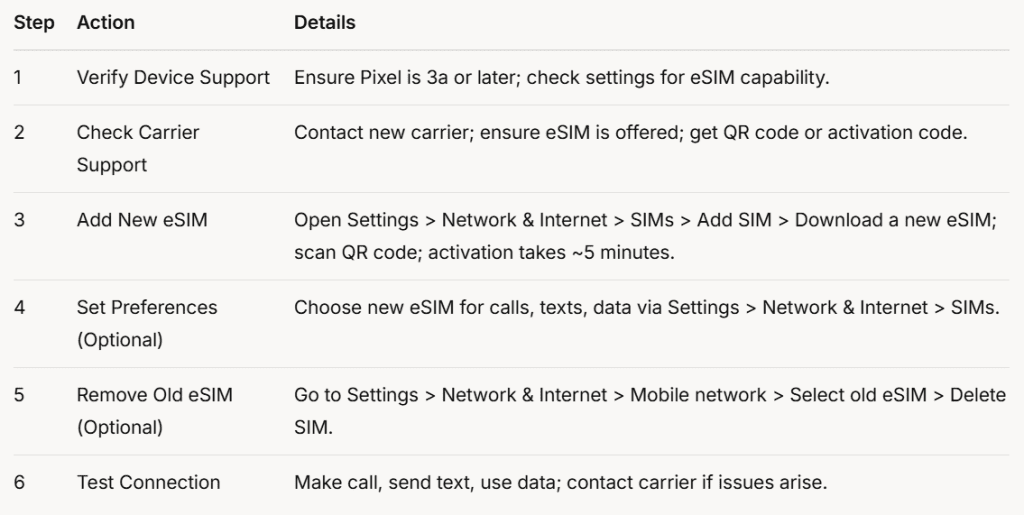
This table summarizes the process, ensuring users can follow each step systematically. For example, adding the new eSIM is detailed in Google’s support page, which recommends scanning the QR code for ease Set up an eSIM Pixel Phone Help.
Managing Dual SIM Functionality
Pixel devices support Dual SIM Dual Standby (DSDS), allowing users to have one physical SIM and one eSIM, or two eSIMs on Pixel 7 and later. This feature is particularly useful during the transition, as users can keep the old eSIM active while testing the new one. To manage, go to Settings > Network & Internet > SIMs, where you can select which SIM handles calls, texts, and data. This flexibility is noted in Google’s dual SIM guide, highlighting compatibility with Android 11 and up Use dual SIMs Pixel Phone Help.
Carrier-Specific Considerations
While the general process is uniform, carrier-specific variations exist. For instance, activation might require additional steps for Verizon, T-Mobile, or AT&T, especially if the QR code method fails. A guide on activating eSIM with major U.S. carriers suggests contacting customer service or visiting a store for assistance, though specific URLs for this were not provided in the search results. This variability is an important consideration, as it may affect the ease of switching.
Additional Notes and Tips
- eSIM Transfer: If upgrading to a new Pixel, you can transfer the eSIM during setup or deactivate it on the old device and reactivate on the new one. This is detailed in guides for Pixel 8, noting it’s only possible between eSIM-compatible Pixels Activate eSIM Google Pixel Holafly.
- Testing and Troubleshooting: After switching, test all functions (calls, texts, data) to ensure connectivity. If issues persist, check device software updates and carrier support, as some problems may relate to network coverage or carrier policies.
- Unexpected Detail: Dual eSIM on Pixel 7 and Later: An interesting aspect is that Pixel 7 and later models support two eSIMs, which is not commonly highlighted but offers significant flexibility for users managing multiple lines, such as personal and work numbers.
Conclusion
Switching carriers using eSIM on Pixel devices is a streamlined process, supported by most models from Pixel 3a onwards and major carriers in 2025. By following the steps outlined, users can add a new eSIM, manage dual SIM functionality, and optionally remove the old eSIM, ensuring a smooth transition. Always check carrier-specific requirements and test the new connection to address any issues, leveraging the flexibility eSIM offers for modern mobile management.