

Thermal paste is one of the most overlooked but essential components for building or maintaining a computer. It plays a critical role in transferring heat from your CPU or GPU to the cooler, ensuring that your system stays cool and runs efficiently. While many people focus on applying thermal paste correctly, not enough attention is given to how to properly store thermal paste when it’s not in use.
If thermal paste is not stored correctly, it can dry out, separate, or become unusable long before it should. This not only wastes money but also leaves you without a reliable solution when you need to reapply it. In this article, we’ll explore why proper storage is important, the best methods for storing thermal paste, how long it lasts, and practical tips to ensure your paste stays in good condition.
Why Proper Storage of Thermal Paste Matters?
Thermal paste is a mixture of compounds designed to conduct heat efficiently. Depending on the brand and type, it may contain silicone, ceramic, carbon, or even liquid metal. These compounds are sensitive to environmental factors like temperature, humidity, and air exposure.
If exposed to air, the paste can dry out and lose its consistency. If stored in extreme heat, the compounds may separate, making it difficult to apply evenly. Proper storage ensures that the paste maintains its effectiveness and can last for years.
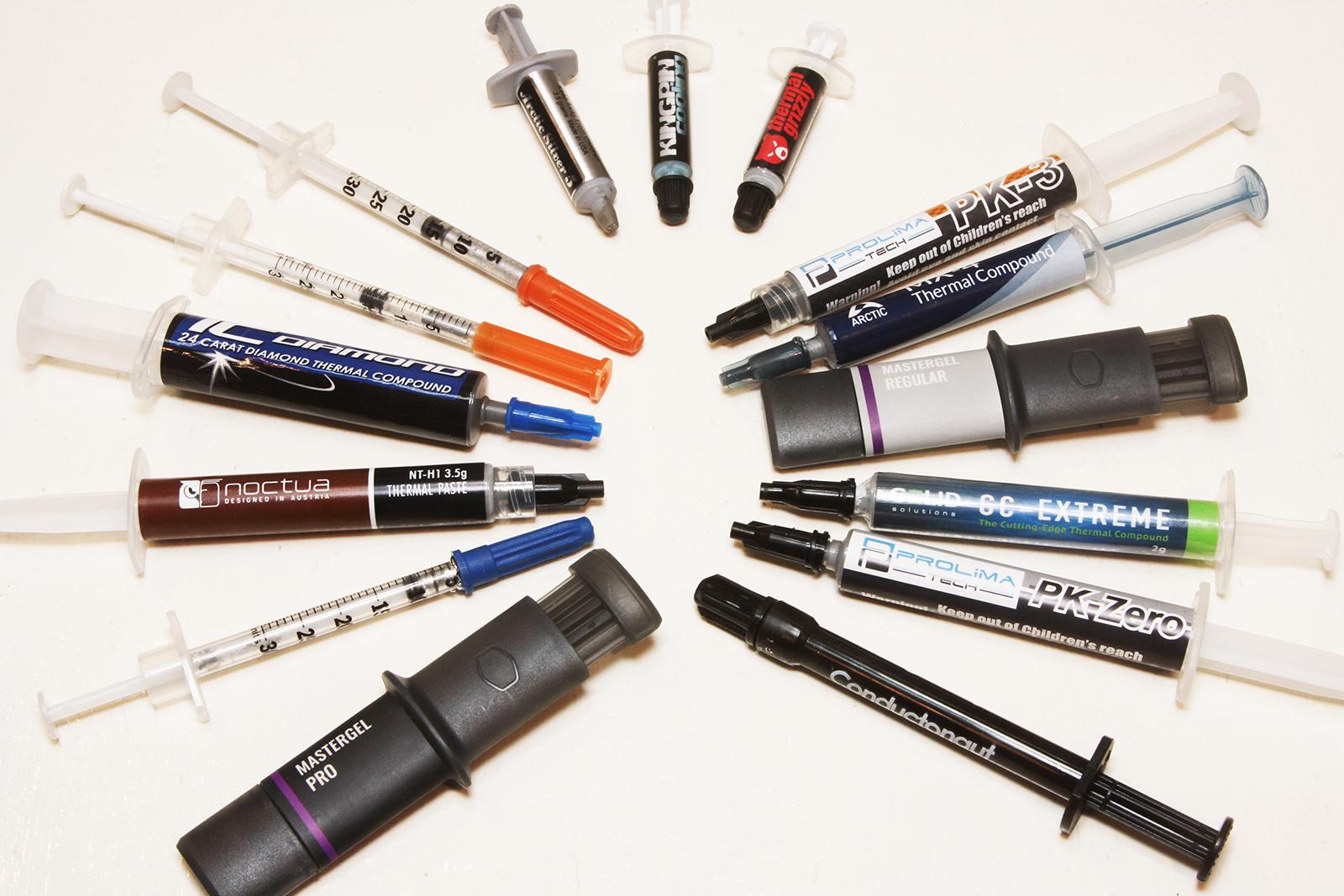
Shelf Life of Thermal Paste
Most thermal paste products have a shelf life of 2 to 5 years, depending on the brand and formulation. However, this lifespan assumes ideal storage conditions. Once opened, the paste is exposed to air and moisture, which can accelerate degradation.
Before talking about storage methods, it’s important to know how long thermal paste lasts.
- Unopened tube: Most thermal pastes last between 3 to 5 years if stored properly.
- Opened tube: Once opened, thermal paste typically lasts 1 to 2 years, depending on how well it is stored.
Some manufacturers include expiration dates on the packaging, while others provide guidelines based on usage frequency. For example:
- Arctic MX-4: Up to 8 years unopened; 2–3 years after opening
- Noctua NT-H1: 3 years unopened; 2 years after opening
- Thermal Grizzly Kryonaut: 3 years unopened; 1–2 years after opening
Always check the manufacturer’s recommendations and inspect the paste before reuse.
Factors That Damage Thermal Paste
To understand how to store thermal paste, you first need to know what can ruin it.
1. Air Exposure
Once opened, thermal paste begins to oxidize. To minimize air exposure:
- Always seal the cap tightly after use
- Wipe the nozzle clean before sealing
- Store the tube or syringe in an airtight ziplock bag or container
This prevents the paste from drying out or forming clumps.
2. Temperature Extremes
Thermal paste should be stored at room temperature, ideally between 15°C and 25°C (59°F to 77°F). Extreme heat can cause the paste to dry out, while freezing temperatures may alter its consistency.
Avoid storing it near radiators, windows, or inside hot garages. A cool, dry drawer or cabinet is ideal.
3. Moisture and Humidity
Moisture is the enemy of thermal paste. High humidity can cause the compound to separate or become watery. Store the paste in a dry environment, away from bathrooms, kitchens, or damp basements.
If you live in a humid climate, consider placing the paste in a sealed container with a silica gel packet to absorb moisture.
4. Poor Sealing
If the tube is not sealed properly after use, air will seep in, drying out the paste faster than expected.
5. Light Exposure
Direct sunlight or UV light can degrade the chemical composition of thermal paste. Store it in a dark place, such as a drawer or opaque container.
How To Properly Store Thermal Paste?
Now let’s look at the best practices to store your thermal paste so it stays usable for as long as possible.
1. Keep It in a Cool, Dry Place
The ideal storage environment is a cool, dry location away from direct sunlight. A drawer or cabinet inside your room works perfectly. Avoid leaving thermal paste near windows, heaters, or in garages where temperatures fluctuate.
2. Seal the Cap Tightly
After every use, make sure the cap is screwed on tightly. If the paste comes with a protective plug or rubber stopper, use it. This prevents air from getting inside the tube.
3. Store Vertically When Possible
Storing the tube vertically with the nozzle facing upward helps prevent the paste from settling at the tip and drying out.
4. Use Airtight Bags
For extra protection, you can place the tube in a small zip-lock or airtight plastic bag. Adding a silica gel packet can help absorb moisture.
5. Avoid Refrigerators and Freezers
Some people think refrigerating thermal paste extends its life, but this can cause condensation and damage the compounds. Stick to normal room temperatures.
6. Keep Away From Children and Pets
Thermal paste is not toxic in small amounts, but it should still be stored safely out of reach to avoid accidental ingestion or spills.
Storing Opened vs. Unopened Thermal Paste
There’s a difference between how you should handle an unopened tube compared to one you’ve already used.
Unopened Tubes
- Store in original packaging.
- Keep in a drawer or box away from heat sources.
- Lifespan: 3–5 years.
Opened Tubes
- Always reseal the nozzle with the original cap.
- If possible, cover the nozzle with plastic wrap before putting the cap on for extra sealing.
- Store upright inside a zip-lock bag with a silica gel pack.
- Lifespan: 1–2 years.
Why Properly Stored Thermal Paste Saves Money?
Many PC users end up throwing away half-used tubes of thermal paste because they dried out or went bad due to poor storage. By following simple storage steps, you can make one tube last for years. This not only saves money but also ensures that you’re never caught off guard when you need to replace or reapply paste during a CPU or GPU upgrade.
Myths About Thermal Paste Storage
There are a few common myths floating around about storing thermal paste. Let’s clear them up.
Myth 1: Refrigerating Paste Extends Its Life
As mentioned earlier, refrigeration can actually damage the paste due to condensation. Stick to room temperature storage.
Myth 2: Thermal Paste Never Expires
This is false. All compounds degrade over time. Even unopened tubes will eventually lose their effectiveness.
Myth 3: Storing Upside Down Improves Longevity
The orientation of the tube doesn’t make a big difference unless it’s opened. For opened tubes, storing upright helps prevent drying at the nozzle.
Recommended Thermal Paste Brands with Long Shelf Life
While proper storage is key, choosing a high-quality thermal paste also matters. Here are some brands known for longevity and stability:
- Arctic MX-4: Non-conductive, long shelf life, easy to apply
- Noctua NT-H1: Reliable performance, good consistency
- Thermal Grizzly Kryonaut: High thermal conductivity, ideal for overclocking
- Cooler Master MasterGel Pro: Affordable and effective for general use
Always check the manufacturer’s guidelines for storage and expiration.
Conclusion
Knowing how to properly store thermal paste ensures you always have a reliable product ready when you need it. Whether you’re an occasional PC builder or a tech enthusiast, keeping thermal paste in good condition is as important as applying it correctly.
By following simple storage practices—like keeping it in a cool, dry place, sealing it tightly, and using airtight bags—you can extend its lifespan and avoid wasting money. Remember, even the best thermal paste won’t last forever, but with proper care, a single tube can serve you well for years.
Next time you upgrade your CPU, GPU, or reapply paste for maintenance, you’ll be glad you stored it the right way.
Frequently Asked Questions
How long does thermal paste last if stored properly?
Unopened thermal paste can last 3–5 years. Once opened, it typically lasts 1–2 years if sealed tightly and stored in a cool, dry place.
Can I store thermal paste in the fridge?
No. Storing thermal paste in a refrigerator or freezer can cause condensation and damage the compounds, reducing effectiveness. Room temperature is best.
How do I know if my thermal paste has gone bad?
If it feels dry, hardened, separated into liquid and solid parts, or causes unusually high CPU/GPU temperatures, it’s no longer usable.
What’s the best way to store an opened tube of thermal paste?
Seal the nozzle tightly with its cap, store it upright in a cool, dry location, and if possible, place it inside a zip-lock bag with a silica gel packet to reduce moisture.
Does thermal paste expire even if unopened?
Yes. Even unopened tubes degrade over time, though they can remain effective for 3–5 years if stored correctly. Always check the expiration date if available.
How Long Can I Store Thermal Paste For?
For the best longevity of your thermal paste, store it in a cool area. Some suggest putting it in the fridge or freezer, but it doesn’t matter. In fact, it might be riskier applying it after taking it out of the freezer.
Is It Ok To Leave Thermal Paste Out?
Leaving thermal paste out won’t cause harm, but it may become less effective if it’s exposed to dust. It’s best to store thermal paste in a cool area, but it doesn’t have to be in the fridge or freezer. You should only need to replace thermal paste every few years or if you’re experiencing high CPU temperatures.
How Often Should You Remove Thermal Paste?
For the longevity of your thermal paste, keep it in a cool area. Storing it in the fridge or freezer doesn’t matter and can be more dangerous when applying it. You shouldn’t need to replace it often, maybe once every few years unless you remove your cooler or notice increased CPU temperatures.