
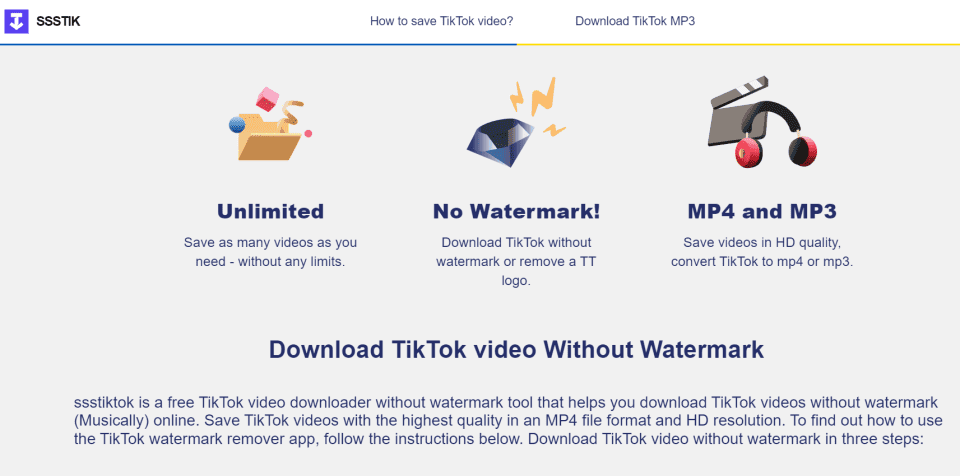

SSSTik.io is an online platform that allows users to download TikTok videos without the watermark. It provides a simple way to save TikTok content by just pasting the video URL into the platform. Users can download videos in various formats and resolutions for offline use.
The tool is popular among users who want to repurpose or share TikTok videos on other platforms without the branding associated with the TikTok app. However, using it to download videos without proper permission or credit to the creators could potentially violate copyright or TikTok’s terms of service.
Features of SSSTik.io
SSSTik.io offers several features for downloading TikTok videos. Here are its key features:
- Download TikTok Videos Without Watermark: SSSTik.io allows users to download TikTok videos without the TikTok watermark, making it cleaner for reposting or personal use.
- No App Installation Required: It is a web-based tool, so users do not need to download or install any software or app.
- High-Quality Video Downloads: Users can choose to download videos in high resolutions, depending on the original video’s quality.
- Multiple Formats: The platform supports downloading videos in different formats, such as MP4 (video) or MP3 (audio only).
- Free to Use: SSSTik.io is free, and there are no restrictions on the number of downloads or usage.
- Mobile and Desktop Compatibility: It works across both desktop and mobile devices, making it versatile for different users.
- Fast Download Speed: The platform is designed for fast downloads, providing videos quickly after processing the link.
- Anonymous Use: Users can download videos without needing to create an account or provide personal information.
These features make SSSTik.io convenient for those who want to save TikTok content for offline viewing or sharing. However, users should ensure they are complying with TikTok’s usage policies when downloading and sharing content.
Is SSSTik.io good for download TikTok Video?
Yes, SSSTik.io is considered a good tool for downloading TikTok videos, especially for the following reasons:
Pros:
- Watermark Removal: One of its main advantages is the ability to download videos without the TikTok watermark, which many users find useful for clean reposting or personal use.
- Simple and User-Friendly: The website has an easy-to-use interface where you just paste the video link to start downloading. No advanced tech knowledge is required.
- Free to Use: SSSTik.io is completely free, with no hidden costs or subscription fees, making it accessible for all users.
- Fast Download Speed: It usually offers quick download speeds, depending on your internet connection.
- Multiple Formats: It gives you options to download both video and audio formats, which is handy if you want just the audio from a TikTok video.
- No App Required: Since it’s a web-based tool, you don’t need to install anything, and it works on both desktop and mobile devices.
Cons:
- Ads: Being free, the platform often relies on ads for revenue, which can sometimes be intrusive or annoying.
- Potential Copyright Issues: Downloading TikTok videos without permission, especially without the watermark, could lead to legal or copyright issues if used improperly.
- No Advanced Features: It doesn’t offer advanced editing features or bulk downloading, so it’s limited to basic downloads.
- Occasional Downtime: Like many free tools, there may be periods when the site is unavailable or experiences slow performance.
Overall, SSSTik.io is a good option if you’re looking for a simple, free solution to download TikTok videos, especially without the watermark. However, always ensure that you’re respecting content creators’ rights and TikTok’s terms of service.
How to Download TikTok Videos with SSSTIK.IO?
To download TikTok videos using SSSTIK.IO, follow these steps:
- Open TikTok: Launch the TikTok app and find the video you want to download.
- Copy the Link: Tap the Share button (usually represented by an arrow) on the video and select Copy Link.
- Visit SSSTIK.IO: Open a web browser and go to the SSSTIK.IO website.
- Paste the Link: In the SSSTIK.IO interface, paste the copied TikTok video link into the provided field.
- Download the Video: Click the Download button. You may see options for downloading the video with or without a watermark. Choose your preferred option and tap the link to download.
- Save the Video: The video will start downloading to your device. Check your downloads folder for the file.
That’s it! You can now watch the TikTok video offline.
Is it safe to download TikTok Video with SSSTik.io?
Downloading TikTok videos with SSSTik.io can generally be considered safe, but there are a few important factors to keep in mind:
Safety Factors:
- No Software Installation: SSSTik.io is a web-based tool, so there’s no need to install any software or app. This reduces the risk of malware or viruses that can sometimes come with downloadable apps.
- No Personal Information Required: You don’t have to provide personal information, such as creating an account, which reduces the risk of data theft.
- Use of Ads: Like many free services, SSSTik.io relies on ads. Sometimes, ads can redirect users to unsafe or suspicious sites, so you should be cautious and avoid clicking on anything unnecessary.
- Check for HTTPS: Make sure the site is using “https” in its URL, which indicates that the website is secure and data transmission between your browser and the site is encrypted.
- Avoid Downloading Suspicious Links: Always make sure the TikTok video link you’re downloading is legitimate. Clicking on malicious links could expose you to security risks.
Risks to Consider:
- Pop-up Ads and Redirections: Free download sites often have pop-up ads, and some may lead to potentially harmful websites. Be careful not to click on these.
- Copyright and Legal Concerns: Downloading videos without permission, especially without the watermark, could breach TikTok’s terms of service and violate copyright laws, especially if you plan to repost or use them commercially.
- Third-Party Tools: Always exercise caution when using any third-party tool to interact with social media platforms, as there’s always a chance of data breaches, although this risk is typically lower with web-based services.
Tips for Safe Use:
- Use an ad blocker to minimize the risk of accidentally clicking on misleading ads.
- Only download videos from trusted sources and avoid downloading suspicious or unauthorized content.
- Use a reliable antivirus program on your device, just in case.
Overall, SSSTik.io is generally considered safe as long as you practice basic internet safety and remain cautious about ads and pop-ups.
Saving Twitter Videos with SSSTWITTE
To save Twitter videos using SSSTWITTE, follow these steps:
- Open Twitter: Launch the Twitter app or website and find the video you want to download.
- Copy the Tweet Link: Click on the share icon (usually an arrow) on the tweet containing the video and select Copy Link to Tweet.
- Visit SSSTWITTE: Open a web browser and go to the SSSTWITTE website.
- Paste the Link: In the SSSTWITTE interface, paste the copied tweet link into the input field provided.
- Download the Video: Click on the Download button. You may be given options for video quality or format; choose the one you prefer.
- Save the Video: The video will start downloading to your device. Check your downloads folder to find the file.
That’s it! You can now watch the Twitter video offline.
In a Short!
In conclusion, SSSTik.io is a popular and generally safe platform for downloading TikTok videos, especially for users looking to remove watermarks. It is easy to use, free, and doesn’t require any software installation, which minimizes potential risks like malware. However, users should be cautious about intrusive ads and pop-ups, and avoid downloading or interacting with suspicious content.
While the tool provides convenience, it’s essential to respect TikTok’s terms of service and copyright laws when using downloaded videos, particularly when reposting them. Practicing good online safety habits, such as using ad blockers and antivirus software, will further ensure a secure experience.




