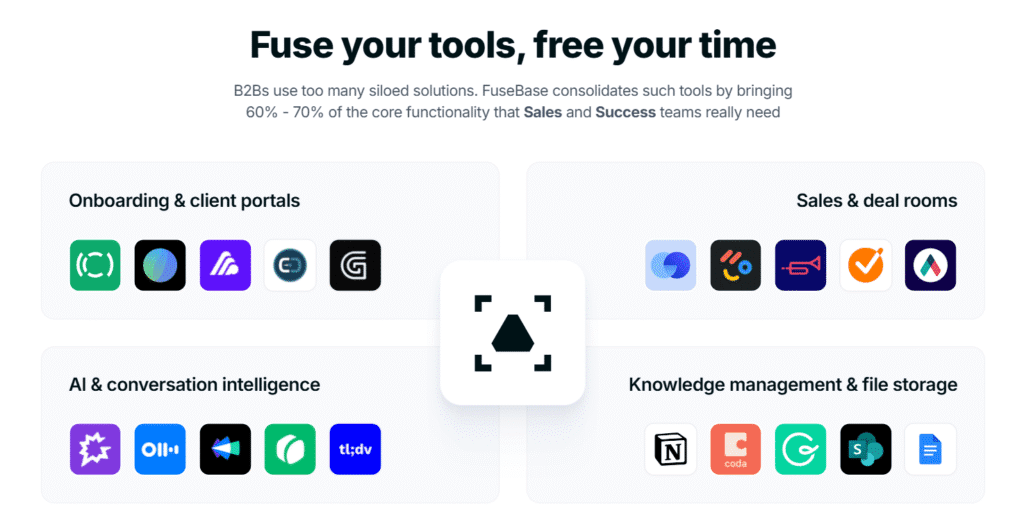
In today’s fast-paced digital environment, businesses are constantly juggling internal collaboration, client communication, document management, and workflow automation. Most teams rely on a patchwork of tools—Notion for notes, Trello for tasks, Google Drive for files, Slack for messaging, and separate platforms for client portals. This fragmented approach leads to inefficiencies, missed deadlines, and poor client experiences.
Enter FuseBase — an all-in-one, AI-powered workspace designed to unify internal operations and external client collaboration. Formerly known as Nimbus Note, FuseBase has evolved into a robust platform that combines project management, branded client portals, AI assistants, and automation tools. And with its lifetime deal on AppSumo, FuseBase is quickly becoming a favorite among agencies, consultants, startups, and remote teams.
This review explores FuseBase’s features, pricing, use cases, and whether the lifetime deal is truly worth it.
What Is FuseBase?
FuseBase is a web-based collaboration platform that merges internal team workspaces with external client portals. It’s designed to eliminate tool overload by centralizing communication, documentation, task management, and AI-powered automation in one place.
FuseBase positions itself as a “workspace + portal + automation + AI” solution. Whether you’re managing projects, onboarding clients, sharing deliverables, or automating approvals, FuseBase provides a unified interface to streamline your workflow.
Previously known as Nimbus, Fusebase has evolved into a powerful ecosystem that merges:
- Client portals
- Knowledge base/documentation
- Project management
- Chat and messaging
- White-label branding
- AI-powered content and task assistance
With its intuitive interface and robust feature set, Fusebase eliminates the need for juggling multiple platforms like Trello, Google Docs, Slack, and Notion. Everything from client onboarding to file sharing, updates, and feedback can happen right inside Fusebase.
Pricing: FuseBase Lifetime Deal on AppSumo
No Monthly Bills. Pay Once. Use Forever-Lifetime Access
FuseBase is currently available on AppSumo with a tiered lifetime deal structure:
| Plan | Price | Users | Workspaces | Client Portals | Storage |
|---|---|---|---|---|---|
| Single | $79 | 1 | 50 | 1 | 50 GB |
| Double | $158 | 3 | 100 | 2 | 100 GB |
| Multiple | $237 | 5 | 200 | 3 | 200 GB |
Each plan includes:
- Lifetime access to FuseBase
- All future updates
- Branding removal
- Pro Nimbus Capture (for account owner)
- AI features like transcription and OCR
- Secure access and export options
You can also stack unlimited codes to expand capacity and features. A 60-day refund policy ensures risk-free testing.
Key Features of Fusebase
Client Portals with Custom Branding
Fusebase allows you to build white-labeled client portals with your own logo, custom domain, and brand colors. Clients can log in securely and access their dashboard, project progress, documents, forms, messages, and more — all in a professional and organized interface.
You can also control visibility settings, so clients only see what you want them to see.
AI-Powered Workspace
One of the standout features is AI-powered tools integrated directly into the workspace. Fusebase AI can help with:
- Generating content outlines
- Creating documentation
- Summarizing meetings
- Auto-generating tasks from notes
This gives you a serious productivity boost, especially when juggling multiple clients or creating repeatable content.
Collaborative Documentation & Wikis
Similar to Notion or Confluence, Fusebase supports collaborative documentation. You can create internal wikis, SOPs, onboarding documents, and knowledge bases — all with commenting and real-time editing.
The platform supports rich text, embeds (like Loom, YouTube, Miro), and task linking, so your documentation becomes interactive and actionable.
Project & Task Management
Fusebase includes a robust task management system with Kanban boards, to-do lists, timelines, recurring tasks, and time tracking. You can assign tasks to team members, set due dates, and connect tasks to documents or client pages.
You also get a timeline and calendar view to keep track of deadlines and workflows.
Integrated Communication Channels
Fusebase offers built-in messaging to reduce email clutter. Whether it’s chatting with your internal team or receiving client feedback, everything stays centralized.
You can also embed forms and feedback widgets into pages for asynchronous updates.
Client Onboarding Made Simple
One of Fusebase’s best use cases is automated client onboarding. With templates and forms, you can gather client info, upload files, assign tasks, and guide them through the onboarding process — all through a branded portal.
This significantly improves client experience and saves hours of back-and-forth communication.
File Sharing & Storage
Fusebase allows secure file sharing with permission control. Whether it’s contracts, creative assets, or large video files, you can keep everything organized and accessible with version history and encryption.
Templates for Everything
From project plans and proposals to onboarding checklists and marketing calendars, Fusebase comes with a library of ready-to-use templates. You can also create your own and duplicate them across client projects.
Real-World Performance: Does FuseBase Deliver?
According to user reviews and product demos, FuseBase excels in:
- Ease of use: The interface is intuitive and beginner-friendly.
- Client experience: Portals are customizable and professional.
- Collaboration: Real-time editing and messaging streamline teamwork.
- Automation: Workflow tools save time and reduce manual errors.
- AI integration: Agents and transcription tools enhance productivity.
One user noted that FuseBase helped them consolidate five separate tools into one platform, saving both time and money. Another praised the AI assistant for summarizing client documents and automating onboarding steps.
How FuseBase Works: Step-by-Step?
- Create Workspaces Set up internal workspaces for your team and external portals for clients.
- Add Content and Tasks Upload documents, create tasks, set deadlines, and assign responsibilities.
- Deploy AI Agents Use AI assistants to summarize documents, automate onboarding, or answer client queries.
- Customize Portals White-label portals with your branding, organize content, and control access.
- Automate Workflows Build custom automations for approvals, notifications, and task assignments.
- Collaborate in Real-Time Edit documents, leave comments, and chat with team members or clients.
- Track Progress and Export Monitor task completion, gather feedback, and export content securely.
How Does Fusebase Compare to Competitors?
| Feature | Fusebase | Notion | ClickUp | Basecamp |
|---|---|---|---|---|
| Lifetime Deal Available | Yes | No | No | No |
| Client Portals | Yes | No | Yes (limited) | Yes (basic) |
| White-label Branding | Yes | No | No | No |
| AI Assistance | Built-in | Yes (via GPT) | Yes | No |
| Custom Domain | Yes | No | No | No |
| One-Time Payment | Yes | No | No | No |
Fusebase clearly stands out for its focus on client collaboration, branding, and value-for-money with a one-time purchase model.
Fusebase Review | Is the Fusebase Lifetime Deal Worth It?
Absolutely. If you manage clients, deliver services, or handle multiple projects, Fusebase provides everything you need — without juggling 5 different tools. The white-label client portal alone justifies the price for agencies and freelancers who want to stand out.
With AI assistance, professional documentation, project management, and secure client communication, Fusebase helps you deliver better service and scale your operations — while keeping costs under control.
And since it’s a lifetime deal from Appsumo, you’ll never worry about monthly software bills again
Frequently Asked Questions (FAQs)
What is Fusebase?
Fusebase is an all-in-one client collaboration and productivity platform that combines project management, AI assistance, client portals, documentation, and communication tools in a single workspace. It’s ideal for agencies, freelancers, and remote teams.
What’s included in the Fusebase Lifetime Deal?
The lifetime deal typically includes unlimited client portals, AI assistant access, project and task management tools, white-label branding (on higher tiers), file storage, and team collaboration — all for a one-time payment.
Can I use Fusebase for client onboarding?
Yes. Fusebase excels at automated client onboarding. You can use templates, forms, checklists, and branded portals to guide clients through every step of your onboarding process efficiently.
Is Fusebase white-labeled?
Yes, on higher-tier lifetime deals, you get access to full white-label features, including custom branding, logo upload, and custom domain support to create a professional experience for your clients.
Does Fusebase include an AI assistant?
Yes, Fusebase has built-in AI tools that help generate content, summarize meetings, create documentation, and assist with task generation — saving time and boosting productivity.
Who should buy the Fusebase Lifetime Deal?
It’s perfect for digital agencies, consultants, coaches, freelancers, and small teams who want a single platform to manage clients, projects, and content with professional branding and no monthly fees.
Can I use Fusebase on a custom domain?
Yes. You can connect your custom domain to your Fusebase portals, giving your clients a seamless branded experience.
Where can I buy the Fusebase Lifetime Deal?
The Fusebase Lifetime Deal is usually available on platforms like AppSumo or DealMirror. You can also visit the official Fusebase website to check for current offers and updates.
Related posts:
 Keyword Revealer Lifetime Deal: The Ultimate SEO Tool for Marketers and Businesses
 Sensfrx Lifetime Deal Review – Smart Data Tracking & Automation for Modern Businesses
 WbizTool Lifetime Deal Review – All‑in‑One Business Management Platform
 WebStarts Lifetime Deal Review – Build, Host & Grow Your Website Without Monthly Costs